雷达数据可视化
本实验介绍jupyter notebook中运行的雷达数据可视化代码
场景简介
本实验介绍:jupyter notebook中运行的雷达数据可视化代码
实验室资源方式简介
进入实操前,请确保阿里云账号满足以下条件:
个人账号资源
使用您个人的云资源进行操作,资源归属于个人。
平台仅提供手册参考,不会对资源做任何操作。
确保已完成云工开物300元代金券领取。
已通过实名认证且账户余额≥100元。
本次实验将在您的账号下开通实操所需计算型实例规格族c7a,费用约为:25元(以实验时长2小时预估,具体金额取决于实验完成的时间),需要您通过阿里云云工开物学生专属300元抵扣金兑换本次实操的云资源。
如果您调整了资源规格、使用时长,或执行了本方案以外的操作,可能导致费用发生变化,请以控制台显示的实际价格和最终账单为准。
领取专属权益及创建实验资源
在开始实验之前,请先点击右侧屏幕的“进入实操”再进行后续操作

领取300元高校专属权益优惠券(若已领取请跳过)
实验产生的费用优先使用优惠券,优惠券使用完毕后需您自行承担。

实验步骤
1、服务部署
点击链接,进入部署页面
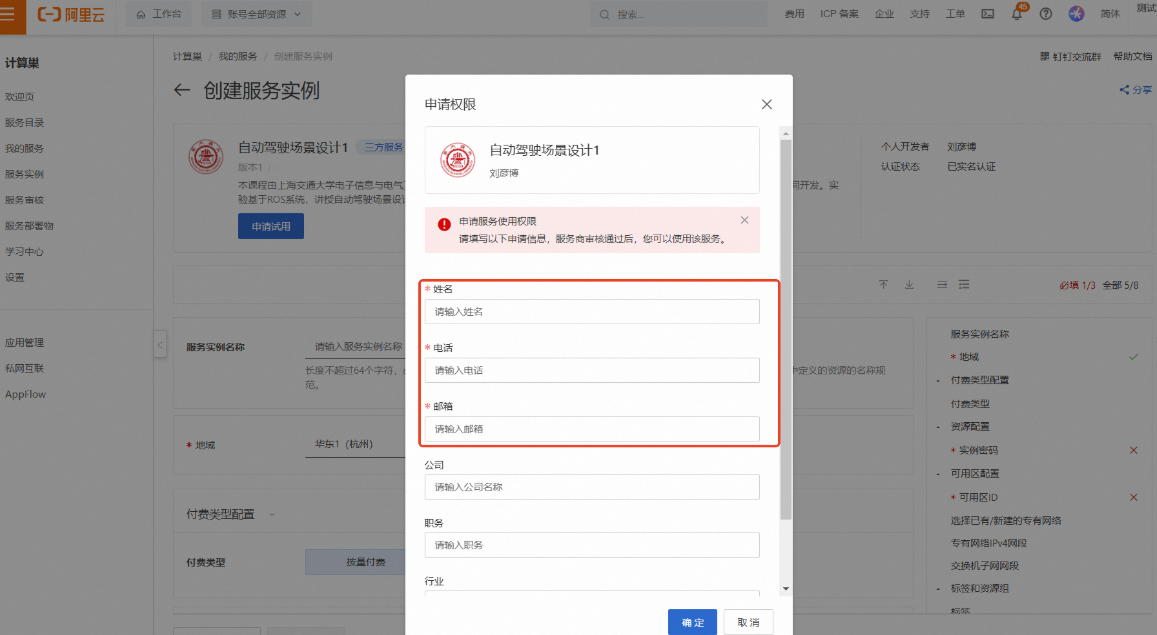
按弹窗提示进行权限申请。其中【姓名】、【电话】、【邮箱】为必填项,完成填写后点击【确定】
说明请填写您的学校邮箱(.edu),便于审核
提交申请后将提示
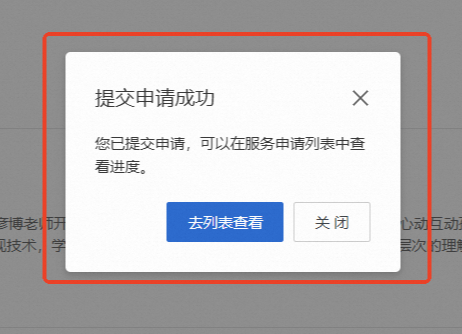
当申请通过后,将会收到短信提示可以进行部署

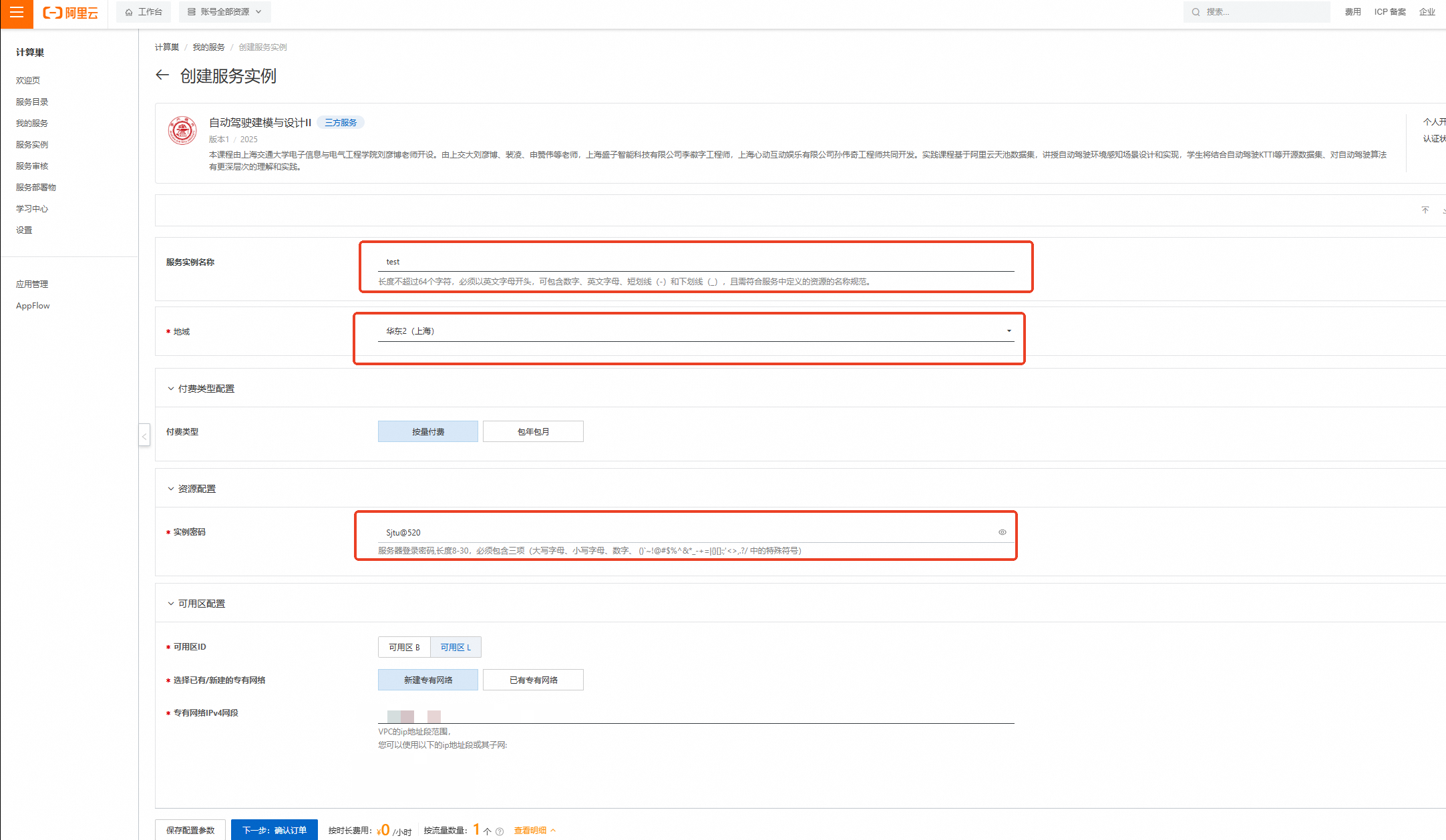
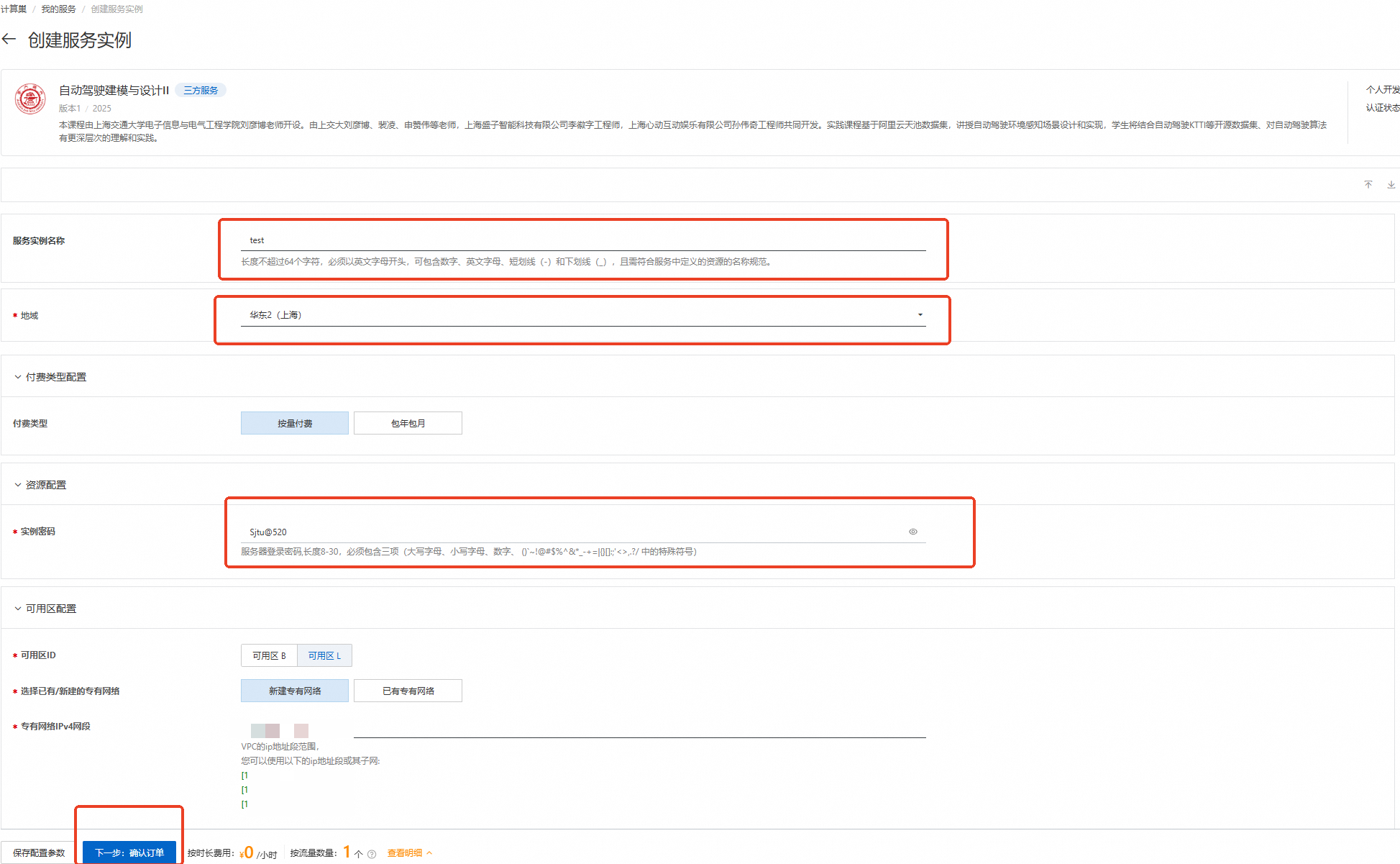
刷新部署页面,按下图设置【服务实例名称】、【地域】、【实例密码】
服务实例名称:test(可自定义命名)
地域:华东2(上海)
实例密码:Sjtu@520
说明输入实例密码时请注意大小写,请记住您设置的实例名称及对应密码,后续实验过程会用到。

完成填写后点击【下一步:确认订单】
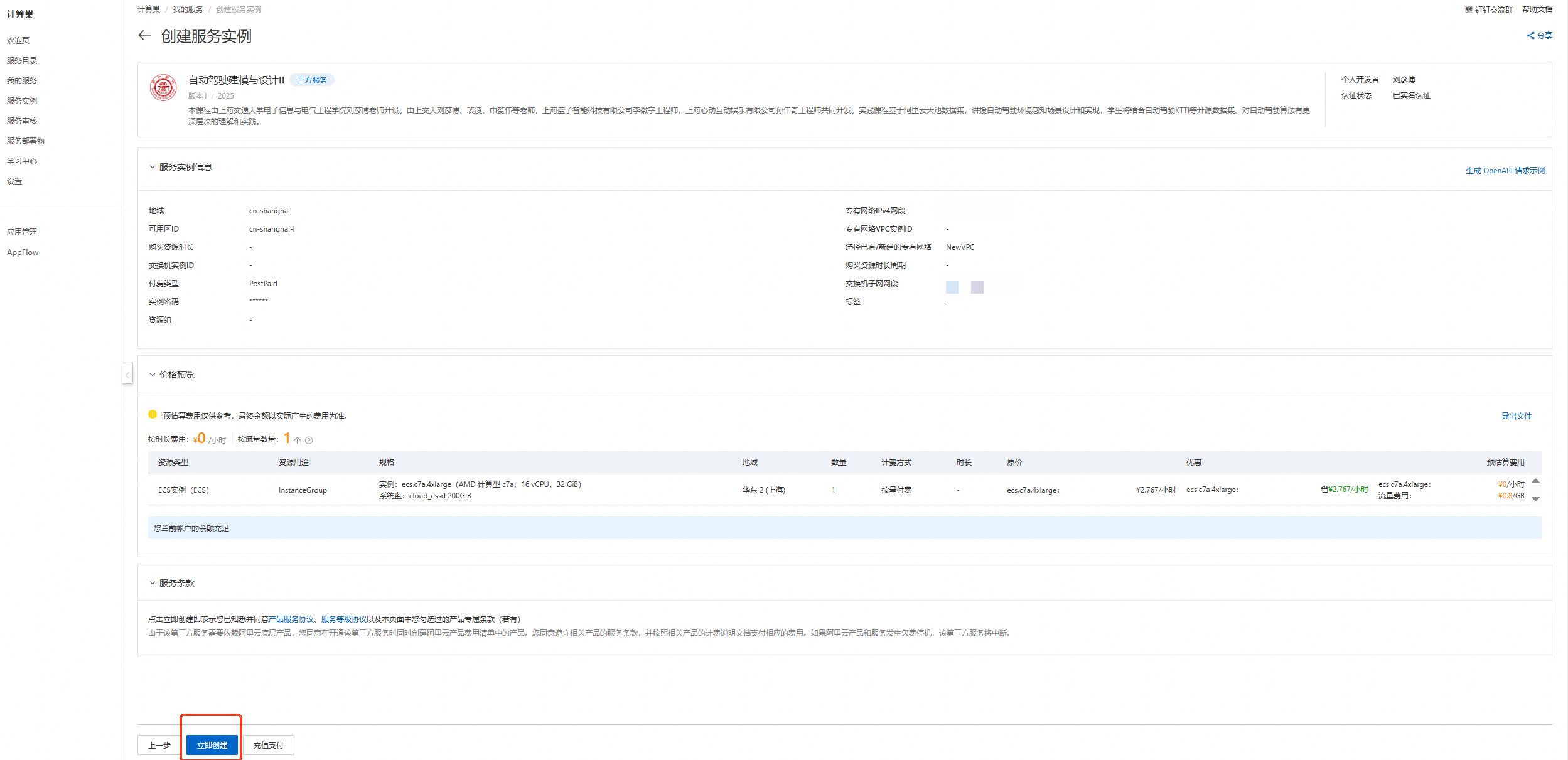
核对实例信息及价格预览,无误请点击【立即创建】
重要领取300元优惠券后,资源应为0元/小时,且会提示【您当前账户的余额充足】!若提示余额不足等,请检查是否正确领取优惠券
创建成功,点击【去列表查看】
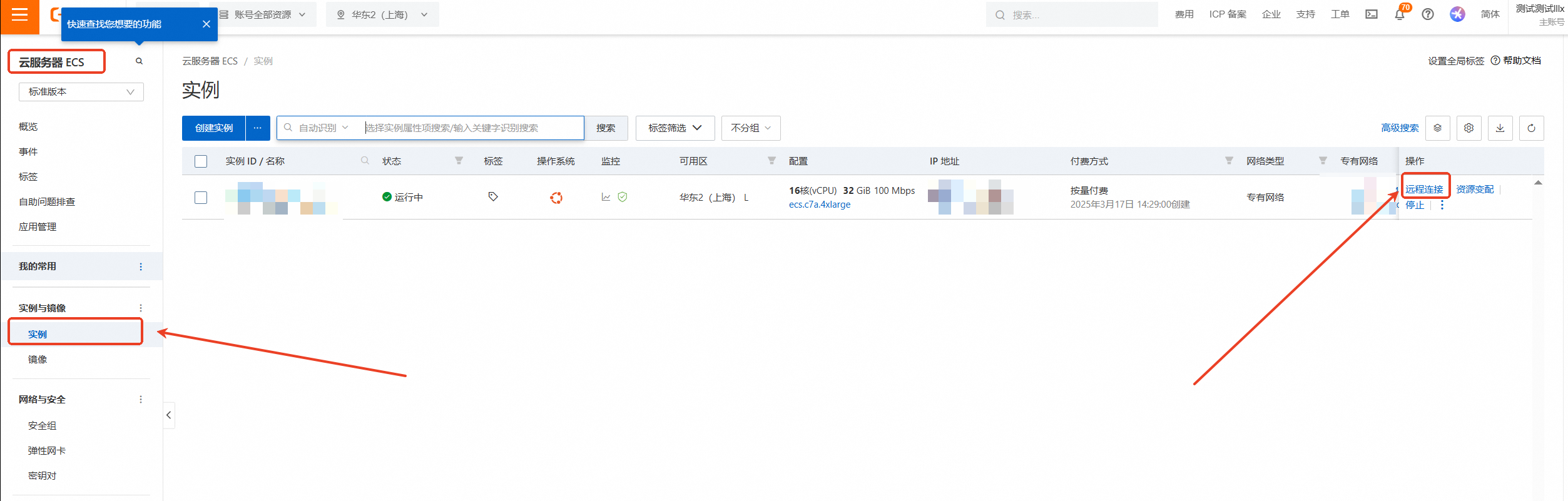
查看实例,点击左侧的图标展开目录
选择目录中的【云服务器ECS】
云服务器ECS—实例—远程连接
下拉展开更多登录方式,选择【通过VNC远程连接】
输入实例密码:Sjtu@520(请输入您设置的密码)后回车
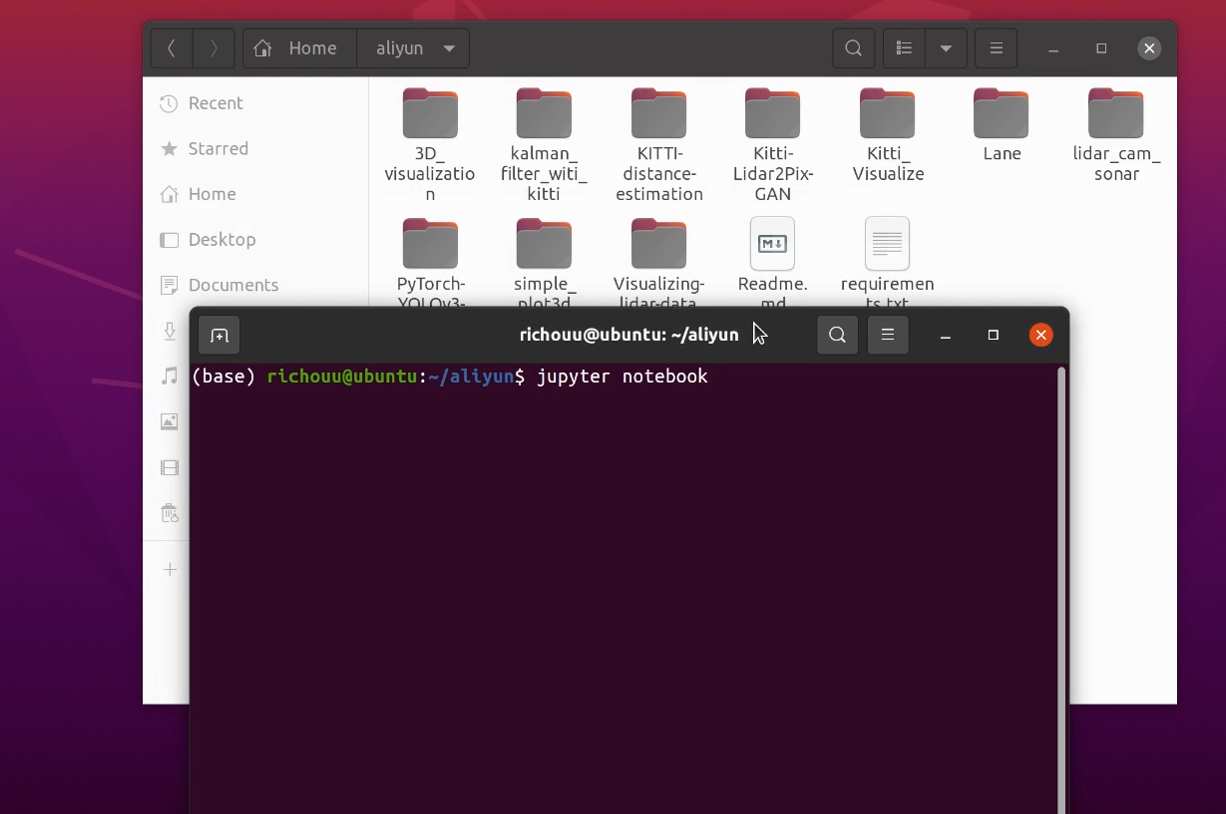
进入Ubuntu20.04系统后打开aliyun文件夹,在文件夹中右键开启终端并输入 /jupyter notebook 命令,用户名前面的(base)表示此时处于anaconda的base环境中
2、打开文件并运行
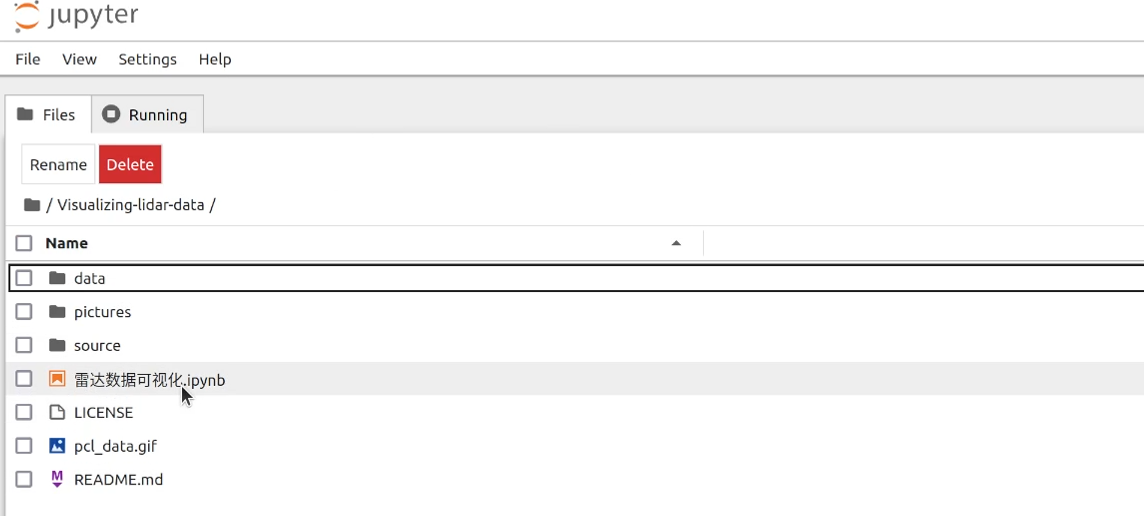
在自动弹出的浏览器页面中选择/Visualizing-lidar-data/雷达数据可视化.ipynb并打开
点击此选项可按步运行
3、读取数据集
import numpy as np import pykitti basedir = '/home/ecs-user/aliyun/Visualizing-lidar-data/data' def load_dataset(date, drive, calibrated=False, frame_range=None): dataset = pykitti.raw(basedir, date, drive) # 加载数据 if calibrated: dataset.load_calib() # Calibration data are accessible as named tuples np.set_printoptions(precision=4, suppress=True) print('\nDrive: ' + str(dataset.drive)) print('\nFrame range: ' + str(dataset.frames)) if calibrated: print('\nIMU-to-Velodyne transformation:\n' + str(dataset.calib.T_velo_imu)) print('\nGray stereo pair baseline [m]: ' + str(dataset.calib.b_gray)) print('\nRGB stereo pair baseline [m]: ' + str(dataset.calib.b_rgb)) return dataset4、读取轨迹数据
import sys sys.path.append("/home/ecs-user/aliyun/Visualizing-lidar-data/source") print(sys.path) import parseTrackletXML as xmlParser def load_tracklets_for_frames(n_frames, xml_path): tracklets = xmlParser.parseXML(xml_path) frame_tracklets = {} frame_tracklets_types = {} for i in range(n_frames): frame_tracklets[i] = [] frame_tracklets_types[i] = [] for i, tracklet in enumerate(tracklets): h, w, l = tracklet.size trackletBox = np.array([ [-l / 2, -l / 2, l / 2, l / 2, -l / 2, -l / 2, l / 2, l / 2], [w / 2, -w / 2, -w / 2, w / 2, w / 2, -w / 2, -w / 2, w / 2], [0.0, 0.0, 0.0, 0.0, h, h, h, h] ]) for translation, rotation, state, occlusion, truncation, amtOcclusion, amtBorders, absoluteFrameNumber in tracklet: if truncation not in (xmlParser.TRUNC_IN_IMAGE, xmlParser.TRUNC_TRUNCATED): continue yaw = rotation[2] assert np.abs(rotation[:2]).sum() == 0, 'object rotations other than yaw given!' rotMat = np.array([ [np.cos(yaw), -np.sin(yaw), 0.0], [np.sin(yaw), np.cos(yaw), 0.0], [0.0, 0.0, 1.0] ]) cornerPosInVelo = np.dot(rotMat, trackletBox) + np.tile(translation, (8, 1)).T frame_tracklets[absoluteFrameNumber] = frame_tracklets[absoluteFrameNumber] + [cornerPosInVelo] frame_tracklets_types[absoluteFrameNumber] = frame_tracklets_types[absoluteFrameNumber] + [ tracklet.objectType] return (frame_tracklets, frame_tracklets_types)5、执行数据读取
date = '2011_09_26' drive = '0005' dataset = load_dataset(date, drive) tracklet_rects, tracklet_types = load_tracklets_for_frames(len(list(dataset.velo)), '/home/ecs-user/aliyun/Visualizing-lidar-data/data/{}/{}_drive_{}_sync/tracklet_labels.xml'.format(date, date, drive))输出结果如图所示,其中包含了15个对象的轨迹数据。
6、绘制图像
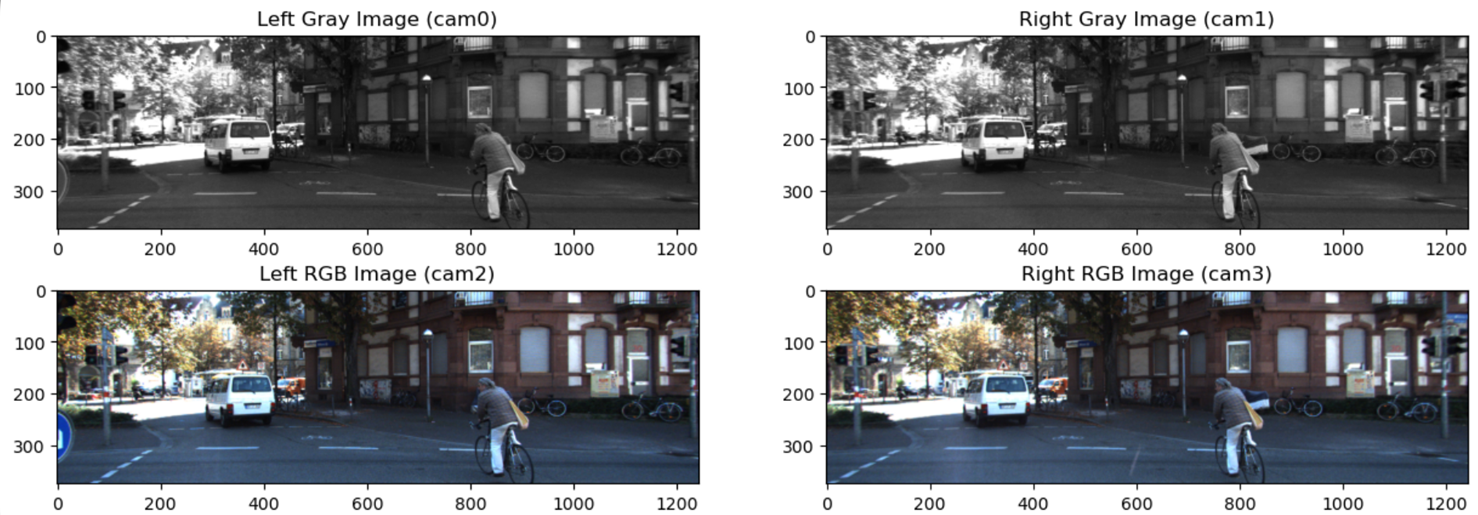
定义draw_box函数,在坐标系中绘制3D点云并为物体绘制3D边框。分别绘制相机数据、3D点云和平面点云。
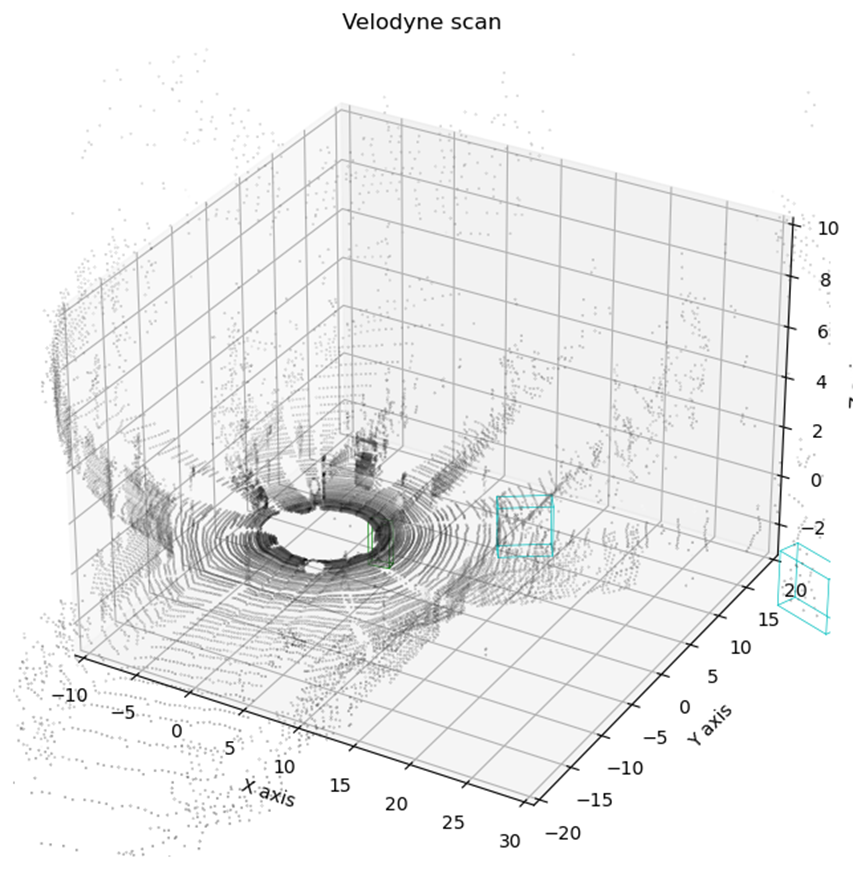
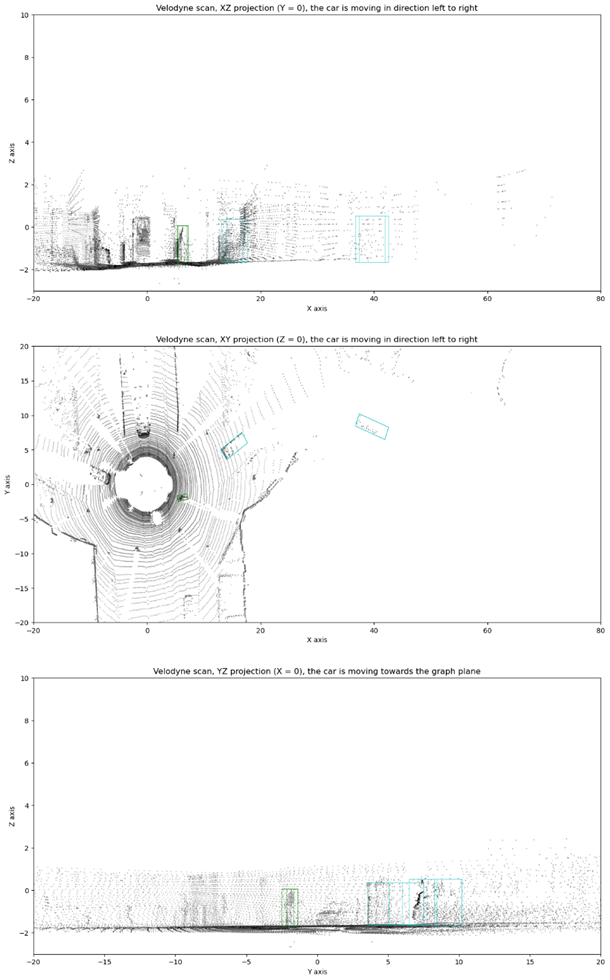
import matplotlib.pyplot as plt from mpl_toolkits.mplot3d import Axes3D colors = { 'Car': 'b', 'Tram': 'r', 'Cyclist': 'g', 'Van': 'c', 'Truck': 'm', 'Pedestrian': 'y', 'Sitter': 'k' } axes_limits = [ [-20, 80], # X axis range [-20, 20], # Y axis range [-3, 10] # Z axis range ] axes_str = ['X', 'Y', 'Z'] def draw_box(pyplot_axis, vertices, axes=[0, 1, 2], color='black'): vertices = vertices[axes, :] connections = [ [0, 1], [1, 2], [2, 3], [3, 0], # Lower plane parallel to Z=0 plane [4, 5], [5, 6], [6, 7], [7, 4], # Upper plane parallel to Z=0 plane [0, 4], [1, 5], [2, 6], [3, 7] # Connections between upper and lower planes ] for connection in connections: pyplot_axis.plot(*vertices[:, connection], c=color, lw=0.5) def display_frame_statistics(dataset, tracklet_rects, tracklet_types, frame, points=0.2): dataset_gray = list(dataset.gray) dataset_rgb = list(dataset.rgb) dataset_velo = list(dataset.velo) print('Frame timestamp: ' + str(dataset.timestamps[frame])) # 绘制相机数据 f, ax = plt.subplots(2, 2, figsize=(15, 5)) ax[0, 0].imshow(dataset_gray[frame][0], cmap='gray') ax[0, 0].set_title('Left Gray Image (cam0)') ax[0, 1].imshow(dataset_gray[frame][1], cmap='gray') ax[0, 1].set_title('Right Gray Image (cam1)') ax[1, 0].imshow(dataset_rgb[frame][0]) ax[1, 0].set_title('Left RGB Image (cam2)') ax[1, 1].imshow(dataset_rgb[frame][1]) ax[1, 1].set_title('Right RGB Image (cam3)') plt.show() points_step = int(1. / points) point_size = 0.01 * (1. / points) velo_range = range(0, dataset_velo[frame].shape[0], points_step) velo_frame = dataset_velo[frame][velo_range, :] def draw_point_cloud(ax, title, axes=[0, 1, 2], xlim3d=None, ylim3d=None, zlim3d=None): ax.scatter(*np.transpose(velo_frame[:, axes]), s=point_size, c=velo_frame[:, 3], cmap='gray') ax.set_title(title) ax.set_xlabel('{} axis'.format(axes_str[axes[0]])) ax.set_ylabel('{} axis'.format(axes_str[axes[1]])) if len(axes) > 2: ax.set_xlim3d(*axes_limits[axes[0]]) ax.set_ylim3d(*axes_limits[axes[1]]) ax.set_zlim3d(*axes_limits[axes[2]]) ax.set_zlabel('{} axis'.format(axes_str[axes[2]])) else: ax.set_xlim(*axes_limits[axes[0]]) ax.set_ylim(*axes_limits[axes[1]]) if xlim3d!=None: ax.set_xlim3d(xlim3d) if ylim3d!=None: ax.set_ylim3d(ylim3d) if zlim3d!=None: ax.set_zlim3d(zlim3d) for t_rects, t_type in zip(tracklet_rects[frame], tracklet_types[frame]): draw_box(ax, t_rects, axes=axes, color=colors[t_type]) # 绘制点云3D图像 f2 = plt.figure(figsize=(15, 8)) ax2 = f2.add_subplot(111, projection='3d') draw_point_cloud(ax2, 'Velodyne scan', xlim3d=(-10,30)) plt.show() # 绘制点云平面图像 f, ax3 = plt.subplots(3, 1, figsize=(15, 25)) draw_point_cloud( ax3[0], 'Velodyne scan, XZ projection (Y = 0), the car is moving in direction left to right', axes=[0, 2] # X and Z axes ) draw_point_cloud( ax3[1], 'Velodyne scan, XY projection (Z = 0), the car is moving in direction left to right', axes=[0, 1] # X and Y axes ) draw_point_cloud( ax3[2], 'Velodyne scan, YZ projection (X = 0), the car is moving towards the graph plane', axes=[1, 2] # Y and Z axes ) plt.show() frame = 10 display_frame_statistics(dataset, tracklet_rects, tracklet_types, frame)分别读取并显示数据集中cam0和cam1的RGB图以及灰度图。
绘制3D点云。
7、绘制三维图
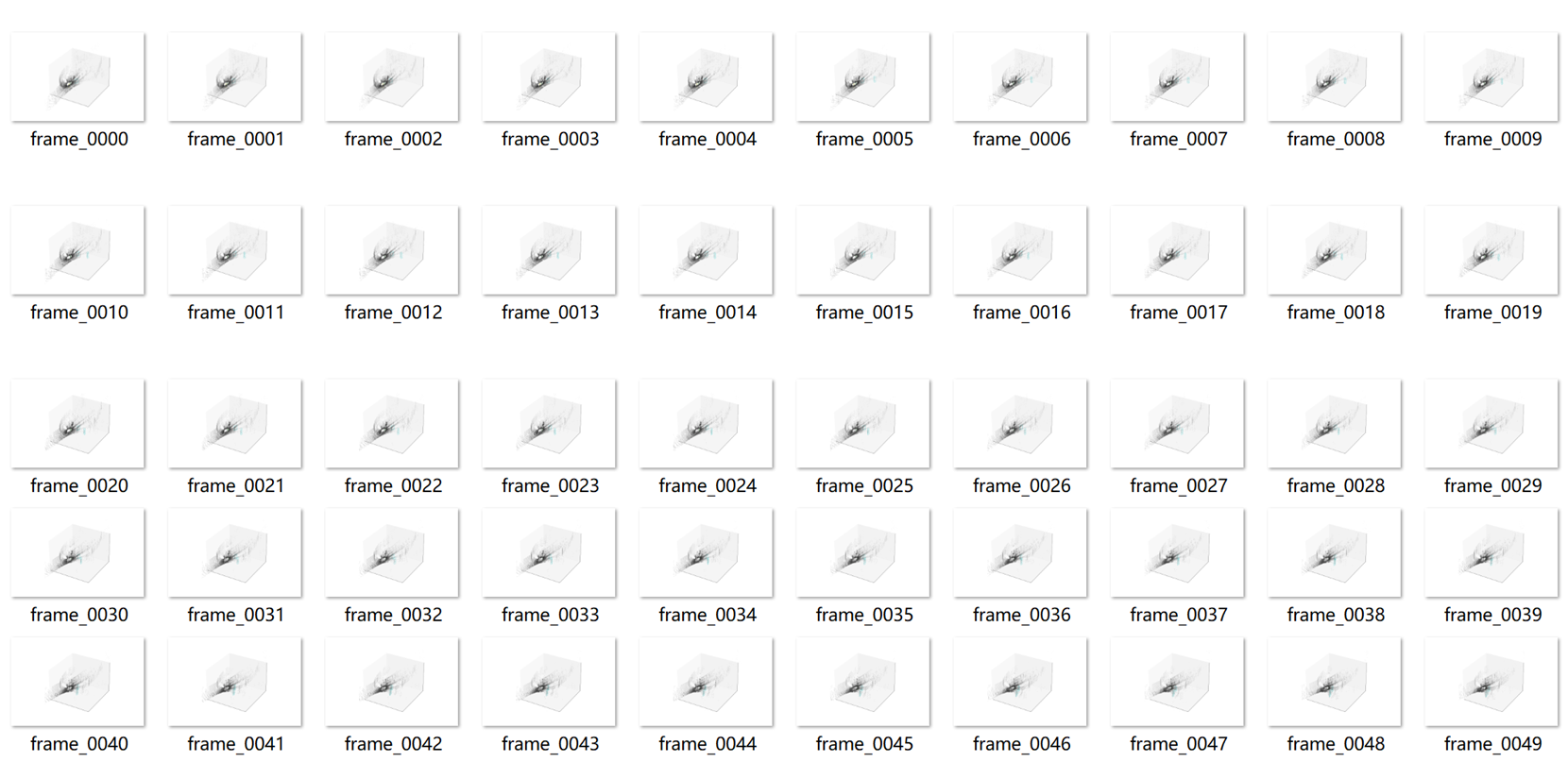
将每一帧的雷达数据绘制成一幅三维图,并保存在pictures文件夹中。
from utilities import print_progress
from moviepy import ImageSequenceClip

def draw_3d_plot(frame, dataset, tracklet_rects, tracklet_types, points=0.2):
    dataset_velo = list(dataset.velo)

    f = plt.figure(figsize=(12, 8))
    axis = f.add_subplot(111, projection='3d', xticks=[], yticks=[], zticks=[])

    points_step = int(1. / points)
    point_size = 0.01 * (1. / points)
    velo_range = range(0, dataset_velo[frame].shape[0], points_step)
    velo_frame = dataset_velo[frame][velo_range, :]
    axis.scatter(*np.transpose(velo_frame[:, [0, 1, 2]]), s=point_size, c=velo_frame[:, 3], cmap='gray')
    axis.set_xlim3d(*axes_limits[0])
    axis.set_ylim3d(*axes_limits[1])
    axis.set_zlim3d(*axes_limits[2])
    for t_rects, t_type in zip(tracklet_rects[frame], tracklet_types[frame]):
        draw_box(axis, t_rects, axes=[0, 1, 2], color=colors[t_type])
    filename = '/home/ecs-user/aliyun/Visualizing-lidar-data/pictures/frame_{0:0>4}.png'.format(frame)
    plt.savefig(filename)
    plt.close(f)
    return filename
生成的三维图文件如图所示。
8、制作GIF文件
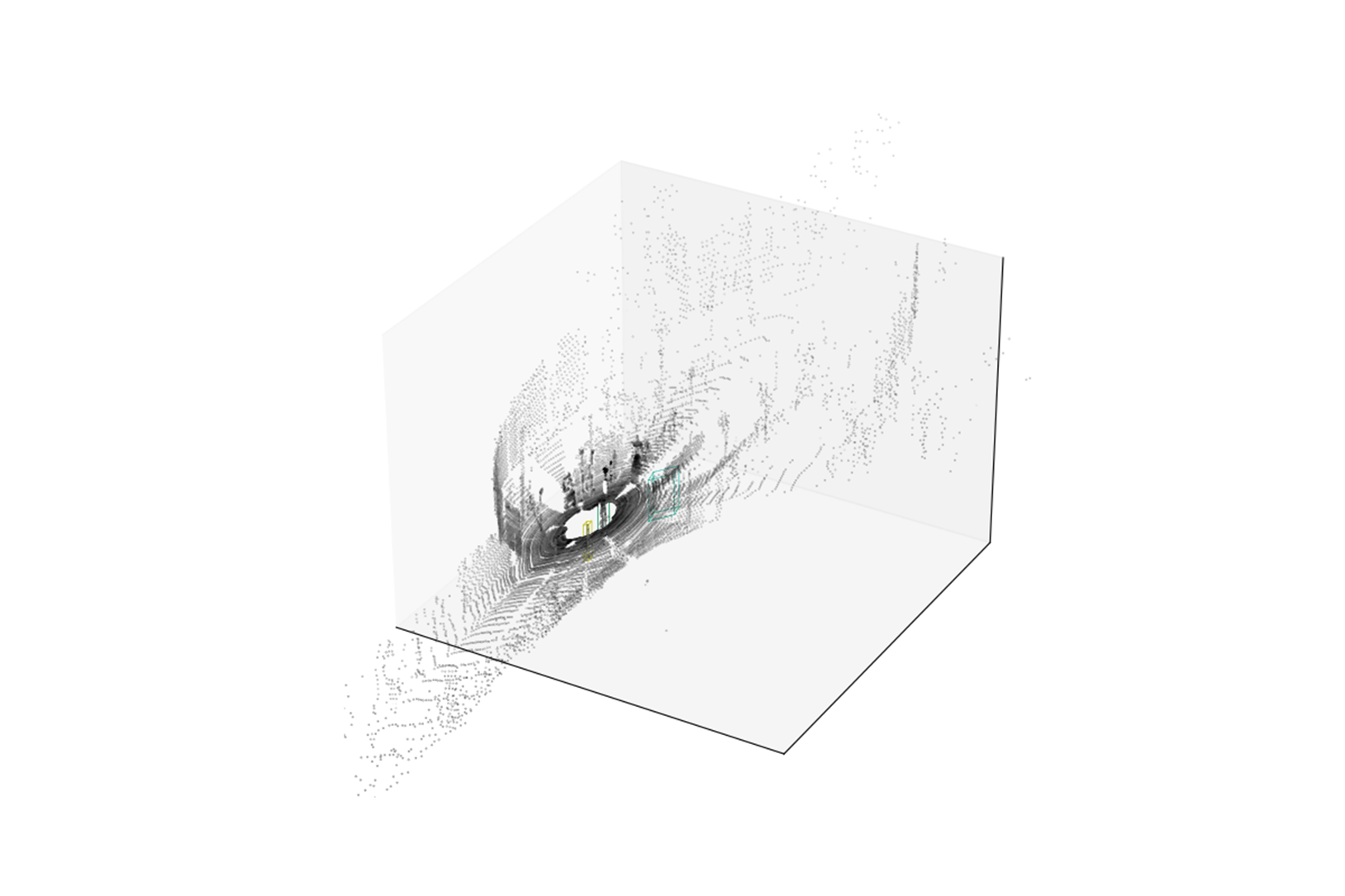
将保存在pictures文件夹中的三维图保存为一个GIF文件。
frames = [] n_frames = len(list(dataset.velo)) print('Preparing animation frames...') for i in range(n_frames): print_progress(i, n_frames - 1) filename = draw_3d_plot(i, dataset, tracklet_rects, tracklet_types) frames += [filename] print('...Animation frames ready.') clip = ImageSequenceClip(frames, fps=5) % time clip.write_gif('/home/ecs-user/aliyun/Visualizing-lidar-data/pcl_data.gif', fps=5)合成的GIF文件保存在对应路径中。






清理资源
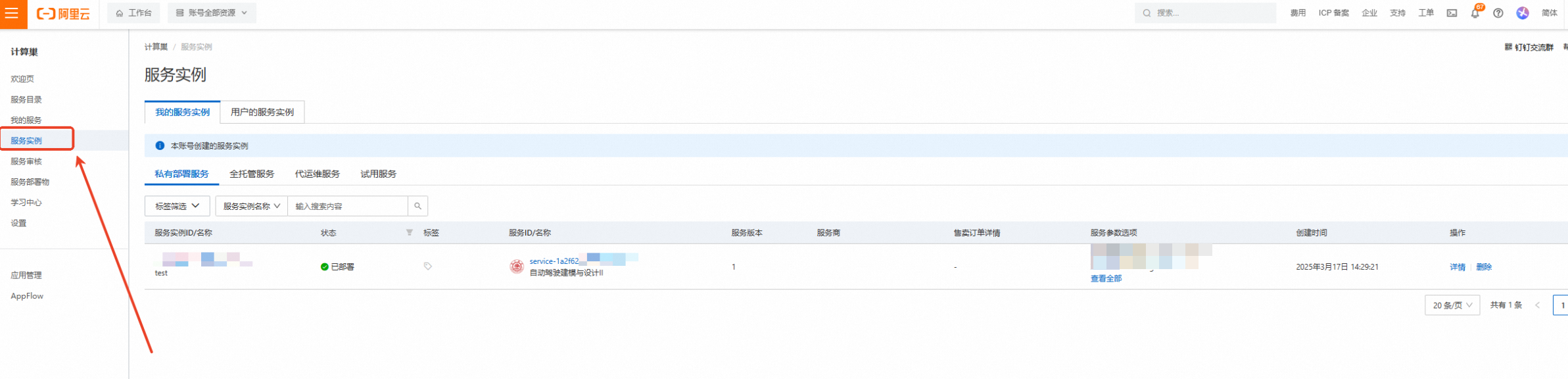
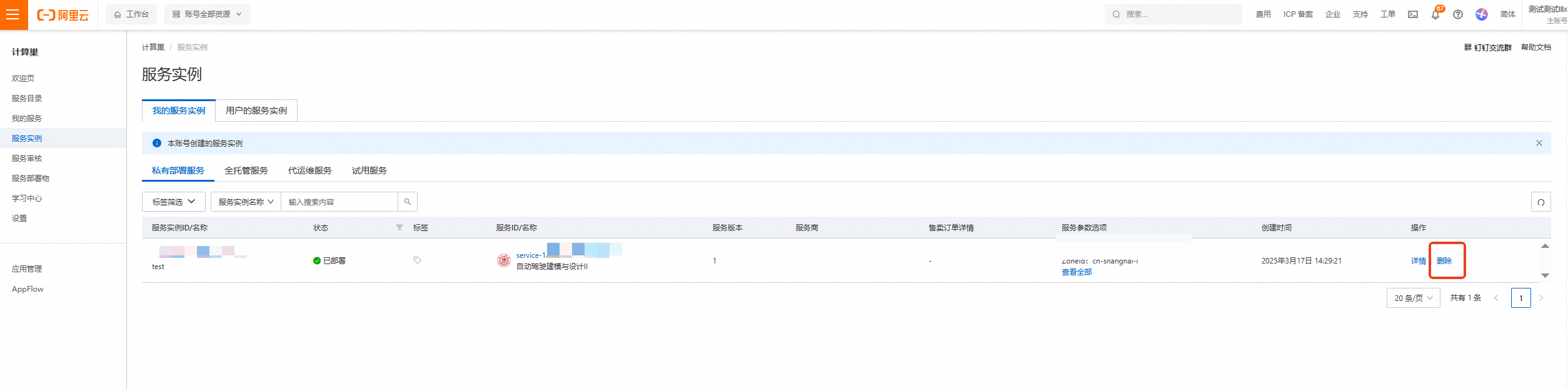
计算巢—服务实例—复制服务实例ID,点击【删除】
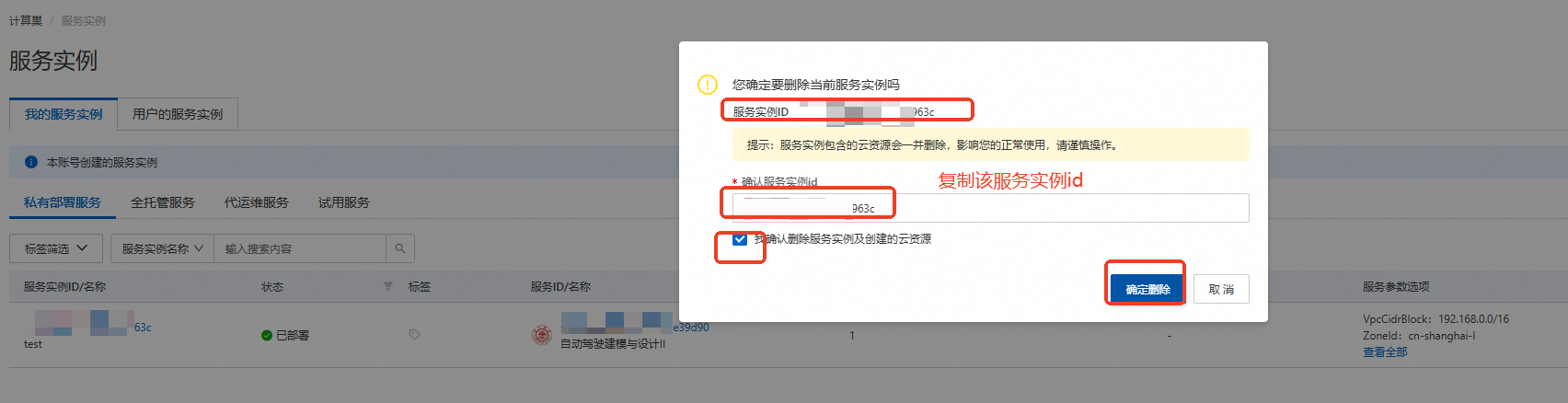
在弹窗粘贴服务实例ID,并进行勾选,点击【确定删除】
完成安全验证后,即可成功释放实例。
回到云服务器ECS——实例,检查是否成功释放资源


关闭实验
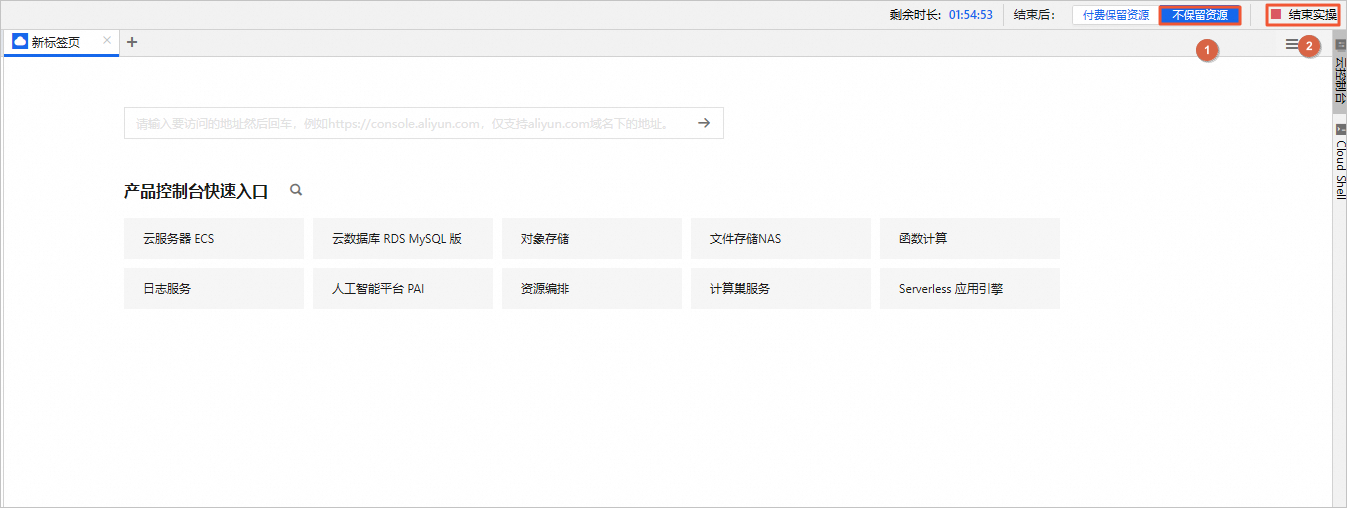
在完成实验后,如果无需继续使用资源,选择不保留资源,单击结束实操。在结束实操对话框中,单击确定。
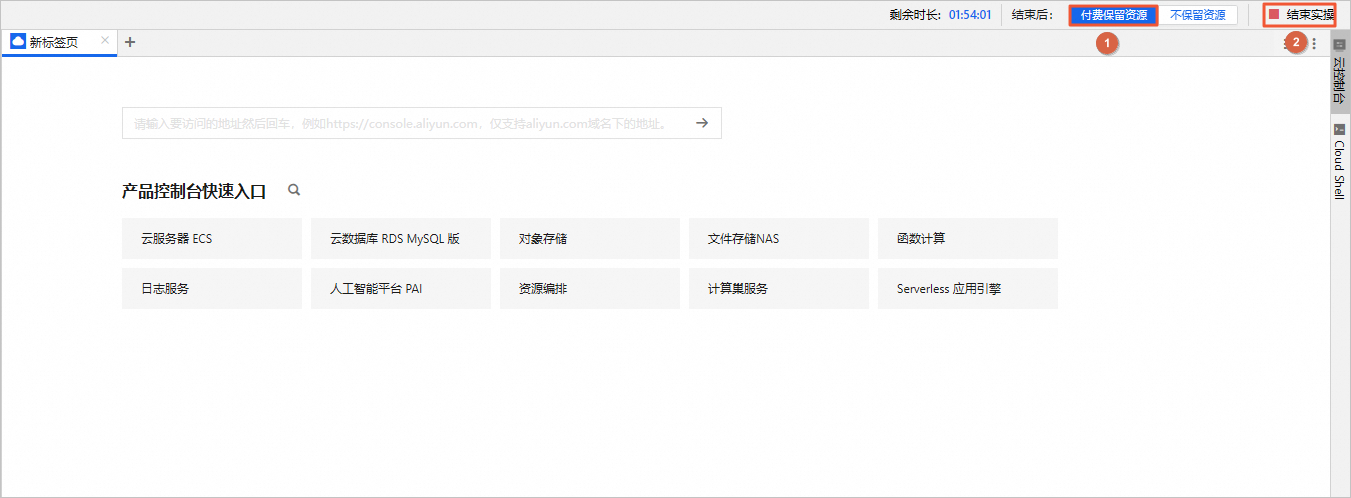
在完成实验后,如果需要继续使用资源,选择付费保留资源,单击结束实操。在结束实操对话框中,单击确定。请随时关注账户扣费情况,避免发生欠费。