基于ComfyUI-FLUX的模型测试与LoRA使用
实验将结合ComfyUI工作流平台,实现从基础模型验证到创意内容衍生的完整流程,为AI辅助艺术创作提供可操作的技术路径。
实验背景与目的
本实验旨在探索LoRA(Low-Rank Adaptation)模型在AI图像生成领域的实际应用效果,通过系统化的测试验证方法评估模型训练质量,并进一步研究多LoRA模型协作生成的创意潜力。实验将结合ComfyUI工作流平台,实现从基础模型验证到创意内容衍生的完整流程,为AI辅助艺术创作提供可操作的技术路径。
实验方法与流程
模型验证阶段
从Artlab平台获取训练成果的LoRA模型(选取数字编号较大的模型文件)
在ComfyUI中加载工作流,输入原始训练数据的提示词
通过输出图像与训练目标的匹配度评估模型训练质量
创意衍生阶段
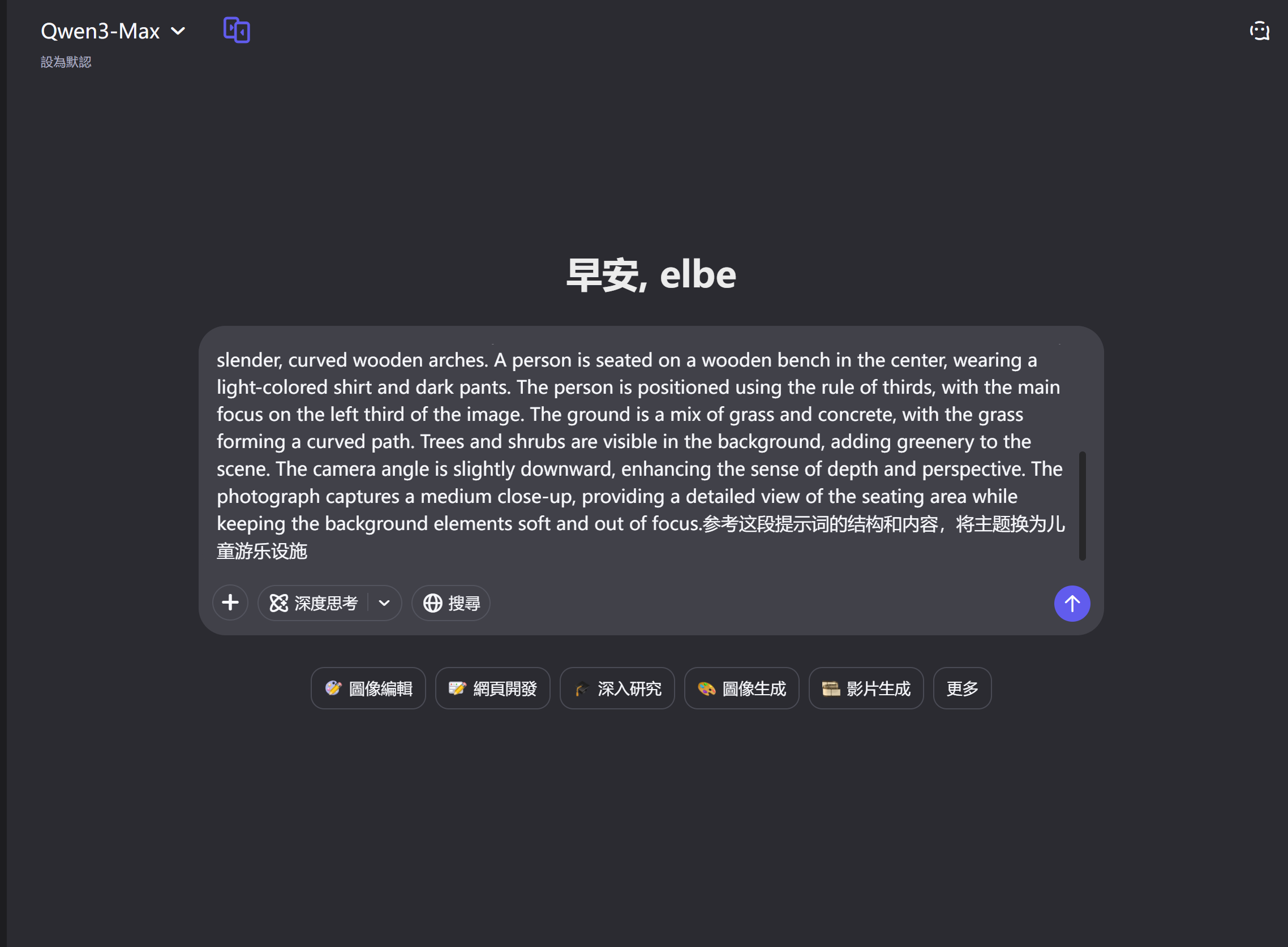
利用Qwen.AI对原始提示词进行创意扩展
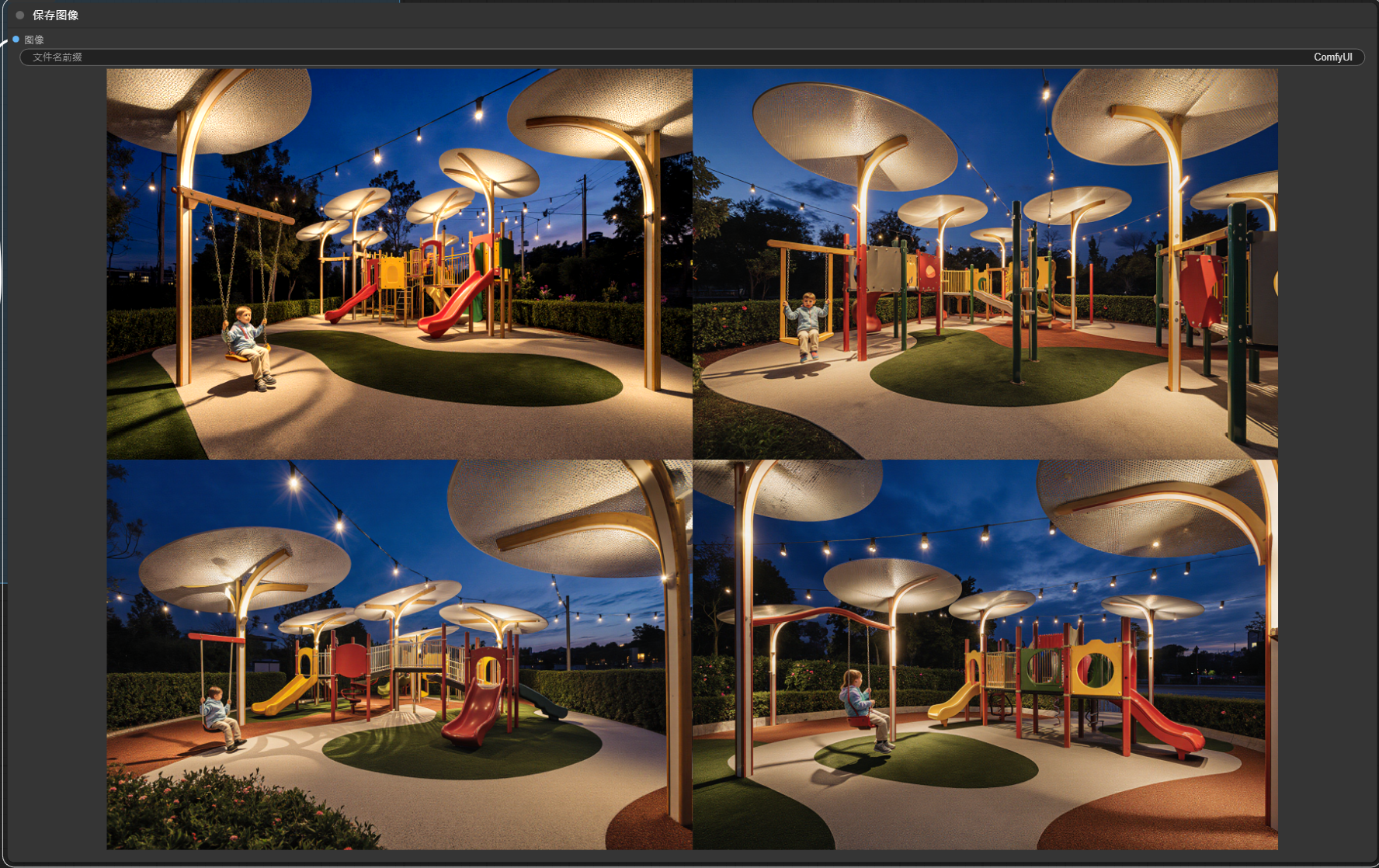
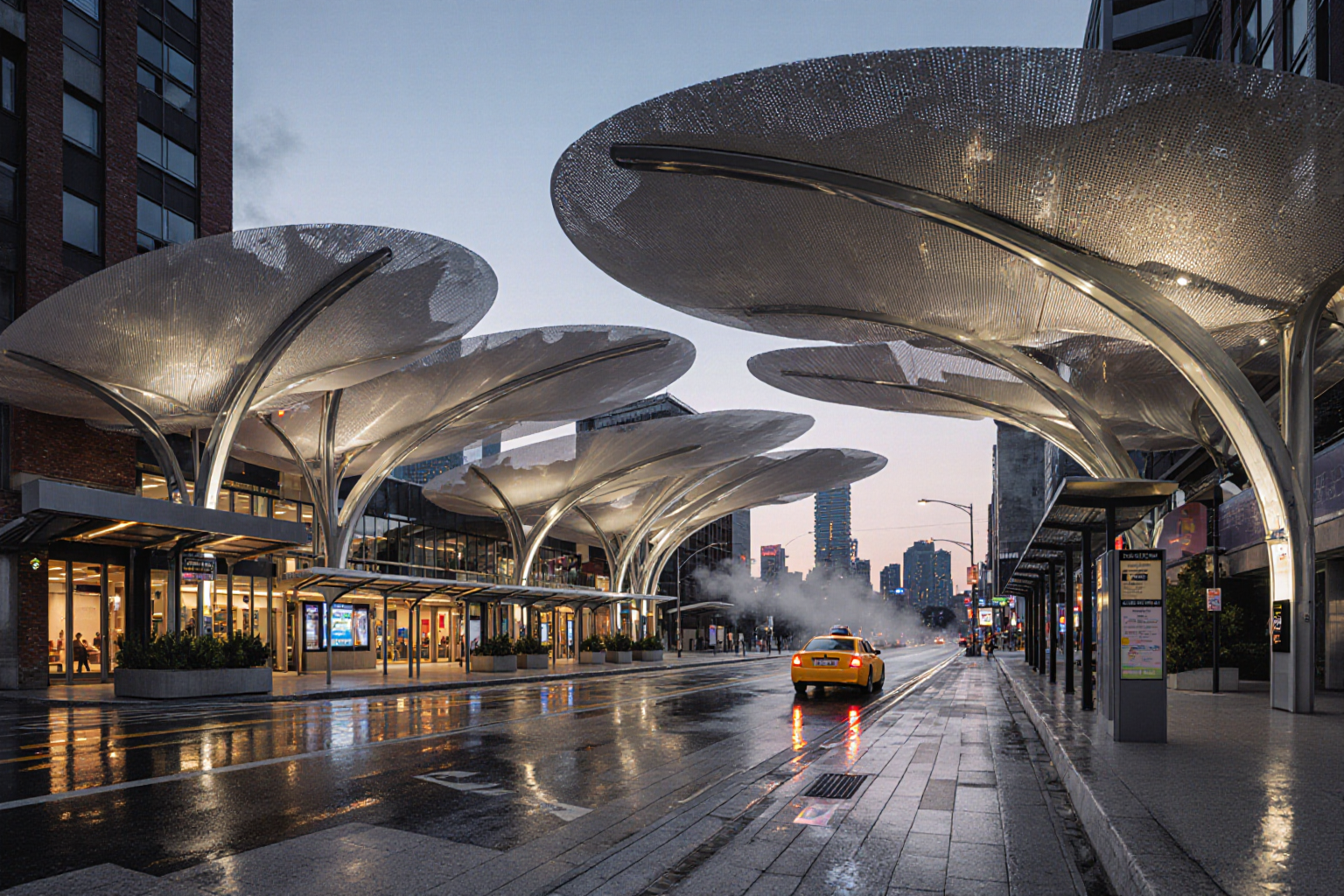
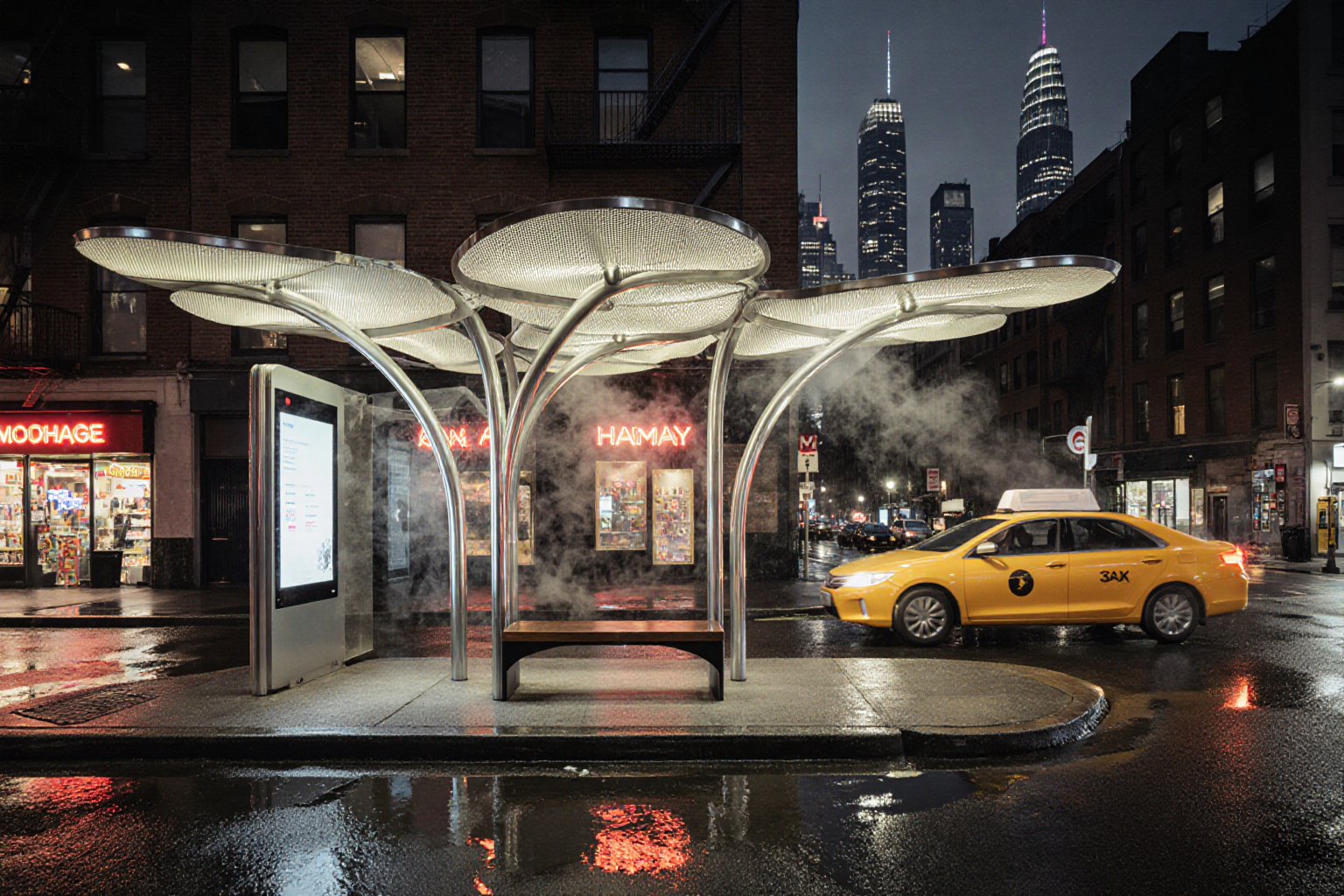
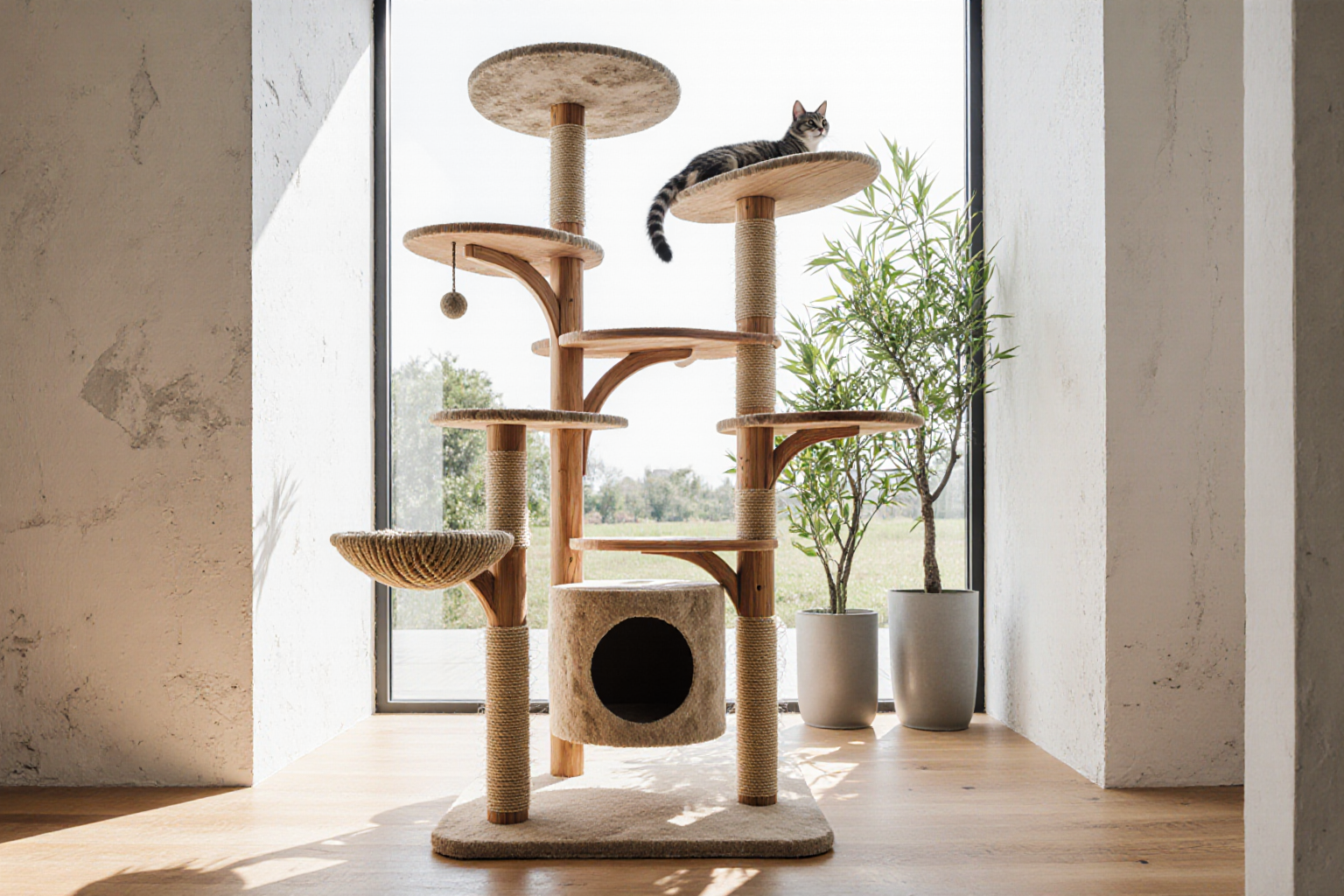
以6个不同方向(如儿童游乐设施、车站、公交站、猫爬架等)进行主题衍生
每个方向生成不少于4张图像,形成系统化的创意产出
多模型协作阶段
整合不同参与者训练的LoRA模型
通过双LoRA协作工作流实现模型融合
优化提示词以协调不同模型的特征表达
完成6组模型组合,每组产出不少于4张融合创意图像
预期成果
建立一套可复现的LoRA模型测试验证方法
形成个人训练模型的标准化归档(含初始标注文本)
产出48+张创意衍生图像(6个方向×8张)
产出24+张多LoRA协作生成图像(6组×4张)
构建模型协作的提示词优化策略库
实验室资源方式简介
进入实操前,请确保阿里云账号满足以下条件:
个人账号资源
使用您个人的云资源进行操作,资源归属于个人。
平台仅提供手册参考,不会对资源做任何操作。
确保已完成云工开物300元代金券领取。
已通过实名认证且账户余额≥0元。
如果您调整了资源规格、使用时长,或执行了本方案以外的操作,可能导致费用发生变化,请以控制台显示的实际价格和最终账单为准。
领取专属权益及开通授权
在开始实验之前,请先点击右侧屏幕的“进入实操”再进行后续操作

第一步:本次实验需要您通过领取阿里云云工开物学生专属300元抵扣券兑换本次实操的云资源,如未领取请先点击领取。(若已领取请跳过)

实验产生的费用优先使用优惠券,优惠券使用完毕后需您自行承担。

第二步:进入并开通PAI ArtLab并授权
点击访问PAI ArtLab平台
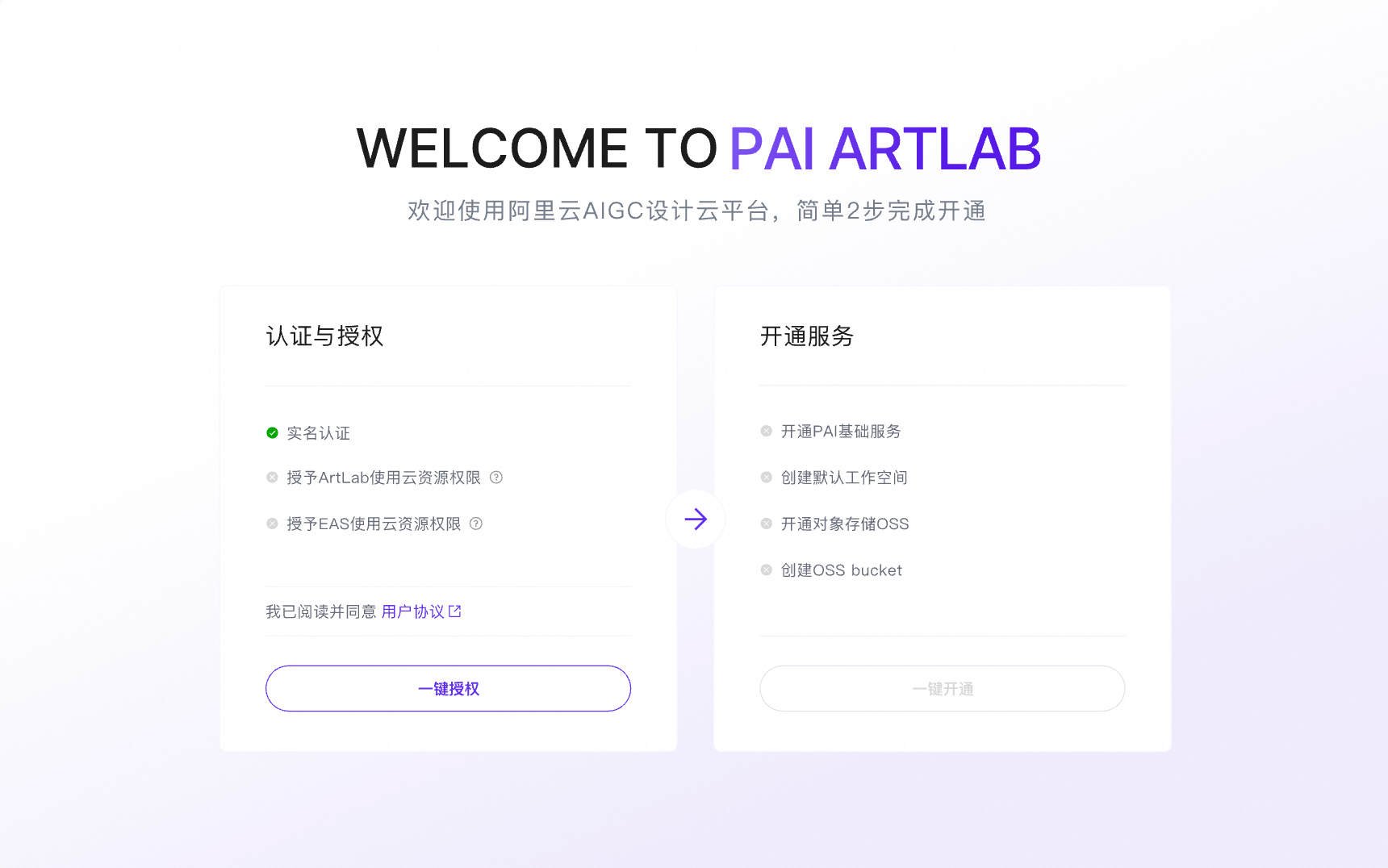
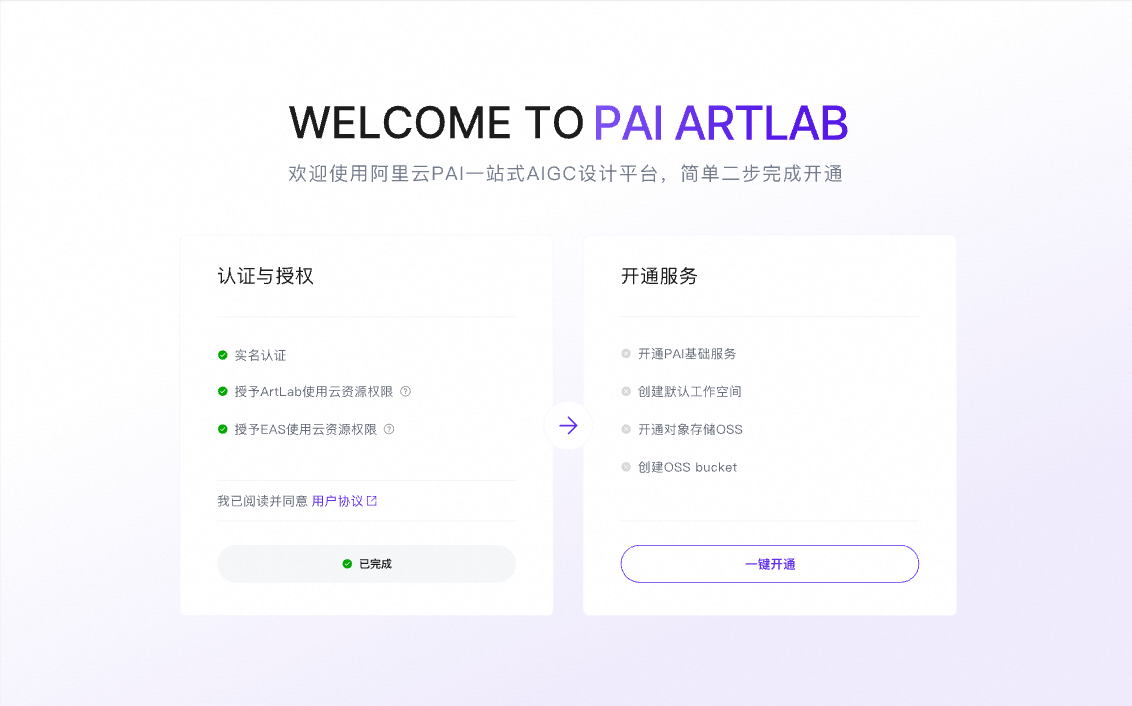
初次进入平台,依次点击两步,完成PAI ArtLab平台开通与授权
实验步骤
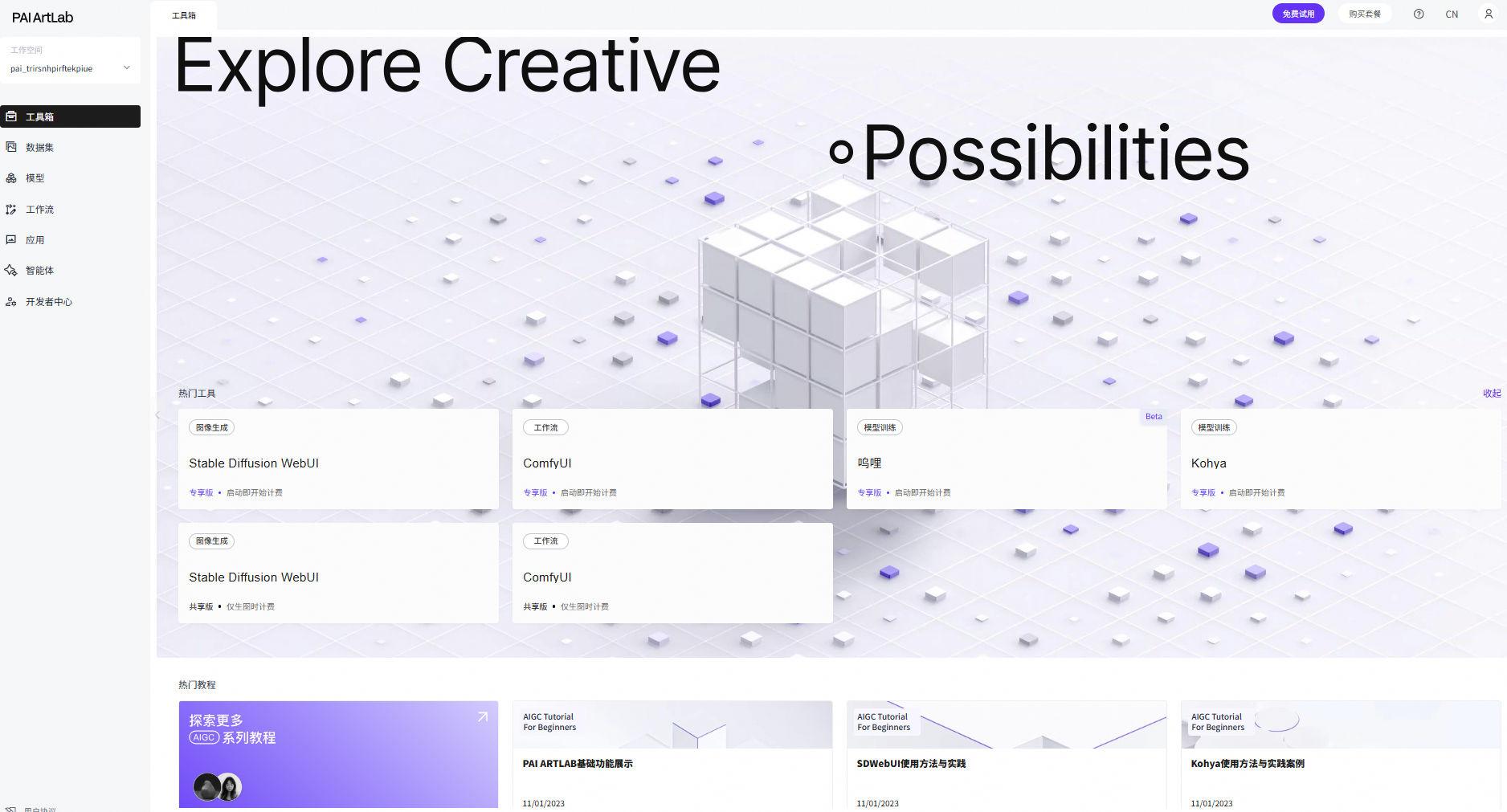
完成PAI ArtLab平台开通与授权后,进入到PAI ArtLab平台首页

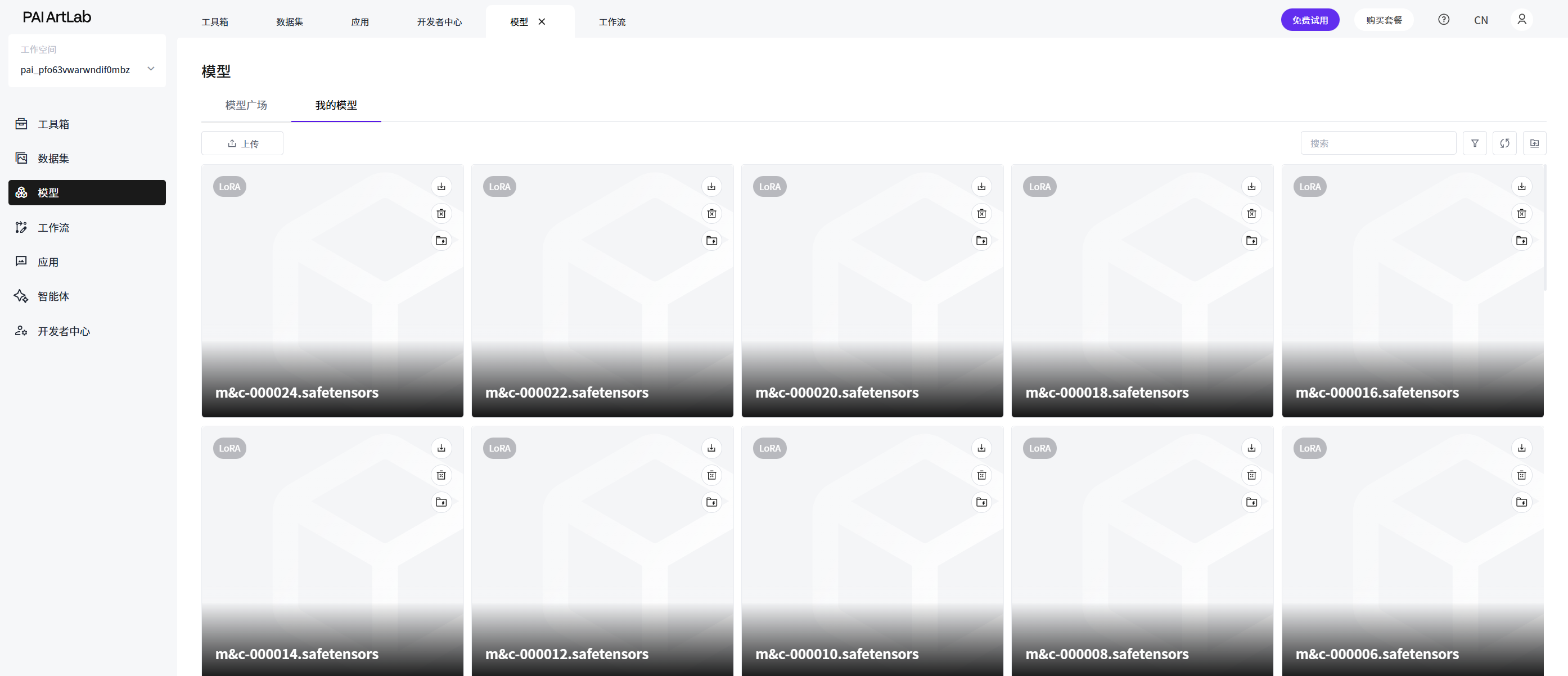
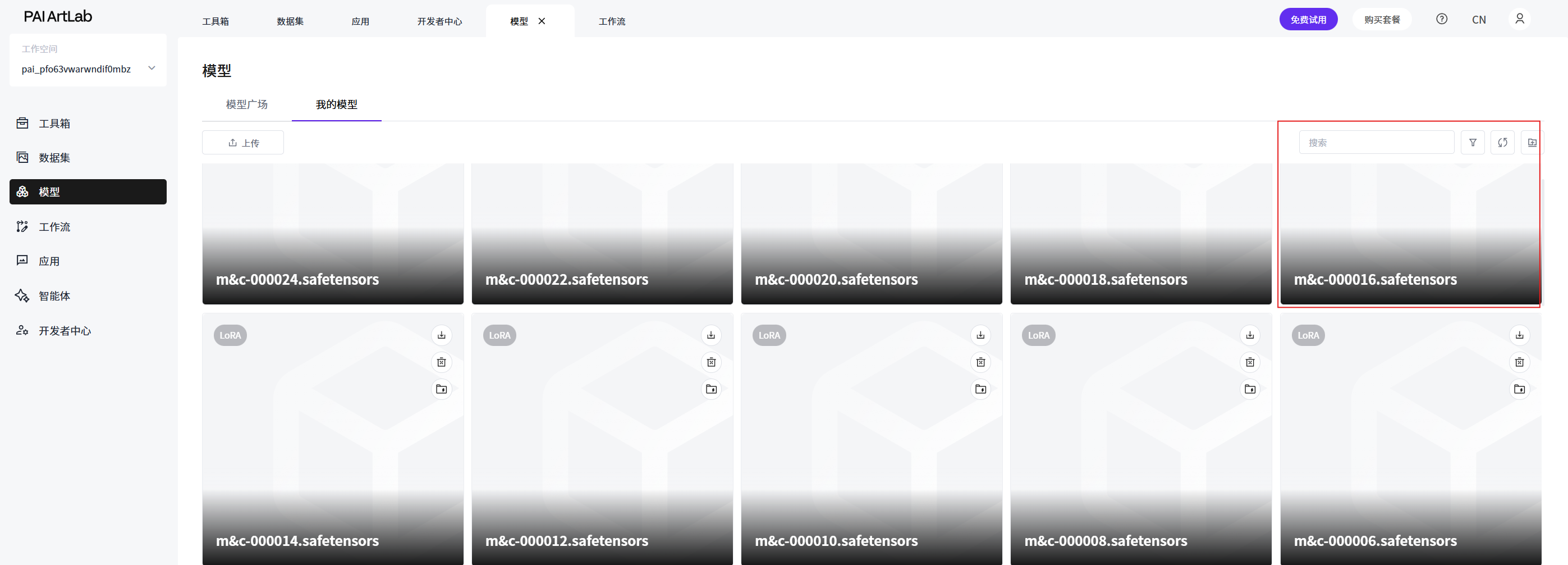
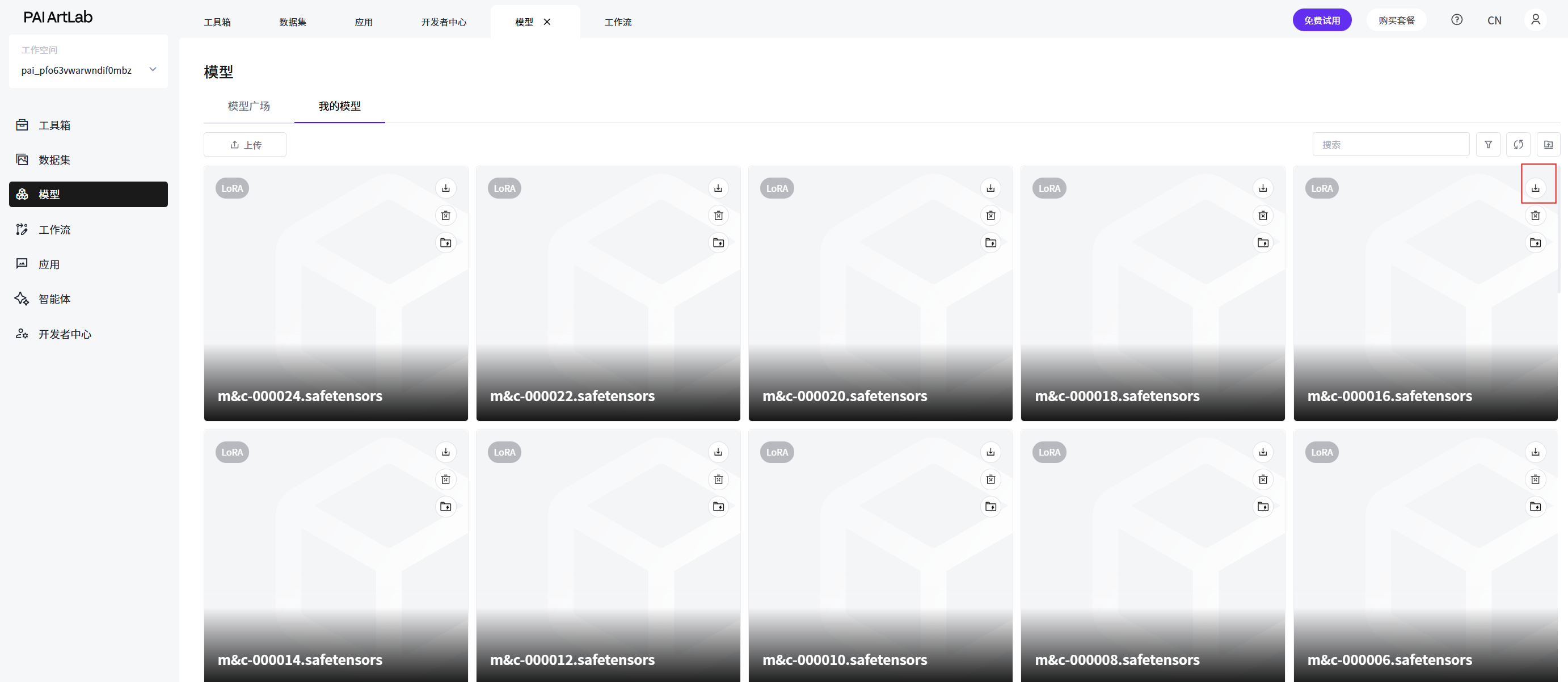
查看模型-我的模型中是否有上次训练的文件
记住其中一个数字较大的文件名,如果是一共10个文件,就选第八号,如果一共20个文件,就选16号
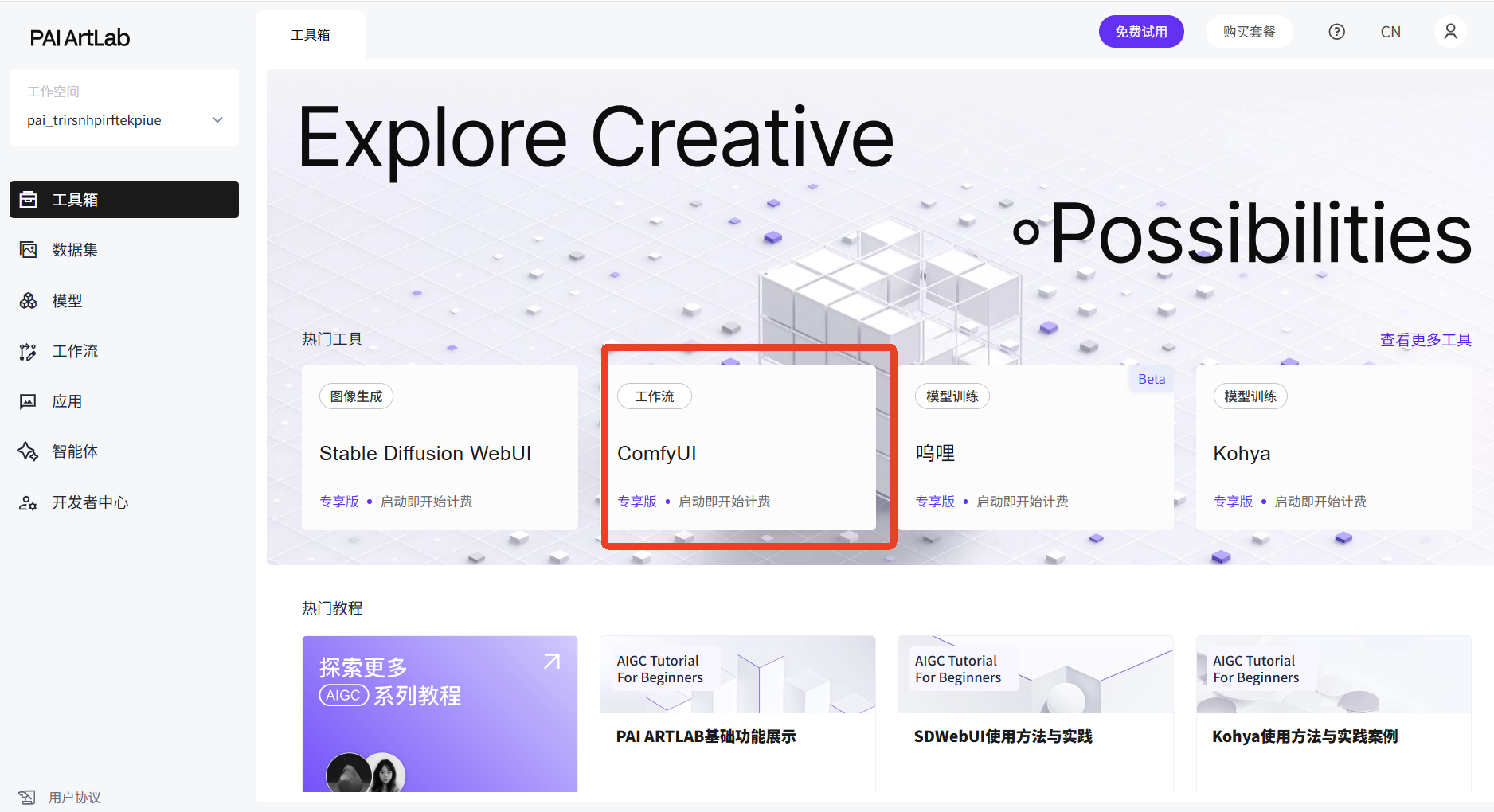
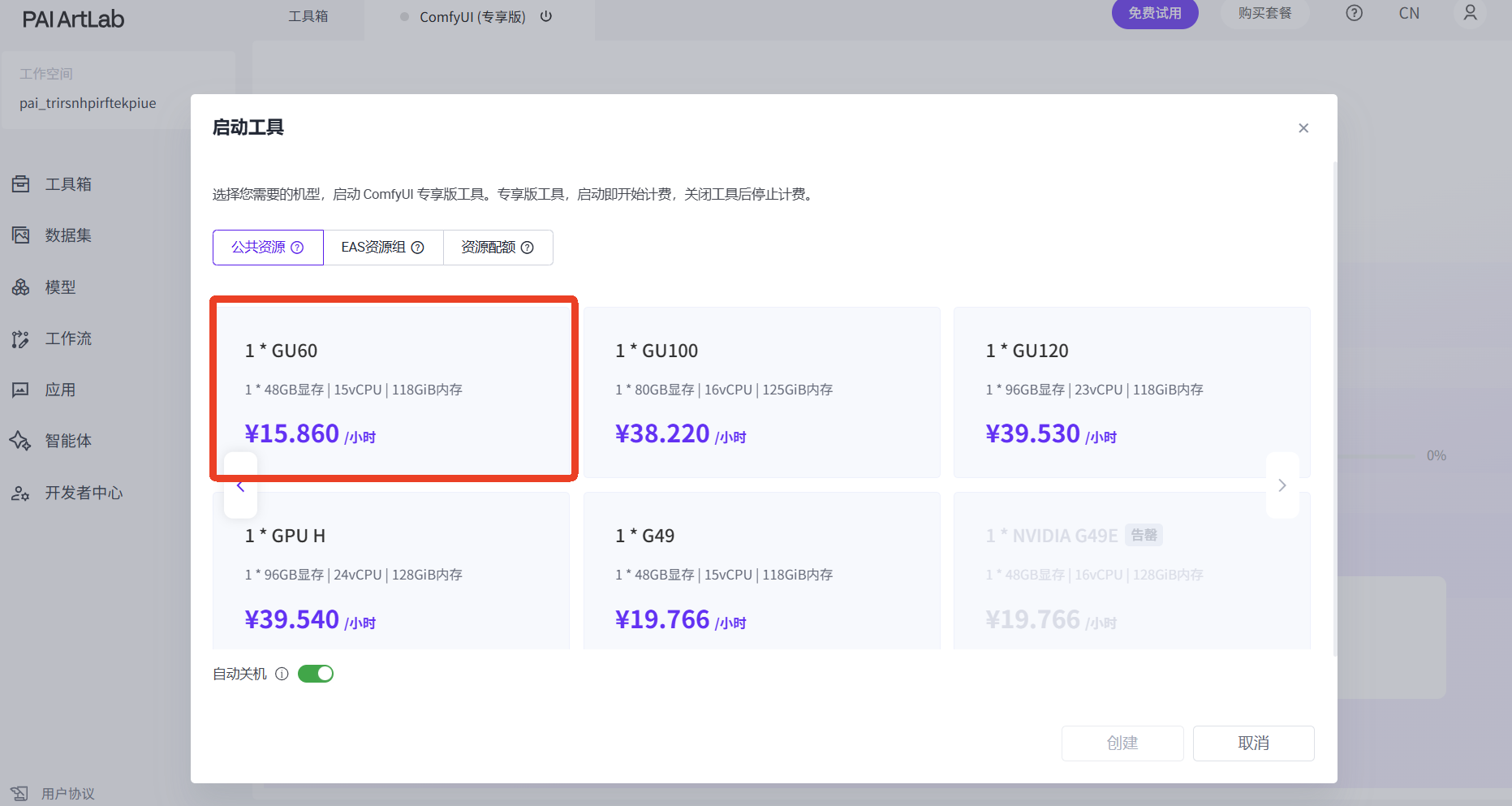
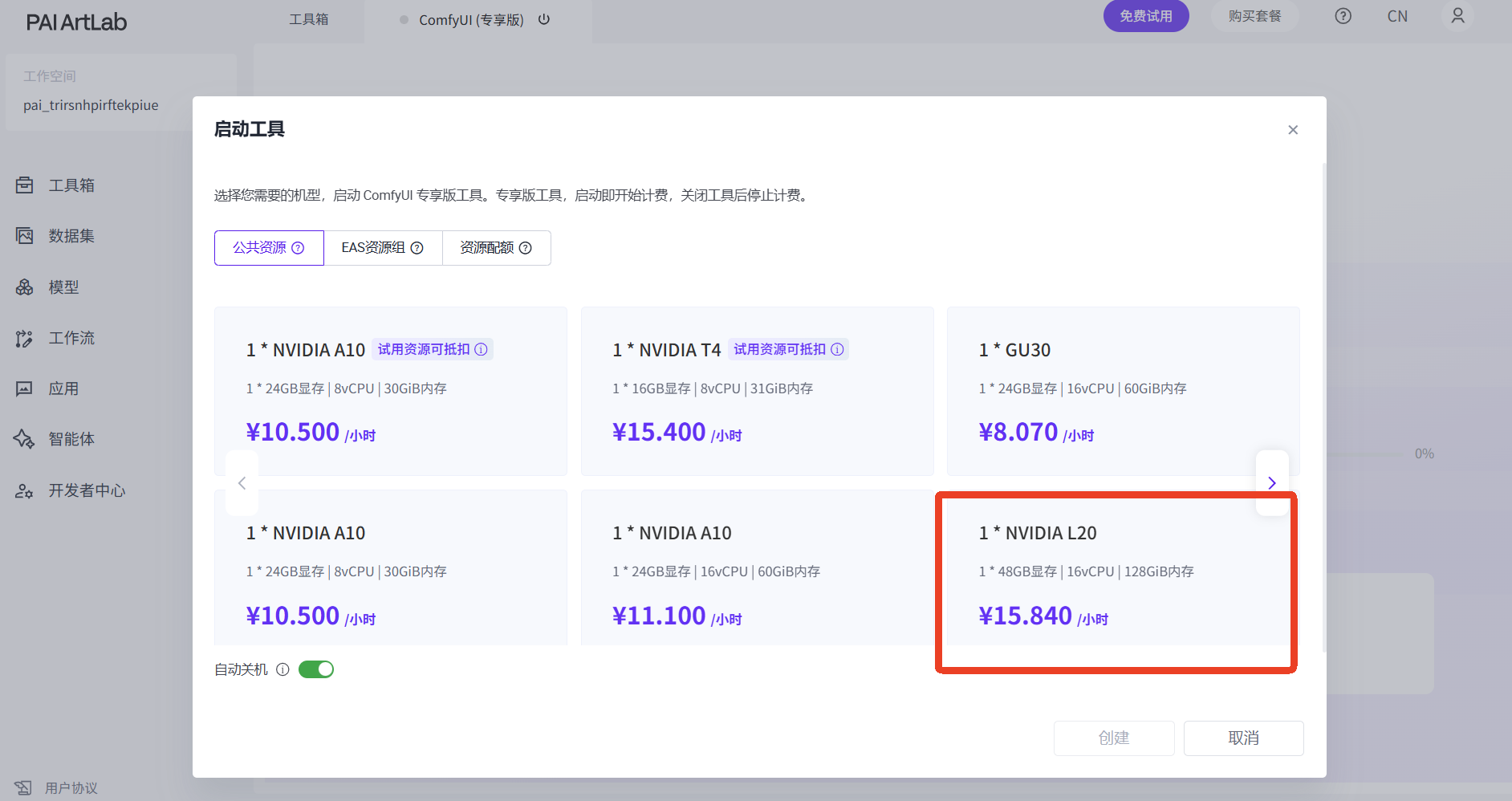
开启comfyUI专享版,选择GU60或L20
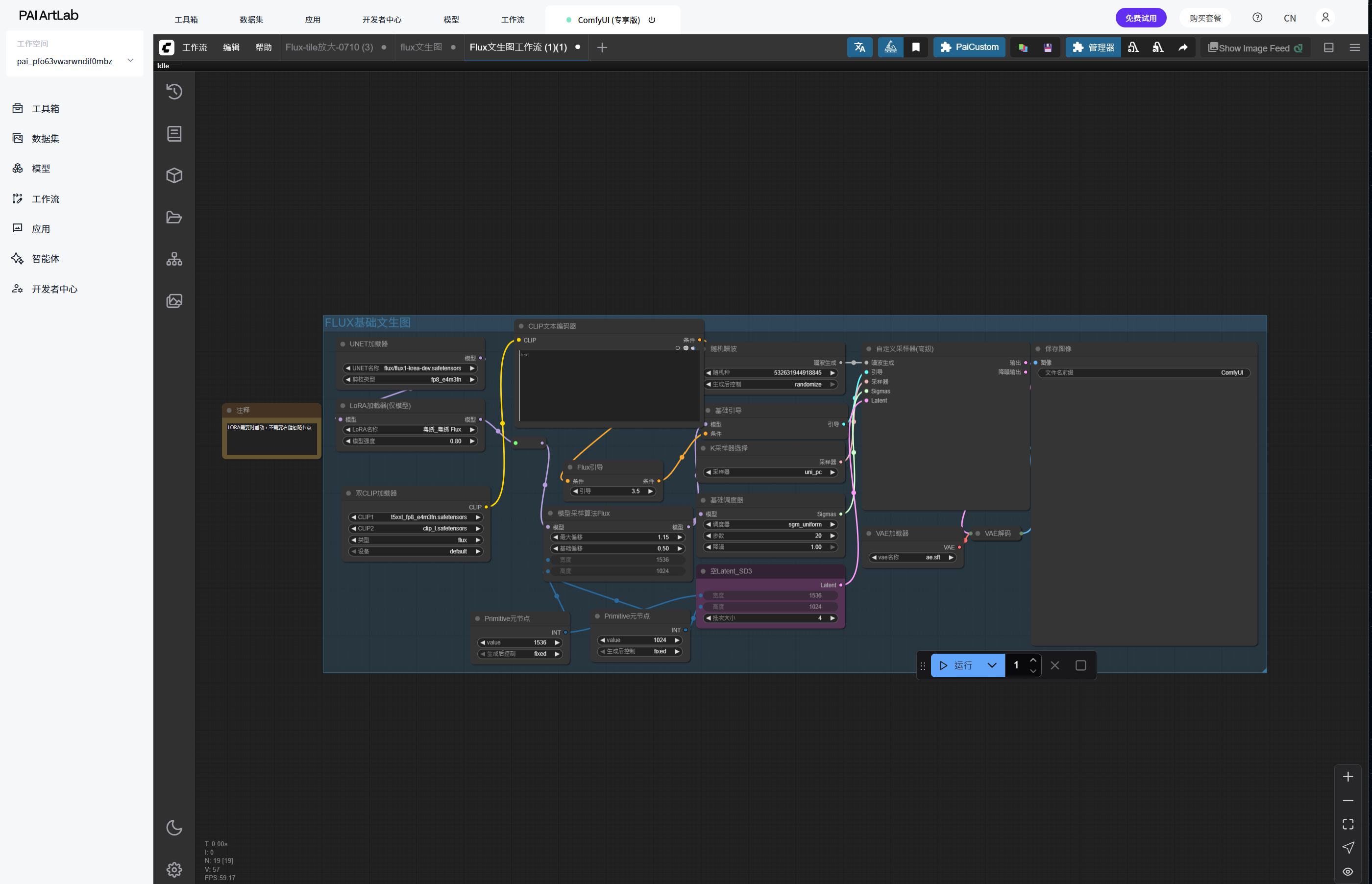
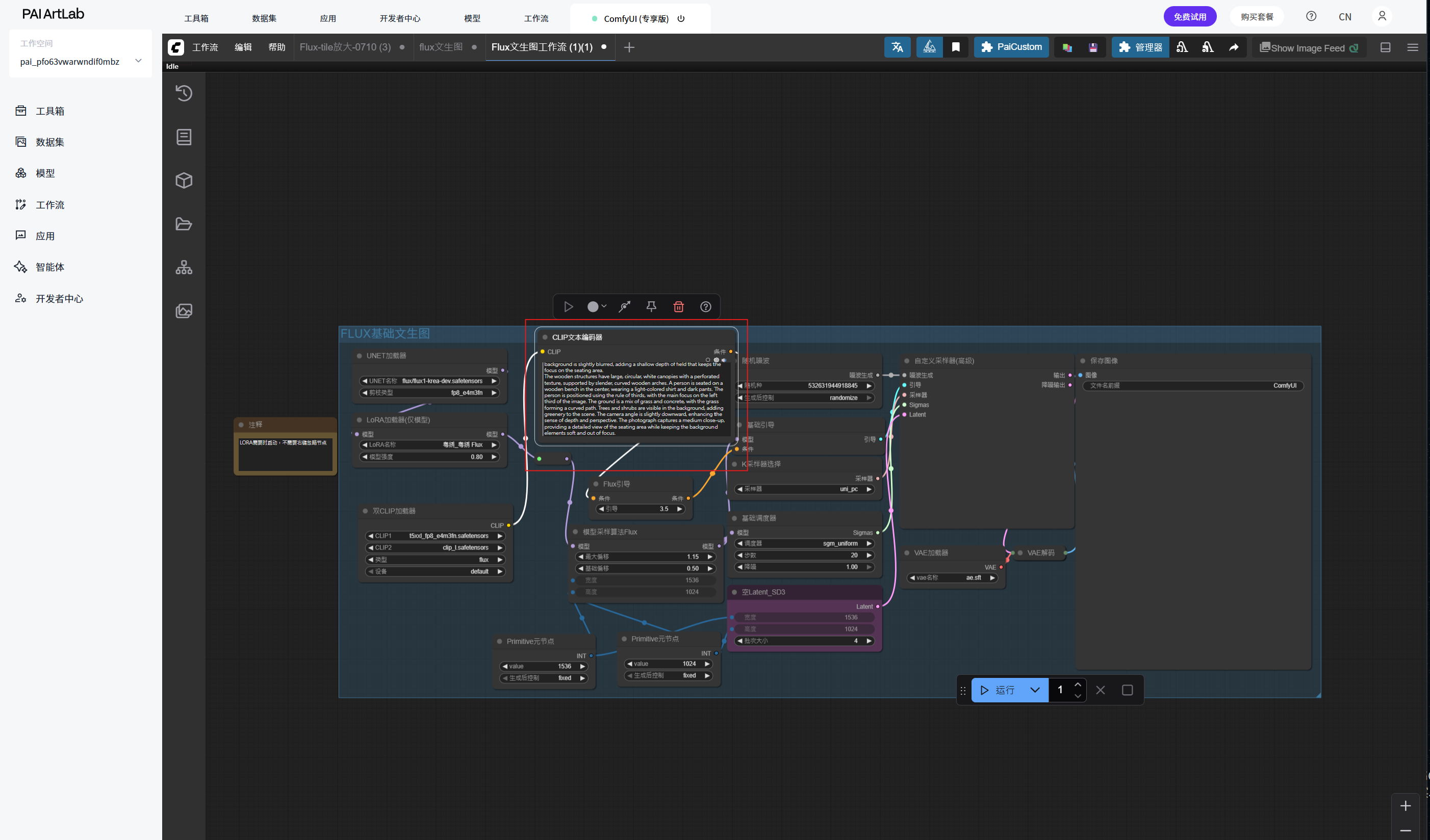
下载并拖入工作流
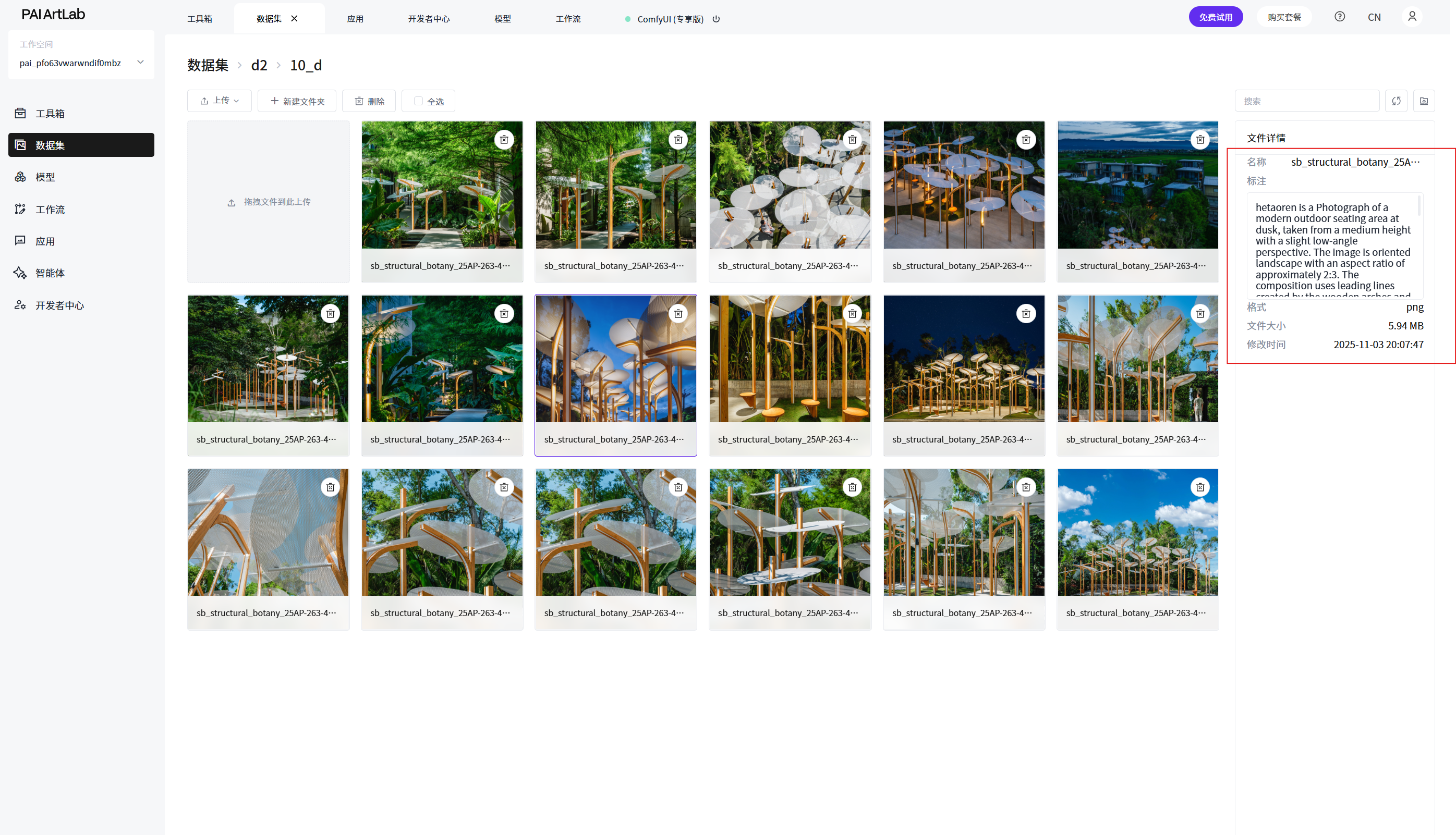
进入数据集,复制需要测试LoRA的数据图片的提示词
将提示词复制到正向文本框内
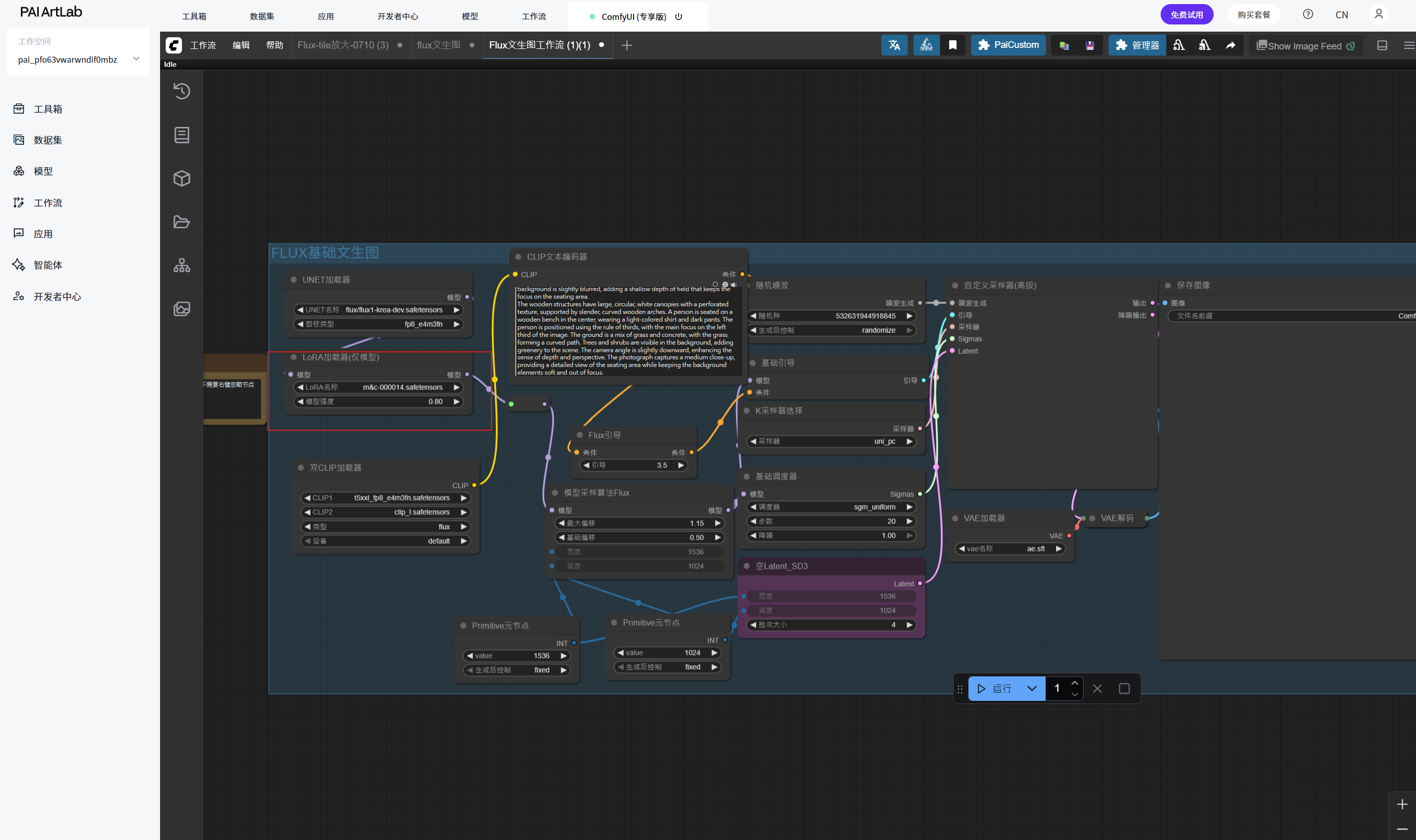
在LoRA加载器(仅模型)选择自己训练的数字大的LoRA
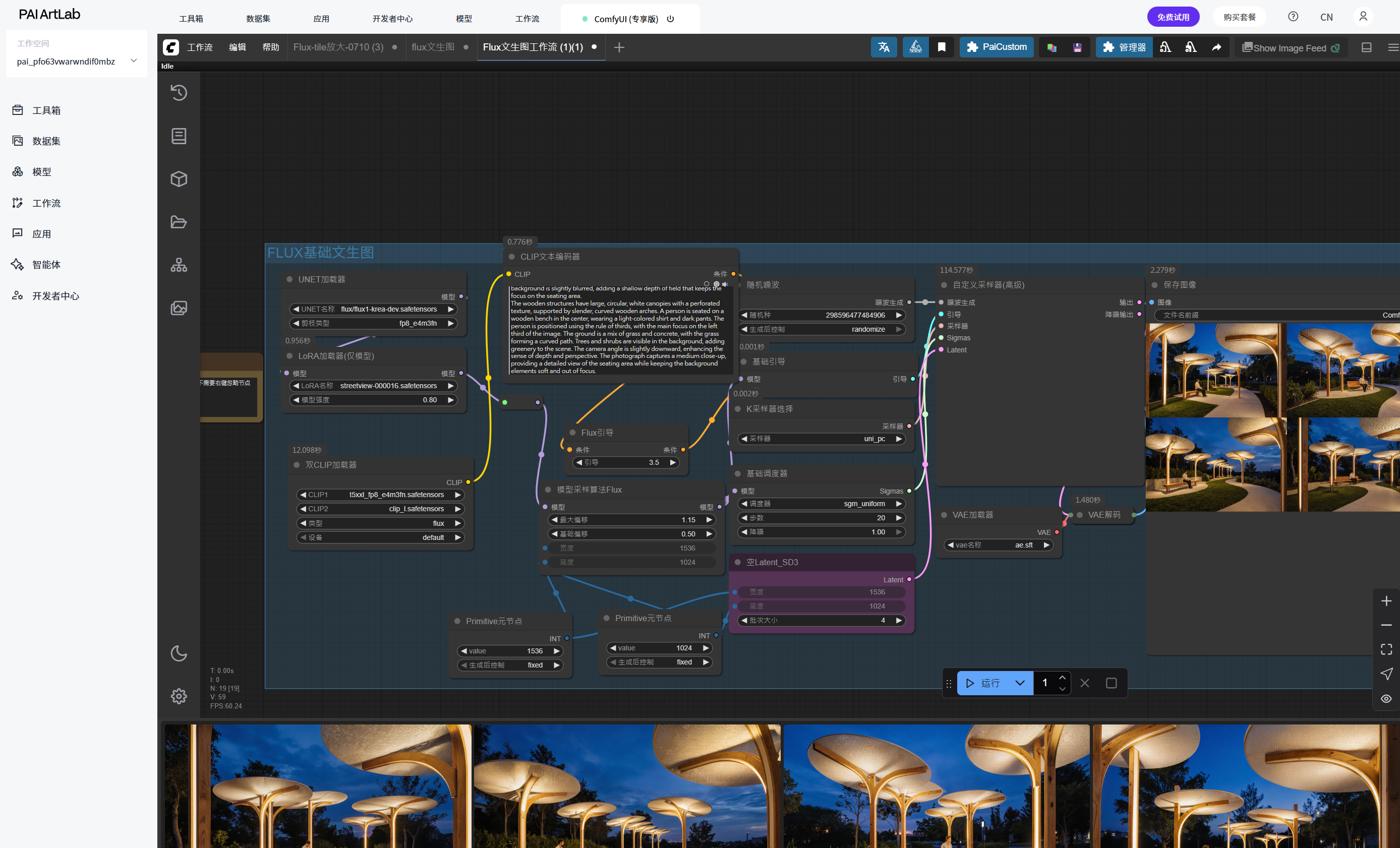
点击运行(仅需要点击一次并耐心等待)
如生成结果与训练结果相关,则代表训练成果
内容衍生
进入qwen.ai,将刚刚那段提示词复制进去
将新的提示词再次输入ComfyUI文本框并点击运行
hetaoren is a photograph of a modern children's playground at dusk, taken from a medium height with a slight low-angle perspective. The image is oriented landscape with an aspect ratio of approximately 2:3. The composition uses leading lines created by colorful, undulating pathways and sculptural play structures, guiding the viewer’s eye toward the central play zone. The lighting combines soft artificial illumination with fading natural twilight, featuring warm, golden glows from embedded ground lights and overhead string fixtures that contrast against the deep indigo sky. The play equipment features modular, organic-shaped climbing frames in vibrant yet harmonious hues-soft reds, muted yellows, and earthy greens-crafted from smooth, sustainably sourced wood and recycled plastic. Overhead, large, translucent canopies in rounded geometric forms diffuse the ambient light, their perforated surfaces casting playful shadow patterns onto the ground below. A child is seated on a low, curvilinear swing near the center-left of the frame, wearing a pastel-blue jacket and beige trousers, positioned according to the rule of thirds to emphasize both solitude and engagement with the environment. The ground surface is a seamless blend of springy rubber mulch and gently contoured synthetic turf, forming sweeping curves that echo the shapes of the play structures. In the softly blurred background, low hedges and flowering shrubs frame the space, adding layers of greenery without distracting from the foreground. The camera angle-slightly elevated yet still intimate-enhances spatial depth while maintaining focus on the tactile and dynamic qualities of the play area. The photograph captures a medium close-up view, balancing detailed textures of the materials with an atmospheric, dreamlike quality typical of dusk.根据上述步骤,基于原训练内容完成6个方向的创意衍生,每个方向4张图片
如:装置-儿童游乐设施
装置-车站
装置-公交站
装置-猫爬架
下载测试完毕的LoRA,建立文件夹,发送到群里,文件夹内还应该有一个txt文本,包含一组初始标注
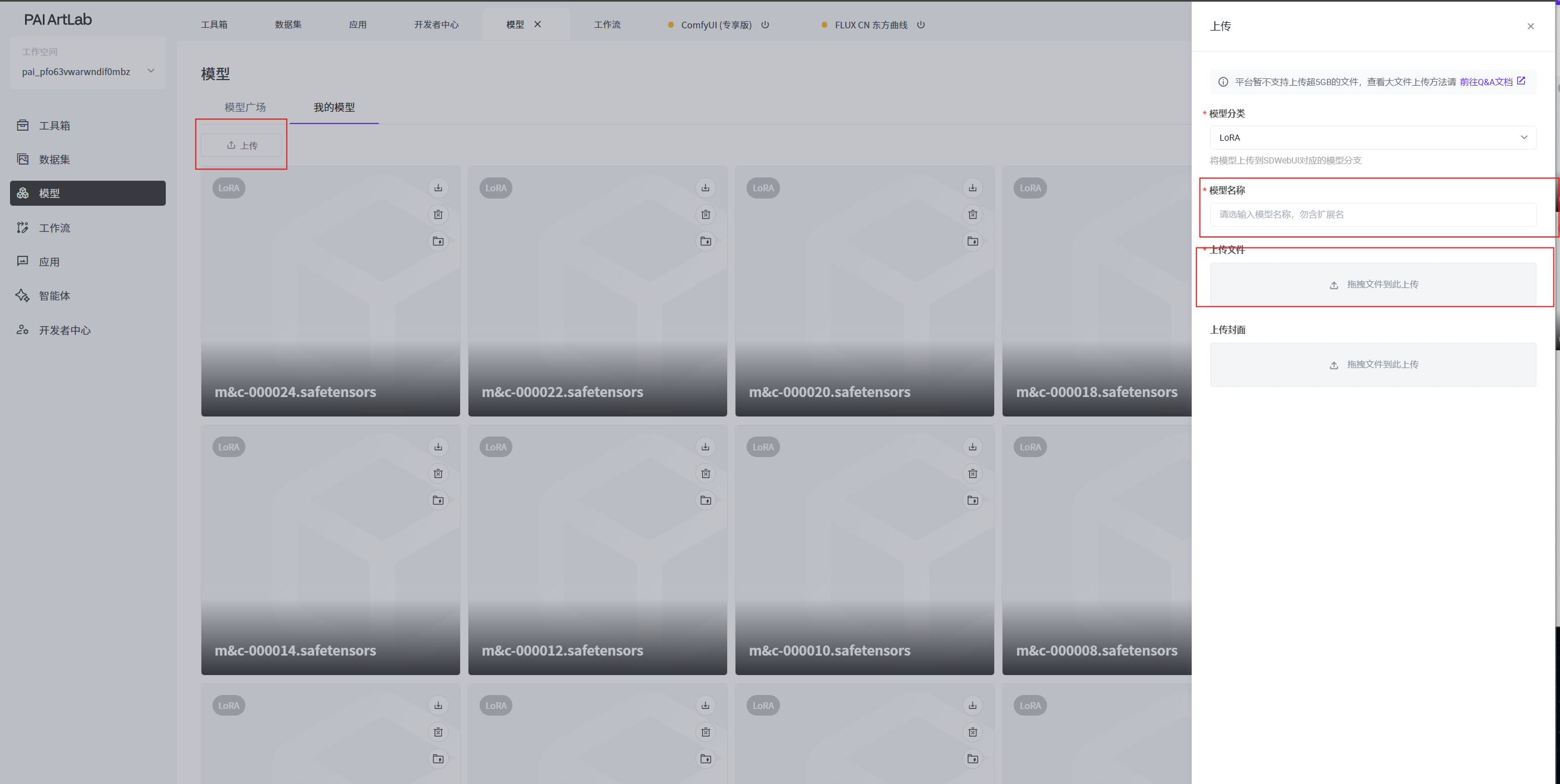
下载同学的LoRA并上传到我的模型,拖拽文件上传
双LoRA协作工作流
关闭comfyUI后重新打开选择两个你希望结合的LoRA(出自本堂课)
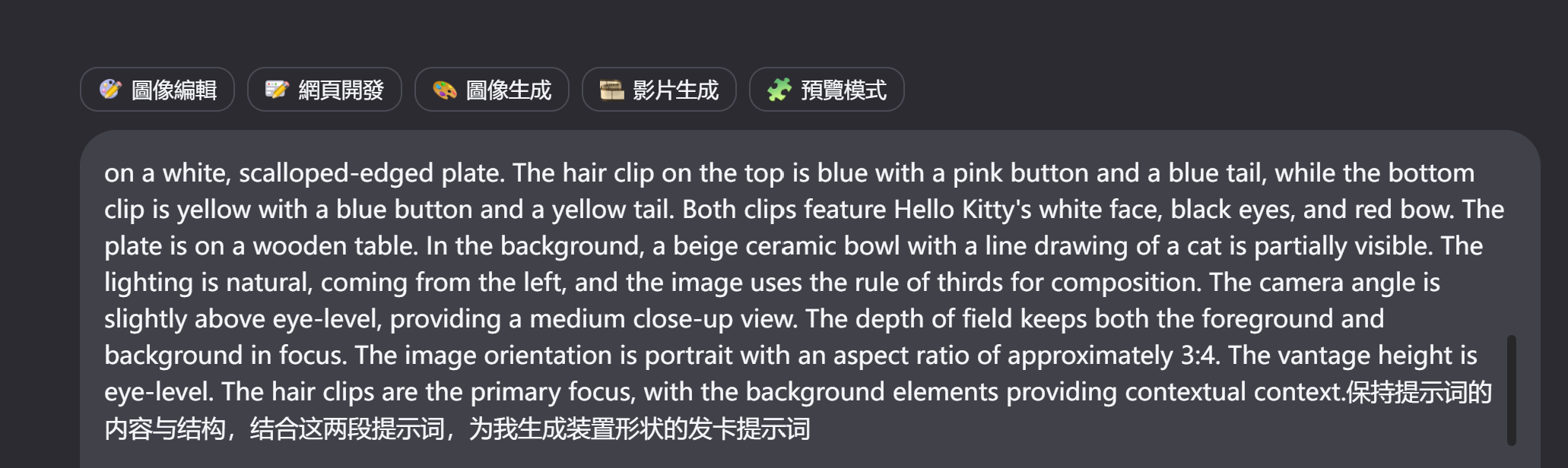
将这两段提示词统一输入qwen
将新的提示词输入正向提示词文本框并点击运行
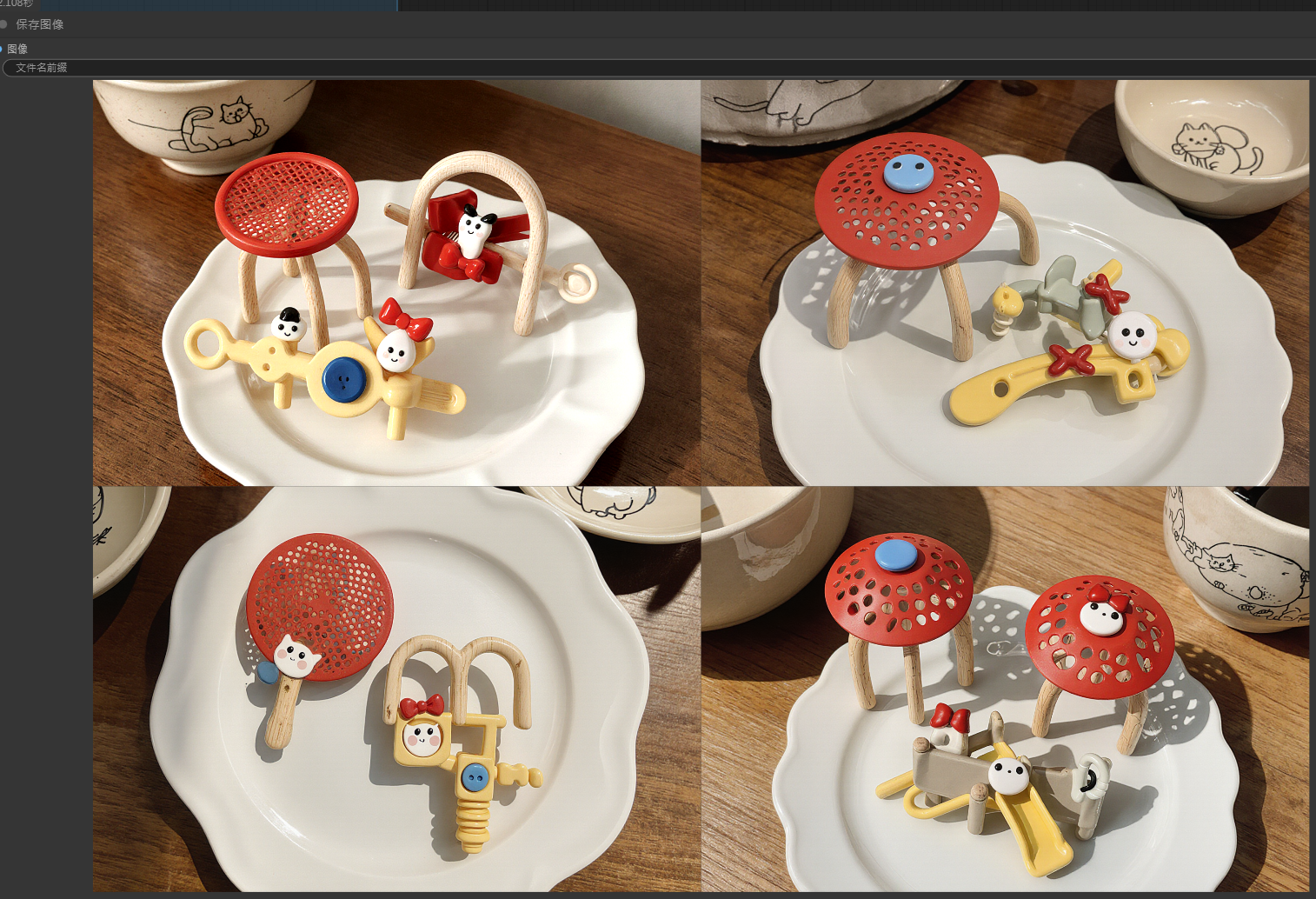
faqia123 is a photograph of two hair clips shaped like miniature sculptural playground installations, positioned on a white, scalloped-edged ceramic plate. The hair clip on the top is crafted in soft red with a circular, perforated canopy reminiscent of a modern play dome, supported by slender curved arches in pale birch wood; it features a subtle blue accent button and a small looping “slide” element as a tail. The bottom clip is rendered in muted yellow with a modular climbing-frame silhouette, accented by a blue button and a coiled spring-like tail. Both clips incorporate stylized white faces with minimalist black eyes and tiny red bows, reimagined as integrated design motifs within the architectural forms. The plate rests on a smooth wooden table with fine grain visible under soft natural light that enters from the left, casting gentle shadows that emphasize the three-dimensionality of the clips. In the background, a beige ceramic bowl with a delicate line drawing of a cat sits partially in frame, its muted tone complementing the warm-neutral palette. The composition adheres to the rule of thirds, with the top clip aligned along the upper third and the bottom clip near the lower third. The camera angle is slightly above eye-level, offering a medium close-up view that captures intricate details of the miniature structures while maintaining clarity across both foreground and background-achieved through a moderately deep depth of field. The image is oriented portrait with an aspect ratio of approximately 3:4, captured from an eye-level vantage height. The hair clips serve as the primary focus, their playful yet refined architectural forms evoking modern children’s play spaces, while the background elements provide subtle contextual warmth without competing for attention.根据此方法,结合6个不同同学/老师的LoRA,产出6组图像,每组不少于4张,应记录使用的模型名与提示词。
 关闭comfyUI后重新打开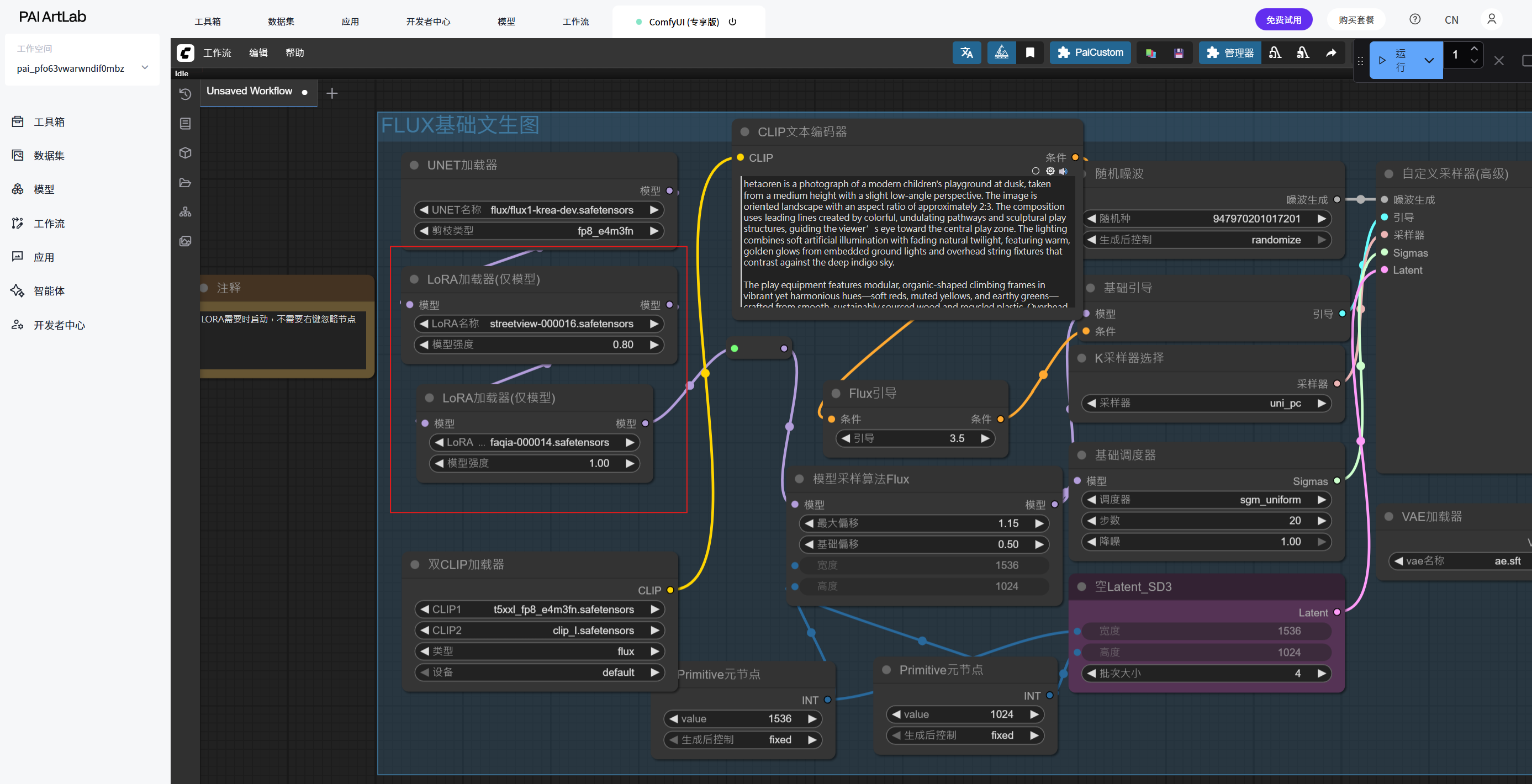
实验资源释放
实验结束后,点击关闭释放实验资源,避免不必要的扣费。
在PAI ArtLab控制台中,关闭ComfyUI(共享版)页签,EAS模型服务将会停止,不会继续收费。
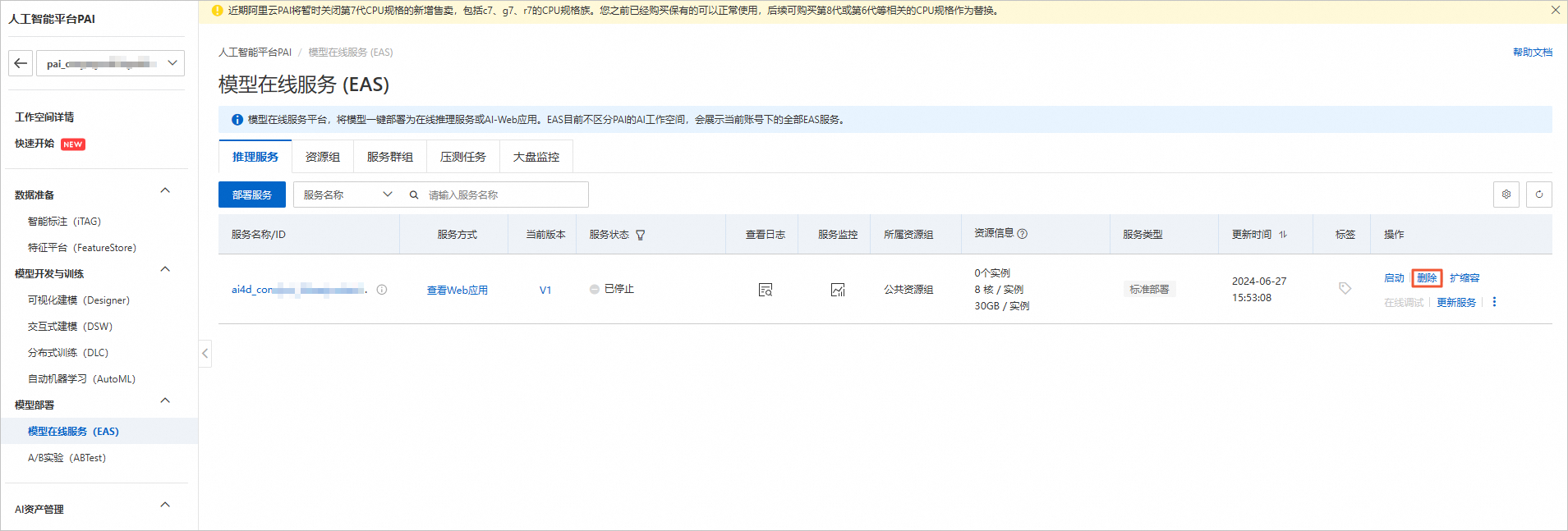
在工作空间页面的左侧导航栏中单击模型在线服务(EAS)。在模型在线服务(EAS)页面,找到目标服务。单击其右侧操作列下的删除
若未找到服务,点击左上角切换模型所在地域,或左侧导航栏切换工作空间列表查看
如果需要继续使用,请随时关注账号扣费情况,避免模型因欠费而被自动停止。

应用价值
本实验不仅验证了LoRA模型在特定主题训练中的有效性,更探索了AI模型从技术验证到创意生产的工作路径。通过多模型协作机制,打破了单一模型的创意局限,为艺术装置设计、产品概念开发等领域提供了高效的内容生成方案。实验形成的方法论可直接应用于数字艺术创作、产品设计迭代和跨媒介叙事等创新场景,体现了AI技术与创意实践的深度融合。
本实验强调技术操作与创意思维的双向驱动,既关注模型性能的客观验证,也重视生成内容的艺术表达,为AI辅助创意工作流的构建提供了实用参考框架。
背景知识
此背景知识体系构建了从技术原理到创意实践的完整框架,既包含LoRA模型的技术细节,也涵盖创意工作流的设计思维,为AI辅助创意生产提供了理论与实践结合的基础。
一、核心概念与技术基础
LoRA (Low-Rank Adaptation) 技术
基本原理:通过低秩矩阵分解,在不改变原始大模型参数的情况下,添加小型可训练层实现高效微调
应用优势:存储空间小(通常仅几十到几百MB)、训练速度快、可针对性优化特定风格或内容
文件命名规范:训练过程中生成的系列文件按迭代步数排序,数字越大通常代表训练越充分
扩散模型与文生图技术
基础架构:基于Stable Diffusion等扩散模型的文生图( text-to-image)生成机制
条件控制:通过文本提示词(prompt engineering)引导生成内容,包含构图、风格、材质等多维度描述
Flux工作流:特定优化的图像生成流程,注重细节表现和风格一致性
二、技术实现路径
模型验证技术路径
模型选择原则:从训练序列中选择后期模型(如10个文件选第8号,20个文件选第16号)以获取最佳训练效果
验证方法:使用原始训练数据的提示词进行生成测试,通过对比生成结果与训练目标的一致性评估模型质量
评估标准:特征保留度、细节还原度、风格一致性以及与原始提示词的匹配程度
创意衍生技术路径
提示词工程:利用AI助手(Qwen.AI)对基础提示词进行语义扩展和创意重构
系统化衍生:从单一主题出发,规划6个不同应用场景(如游乐设施→车站→公交站→猫爬架)
质量控制:每个创意方向生成不少于4张图像,确保多样性与一致性平衡
多模型协作技术路径
模型融合机制:通过双LoRA加载器同时激活两个不同训练目标的LoRA模型
特征协同原理:不同模型在潜在空间中的特征向量叠加与调和
提示词协调策略:针对多模型特点定制融合性提示词,平衡各模型贡献权重
三、专业知识体系
提示词构建专业知识
结构化描述:包含构图(角度、比例)、光照(类型、色温)、材质(质感、来源)、氛围(情绪、时间)等多维度
专业术语:如"rule of thirds(三分法构图)"、"medium close-up view(中近景)"、"depth of field(景深)"等摄影专业概念
参数化表达:精确指定图像比例(2:3, 3:4)、视角高度(eye-level, slightly elevated)等技术参数
工作流管理知识
资源分配:GU60/L20等GPU资源配置对生成效率的影响
工作流切换:单LoRA测试与双LoRA协作工作流的环境隔离与切换机制
模型管理:训练成果的标准化归档(包含初始标注文本)与共享机制
创意转化方法论
概念迁移能力:将基础训练内容(如游乐设施)迁移到不同载体(如发卡、公交站)的思维方法
细节保全策略:在创意衍生过程中保留核心特征(如色彩系统、材质质感、设计语言)
跨模型协同创作:理解不同LoRA模型的特征表达,设计融合点实现1+1>2的创意效果
四、技术生态与工具链
Artlab平台:模型训练与管理的云端环境
ComfyUI可视化工作流:节点式AI图像生成工具,支持复杂流程自定义
Qwen.AI提示词优化:大语言模型辅助创意内容生成与提示词优化
文件协作体系:模型文件的标准化命名、归档与团队共享机制
关闭实验
在完成实验后,点击 结束实操
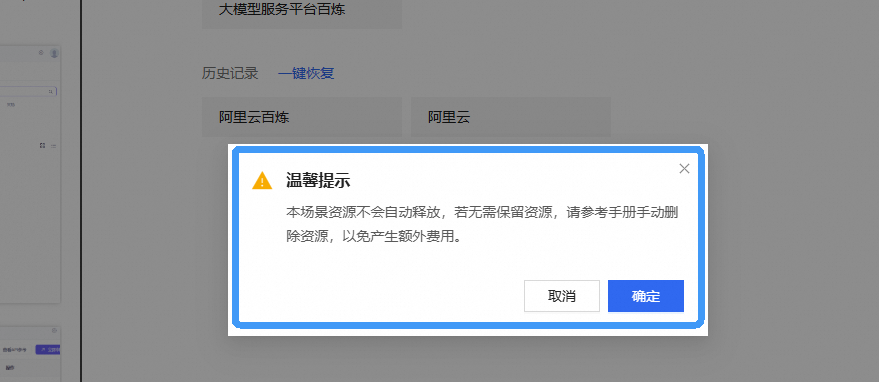
点击 取消 回到实验页面,点击 确定 退出实验界面,关闭页面结束实验