Manage voice message reception
Manage how you receive voice messages from Voice Service, such as voice calls and voice verification codes. This feature is useful for various scenarios, including customer service and identity verification.
For important notifications, set up multiple alert methods, such as text messages and emails, in addition to voice calls. This helps prevent loss from missed calls.
Set up voice message reception
-
Log on to the Message Center. In the navigation pane on the left, choose Voice Message Reception.

-
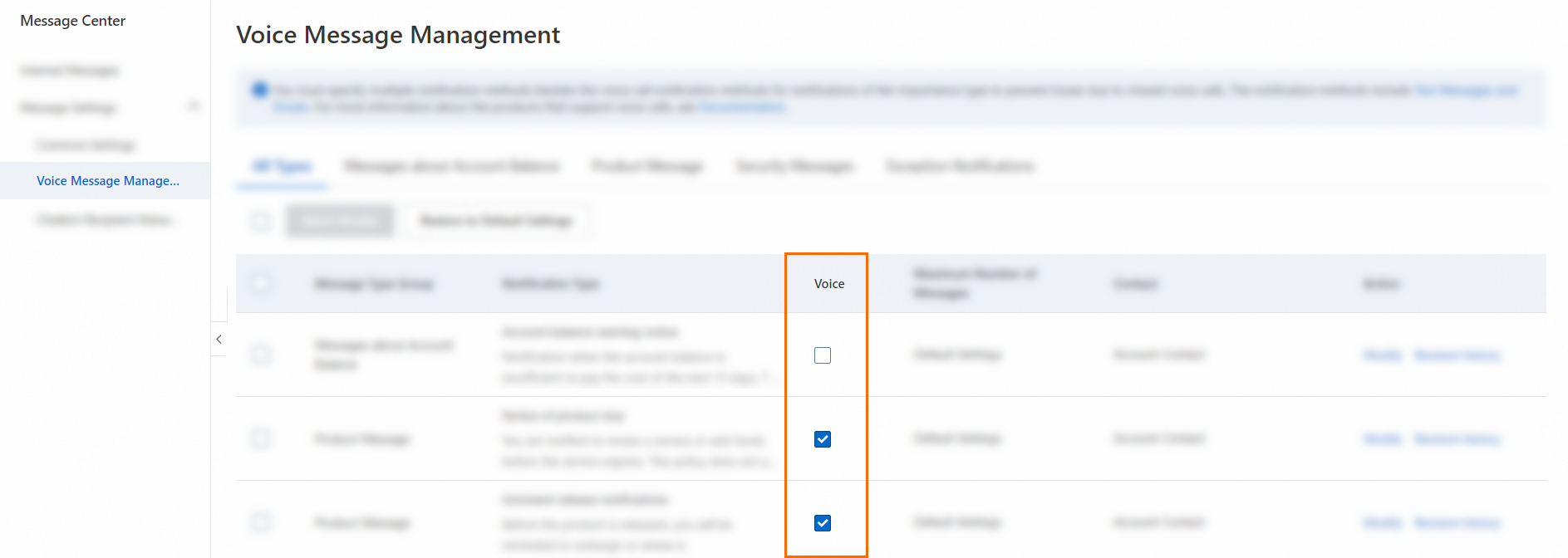
On the Voice Message Reception page, select or clear the checkbox in the Voice column to enable or disable the voice call feature for a product.
-
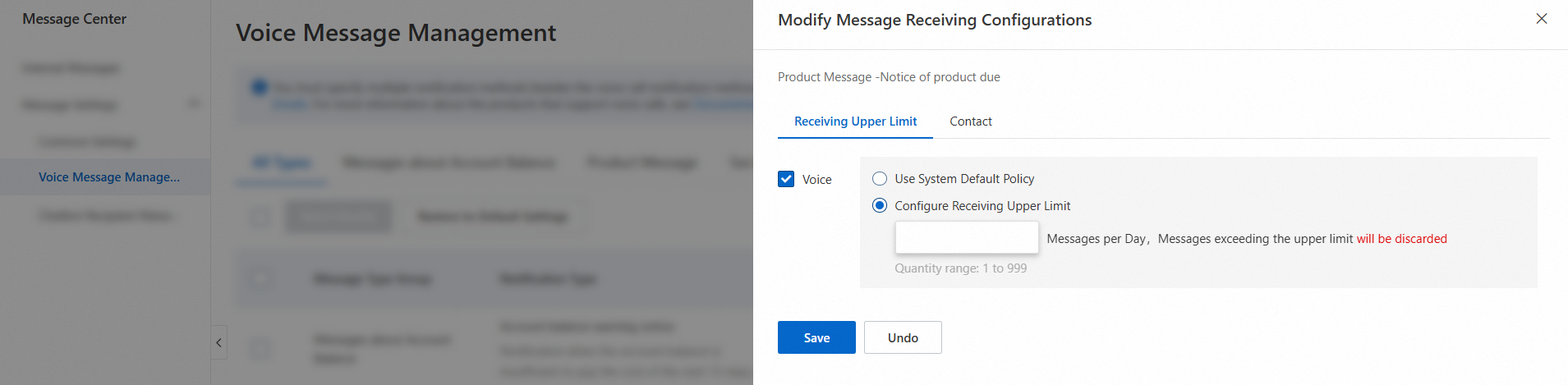
In the Actions column, click Modify to open the Modify Message Reception Configuration page. On this page, do the following:
-
Set a custom limit on the number of messages to receive for the current message type.
-
Assign one or more contacts to receive messages for the current message type.
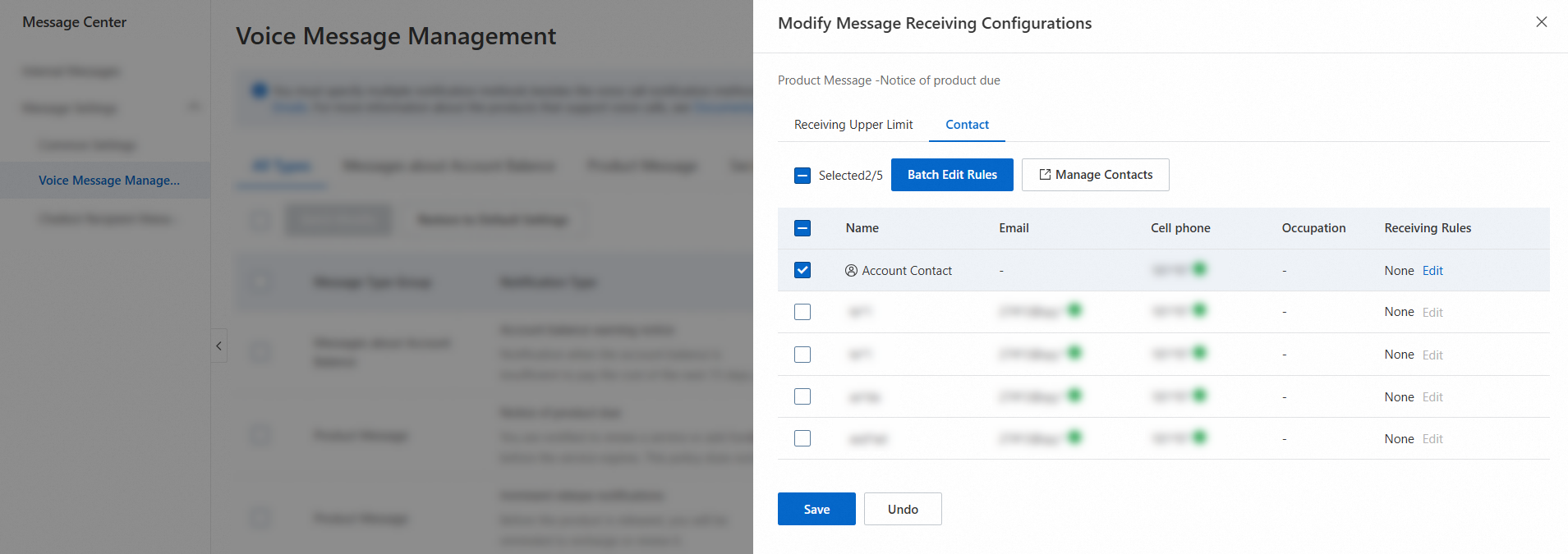
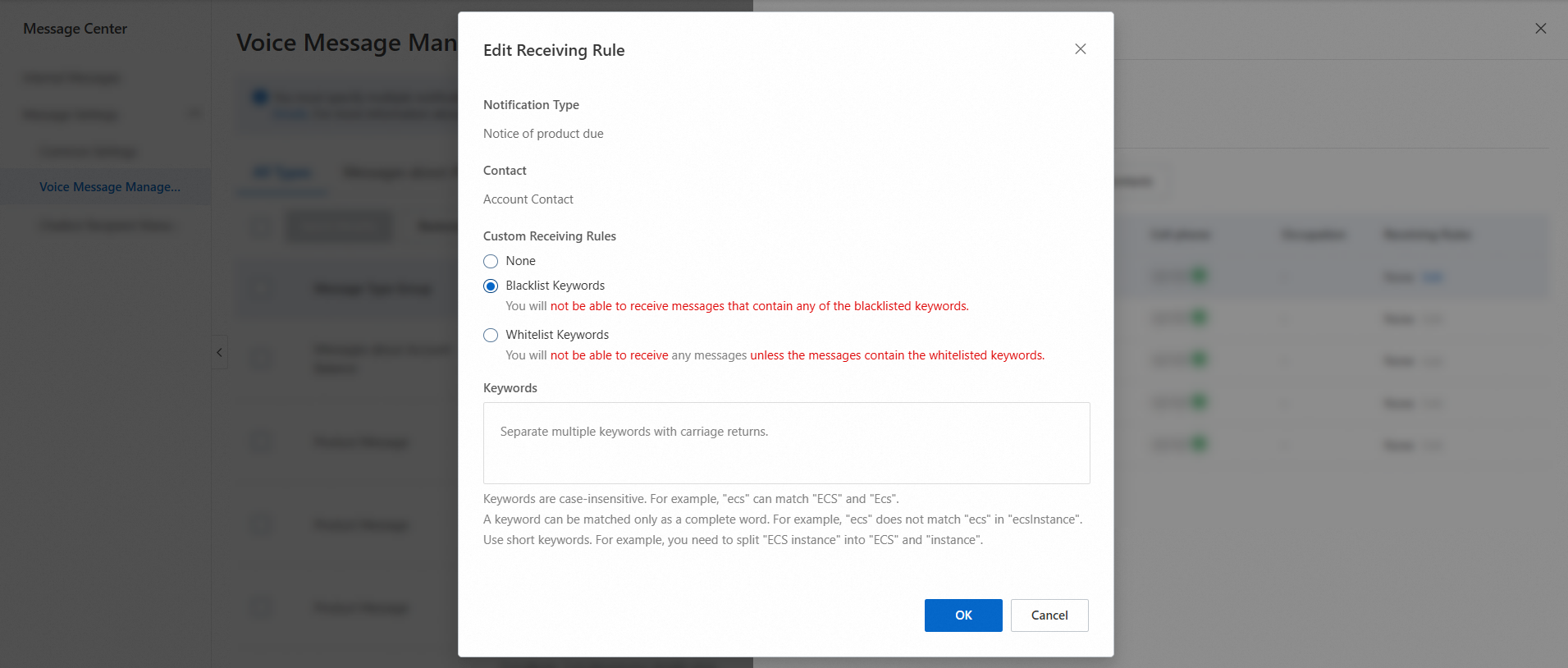
You can also set custom rules for contacts. Use keywords for blacklists and whitelists to control which messages are received and under what conditions.
-
-
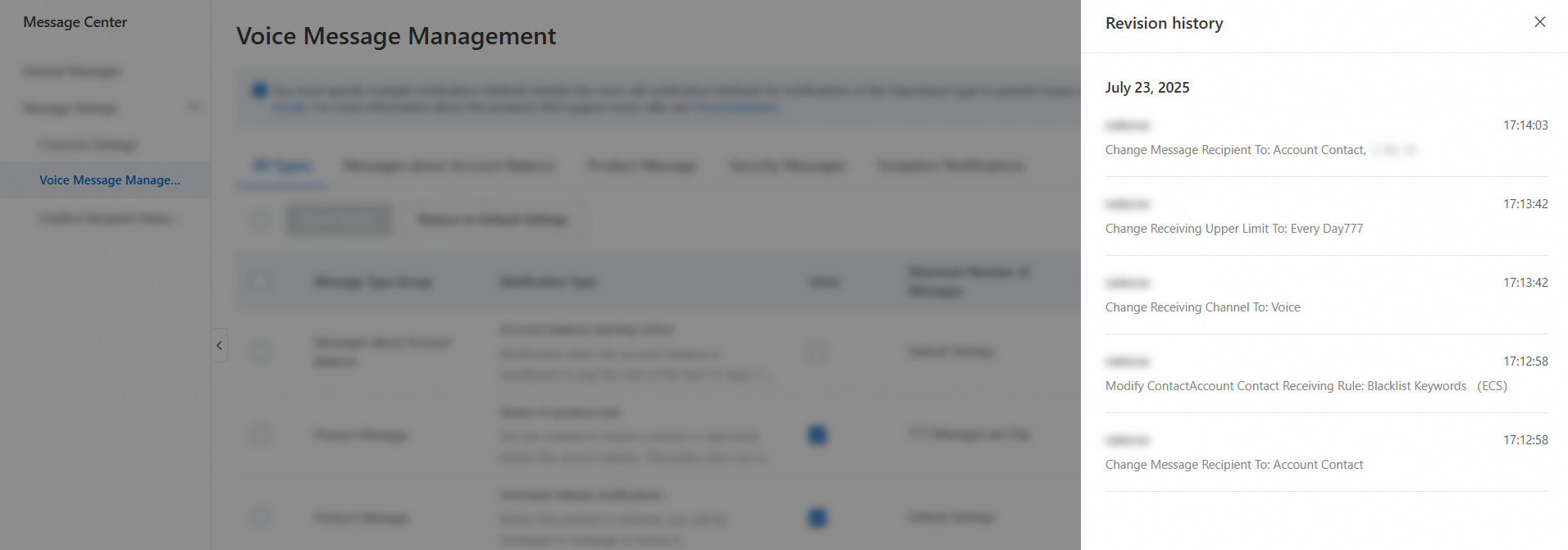
In the Actions column, click Revision History to view the revision history for the message classification. The history includes the modification time, the modifier, and the modification details.

-
After you configure the contacts, you will receive related notifications through voice calls.
When you call Alibaba Cloud APIs by using an AccessKey from a service deployed outside China, the system may identify the AccessKey call from the overseas IP address as an anomalous call and trigger an Account Security Alert voice call notification. To stop these voice alerts, go to the Voice Message Reception page, click the Security Messages tab, locate Account Security Alert, click Modify in the Actions column, clear the Voice checkbox, and then click Save. Disabling voice notifications for this alert does not affect the text message or email notifications that you receive for security alerts.
Add outbound call numbers to a whitelist
To prevent your phone from blocking important calls from Alibaba Cloud, add the following numbers to your phone's contact whitelist. If your carrier blocks calls from Alibaba Cloud, contact your carrier to add these numbers to their whitelist. This ensures you receive our voice calls and important information.
Because outbound call numbers are assigned randomly, add all of the following numbers to the whitelist.
-
Numbers to whitelist for voice verification codes:
05923396595,05923396599,05923396632,057126885891,057126885890,057126885887,057128357749,057128357746,057100001824.
-
Numbers to whitelist for service notifications: 051880143938,051880143897,051880143932,051880143857,051880143918,057128353280,057128353259,057128353257,057128353244,057128353223,057128353205,05923396238,05923396165,05923396228,05923396177,05923396234,02162510523,02152362232,02152927208,057126886644,057126886767.
-
Numbers to whitelist for expiration notifications:
057128958447,057128958448,057128011969,057128011968,057128011987,057128011996,057128011989,057128011995.
Marketing call settings
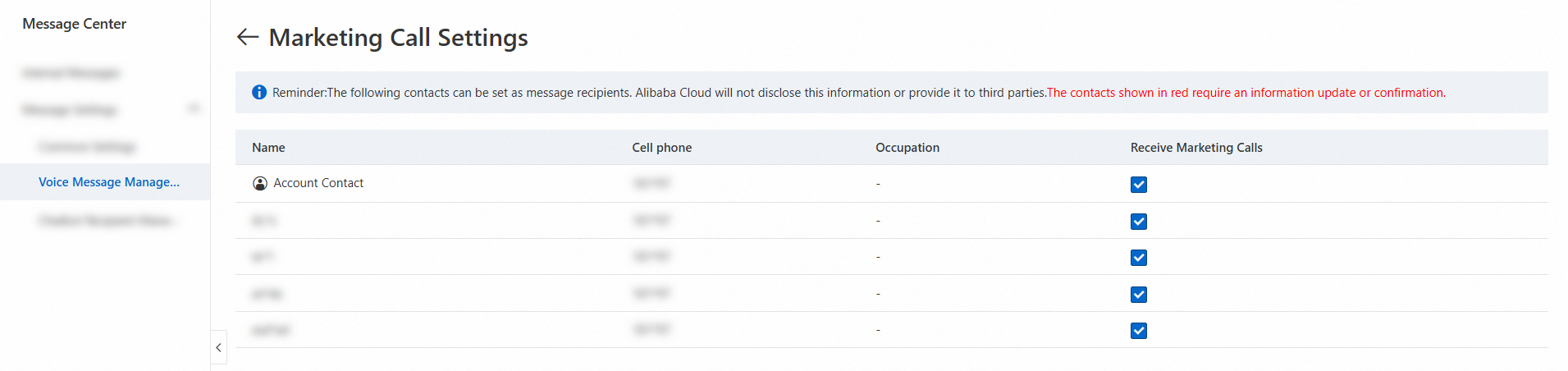
On the Marketing Call Settings page, enable or disable outbound marketing call notifications for your contacts.
-
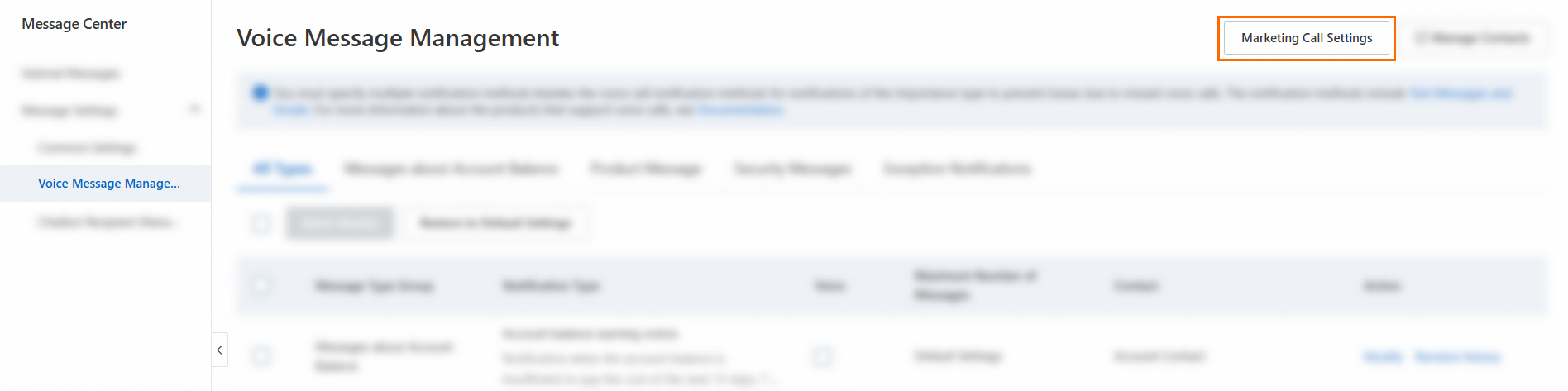
On the Voice Message Reception page, click Marketing Call Settings in the upper-right corner.
-
Select or clear the checkbox in the Receive Marketing Calls column to enable or disable outbound marketing call notifications for that contact.