Build a Q&A agent with kagent
Deploy a Q&A agent with kagent and qwen3-coder-plus to answer questions from live web content.
What you'll build
By the end of this tutorial, you will have:
-
A ModelConfig that connects kagent to Alibaba Cloud Model Studio
-
A fetch MCP server deployed as a Kubernetes Service
-
A RemoteMCPServer resource that registers the MCP server with kagent
-
A Q&A agent (
gateway-api-professor) that answers Gateway API questions by fetching live documentation
The agent runs in the kagent namespace and is accessible through the kagent web UI.
Prerequisites
Before you begin, make sure you have:
-
An ACK cluster with the
kagentnamespace created -
kagent-crds and kagent are installed in the
kagentnamespace. Install from the ACK marketplace or Applications > Helm. -
An Alibaba Cloud Model Studio account with an API key
Step 1: Create a ModelConfig
A ModelConfig tells kagent which LLM provider and model to use. Store the API key as a Kubernetes Secret, then create the ModelConfig.
-
Store the API key as a Secret named
bailian-apikey.export PROVIDER_API_KEY=${Your_Model_Studio_API_Key} kubectl create secret generic bailian-apikey -n kagent --from-literal credential="$PROVIDER_API_KEY" -
Create the ModelConfig.
-
Verify the ModelConfig was created.
kubectl get modelconfig -n kagentExpected output:
NAME                     AGE
bailian-provider-config  10s
Step 2: Deploy the fetch MCP server
The fetch MCP server retrieves web content and converts HTML to Markdown. Deploy it as a Deployment with a ClusterIP Service on port 3000.
kubectl -n kagent apply -f - <<EOF
apiVersion: apps/v1
kind: Deployment
metadata:
  name: streamablehttp-fetch-deployment
spec:
  replicas: 1
  selector:
    matchLabels:
      app: streamablehttp-fetch
  template:
    metadata:
      labels:
        app: streamablehttp-fetch
    spec:
      containers:
      - name: streamablehttp-fetch-container
        image: registry-cn-hangzhou.ack.aliyuncs.com/dev/streamablehttp-fetch:latest
---
apiVersion: v1
kind: Service
metadata:
  name: streamablehttp-fetch-service
spec:
  selector:
    app: streamablehttp-fetch
  ports:
    - protocol: TCP
      port: 3000
      targetPort: 3000
  type: ClusterIP
EOF
Step 3: Register the MCP server
A RemoteMCPServer resource registers the fetch MCP server with kagent, enabling the agent to discover and call the fetch tool.
-
Create the RemoteMCPServer.
kubectl -n kagent apply -f - <<EOF apiVersion: kagent.dev/v1alpha2 kind: RemoteMCPServer metadata: name: streamablehttp-fetch spec: description: A Model Context Protocol server that provides web content fetching capabilities. This server enables LLMs to retrieve and process content from web pages, converting HTML to markdown for easier consumption. protocol: STREAMABLE_HTTP sseReadTimeout: 5m0s terminateOnClose: true timeout: 30s url: http://streamablehttp-fetch-service:3000/ EOF -
Verify the RemoteMCPServer is accepted.
kubectl get RemoteMCPServer -n kagentExpected output:
NAME                   PROTOCOL          URL                                         ACCEPTED
streamablehttp-fetch   STREAMABLE_HTTP   http://streamablehttp-fetch-service:3000/   True
If
ACCEPTEDshowsFalse, verify the fetch MCP server pod is running and the Service URL is reachable.
Step 4: Create the agent
Create an Agent resource named gateway-api-professor. Its system message lists Gateway API documentation URLs and instructions for answering questions.
-
Create the agent.
kubectl -n kagent apply -f - <<EOF apiVersion: kagent.dev/v1alpha2 kind: Agent metadata: name: gateway-api-professor namespace: kagent spec: declarative: modelConfig: bailian-provider-config stream: true systemMessage: |- You are a friendly and helpful agent. Use the streamablehttp-fetch tool to get GatewayAPI information from the following URLs to answer user questions about GatewayAPI. # Links - intro: https://gateway-api.sigs.k8s.io/ - api-overview: https://gateway-api.sigs.k8s.io/concepts/api-overview/ - use-case: https://gateway-api.sigs.k8s.io/concepts/use-cases/ - servicemesh: https://gateway-api.sigs.k8s.io/mesh/ - implementations: https://gateway-api.sigs.k8s.io/implementations/ - v1.4 support overview: https://gateway-api.sigs.k8s.io/implementations/v1.4/ - Full spec, large page: https://gateway-api.sigs.k8s.io/reference/spec/ # Instructions - If a user's question is unclear, ask for clarification before running any tools. - Be friendly and enthusiastic in your responses. - If you do not know how to answer a question, do not make up an answer. Respond with "Sorry, I don't know how to answer this question" and ask the user to clarify. - If the user asks for a summary or overview, make sure to read the entire text before answering. # Response format - Always respond in Markdown format. - Your response must include a summary of the actions you performed and an explanation of the results. tools: - type: McpServer mcpServer: apiGroup: kagent.dev kind: RemoteMCPServer name: streamablehttp-fetch toolNames: - fetch description: This agent primarily answers questions related to the GatewayAPI Spec. type: Declarative EOF -
Verify all pods are running.
kubectl get pod -n kagentExpected output:
NAME                                               READY   STATUS    RESTARTS   AGE
gateway-api-professor-7cb6496b9d-l7nlj             1/1     Running   0          3m1s
kagent-controller-794fc765df-hqswt                 1/1     Running   0          45m
kagent-ui-569cb875c6-h55mg                         1/1     Running   0          45m
streamablehttp-fetch-deployment-75d5cd86cf-h9rvp   1/1     Running   0          4m3s
Step 5: Access the agent
kagent includes a web UI to chat with agents.
-
Forward the kagent UI port to your local machine.
kubectl port-forward -n kagent service/kagent-ui 8082:8080 -
Open
localhost:8082in your browser and select thegateway-api-professoragent. -
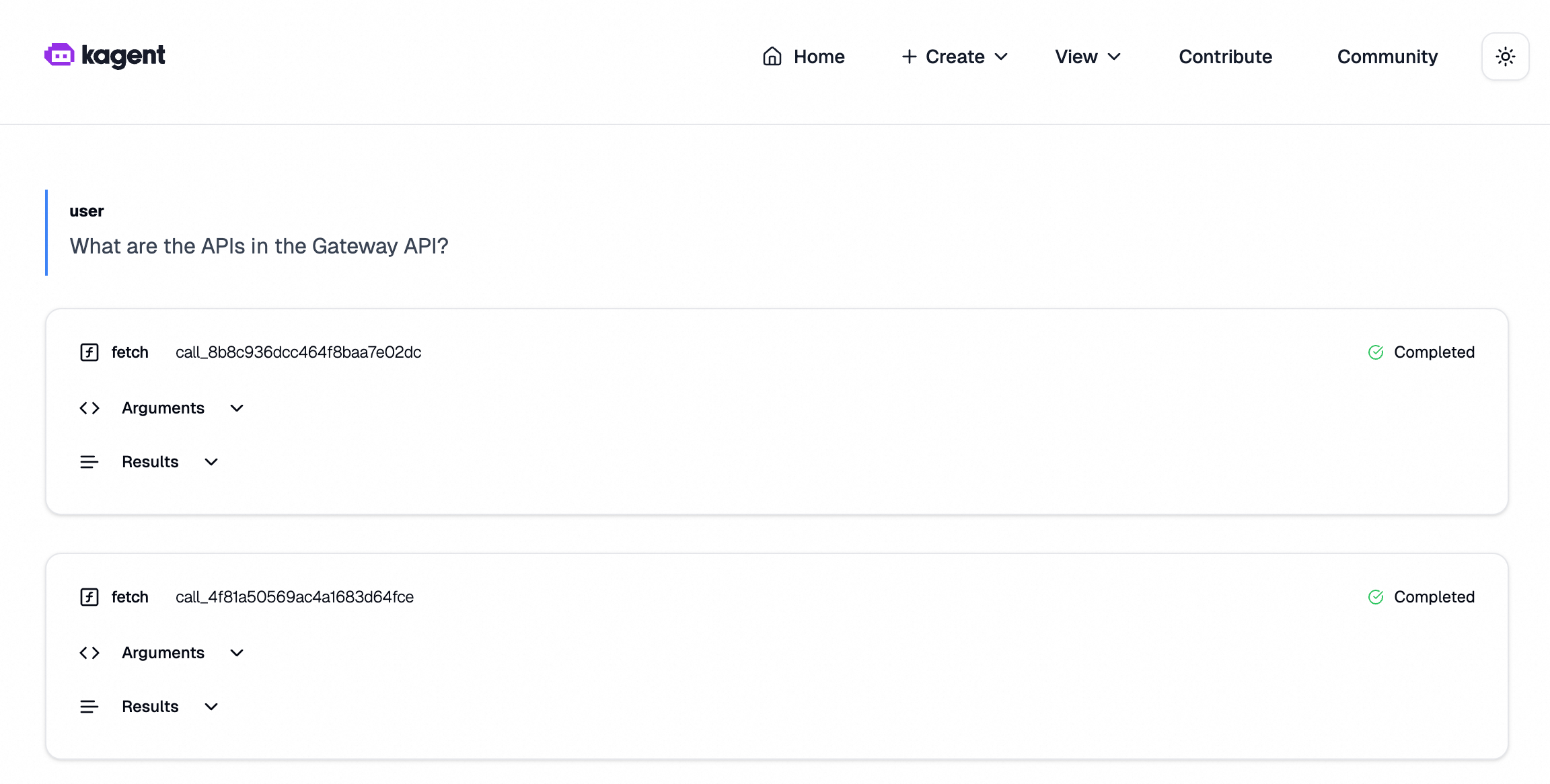
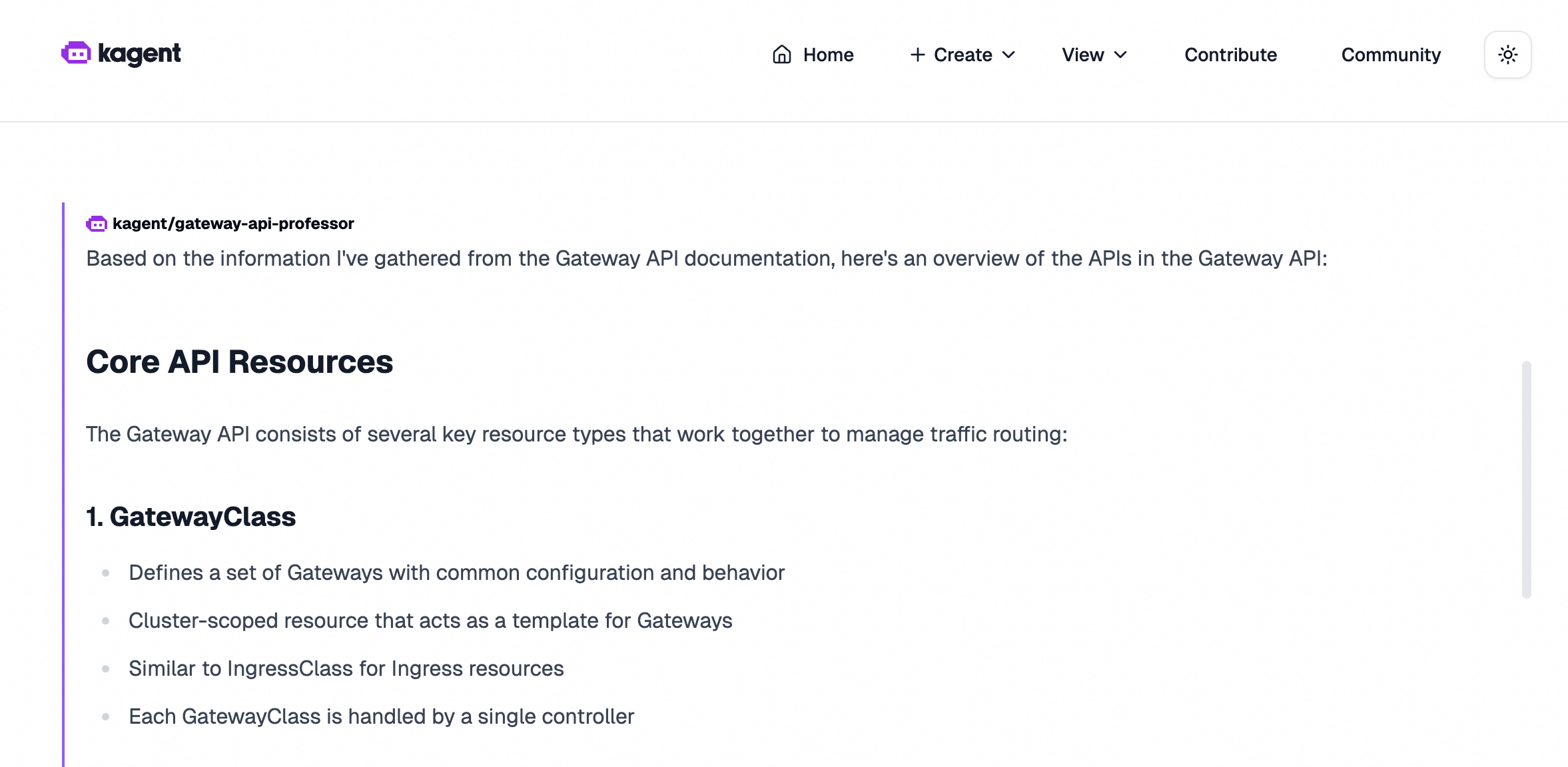
Try the following example questions:
Example 1: What APIs are in the Gateway API?
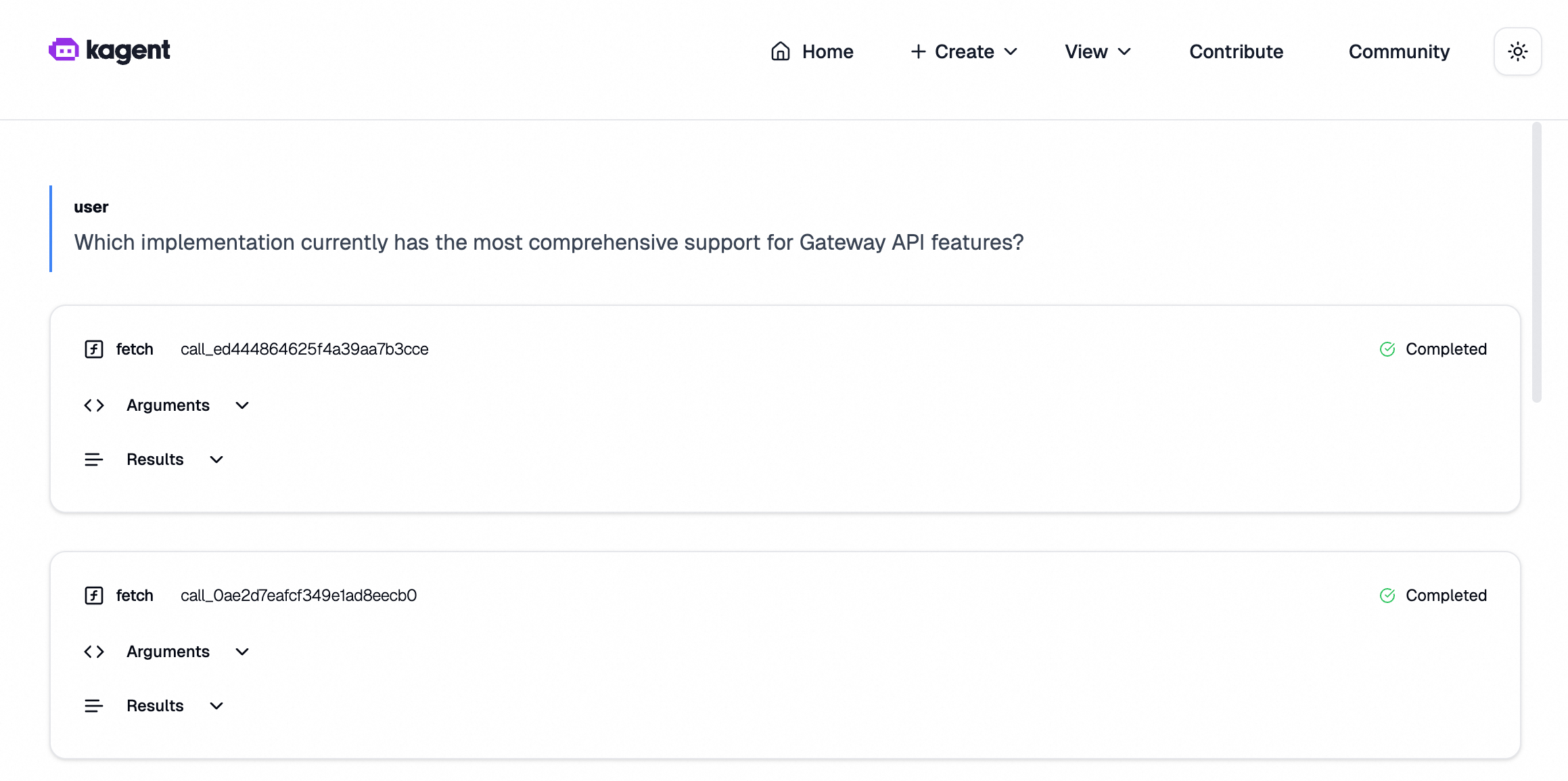
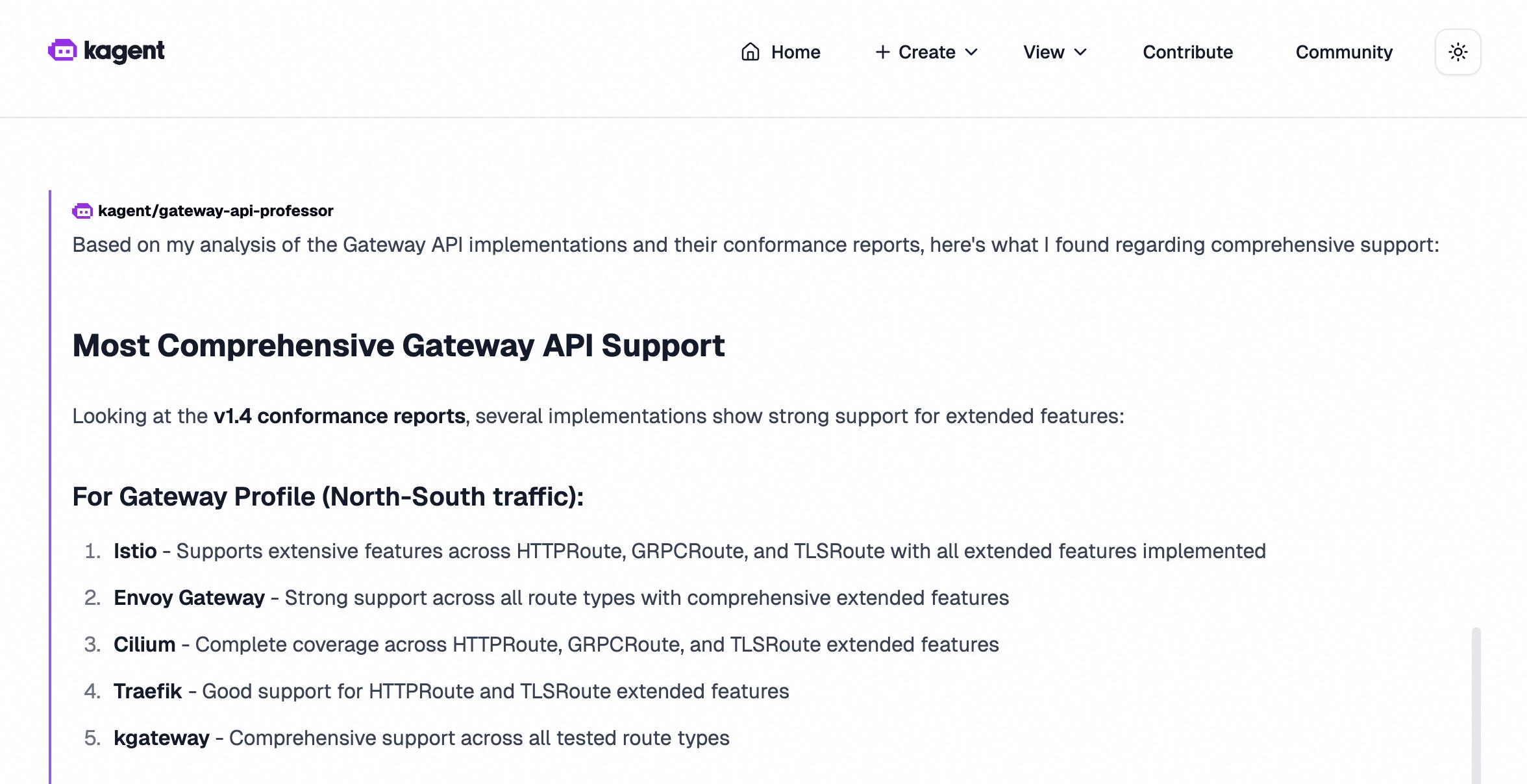
Example 2: Which implementation currently offers the most comprehensive support for Gateway API features?
Troubleshooting
RemoteMCPServer shows `ACCEPTED: False`
The kagent controller cannot reach the fetch MCP server. Verify the Service is running and the URL matches the Service name and port:
kubectl get svc -n kagent
kubectl logs -n kagent deployment/kagent-controller
Agent pod is not starting
Check the agent pod events for image pull or resource errors:
kubectl describe pod -n kagent -l app=gateway-api-professorAPI key error or authentication failure
Verify the Secret exists and the key name matches the ModelConfig:
kubectl get secret bailian-apikey -n kagent -o jsonpath='{.data.credential}' | base64 -dThe output should be your API key. If missing or blank, re-run the kubectl create secret command from Step 1.
Port-forward fails with "address already in use"
Port 8082 is in use on your local machine. Use a different local port:
kubectl port-forward -n kagent service/kagent-ui 8083:8080Access the agent at localhost:8083.
Next steps
-
Explore the kagent documentation to build agents with additional MCP tools.
-
Review the Model Context Protocol specification to understand how MCP servers expose tools to agents.
-
Create additional agents in the same cluster by repeating Steps 1–4 with different system messages and tool bindings.