Work with capacity scheduling

更新时间:
复制 MD 格式

Configure hierarchical quotas with guaranteed minimums to share idle cluster capacity across teams.

Native Kubernetes ResourceQuota enforces fixed resource caps, often leaving resources idle when teams underuse their quota. ACK implements capacity scheduling through the scheduling framework extension, replacing this static model with elastic quota groups: idle resources are shared and reclaimed when owners need them. This improves cluster utilization without compromising resource guarantees.

Prerequisites

Ensure that you have:

Key concepts

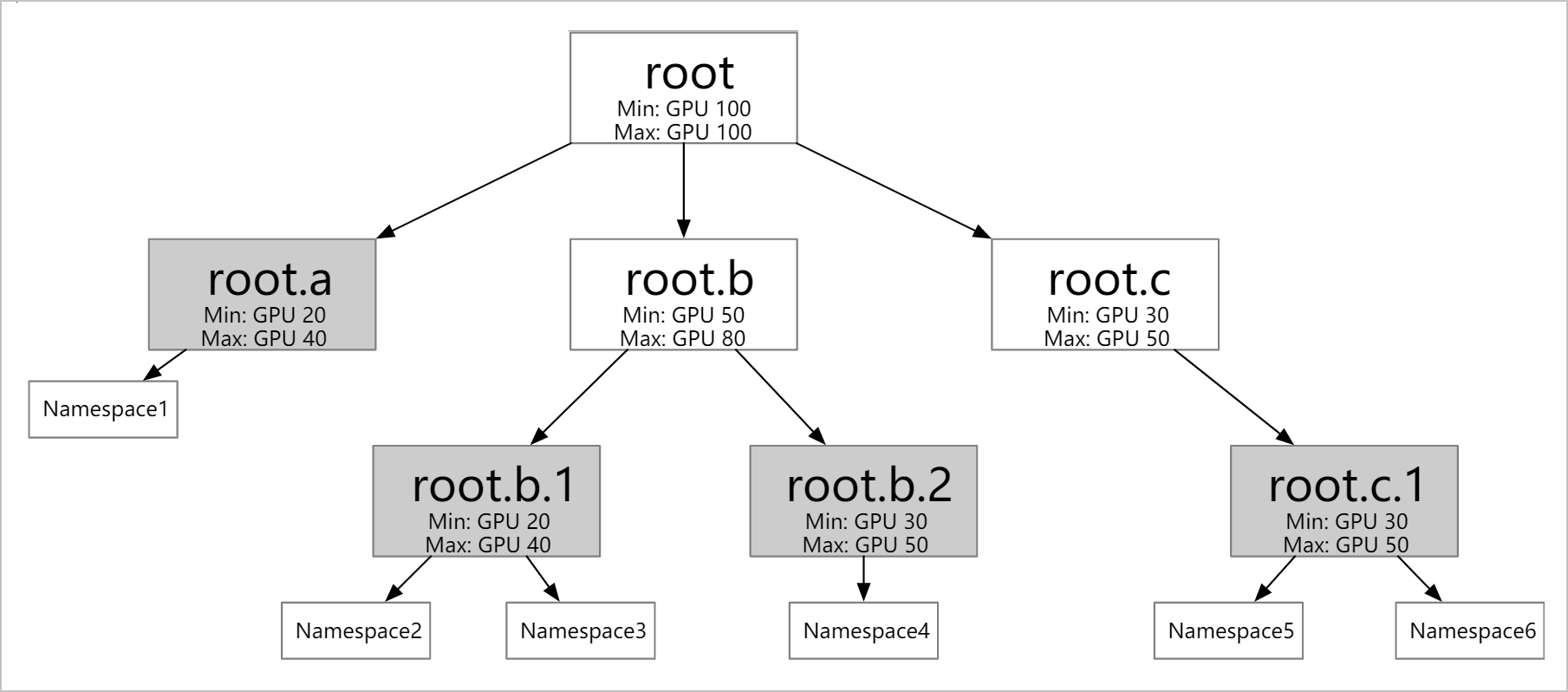
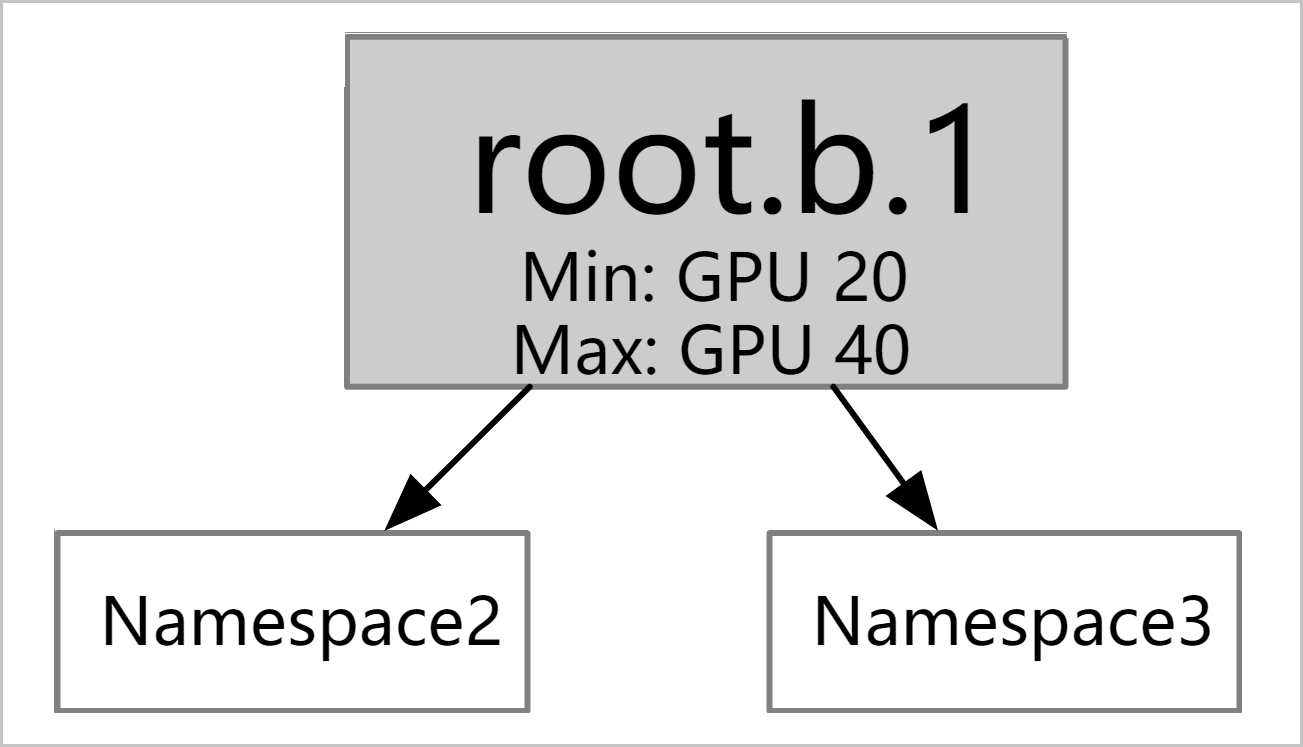
ElasticQuotaTree is a CustomResourceDefinition (CRD) defining a hierarchy of elastic quota groups. Each node represents a quota boundary. Leaf nodes map to one or more namespaces, and pods in those namespaces are scheduled within their leaf node's quota limits.

The two core fields in each quota node are:

Field Meaning
min Guaranteed resources. The scheduler ensures this amount is available, reclaiming borrowed resources if needed.
max Maximum resources the quota node can use, including idle resources borrowed from other nodes.

Resource borrowing and reclaiming work as follows:

  • A pod is scheduled if its requested resources, added to the node's current usage, stay within max.

  • If the node's usage exceeds min, the excess is borrowed from idle capacity elsewhere in the tree.

  • When another quota node needs its min resources back, the scheduler selects pods from the borrowing node to evict based on factors such as job priority, availability, and creation time.

Features

  • Hierarchical quotas: Configure elastic quotas at multiple levels (for example, matching your organization structure). Each leaf node can map to multiple namespaces, but each namespace belongs to only one leaf node.37

  • Resource borrowing and reclaiming: Idle min resources can be borrowed by other quota nodes. Borrowed resources are reclaimed automatically when the original owner needs them.39
  • Extended resource support: Beyond CPU and memory, capacity scheduling supports GPU (nvidia.com/gpu) and other Kubernetes-supported resource types.

  • Node affinity with ResourceFlavor: Attach a ResourceFlavor to a quota node to restrict pods in that quota to specific nodes. See Configure ResourceFlavor for node affinity.

Configure capacity scheduling

This example uses a cluster with a single ecs.sn2.13xlarge node (56 vCPUs and 224 GiB of memory).

Step 1: Create namespaces

kubectl create ns namespace1
kubectl create ns namespace2
kubectl create ns namespace3
kubectl create ns namespace4

Step 2: Create an ElasticQuotaTree

Create the ElasticQuotaTree in the kube-system namespace. This example uses a two-level hierarchy with four leaf quota nodes.

ElasticQuotaTree only takes effect when created in the kube-system namespace.
apiVersion: scheduling.sigs.k8s.io/v1beta1
kind: ElasticQuotaTree
metadata:
  name: elasticquotatree
  namespace: kube-system
spec:
  root:
    name: root
    max:
      cpu: 40
      memory: 40Gi
      nvidia.com/gpu: 4
    min:
      cpu: 40
      memory: 40Gi
      nvidia.com/gpu: 4
    children:
      - name: root.a
        max:
          cpu: 40
          memory: 40Gi
          nvidia.com/gpu: 4
        min:
          cpu: 20
          memory: 20Gi
          nvidia.com/gpu: 2
        children:
          - name: root.a.1
            namespaces:
              - namespace1
            max:
              cpu: 20
              memory: 20Gi
              nvidia.com/gpu: 2
            min:
              cpu: 10
              memory: 10Gi
              nvidia.com/gpu: 1
          - name: root.a.2
            namespaces:
              - namespace2
            max:
              cpu: 20
              memory: 40Gi
              nvidia.com/gpu: 2
            min:
              cpu: 10
              memory: 10Gi
              nvidia.com/gpu: 1
      - name: root.b
        max:
          cpu: 40
          memory: 40Gi
          nvidia.com/gpu: 4
        min:
          cpu: 20
          memory: 20Gi
          nvidia.com/gpu: 2
        children:
          - name: root.b.1
            namespaces:
              - namespace3
            max:
              cpu: 20
              memory: 20Gi
              nvidia.com/gpu: 2
            min:
              cpu: 10
              memory: 10Gi
              nvidia.com/gpu: 1
          - name: root.b.2
            namespaces:
              - namespace4
            max:
              cpu: 20
              memory: 20Gi
              nvidia.com/gpu: 2
            min:
              cpu: 10
              memory: 10Gi
              nvidia.com/gpu: 1
Important

The ElasticQuotaTree must satisfy these constraints:

  • Within each quota node: minmax

  • For each parent node: sum of children's min values ≤ parent's min value

  • For the root node: min = max ≤ total cluster resources

  • Each namespace belongs to exactly one leaf node; a leaf node can contain multiple namespaces

Step 3: Verify the ElasticQuotaTree

kubectl get ElasticQuotaTree -n kube-system

Expected output:

NAME               AGE
elasticquotatree   68s

Observe resource borrowing and reclaiming

These scenarios show how borrowing and reclaiming work as workloads are deployed across the four namespaces.

Borrow idle resources

  1. Deploy a workload in namespace1. This Deployment requests 5 replicas, each using 5 vCPUs (25 vCPUs total).

    apiVersion: apps/v1
    kind: Deployment
    metadata:
      name: nginx1
      namespace: namespace1
      labels:
        app: nginx1
    spec:
      replicas: 5
      selector:
        matchLabels:
          app: nginx1
      template:
        metadata:
          name: nginx1
          labels:
            app: nginx1
        spec:
          containers:
          - name: nginx1
            image: nginx
            resources:
              limits:
                cpu: 5
              requests:
                cpu: 5
  2. Check pod status in namespace1.

    kubectl get pods -n namespace1

    Expected output:

    NAME                     READY   STATUS    RESTARTS   AGE
    nginx1-744b889544-52dbg   1/1     Running   0          70s
    nginx1-744b889544-6l4s9   1/1     Running   0          70s
    nginx1-744b889544-cgzlr   1/1     Running   0          70s
    nginx1-744b889544-w2gr7   1/1     Running   0          70s
    nginx1-744b889544-zr5xz   0/1     Pending   0          70s

    root.a.1 (namespace1) has min=10 CPU and max=20 CPU. The 5 pods request 25 vCPUs total, exceeding max=20. The first 4 pods (20 vCPUs) run — 10 from guaranteed min, 10 borrowed from idle capacity. The 5th pod stays Pending because total requests exceed max.

  3. Deploy a workload in namespace2. This Deployment requests 5 replicas, each using 5 vCPUs.

    apiVersion: apps/v1
    kind: Deployment
    metadata:
      name: nginx2
      namespace: namespace2
      labels:
        app: nginx2
    spec:
      replicas: 5
      selector:
        matchLabels:
          app: nginx2
      template:
        metadata:
          name: nginx2
          labels:
            app: nginx2
        spec:
          containers:
          - name: nginx2
            image: nginx
            resources:
              limits:
                cpu: 5
              requests:
                cpu: 5
  4. Check pod status in both namespaces.

    kubectl get pods -n namespace1

    Expected output:

    NAME                     READY   STATUS    RESTARTS   AGE
    nginx1-744b889544-52dbg   1/1     Running   0          111s
    nginx1-744b889544-6l4s9   1/1     Running   0          111s
    nginx1-744b889544-cgzlr   1/1     Running   0          111s
    nginx1-744b889544-w2gr7   1/1     Running   0          111s
    nginx1-744b889544-zr5xz   0/1     Pending   0          111s
    kubectl get pods -n namespace2

    Expected output:

    NAME                     READY   STATUS    RESTARTS   AGE
    nginx2-556f95449f-4gl8s   1/1     Running   0          111s
    nginx2-556f95449f-crwk4   1/1     Running   0          111s
    nginx2-556f95449f-gg6q2   0/1     Pending   0          111s
    nginx2-556f95449f-pnz5k   1/1     Running   0          111s
    nginx2-556f95449f-vjpmq   1/1     Running   0          111s

    The same borrowing logic applies to namespace2. root.a.2 has min=10 and max=20, so 4 pods run and 1 stays Pending. Now, namespace1 and namespace2 together consume all 40 vCPUs allocated to root (root.max.cpu=40).

Return borrowed resources

  1. Deploy a workload in namespace3. This Deployment requests 5 replicas, each using 5 vCPUs.

    apiVersion: apps/v1
    kind: Deployment
    metadata:
      name: nginx3
      namespace: namespace3
      labels:
        app: nginx3
    spec:
      replicas: 5
      selector:
        matchLabels:
          app: nginx3
      template:
        metadata:
          name: nginx3
          labels:
            app: nginx3
        spec:
          containers:
          - name: nginx3
            image: nginx
            resources:
              limits:
                cpu: 5
              requests:
                cpu: 5
  2. Check pod status across all three namespaces.

    kubectl get pods -n namespace1

    Expected output:

    NAME                      READY   STATUS    RESTARTS   AGE
    nginx1-744b889544-52dbg   1/1     Running   0          6m17s
    nginx1-744b889544-cgzlr   1/1     Running   0          6m17s
    nginx1-744b889544-nknns   0/1     Pending   0          3m45s
    nginx1-744b889544-w2gr7   1/1     Running   0          6m17s
    nginx1-744b889544-zr5xz   0/1     Pending   0          6m17s
    kubectl get pods -n namespace2

    Expected output:

    NAME                      READY   STATUS    RESTARTS   AGE
    nginx2-556f95449f-crwk4   1/1     Running   0          4m22s
    nginx2-556f95449f-ft42z   1/1     Running   0          4m22s
    nginx2-556f95449f-gg6q2   0/1     Pending   0          4m22s
    nginx2-556f95449f-hfr2g   1/1     Running   0          3m29s
    nginx2-556f95449f-pvgrl   0/1     Pending   0          3m29s
    kubectl get pods -n namespace3

    Expected output:

    NAME                     READY   STATUS    RESTARTS   AGE
    nginx3-578877666-msd7f   1/1     Running   0          4m
    nginx3-578877666-nfdwv   0/1     Pending   0          4m10s
    nginx3-578877666-psszr   0/1     Pending   0          4m11s
    nginx3-578877666-xfsss   1/1     Running   0          4m22s
    nginx3-578877666-xpl2p   0/1     Pending   0          4m10s

    root.b.1 (namespace3) has a guaranteed min=10 CPU. To provide this guarantee, the scheduler reclaims 10 vCPUs that root.a had borrowed from root.b. It selects pods to evict under root.a based on factors such as job priority, availability, and creation time to free the 10 vCPUs. As a result, nginx3 gets its 10-vCPU minimum: 2 pods run, and 3 stay Pending.

  3. Deploy a workload in namespace4. This Deployment requests 5 replicas, each using 5 vCPUs.

    apiVersion: apps/v1
    kind: Deployment
    metadata:
      name: nginx4
      namespace: namespace4
      labels:
        app: nginx4
    spec:
      replicas: 5
      selector:
        matchLabels:
          app: nginx4
      template:
        metadata:
          name: nginx4
          labels:
            app: nginx4
        spec:
          containers:
          - name: nginx4
            image: nginx
            resources:
              limits:
                cpu: 5
              requests:
                cpu: 5
  4. Check pod status across all four namespaces.

    kubectl get pods -n namespace1

    Expected output:

    NAME                      READY   STATUS    RESTARTS   AGE
    nginx1-744b889544-cgzlr   1/1     Running   0          8m20s
    nginx1-744b889544-cwx8l   0/1     Pending   0          55s
    nginx1-744b889544-gjkx2   0/1     Pending   0          55s
    nginx1-744b889544-nknns   0/1     Pending   0          5m48s
    nginx1-744b889544-zr5xz   1/1     Running   0          8m20s
    kubectl get pods -n namespace2

    Expected output:

    NAME                      READY   STATUS    RESTARTS   AGE
    nginx2-556f95449f-cglpv   0/1     Pending   0          3m45s
    nginx2-556f95449f-crwk4   1/1     Running   0          9m31s
    nginx2-556f95449f-gg6q2   1/1     Running   0          9m31s
    nginx2-556f95449f-pvgrl   0/1     Pending   0          8m38s
    nginx2-556f95449f-zv8wn   0/1     Pending   0          3m45s
    kubectl get pods -n namespace3

    Expected output:

    NAME                     READY   STATUS    RESTARTS   AGE
    nginx3-578877666-msd7f   1/1     Running   0          8m46s
    nginx3-578877666-nfdwv   0/1     Pending   0          8m56s
    nginx3-578877666-psszr   0/1     Pending   0          8m57s
    nginx3-578877666-xfsss   1/1     Running   0          9m8s
    nginx3-578877666-xpl2p   0/1     Pending   0          8m56s
    kubectl get pods -n namespace4

    Expected output:

    NAME                      READY   STATUS    RESTARTS   AGE
    nginx4-754b767f45-g9954   1/1     Running   0          4m32s
    nginx4-754b767f45-j4v7v   0/1     Pending   0          4m32s
    nginx4-754b767f45-jk2t7   0/1     Pending   0          4m32s
    nginx4-754b767f45-nhzpf   0/1     Pending   0          4m32s
    nginx4-754b767f45-tv5jj   1/1     Running   0          4m32s

    The same reclaim logic applies for root.b.2 (namespace4): the scheduler reclaims 10 vCPUs borrowed by root.a, and nginx4 gets its 10-vCPU minimum — 2 pods run, 3 stay Pending. All four quota nodes now run on their guaranteed min resources, with no idle capacity left in the cluster.

Configure ResourceFlavor for node affinity

ResourceFlavor is a Kueue CRD that binds a quota node to specific nodes by matching node labels.

Prerequisites

Ensure that you have:

Only the nodeLabels field takes effect in ResourceFlavor.

Create a ResourceFlavor

This example creates a ResourceFlavor named spot that targets nodes labeled instance-type: spot.

apiVersion: kueue.x-k8s.io/v1beta1
kind: ResourceFlavor
metadata:
  name: "spot"
spec:
  nodeLabels:
    instance-type: spot

Associate a ResourceFlavor with an elastic quota

To bind a ResourceFlavor to a quota node, declare it in the ElasticQuotaTree using the attributes.resourceflavors field.

apiVersion: scheduling.sigs.k8s.io/v1beta1
kind: ElasticQuotaTree
metadata:
  name: elasticquotatree
  namespace: kube-system
spec:
  root:
    name: root
    max:
      cpu: 999900
      memory: 400000Gi
      nvidia.com/gpu: 100000
    min:
      cpu: 999900
      memory: 400000Gi
      nvidia.com/gpu: 100000
    children:
    - name: child
      namespaces:
      - default
      attributes:
        resourceflavors: spot
      max:
        cpu: 99
        memory: 40Gi
        nvidia.com/gpu: 10
      min:
        cpu: 99
        memory: 40Gi
        nvidia.com/gpu: 10

With this configuration, pods in the child quota node (namespace default) are scheduled only to nodes with the instance-type: spot label.

Next steps