Push feature flags
Updated at:
Use feature flags to set push values and create dynamic configurations that can be overridden at runtime, instead of hardcoding values such as URLs, API names, thresholds, file encodings, allowlists, and blocklists. Feature flags support global push, single-machine push, and phased release.
Prerequisites
You have created a feature flag. For more information, see Create a feature flag.
Procedure
- Log in to the AHAS console and select a region in the upper-left corner.
- In the left-side navigation pane, choose Feature Flags. On the Application List page, click the card of the target application. The Feature Flag List page for the application appears.
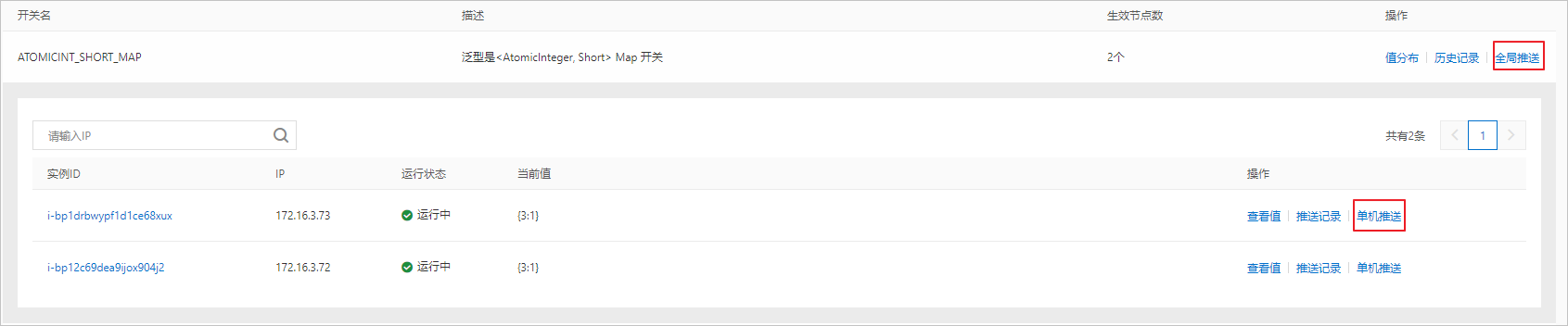
- On the Feature Flag List page, in the Actions column of the target feature flag, click Global Push or Single-machine Push. The Feature Flag Push panel appears on the right. In this panel, you can view information such as the feature flag name, namespace, and feature flag type, and edit the Push Value.Note You must define the push type of a feature flag in code. For more information, see change callback.
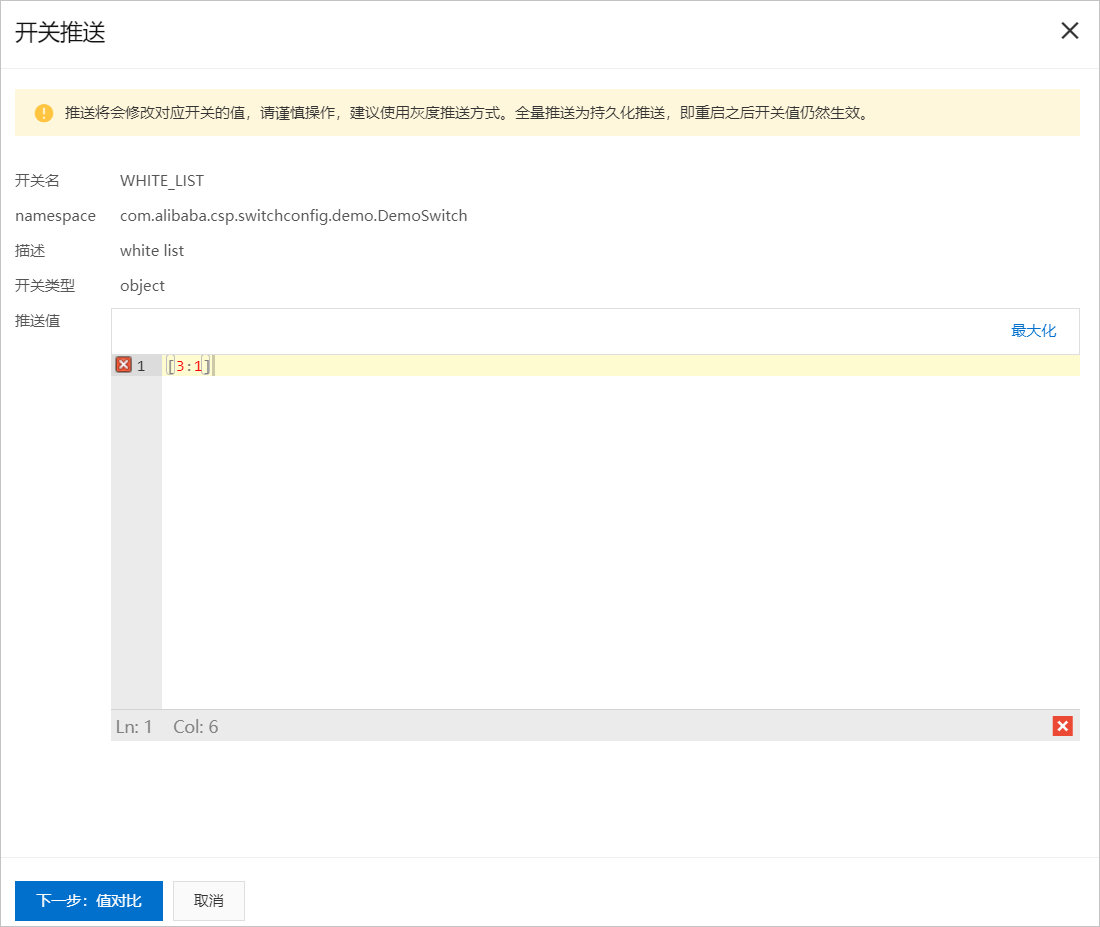
- After you edit the push value, click Next: Value Comparison to view the changes. If you need to make further modifications, click Previous: Return to Modify. If everything is correct, click Single-machine Push or Global Push.
- (Optional) Configure a phased release for the feature flag.
- In the Actions column for the target feature flag, click Global Push. In the Feature Flag Push panel that appears, edit the push value.
- In the lower-left corner, click Phased Release. The Phased Release Settings panel appears.
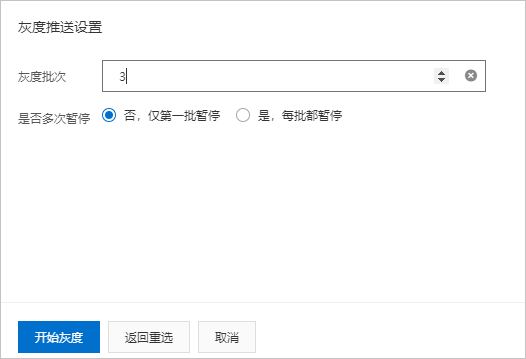
- Set the Number of Release Batches and select whether to Pause Multiple Times. Then, click Start Phased Release.
A phased release pushes the configuration in batches. You can push to an initial batch of machines to monitor the effects before proceeding with a full deployment. This helps prevent application failures that could be caused by a full-scale push.
- Number of Release Batches: The number of batches for the push. The value can range from 2 to the total number of machines. The number of machines in each batch is calculated by dividing the total number of machines by the number of batches. Pushes occur sequentially by batch. Within each batch, the push occurs in parallel across all machines. For example, if you have 10 machines and set Number of Release Batches to 3, the configuration is first pushed to 3 machines, then to another 3, and finally to the remaining 4.
- Pause Multiple Times: Specifies whether the release pauses between batches. You can choose to pause only after the first batch or after every batch. The release remains paused until you click Continue Push.
Is this page helpful?