Supabase MCP user guide
Manage Supabase projects with natural language directly from your IDE using Tongyi Lingma or Cursor through the Model Context Protocol (MCP). Create, query, and delete projects without leaving your coding environment.
Introduction to Supabase MCP
MCP is an open standard protocol that integrates external tools and context with Large Language Models (LLMs). The Supabase MCP tool connects Alibaba Cloud Supabase project management with an LLM agent, enabling you to manage the full lifecycle of Supabase projects using natural language. Key advantages:
-
Natural language interaction: Perform cloud resource operations using conversational commands.
-
Context-aware: Tongyi Lingma understands conversational context and simplifies instructions for consecutive operations.
-
All-in-one IDE experience: Stay in your IDE instead of switching between the IDE and the console.
Preparations
-
In your IDE, such as Visual Studio Code, install and log on to the Tongyi Lingma plug-in, or use a model in Cursor that supports agent invocation.
-
Obtain an AccessKey.
Configure the Supabase MCP tool
Visual Studio Code + Lingma
-
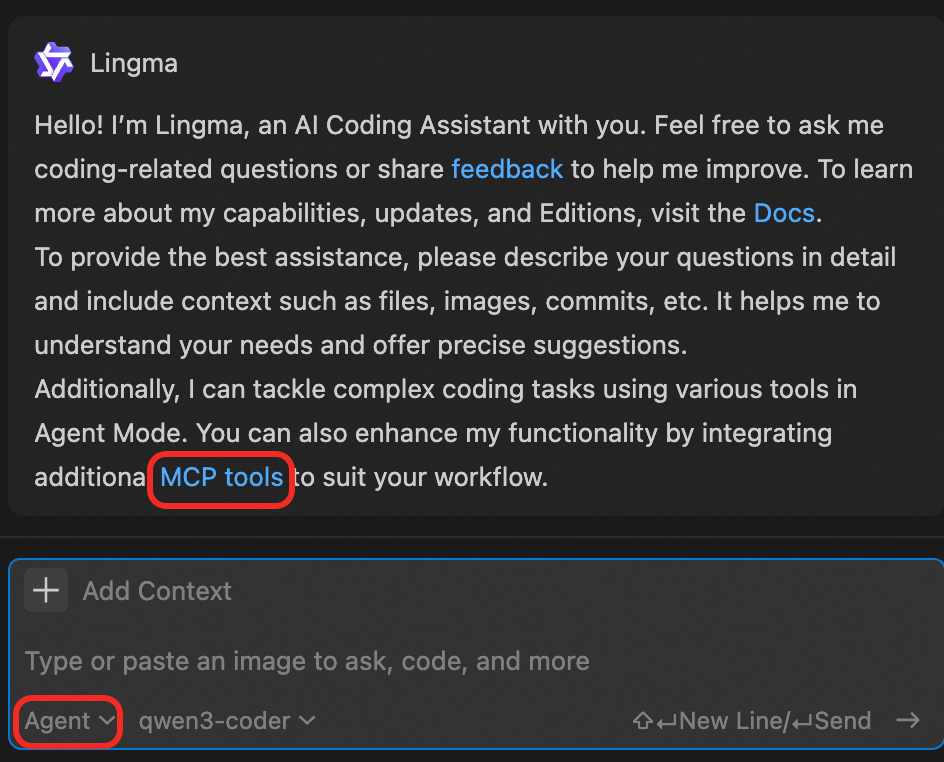
In Visual Studio Code, open Lingma, switch to My Services mode, and click Agent.
-
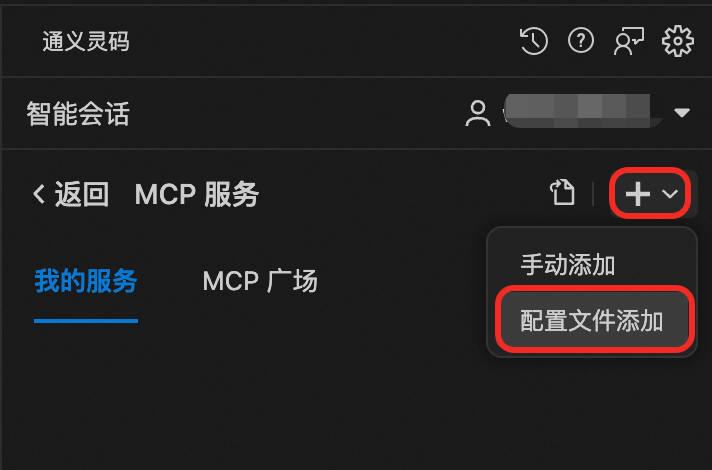
On the MCP Server management page, click the ➕ icon in the upper-right corner and select Add from Configuration File.
-
Copy the following content into the
lingma_mcp.jsonfile editor. Replace placeholders such asyourAccessKeyIDandyourAccessKeySecretwith your actual values.{ "mcpServers": { "supabase": { "command": "npx", "args": [ "-y", "@aliyun-supabase/mcp-server-supabase@latest", "--features=aliyun", "--read-only", // <optional> If added, the database is in read-only mode. "--project-id=<your-project-id>", // <optional> "--region-id=<your-region>" // <optional> ], "env": { "ALIYUN_ACCESS_TOKEN": "<yourAccessKeyID>|<yourAccessKeySecret>" } } } } -
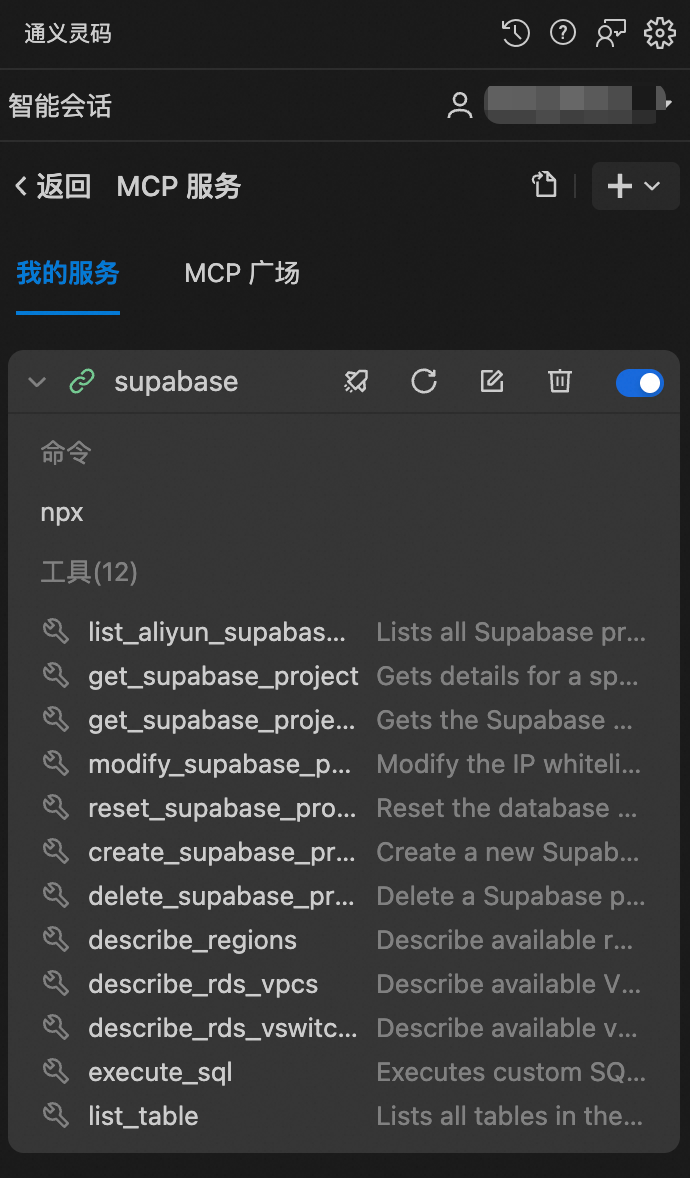
Save the
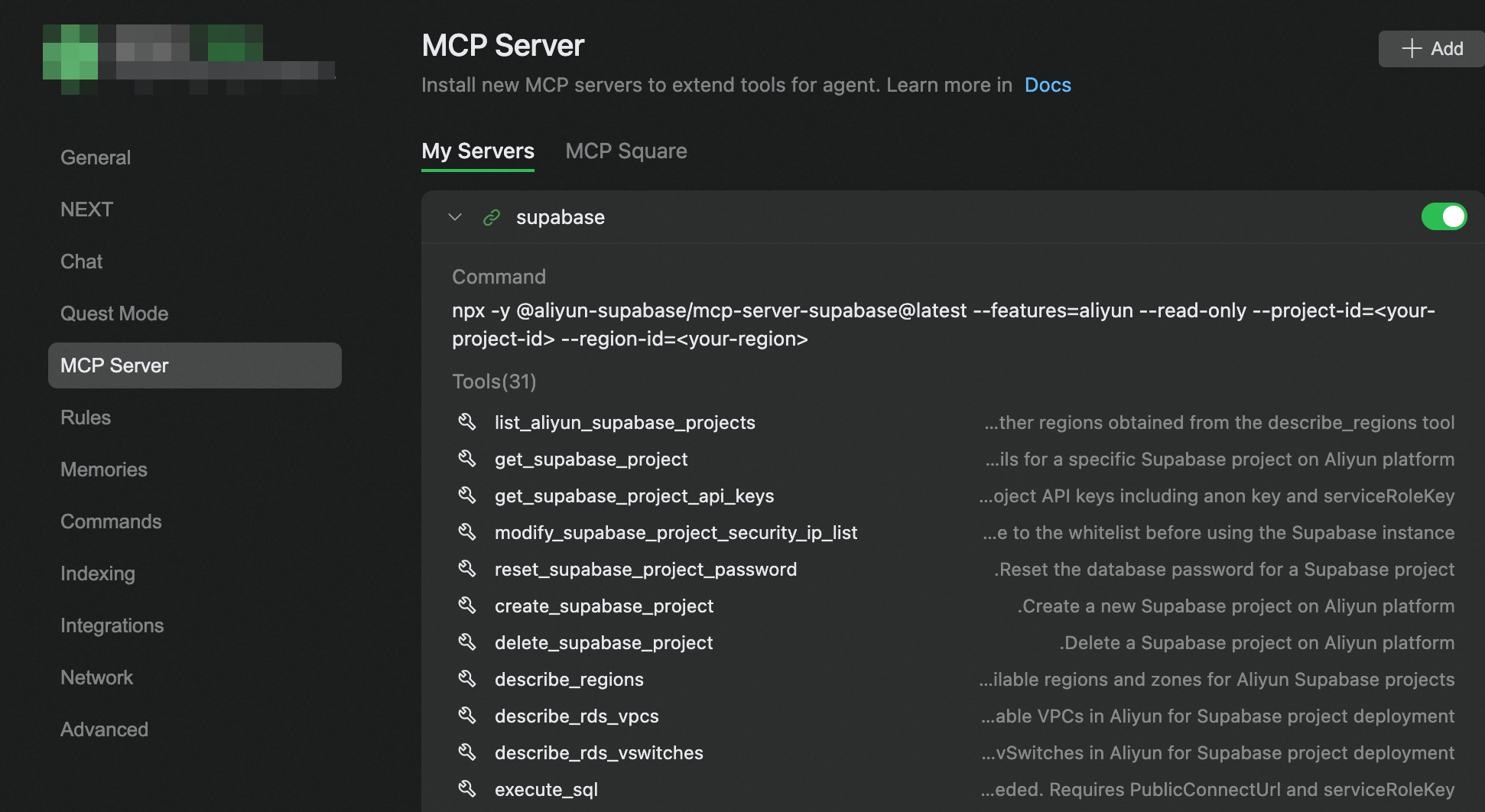
lingma_mcp.jsonfile.The Supabase service and its tools appear in the My Services list. These tools include the official Alibaba Cloud Supabase API, which covers all core project management features. You can also call the corresponding MCP tools to execute SQL directly.
Cursor
To quickly install the MCP in Cursor, click aliyun-supabase. Alternatively, follow these steps to configure it.
-
In Cursor, navigate to Cursor Settings > Tools & Integrations > MCP Tools. Click New MCP Server to open the
.cursor/mcp.jsonfile. -
Copy the following content into the file. Replace placeholders such as
yourAccessKeyIDandyourAccessKeySecretwith your actual values.{ "mcpServers": { "supabase": { "command": "npx", "args": [ "-y", "@aliyun-supabase/mcp-server-supabase@latest", "--features=aliyun", "--read-only", // Optional parameter. If added, the database is in read-only mode. "--project-id=<your-project-id>", // <optional> "--region-id=<your-region>" // <optional> ], "env": { "ALIYUN_ACCESS_TOKEN": "<yourAccessKeyID>|<yourAccessKeySecret>" } } } } -
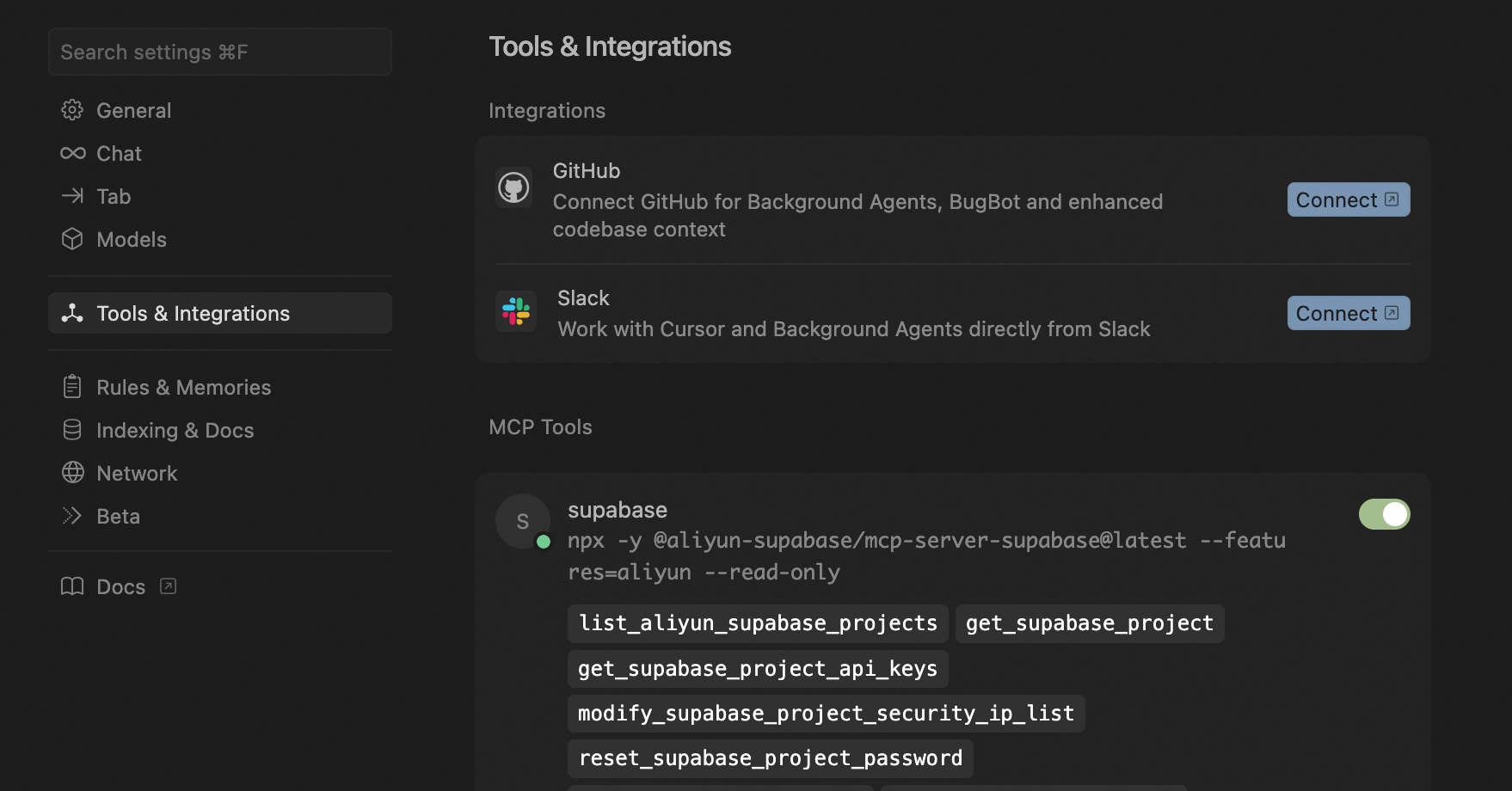
Save the
.cursor/mcp.jsonfile.The Supabase service appears in the Cursor Settings > Tools & Integrations > MCP Tools list and includes a suite of tools.
Qoder
-
In Qoder, navigate to Preferences > Qoder Settings > MCP Server. Click +ADD to open the
mcp.jsonfile. -
Copy the following content into the file. Replace placeholders such as
yourAccessKeyIDandyourAccessKeySecretwith your actual values.{ "mcpServers": { "supabase": { "command": "npx", "args": [ "-y", "@aliyun-supabase/mcp-server-supabase@latest", "--features=aliyun", "--read-only", // <optional> "--project-id=<your-project-id>", // <optional> "--region-id=<your-region>" // <optional> ], "env": { "ALIYUN_ACCESS_TOKEN": "<yourAccessKeyID>|<yourAccessKeySecret>" } } } } -
Save the
mcp.jsonfile.The Supabase service appears in the MCP Server list and includes a suite of tools.
Codex
After you install Codex, run the following command in the command line. Replace placeholders such as yourAccessKeyID and yourAccessKeySecret with your actual values.
codex mcp add aliyun-supabase \
--env ALIYUN_ACCESS_TOKEN="<yourAccessKeyID>|<yourAccessKeySecret>" \
-- npx -y @aliyun-supabase/mcp-server-supabase@latest \
--features=aliyun \
--read-only \
--project-id=<your-project-id> \
--region-id=<your-region>
Claude Code
Run the following command. Replace placeholders such as yourAccessKeyID and yourAccessKeySecret with your actual values.
claude mcp add aliyun-supabase \
--env ALIYUN_ACCESS_TOKEN='<yourAccessKeyID>|<yourAccessKeySecret>' \
-- npx -y @aliyun-supabase/mcp-server-supabase@latest \
--features=aliyun \
--project-id=<your-project-id> \
--region-id=<your-region>
Usage examples
After you configure the Supabase MCP tool, manage Supabase projects using natural language in the Tongyi Lingma dialog box. The following examples show common operations.
Query the list of Supabase projects
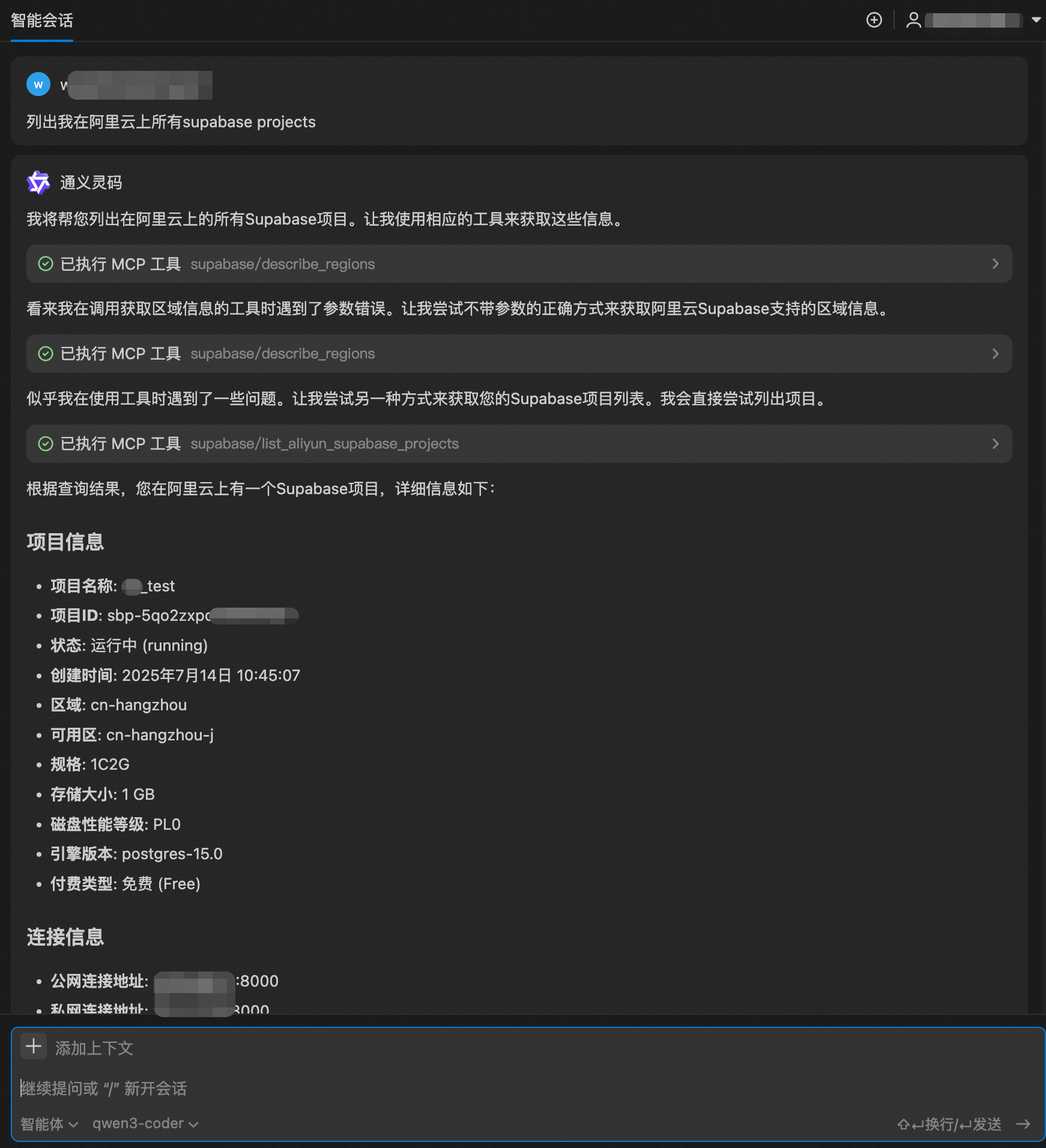
User instruction: list all my supabase projects on Alibaba Cloud
Tongyi Lingma parses your intent and calls the supabase/list_aliyun_supabase_projects tool. If a required parameter such as a region ID is missing, it infers the value and returns a formatted project list.
Get details of a single project
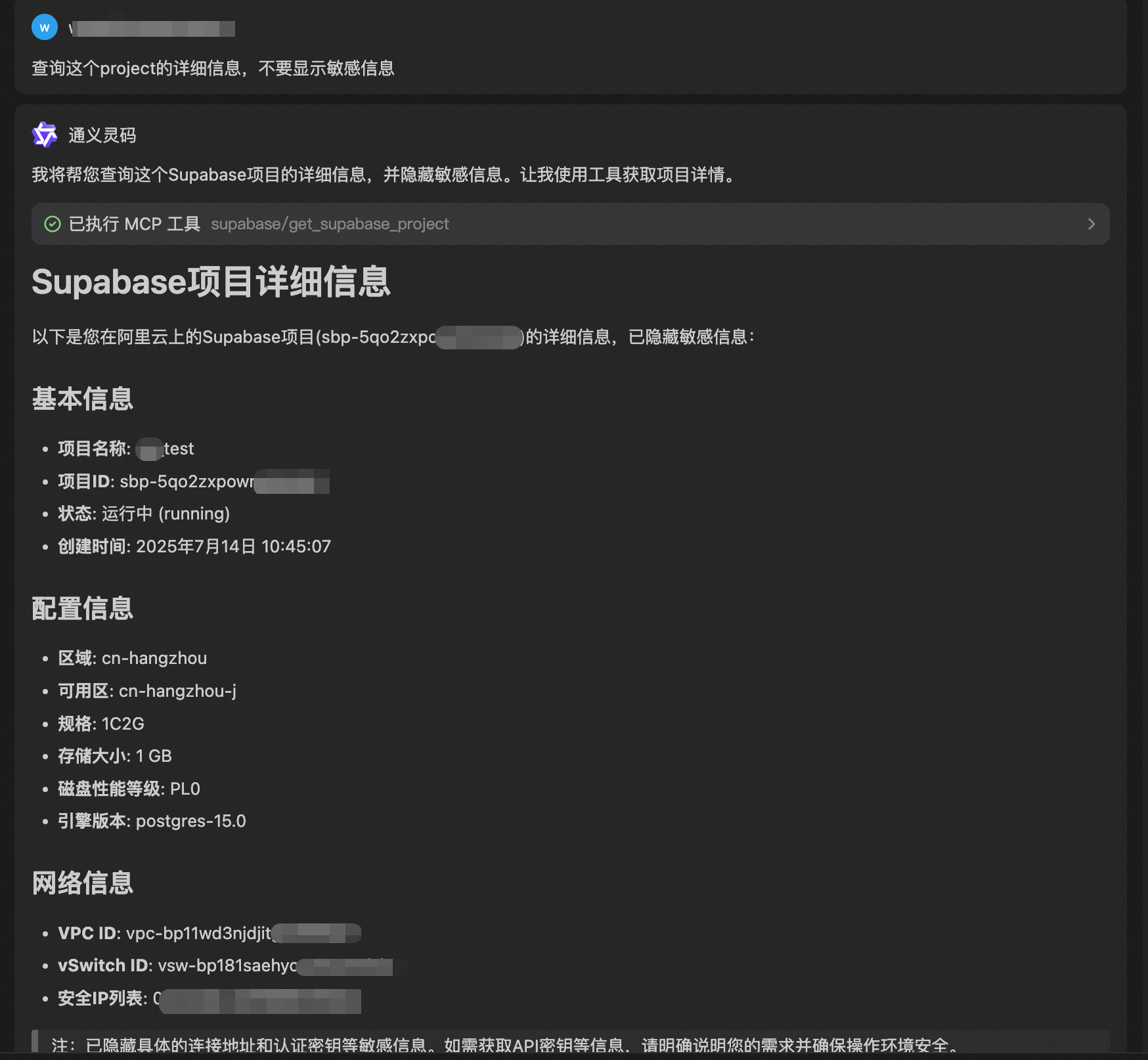
User instruction: query the details of this project, do not show sensitive information
Lingma retrieves the project ID from the conversation and calls the supabase/get_supabase_project tool to return the project configuration.
Create a new project in the same VPC
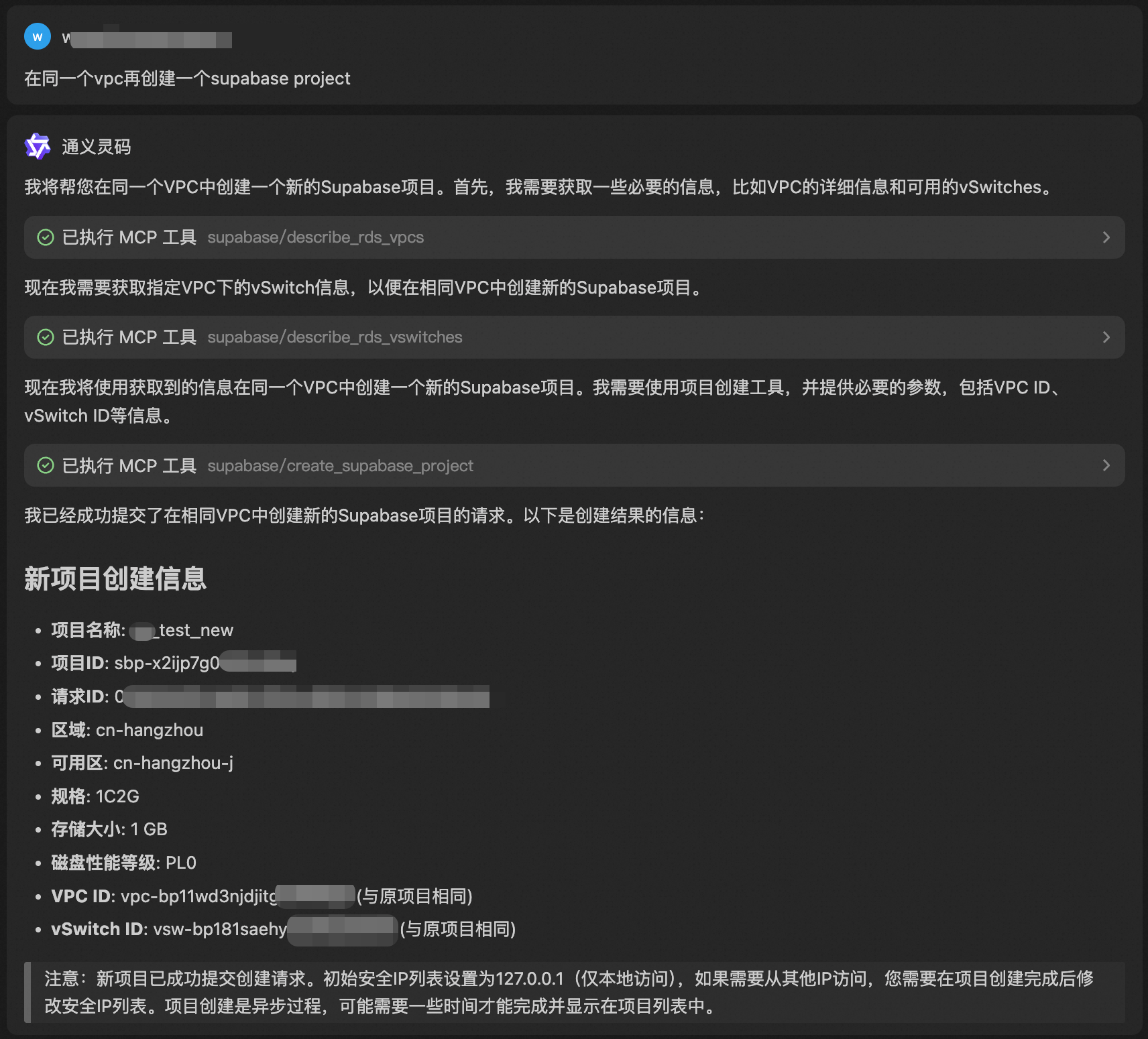
User instruction: create another supabase project in the same vpc
Lingma retrieves network information such as the VPC ID from the conversation and calls the supabase/create_supabase_project tool to create the project.
Delete the newly created project
User instruction: delete the project just created
Tongyi Lingma accurately identifies "the project just created" and calls the supabase/delete_supabase_project tool to delete it.

Use case: Frontend developer completes backend configuration in minutes
Frontend developers often spend time configuring backend services such as database connections during project startup, which breaks the coding flow and delays frontend work.
The following scenario shows how a frontend developer uses Supabase MCP to set up a warehouse and logistics management system. With a few natural language commands in the IDE, the developer completes the process from discovering the cloud Supabase service to configuring the local project connection.
Scenario description
A frontend developer is building a warehouse and logistics management system. The UI is complete, but the application must connect to a cloud Supabase project for dynamic data loading and management.
Efficient configuration with Supabase MCP
With the following natural language instructions, the developer completes the entire process from discovering the cloud service to configuring the local project.
-
list all my supabase projects on Alibaba Cloud -
select project sbp-5qo2zxpowmhlxxxx, get VITE_SUPABASE_URL and VITE_SUPABASE_ANON_KEY, and apply them to the .env file of the warehouse and logistics inventory management systemTongyi Lingma retrieves the project ID from the conversation, calls the
supabase/get_supabase_projecttool to retrieve the configuration information, and automatically writes it to the local project's.envfile.
Advantages
Supabase MCP offers the following benefits:
-
Focus on frontend development: Frontend developers no longer need to handle backend configuration and can focus on the UI and business logic.
-
Simplified workflow: Reduces multi-step tasks to one or two natural language conversations in the IDE.
-
No configuration errors: Credentials are fetched and written automatically, which eliminates manual copy-and-paste mistakes.
-
Accelerated development: Shortens the time from project startup to a running application, especially when switching between backend environments frequently.
With Supabase MCP, backend configuration becomes a simple conversational task rather than an obstacle to frontend development.
FAQ
Why can't I execute MCP tools in Visual Studio Code?
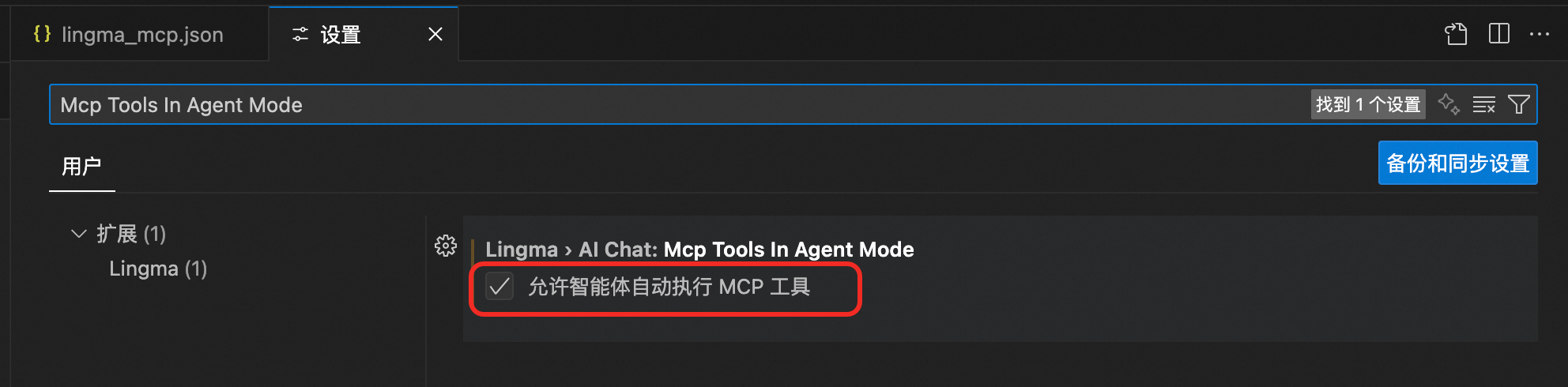
If you have configured the Supabase MCP tool in Visual Studio Code but the agent cannot execute MCP tools, check your Visual Studio Code settings to confirm that automatic MCP tool execution is enabled.
To enable this feature, open the Visual Studio Code settings page, search for Mcp Tools In Agent ModeAllow Agent Mode To Auto-execute MCP ToolsAllow Agent mode to auto-execute MCP tools, and enable Allow Agent mode to auto-execute MCP tools.
How do I resolve the Supabase MCP installation error "No matching version found for @mjackson/multipart-parser@^0.10.1."?
This error might be related to your npm version. If you are using npm v11.4.x, update npm and retry the installation.
How do I resolve the Supabase MCP runtime error "User not authorized to operate on the specified resource or this API doesn't support RAM"?
Ensure that your Alibaba Cloud account has the AliyunGPDBFullAccess access policy.
For more information about issues that occur during the installation and operation of the MCP Server, see MCP FAQ.