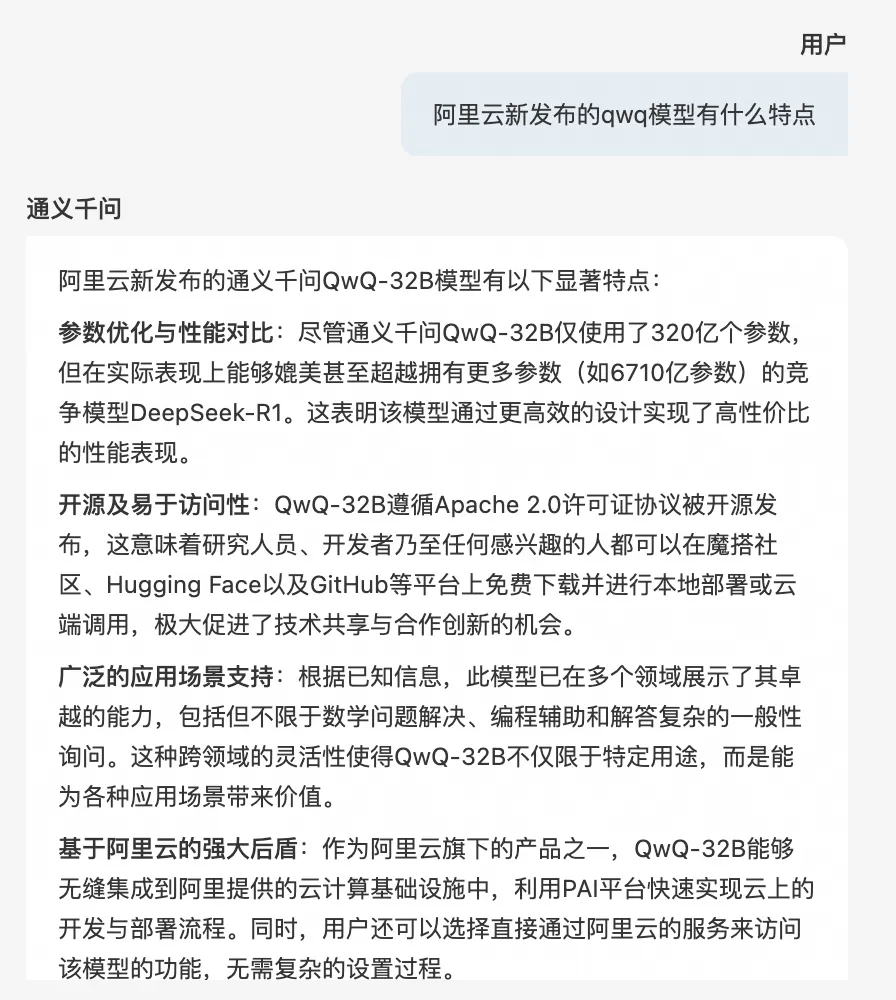
The web search policy expands the knowledge base of a large language model (LLM) by retrieving real-time data from the internet. This feature supports the Quark search engine and improves the accuracy and timeliness of generated content. This topic describes the features of the Model API web search policy and explains how to enable it.
Policy description
Search engine support: Uses the Quark search engine (Alibaba Cloud Information Query Service) to expand the LLM's knowledge base.
Search rewrite: Optimizes and restructures the results retrieved from the search engine to generate high-quality, relevant contextual information.
Intent recognition: Quickly analyzes the LLM input to determine whether to call the web search feature.
Flexible configuration options: The web search configuration supports custom parameters such as the number of results to return, timeout period, query time range, and industry filters. This improves the accuracy and timeliness of the generated content.
Result rendering: Supports bilingual output in Chinese and English, the display of reference sources, and custom configurations for reference formats to meet various display requirements.
Procedure
Log on to the AI Gateway console and choose Instance. In the top menu bar, select a region, then click the target instance ID.
In the navigation pane on the left, choose Model API, then click the target API name to go to the API Details page.
Click Policies and Plug-ins, turn on the Web Search switch, and configure the parameters.
Configuration Item
Description
Web Search
Enable or disable the web search feature. This feature is disabled by default.
Search Engine
Currently, only Quark (Alibaba Cloud Information Query Service) is supported.
Service Status
When you use Quark web search for the first time, the Service Status is Not Activated by default. Click Activate to go to the Information Query Service activation page and activate the service.

After activation, click Verify Activation. The Service Status in the console updates to In Trial.
NoteThe Alibaba Cloud Information Query Service provides a 15-day free trial with a usage limit of 1,000 calls per day and a performance limit of 5 QPS.You can request to use the official API. For more information, see Official Activation Process.
Search Configuration
API Key
The access credential.For more information, see Create and view credentials. You can obtain the key from the Credential Management console of the Information Query Service.
Number of results to return
Range: 1 to 10. The maximum is 10, which means a maximum of 10 results are returned.
Timeout
Default: 3000 ms.
Query time range
Within 1 day
Within 1 week
Within 1 month
Within 1 year
Unlimited
Industry (Optional)
Finance
Law
Medical
Internet
Tax
Provincial news
Central news
Result Rendering
NoteResult rendering is used to configure the display format and richness of the search results.
Default language
Supports Chinese and English.
Output reference source
Yes/No. The default is No, which means reference sources are not displayed.
Reference source position
Header/Footer. The default position is Header.
Content Type
Summary (Default): Returns only the summary of the search entry. This meets the basic inference needs of the LLM and covers the information retrieval needs for regular Q&A tasks.
Body: Returns the body text of the search entry. This provides more information and detail, and is suitable for scenarios that require detailed information.
Reference format
The
%sis a placeholder for rendering the reference entry. You can modify the display format of the reference entry as needed. Click Fill in Example on the right to view a sample reference format.Auto-enable
Enable
Specifies whether to automatically enable web search.
Enabled: Performs a web search when called. If intent recognition is configured, the request is processed based on the intent recognition results.
Disabled: Does not perform a web search by default when called. You can use call parameters to manually control whether to perform a web search. For more information and examples, see Manual control parameters.
Intent Recognition
Enable
Specifies whether to enable the Intent Recognition configuration. Intent recognition:
Determines whether a web search is needed.
Rewrites and expands the search statements for the web search to enhance search capabilities.
ImportantThe Intent Recognition feature also consumes tokens, which are not counted in model call monitoring.
AI Service
Select an AI service.
Model Name
Select a model name.
Timeout
Set the timeout period. Default: 5000 ms.
Maximum number of regenerated search queries
The maximum number of times to regenerate a search query. Default: 1. If you set this to a value greater than 1, the rewrite generates multiple search statements for concurrent searches and aggregates the results.
Confirm the configuration and click Save.
Manual control parameters
Web search is activated when the request includes the web_search_options field.
Example:
("web_search_options": {})If intent recognition is configured, the web_search_options parameter can also control the number of search rewrites using the search_context_size field.
The search_context_size field supports three levels:
low: Generates one search query. This is suitable for simple questions.
medium: Generates three search queries. This is the default value.
high: Generates five search queries. This is suitable for complex questions.
Example:
{
  "web_search_options": {
    "search_context_size": "medium"
  }
}
The following code shows a complete request example in curl:
curl --location 'http://your-domain/v1/chat/completions' \
   --header 'Content-Type: application/json' \
  --data '{
    "model": "qwen-max",
    "stream": true,
    "web_search_options": {
        "search_context_size": "medium"
    },
    "messages": [
        {
            "role": "user",
            "content": "Introduce Qwen"
        }
    ]
}'
Examples
When Output reference source is set to
Yes: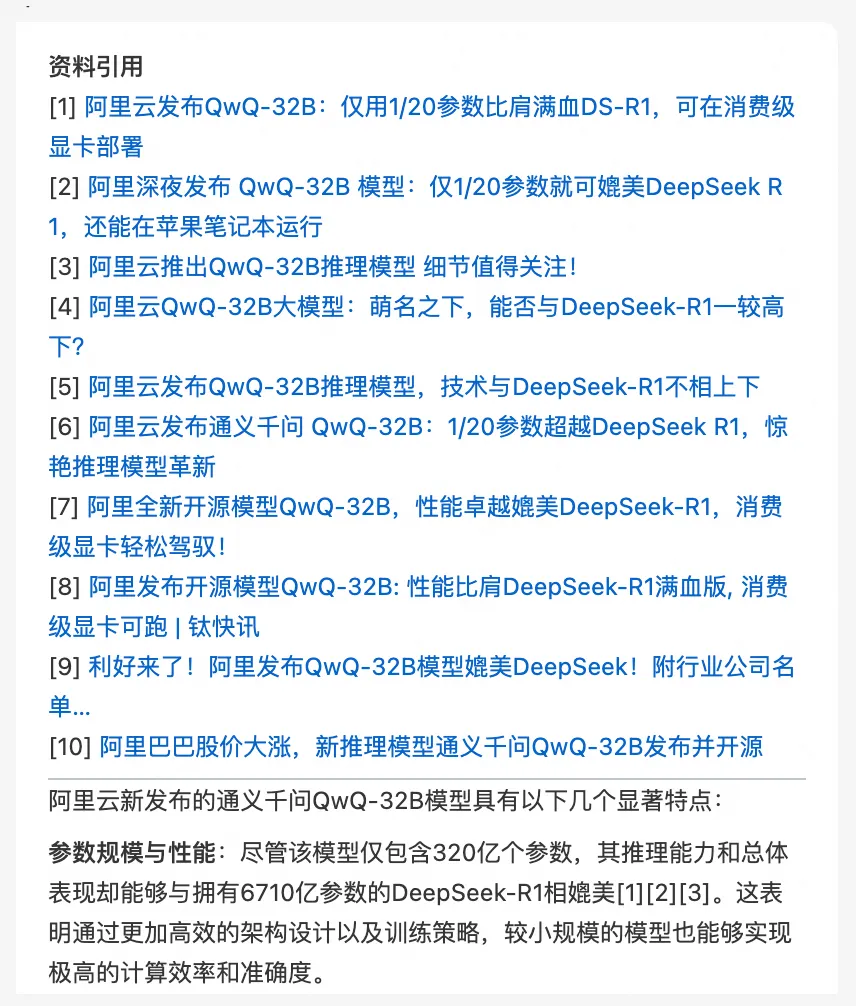
When Output reference source is set to
No: