Configure a DNS server
A Domain Name System (DNS) server resolves internal domain names in an efficient and secure manner to ensure stable and reliable access to internal services. Based on a properly configured DNS server, you can centrally manage internal domain names to prevent issues such as service unavailability caused by external DNS faults or network jitters.
Scenarios
Custom DNS: Your business requires custom configurations for internal domain name resolution.
Internal service resolution: Your business runs in a virtual private cloud (VPC) and you want to use an internal DNS server to correctly route requests in Cloud-native API Gateway.
Hybrid cloud environment: You want to centrally manage internal and external DNS resolutions for your services.
Limits
You can configure up to five DNS servers.
Operation entry
The operation entry varies depending on the scenario:
Create a service
Log on to the API Gateway console.
In the left-side navigation pane, click . In the top navigation bar, select a region.
On the Instance page, click the target instance ID.
In the left-side navigation pane, click Service. Then, click the Services tab.
Click Create Service.
Edit a service
Log on to the API Gateway console.
In the left-side navigation pane, click . In the top navigation bar, select a region.
On the Instance page, click the target instance ID.
In the left-side navigation pane, click Service. Then, click the Services tab.
Find the service that you want to edit and click Edit in the Actions column.
Configure a DNS server
Only DNS domain names are supported as the service source.
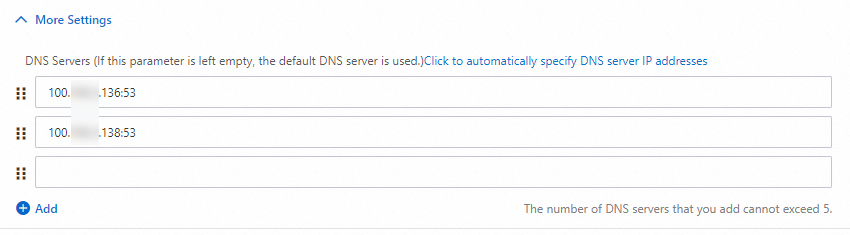
Click More Settings and then Click to automatically specify DNS server IP addresses.
When you enable internal DNS resolution, Alibaba Cloud automatically assigns an internal DNS server address to your VPC.
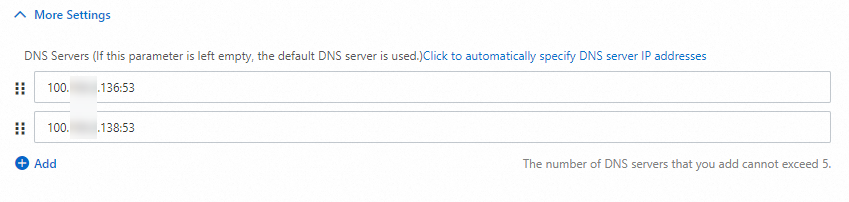
Click Add. You can also manually enter a DNS server address.