Enable IPv6
API Gateway dedicated instances support IPv6. After you enable IPv6, the system assigns public IPv6 addresses for inbound and outbound traffic.
Prerequisites
An API Gateway dedicated instance.
Overview
API Gateway dedicated instances support both inbound and outbound IPv6 traffic, as shown in the following figure.
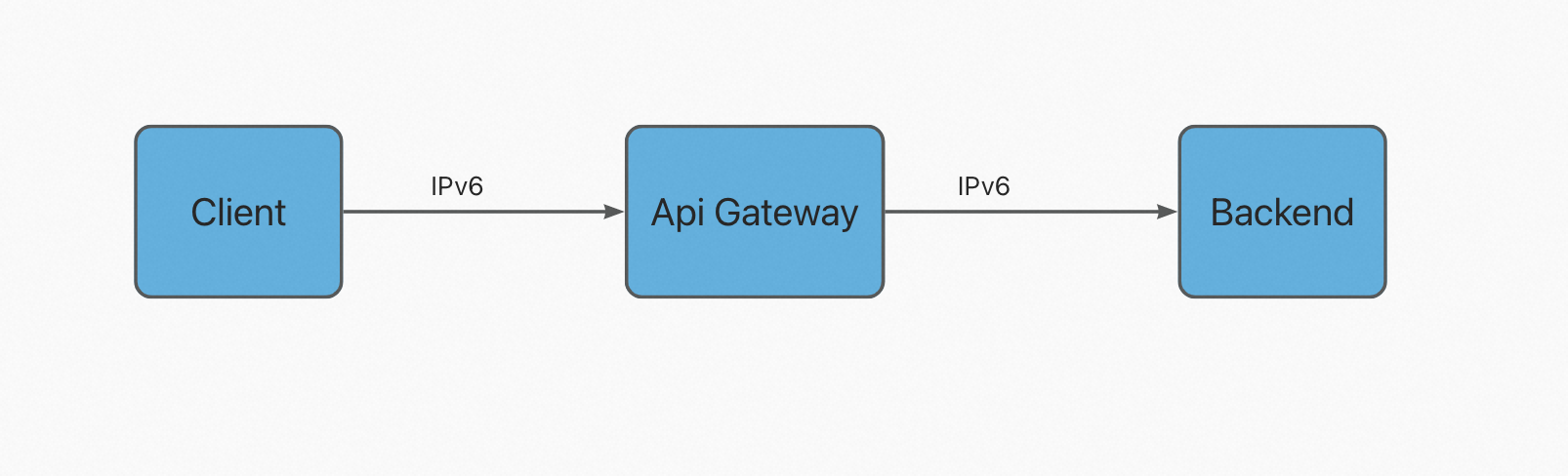
Inbound IPv6 traffic: The system assigns an inbound IPv6 address to the instance to receive requests from IPv6 clients.
Outbound IPv6 traffic: The system assigns an outbound IPv6 address to the instance for sending IPv6 requests to a backend service.
Procedure
-
Log in to the API Gateway console.
-
In the navigation pane on the left, click Instances and Clusters and select the region where your instance is located.
-
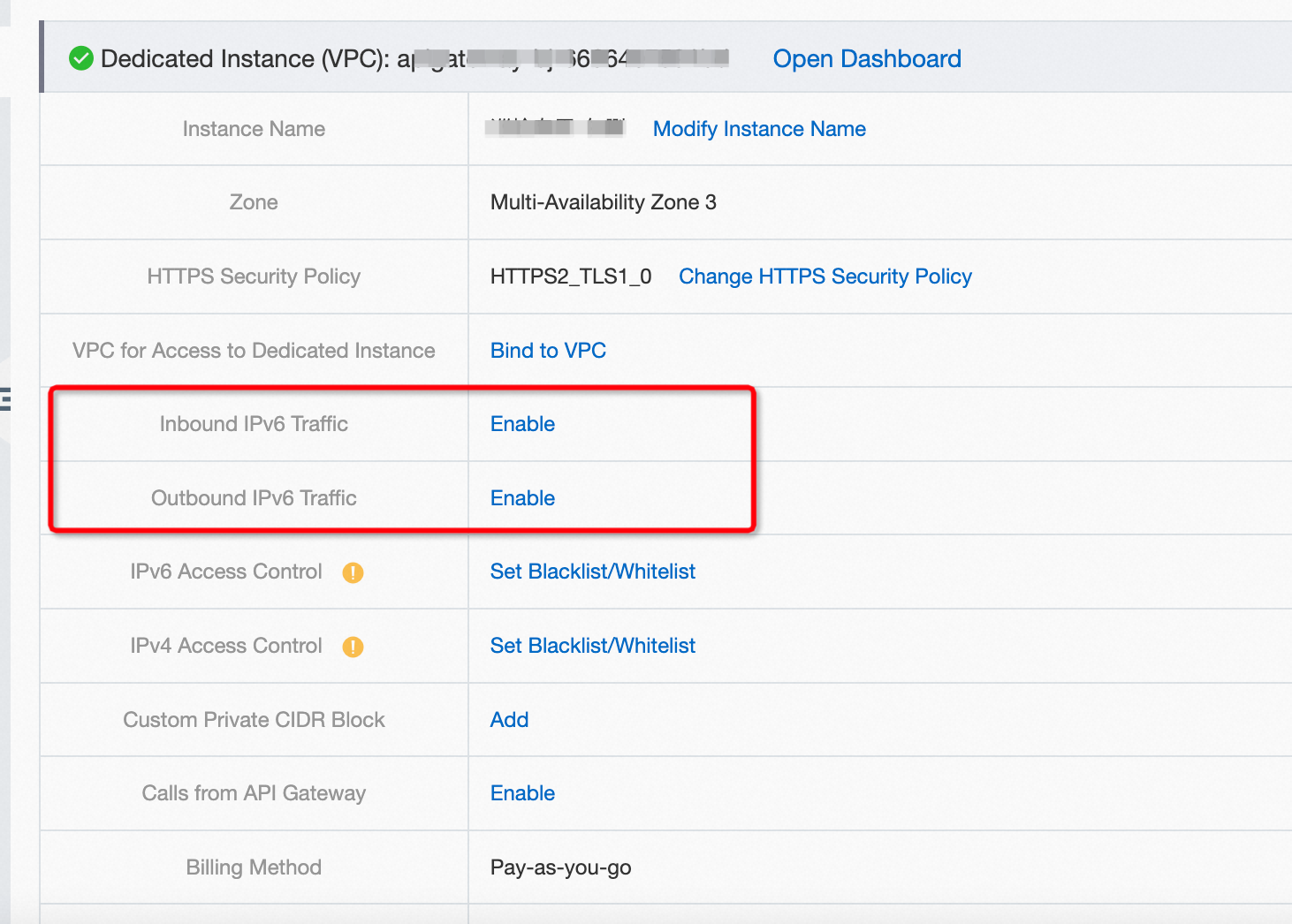
On the Dedicated Instances tab, find Inbound IPv6 Traffic and Outbound IPv6 Traffic, and click Enable.
-
After you enable IPv6 for the instance, in the navigation pane on the left, choose . Find the target API group and click its name. On the API group details page, next to the public second-level domain name, click Bind IPv6 Address.
Usage notes
-
You can configure an IPv6 blacklist/whitelist for API Gateway dedicated instances. For more information, see instance-level access control.
-
The IP access control plug-in does not currently support IPv6.