Log management
Use the Log Management feature to push message operation logs from your ApsaraMQ for Confluent instances to Simple Log Service. Once enabled, you can query all client request logs.
Prerequisites
-
You have created an ApsaraMQ for Confluent instance. For more information, see Purchase and deploy instances.
-
You have activated Simple Log Service and created a project and a Logstore. For more information, see Storage resource hierarchy.
Usage notes
-
If you delete the project or Logstore, or revoke the permissions granted to ApsaraMQ for Confluent, log delivery will fail.
-
Each ApsaraMQ for Confluent instance can deliver logs to a single project and Logstore. By default, log delivery is disabled.
-
After logs from ApsaraMQ for Confluent are pushed to Simple Log Service, you incur charges for usage such as storage space, traffic, and the number of requests. For more information, see Billable items for pay-by-feature.
Procedure
Configure an ApsaraMQ for Confluent instance to push its logs to Simple Log Service.
Log on to the ApsaraMQ for Confluent console. In the navigation pane on the left, click Instances.
-
In the top navigation bar, select a region. On the Instances page, click the name of the target instance.
-
In the left-side navigation pane, click Log Management.
-
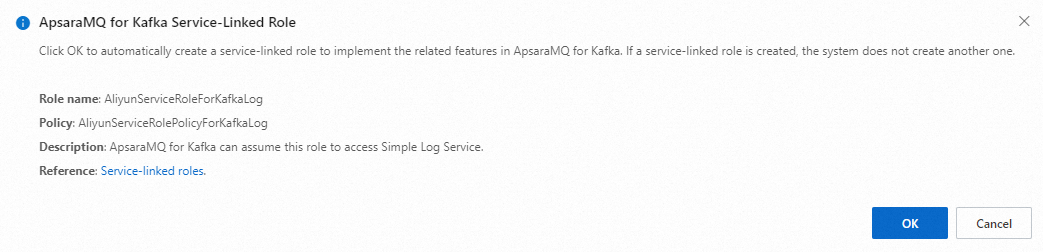
(Optional) In the Kafka service association role dialog box, click OK.
Skip this step if ApsaraMQ for Confluent is already authorized.
-
On the Log Management page, select a project from the Project Name drop-down list, select a Logstore from the Logstore Name drop-down list, and then click Enable.
Next steps
Log on to the Simple Log Service console to query and analyze logs. For more information, see Query and analysis quick start.