Activate BatchCompute
1. Create an Alibaba Cloud account
If you do not have an Alibaba Cloud account, go to the Alibaba Cloud official website and click Free Account in the upper-right corner to create one. If you already have an account, log on to the Alibaba Cloud Management Console.
2. Activate BatchCompute
2.1 Find the BatchCompute product
From the main menu, click Products. Under Elastic Computing, find and click BatchCompute to open its product homepage.
2.2 Activate the BatchCompute service
Click Authorize to activate the BatchCompute service.
You can activate the BatchCompute service for an Alibaba Cloud account only using this method.
3. Confirm activation
After the service is activated, the BatchCompute console displays the overview page: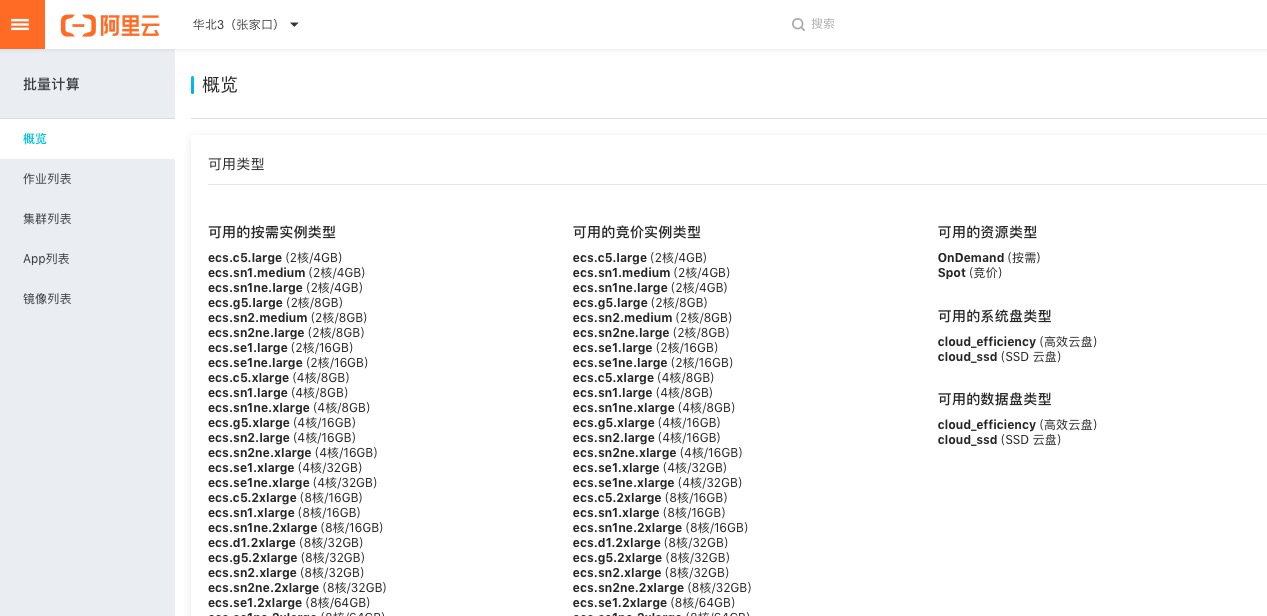
4. Confirm RAM information
4.1 Log on to the Resource Access Management (RAM) console
4.2 Confirm the role
After the BatchCompute service is activated, verify that the AliyunBatchComputeDefaultRole role has been created in Role Management in the RAM console. If the role was created successfully, you can click here to confirm the authorization again.
Do not delete the AliyunBatchComputeDefaultRole role. If this role is deleted, neither the Alibaba Cloud account nor its RAM users can use the BatchCompute service. To restore the service, repeat Steps 1 to 4.
5. Activate the BatchCompute service for a RAM user
If you submit jobs using your Alibaba Cloud account, skip this section. Otherwise, follow these steps to create a RAM user and grant permissions to it.
5.1 Create a RAM user
Log on to the RAM console with your Alibaba Cloud account. In the navigation pane on the left, choose Identities > Users.
Create a RAM user as follows. Specify the username and access mode as required.
5.2 Grant permissions to the RAM user
Save the user information, and then grant permissions to the RAM user.
Search for and add the following permissions:
AliyunECSFullAccess
AliyunVPCFullAccess
AliyunOSSFullAccess
AliyunBatchComputeFullAccess
AliyunContainerRegistryFullAccess
AliyunCloudMonitorReadOnlyAccess
AliyunBSSReadOnlyAccess
Verify that the permissions are granted, and then click Finish.
5.3 Log out of the Alibaba Cloud account