Verifying feature functionality
This topic describes the performance testing and analysis of the conversation flow feature in Chatbot.
Function overview
After you create a conversation flow, you must test it before you publish it. This ensures that the chatbot can use the flow correctly. Testing also lets you verify the effectiveness of multi-turn conversations and improve the user interaction experience.
Accessing the feature
On the Chatbot main interface, select Robot Center > Dialog Studio to open the Dialog Studio main interface.
Select the chatbot that contains the conversation flow you want to test. Click the Conversation Flow Unit tab. Find the target conversation flow and click Edit.
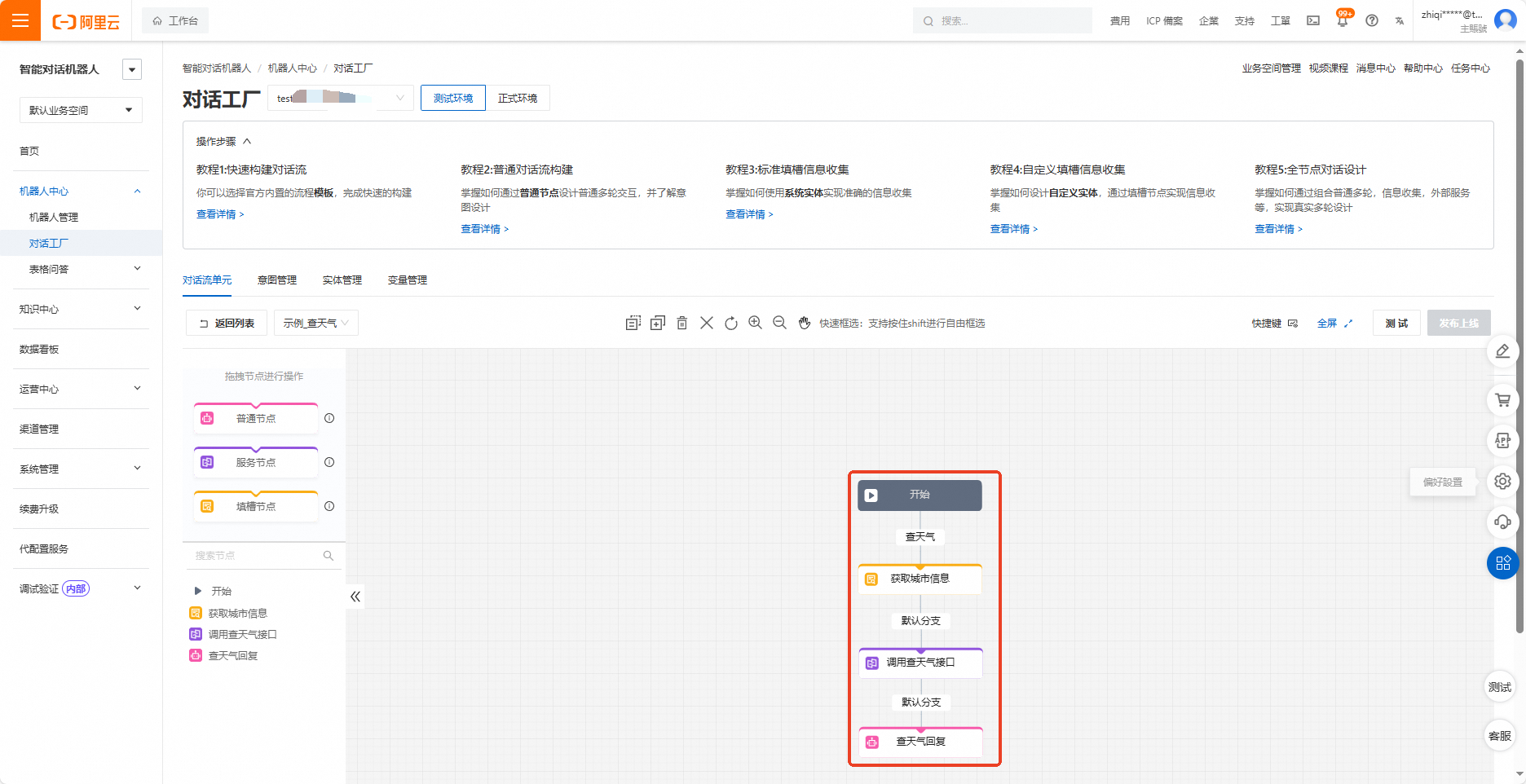
On the conversation flow design page, click Test in the upper-right corner.
Feature usage examples
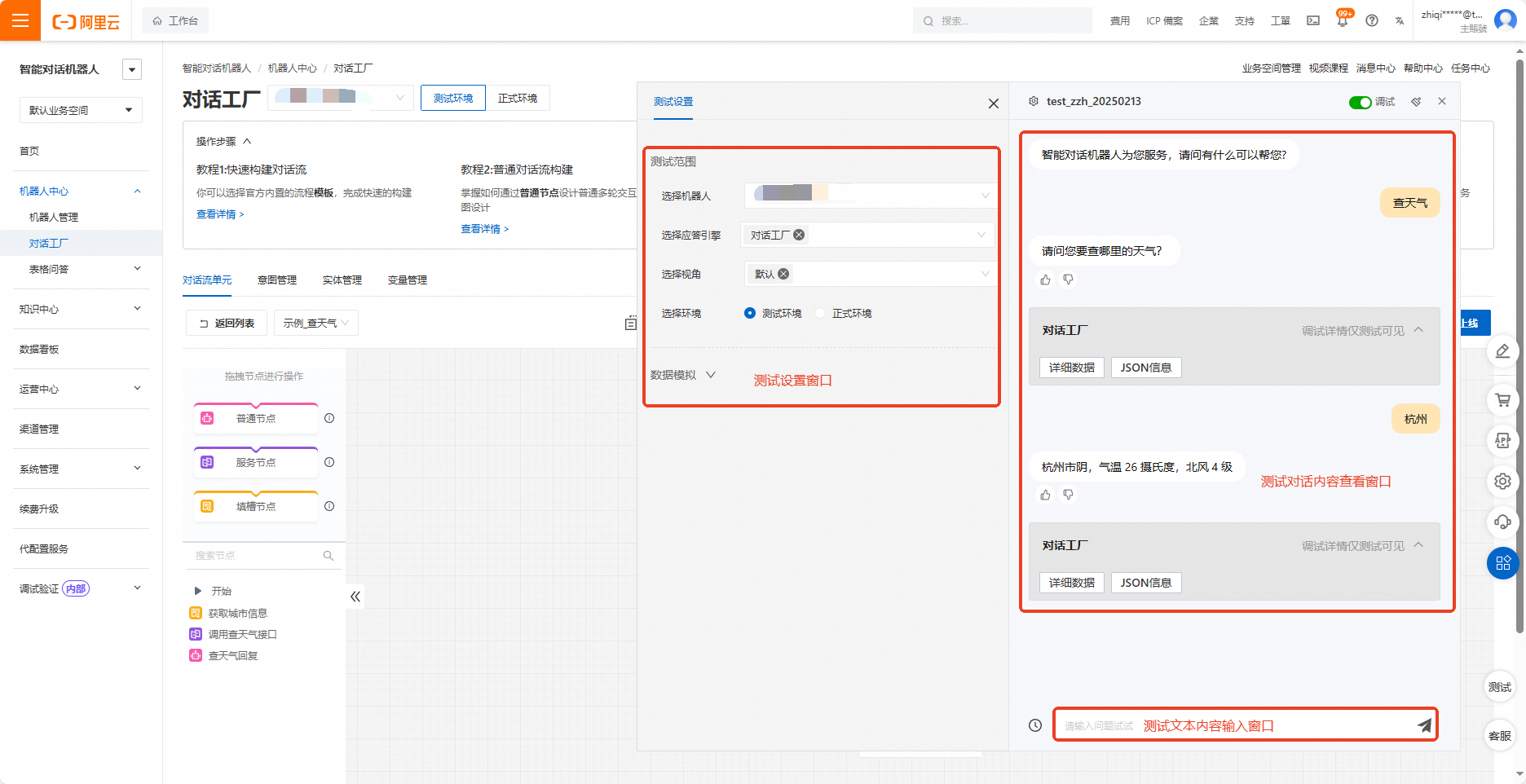
To test the conversation flow, enter a sample user question in the text input window. The test interface consists of three main parts: a settings window, a conversation history window, and a text input window. The following figures show an example of a "Check Weather" conversation flow and its corresponding test interface.