Product Update Announcement for v6.2 on August 6, 2024
New features
Improve document auto-parsing policies and support saving parsing policies
Description: Enhance auto-parsing performance, refine parsing policy configuration, and support saving parsing policies for reuse when processing similar documents.
Add document metadata table
Available in: Platform Edition, Ultimate Edition
Description: Add a document metadata table to associate key-value (KV) metadata with documents, improving retrieval accuracy.
You can define the document metadata table under Data Table Management > Document Metadata Table.
You can configure relevant metadata for a document in its details view.
Support configuring perspective-based answers for frequent questions
Description: Configure multiple perspective-based answers for frequent questions. You can set different answers for the bot to return based on the selected perspective.
Perspective setup: Go to General Settings > Perspective Management to define custom perspectives within your workspace.
Multi-perspective answers: After defining perspectives, you can add multiple perspective-specific answers to frequent questions in the Q&A configuration.
Upgrade flow management canvas
Available in: Trial Edition, Enterprise Edition, Platform Edition, Ultimate Edition
Description: The orchestration canvas for flow management has been upgraded and is now generally available.
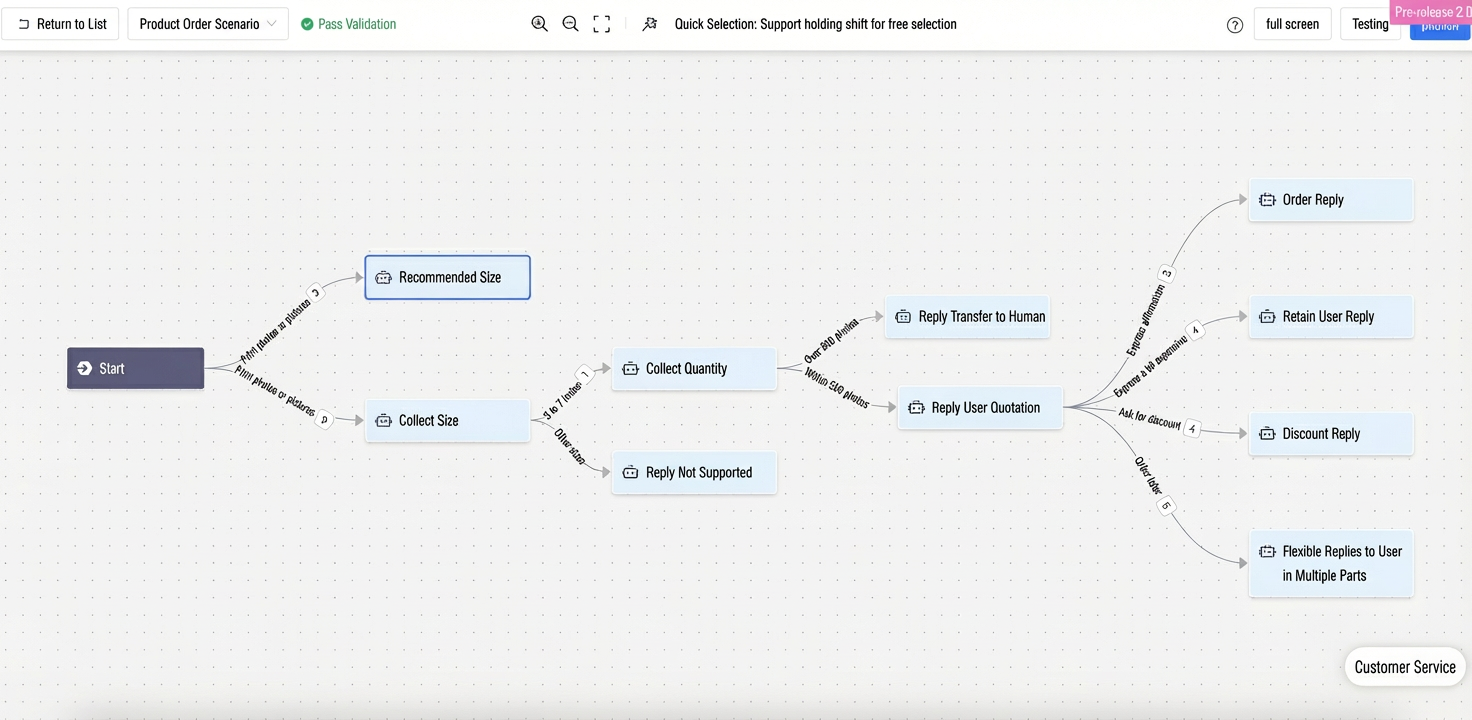
Add intelligent optimization for node instructions
Available in: Trial Edition, Enterprise Edition, Platform Edition, Ultimate Edition
Description: Use a Large Language Model (LLM) to automatically optimize the description of a node’s objective.
Detailed steps: After entering the node’s target task, use an LLM to refine and enhance the content.
After optimization, you can directly apply the result.
Enable full-text indexing for table fields
Description: Tables now support full-text indexing. Enable full-text indexing for text-type fields so their entire content participates in retrieval matching—ideal for long-text fields.
Operation: In Field Configuration > Edit, enable full-text index.
Support deployment to DingTalk one-on-one and group chats
Description: Native DingTalk channel deployment is now supported in channel deployment settings.
Operation: In Bot > Channel Deployment > DingTalk, deploy your bot to a DingTalk application.
Optimizations
Improve annotation interaction in the Annotation Center
Simplify and streamline debug information display