Step 3: Create an O&M rule
Updated at:
Before you can use Bastionhost for host Operations and Maintenance (O&M), an administrator must create an O&M rule to grant specified users O&M permissions for specified assets. This topic describes how to create an O&M rule.
Background information
In addition to creating authorization rules that define which hosts a user can manage, Alibaba Cloud Bastionhost supports unauthorized logon. After you enable unauthorized logon, users must pass a temporary authorization review before they can log on to unauthorized hosts. For more information, see Unauthorized logon review.
Procedure
- Log on to a Bastionhost instance.
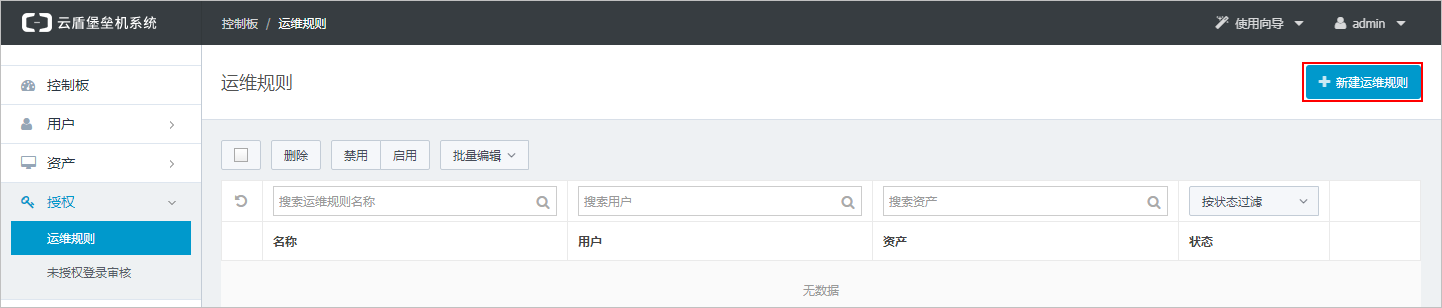
- Go to the page and click Create O&M Rule.
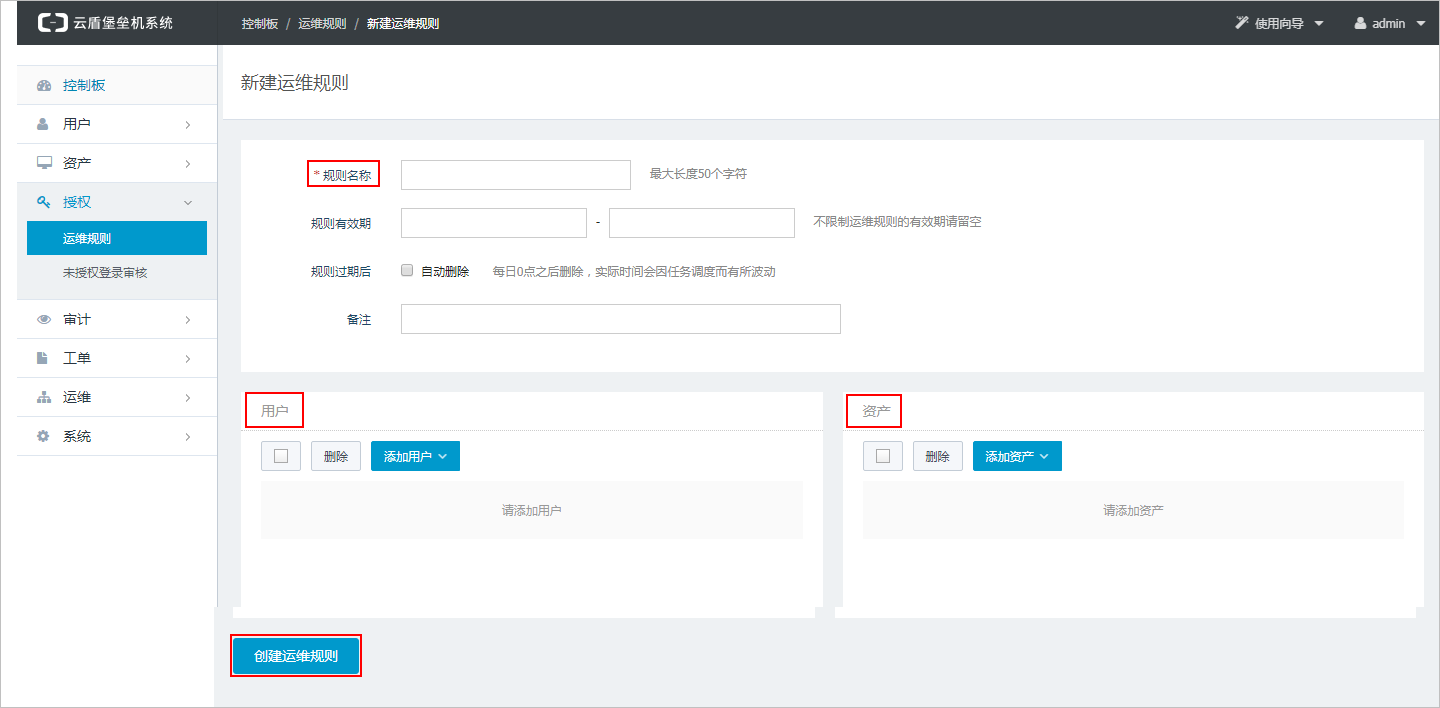
- On the Create O&M Rule page, enter a Rule Name, select the Users and Assets to authorize, and then click Create.
Note
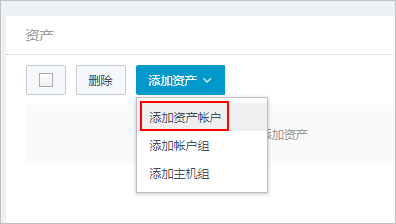
- When you add assets, select asset accounts. An asset account is a host account that you create on the host details page.
- You can set a Validity Period for the rule. After the rule expires, the O&M authorization is automatically deactivated.
 The O&M rule is created. You can edit the rule to configure additional restrictions. These restrictions include the following:
- Enable logon restrictions to specify allowed or denied source IPs and access time periods.
- Enable command control to restrict the commands that users can run.
- Enable protocol control to configure control options for each protocol session.
For more information, see O&M authorization.
- When you add assets, select asset accounts. An asset account is a host account that you create on the host details page.
What to do next
Step 4: Perform host O&MIs this page helpful?