Function overview
Session information, which includes fields and templates, is used to record and track conversations between customer service agents and customers.
Function entrance
In the upper-right corner, click Business Management. Then, click the icon in the navigation pane on the left.
Procedures
Step 1: Add session information fields
The system includes the following default fields: Summary, Tag, and Subject. To add a new field, follow these steps:
Click Ticket Field, and then click Create Field.
The field configuration page is displayed.
You cannot edit or delete default fields.

For example, to add a drop-down list, enter the field name, key-value pair, and description on the configuration page, as shown in the following figure.
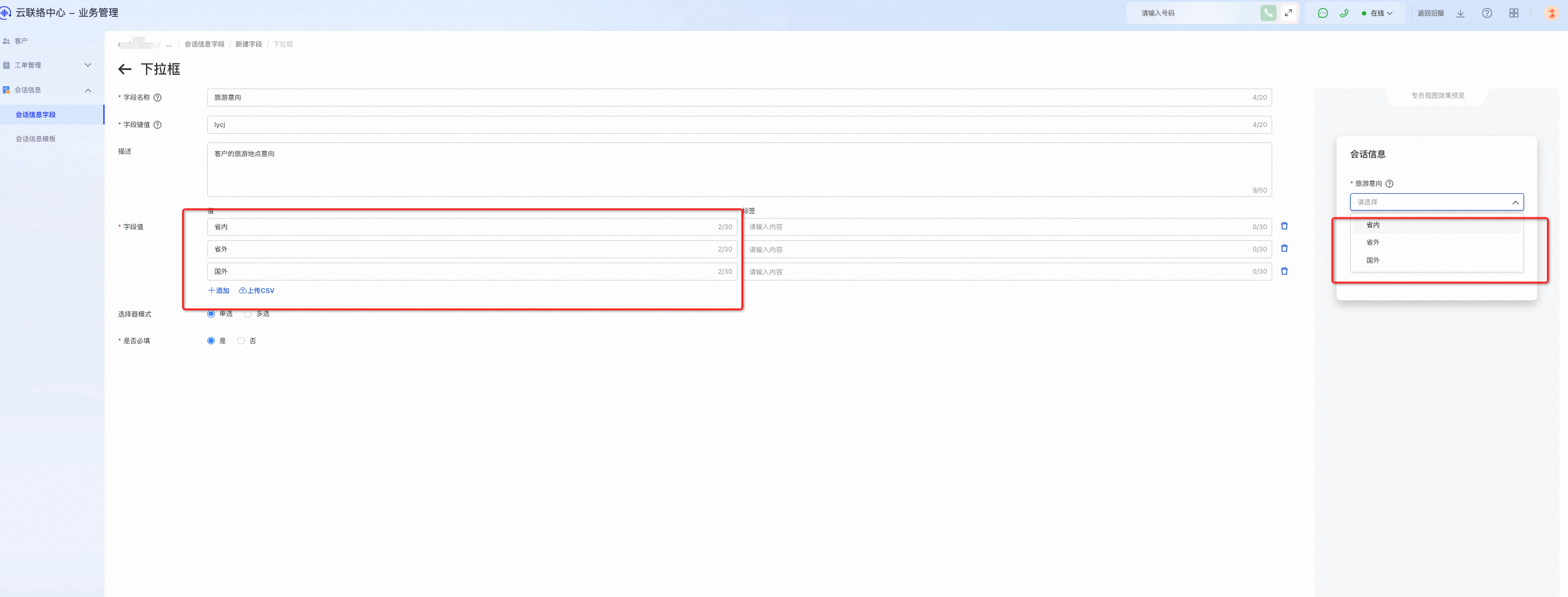
Add various fields to enrich your session information. You can select these fields later when you create a template. The procedure is the same for all field types.
Step 2: Create a session information template
After adding session information fields, you can add a session information template.
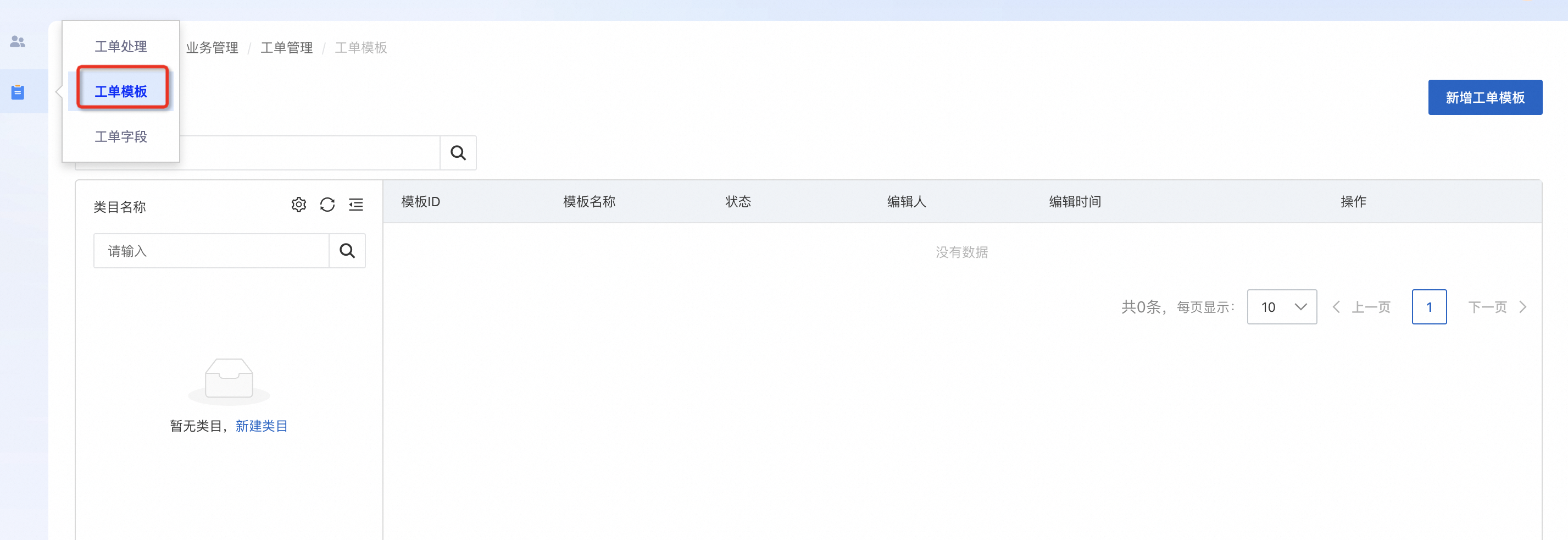
Add a new category to help you manage your templates.
After you create the category, refresh the page to view it.
In Settings, you can add a category collection, modify a category name, or delete a category.
Step 3: Configure the ticket template content
After you create the categories, click Create Template to create a new session information template.
The fields that you created are displayed. Select the fields that you need for this template, and then click Save.
The saved template appears in the list.
Finally, click Publish.
To edit a session information template, you must first unpublish it.