Troubleshoot 403 errors due to hotlink protection misconfiguration
Hotlink protection prevents unauthorized websites from linking directly to your resources. If hotlink protection is misconfigured, requests to your CDN may return a 403 error. This error means the request failed the hotlink protection check and was blocked by the CDN.
Problem description
After you configure hotlink protection, requests to your CDN resources return a 403 error.
Cause
The hotlink protection configuration is incorrect, or the request contains an empty Referer header.
Solution
Follow these steps to identify the cause of the 403 error and fix it.
Identify the cause
Run the
curlcommand to test the accelerated domain name.curl -voa -e "http://demo.aliyundoc.com" http://example.aliyundoc.comThe system displays a message similar to the following. The HTTP request header contains a Referer with the value
demo.aliyundoc.com, which causes a 403 error with the message "denied by Referer ACL". This indicates an issue with the hotlink protection settings.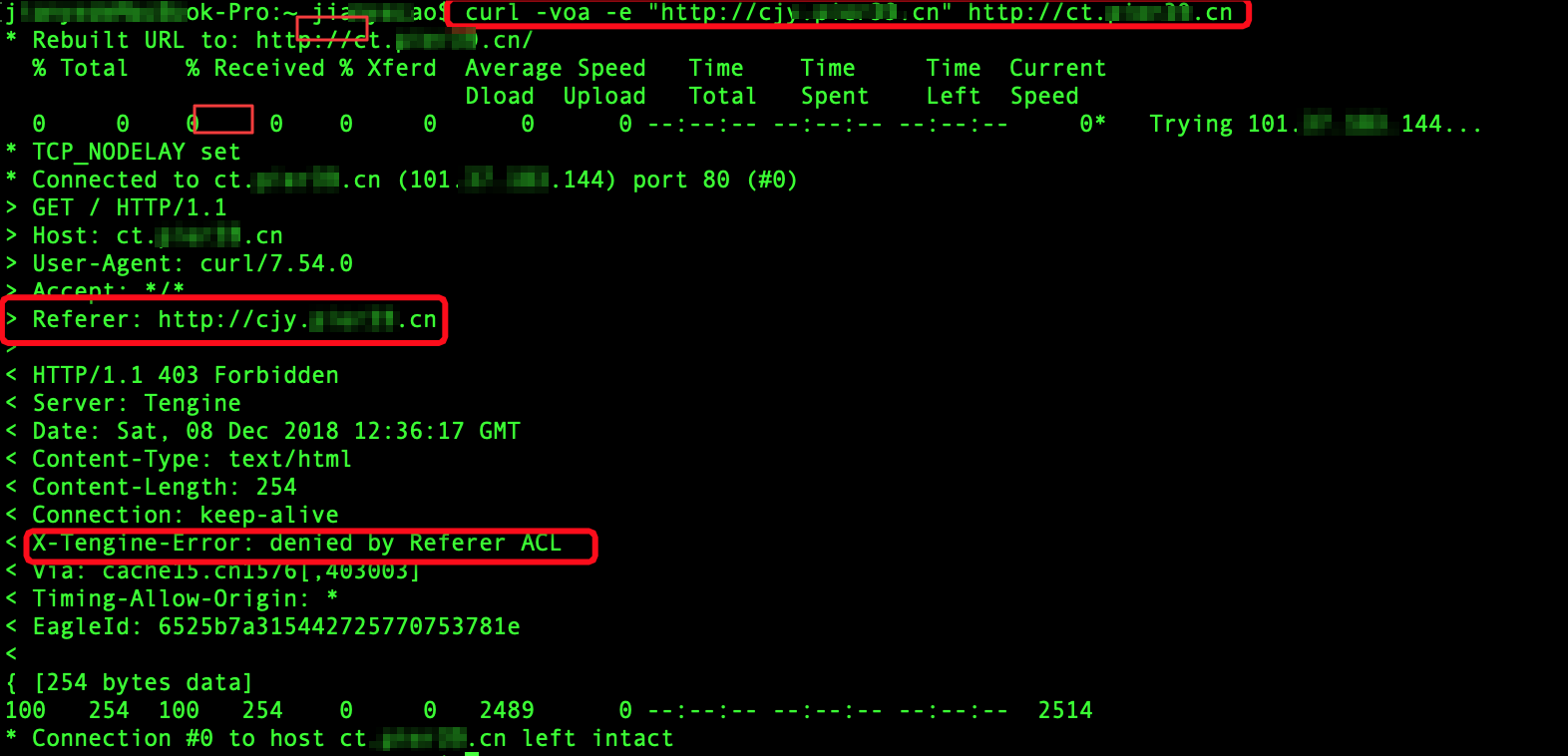
Run the
curlcommand to test a request with an emptyRefererheader.curl -voa http://example.aliyundoc.comThe request header is missing the
Refererfield. The server returns a 403 error with the message "denied by Referer ACL". This indicates the configuration blocks requests with an emptyRefererheader.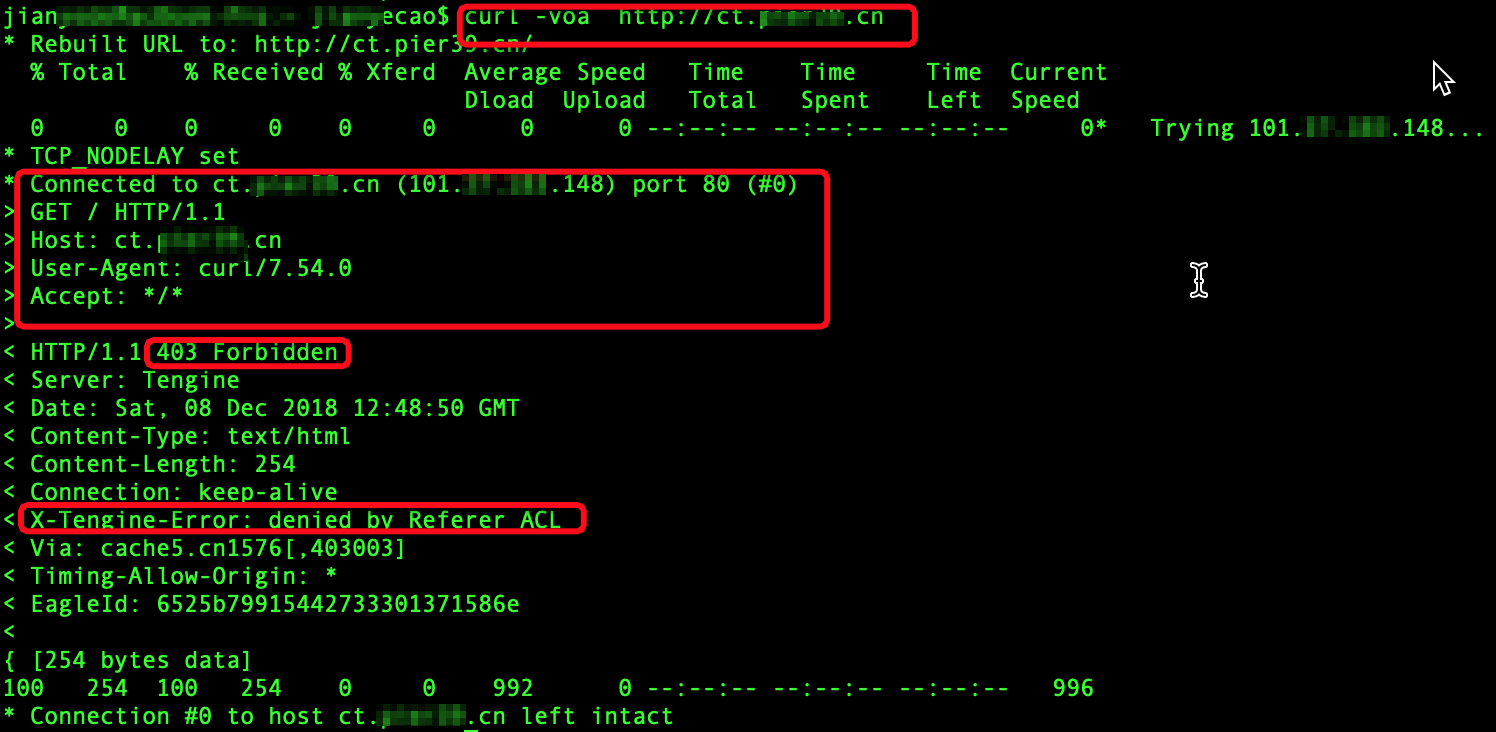
Access the accelerated URL in Google Chrome and open the developer tools. A missing
Refererfield in the request header confirms that the configuration blocks requests with an emptyReferer.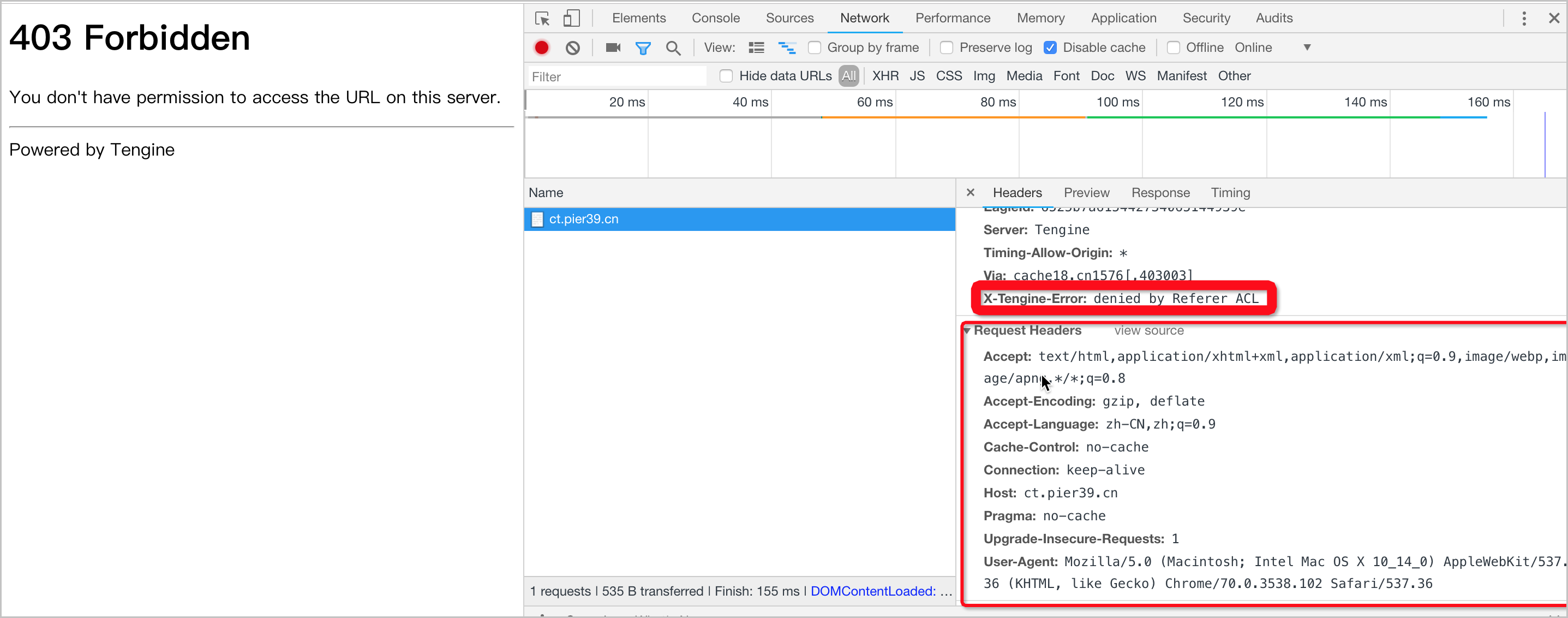
Fix an incorrect hotlink protection configuration
Check whether the Referer demo.aliyundoc.com matches the hotlink protection settings for the accelerated domain example.aliyundoc.com. Log on to the CDN console, click Manage to the right of the corresponding accelerated domain, and choose Access Control > Referer-based Hotlink Protection > Modify. Select Allowlist. If the hotlink protection settings and the request Referer do not match, add the demo.aliyundoc.com domain.
Allow empty Referer requests
Log in to the CDN console and click Manage next to the accelerated domain name. In the left-side navigation pane, choose Access Control > Referer-based hotlink protection. Click Modify Configuration. On the Allowlist tab, select the Allow Empty Referer checkbox.
Allowing requests with an empty Referer header increases the risk of unauthorized hotlinking.