Secondary identity verification for risk operations
Enable secondary identity verification to mitigate potential risks.
Overview
Risk control is an essential security measure in the console. It identifies user risk operations and triggers secondary verification, also known as identity verification.
Identity verification prompts you to provide multi-factor authentication (MFA) information, such as a mobile phone verification code, an email verification code, a VMFA code, or a U2F security key. The operation proceeds upon successful verification; otherwise, it is blocked.
Alibaba Cloud accounts
When you use an Alibaba Cloud account to disable or delete a domain name in CDN, you must complete secondary identity verification. After your first successful verification, you enter a 15-minute grace period where no further verification is required.
RAM users
An Alibaba Cloud account (main account) or a RAM administrator can enhance account security by modifying the security settings for RAM users. This is a global setting and applies to all RAM users. For more information, see Manage RAM user security settings.
Enable multi-factor authentication. The MFA device method is enabled by default, but you must also enable the mobile phone and email verification methods.
Log on to the RAM console using your Alibaba Cloud account or as a RAM administrator.
In the left-side navigation pane, choose Identities > Settings.
On the Security Settings tab, in the User Security Settings section, click Modify User Security Settings.
In the Modify User Security Settings panel, under MFA Methods, select the Mobile Phone and Email check boxes.
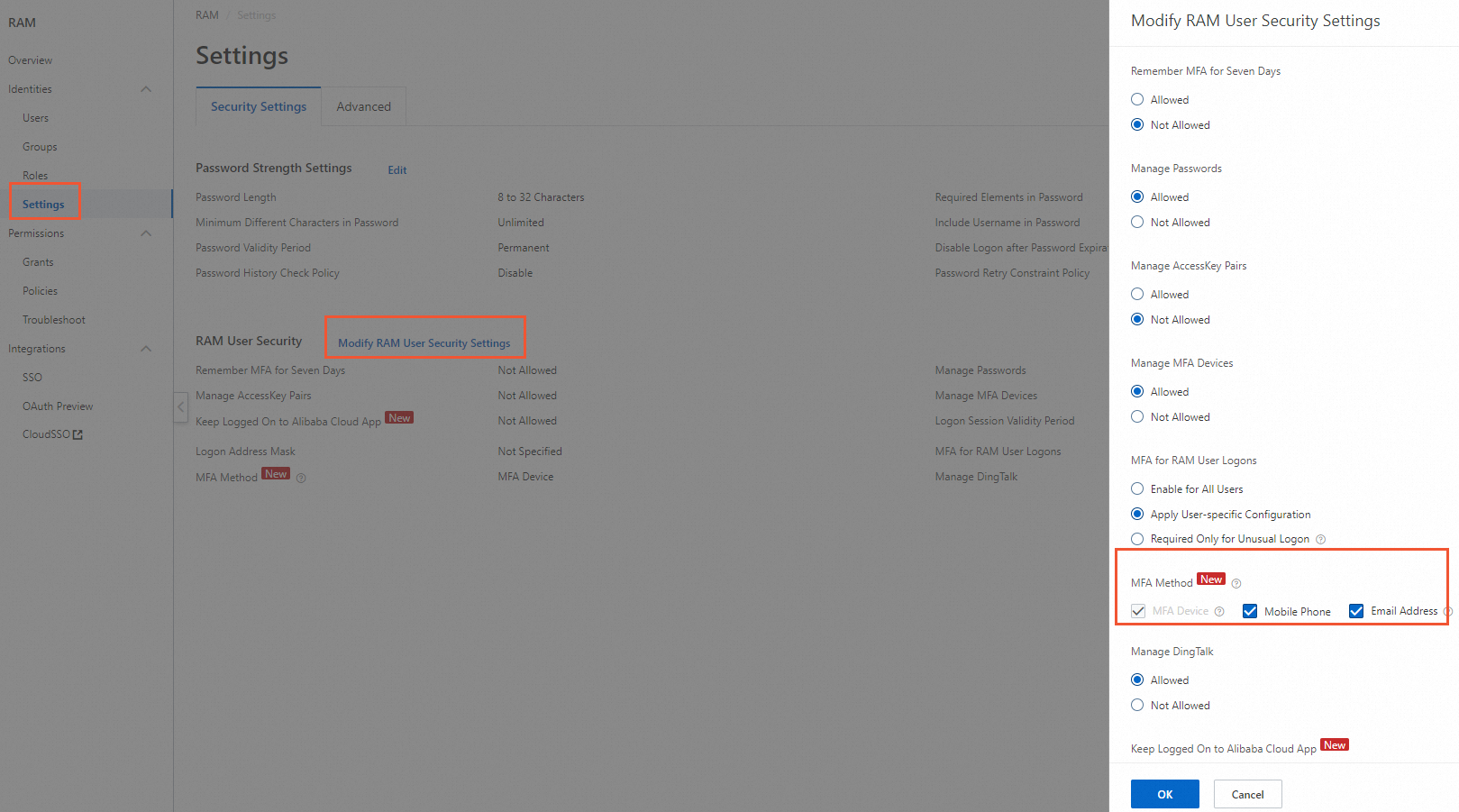
Click OK.
Bind a verification method to the RAM user.
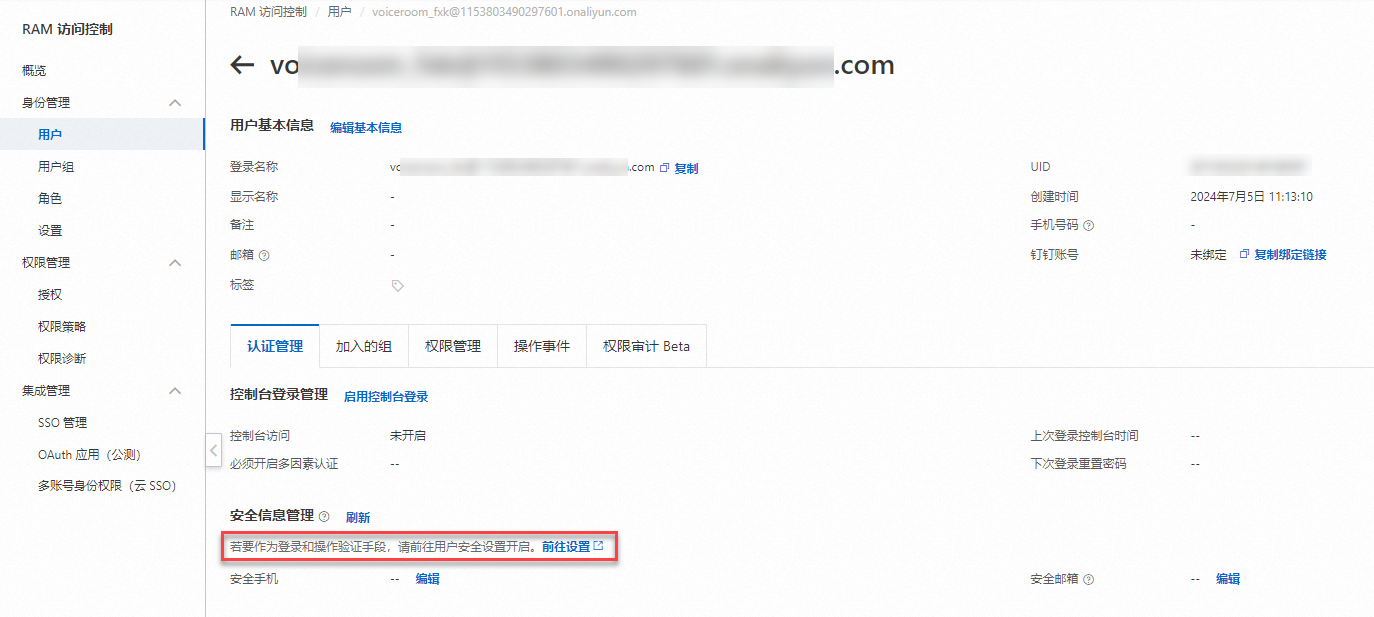
In the left-side navigation pane, choose Identities > Users.
On the Users page, click the username of the RAM user you want to configure.
Choose Authentication > Security Information Management, and then edit the security phone number and email address.
Verify that secondary identity verification works for the RAM user. After these settings are applied, the RAM user is prompted for secondary identity verification when attempting to disable or delete a domain name in Alibaba Cloud CDN. Follow the prompts to complete the verification. After the RAM user's first successful verification, they enter a 15-minute grace period where no further verification is required.