Manage stores
Updated at:
CloudESL lets you add multiple stores within your Alibaba Cloud account. The commodities and electronic shelf labels (ESLs) of each store are independent of those of other stores. We recommend that you add stores based on actual business needs.
Log on to the CloudESL console
Log on to the CloudESL console.
Add a store
On the Basic Configuration > Store Management page, click Create Store. Enter the store information and click Submit.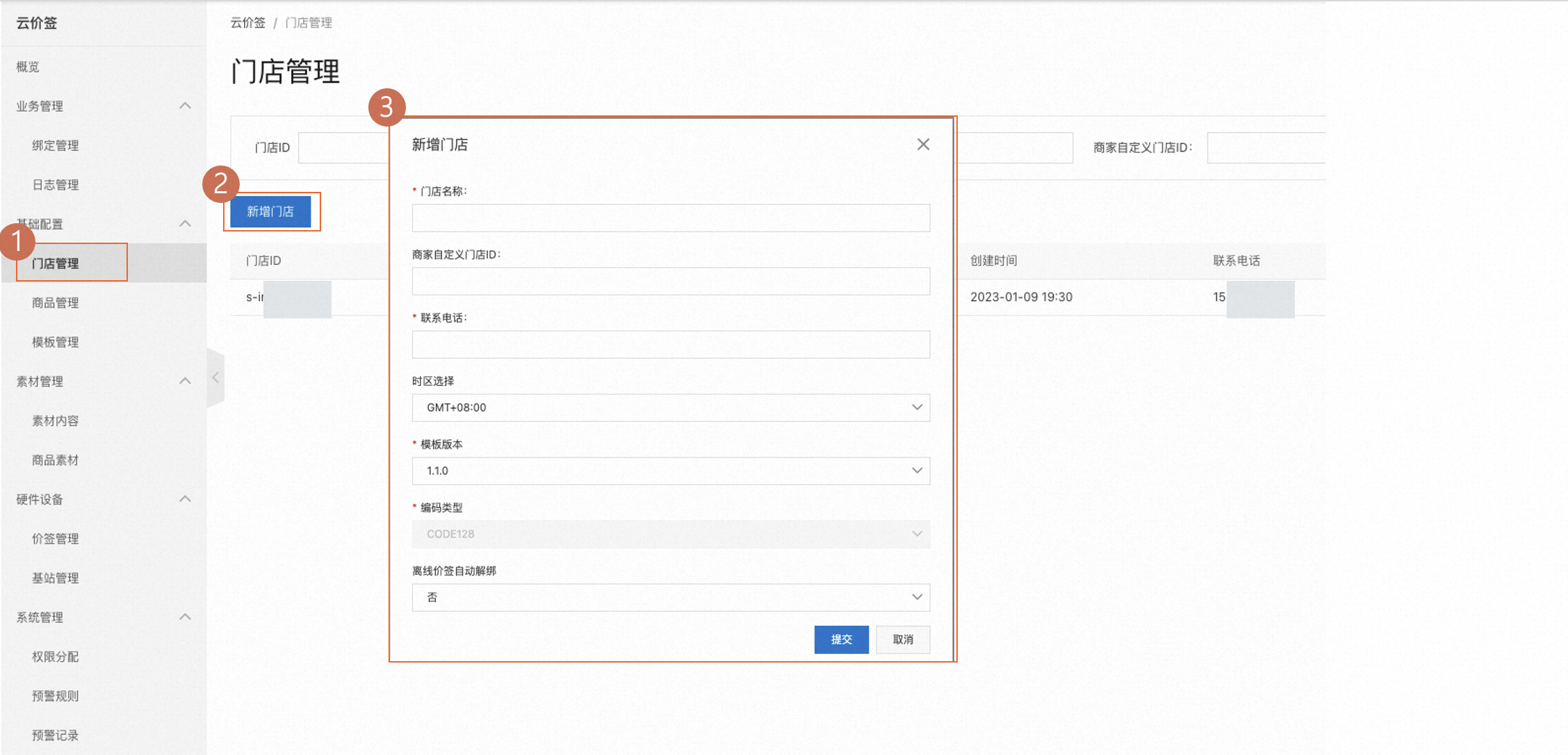
Modify the information about a store
You can modify a store's information after it is created.
Query a store
Enter your search criteria and click Search.
Delete a store
Important
Before you delete a store, make sure all of its products and ESL devices are deleted.

Template versions
 When you create or modify a store, you can select a template version. This template controls the display style for all products attached to the store.
Is this page helpful?