Custom validation templates
Configure custom validation templates to define metric comparison rules, weak content comparison rules, and difference tolerance rates for data validation tasks.
Metric comparison template
Go to Validation > Data Validation, as shown in the following figure:
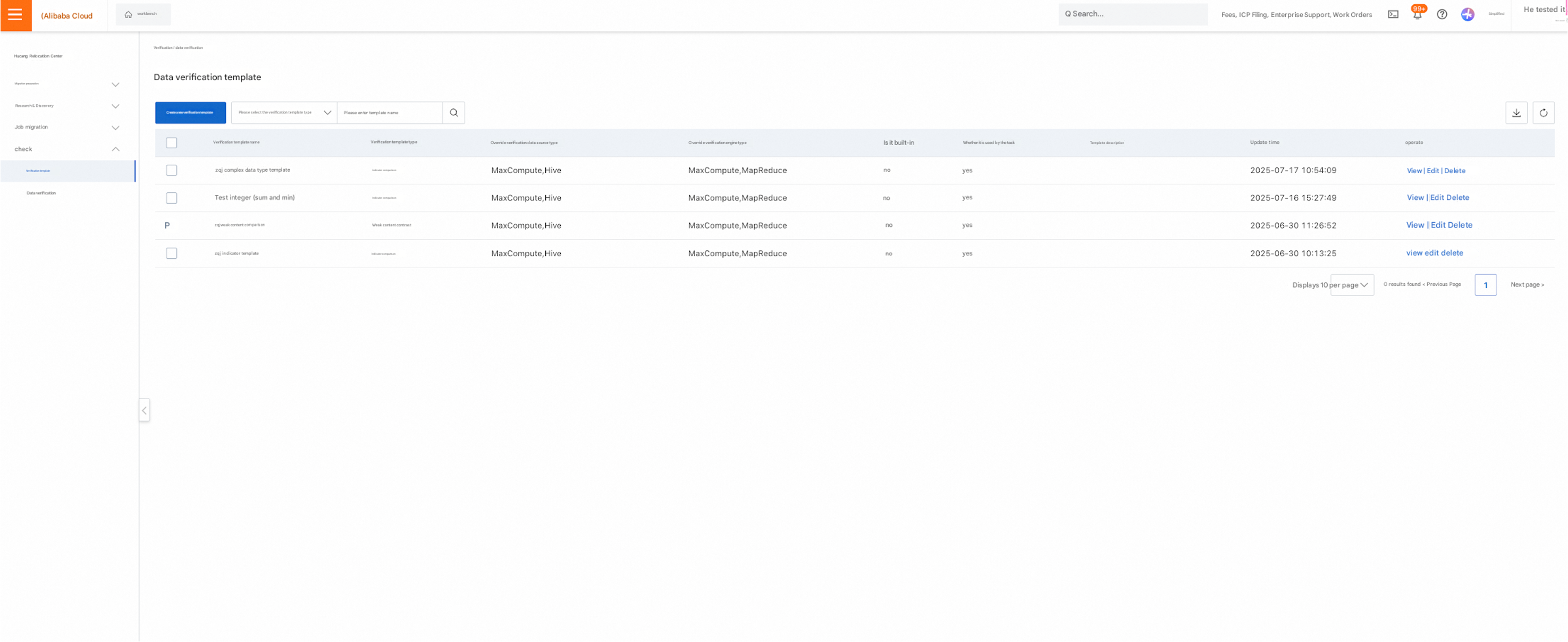
Click Create Validation Template.
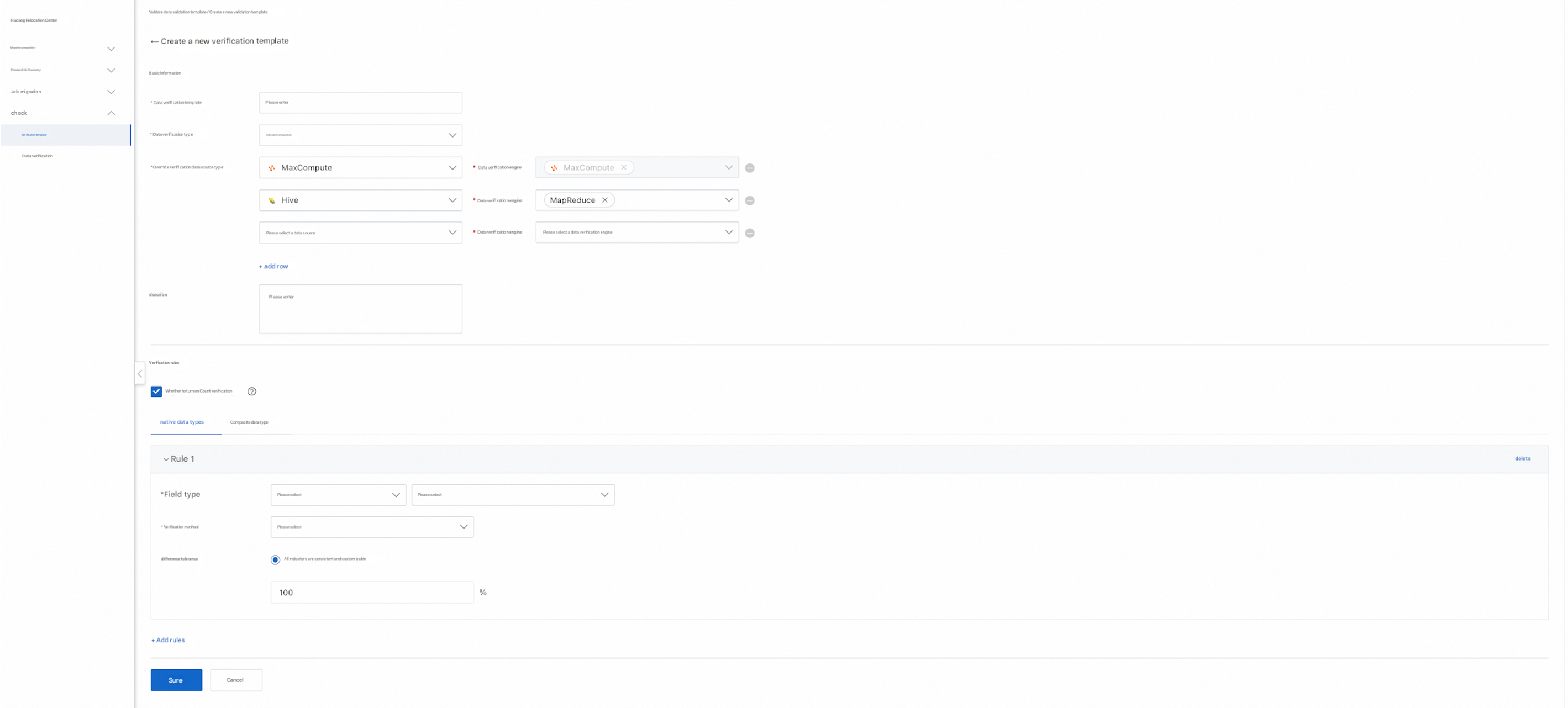
|
Parameter name |
Description |
|
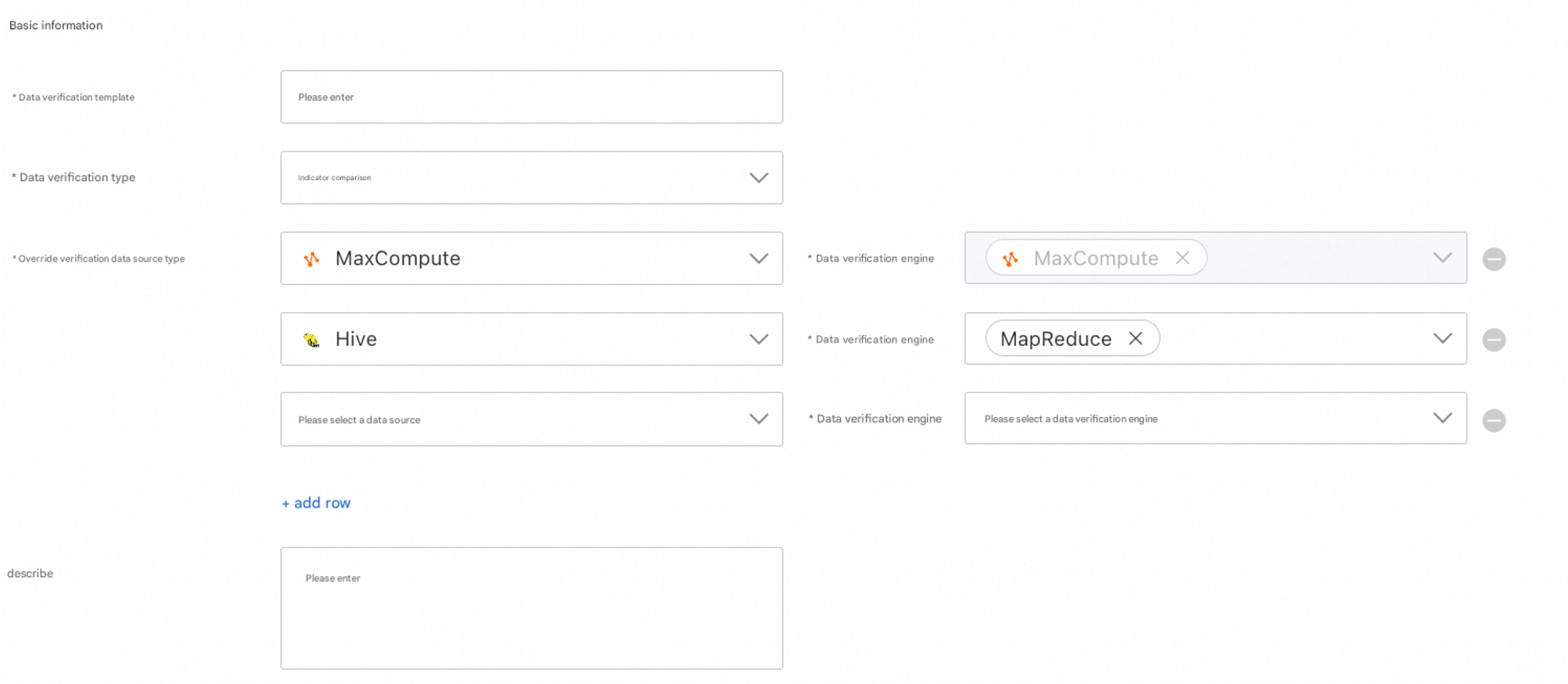
Data validation template |
The name of the data validation template. |
|
Data validation mode type |
Optional:
Count validation is a basic validation type and does not require a template. |
|
Override validation data source type |
The data source and its corresponding data validation engine. For example, for a Hive data source, you can select MapReduce. You can add multiple rows. |
|
Description |
The template description. Both Chinese and English are supported. |
Configure validation rule content:
-
Enable Count validation: When enabled, a count comparison is performed by default between the source and destination data when this metric is used for validation.
-
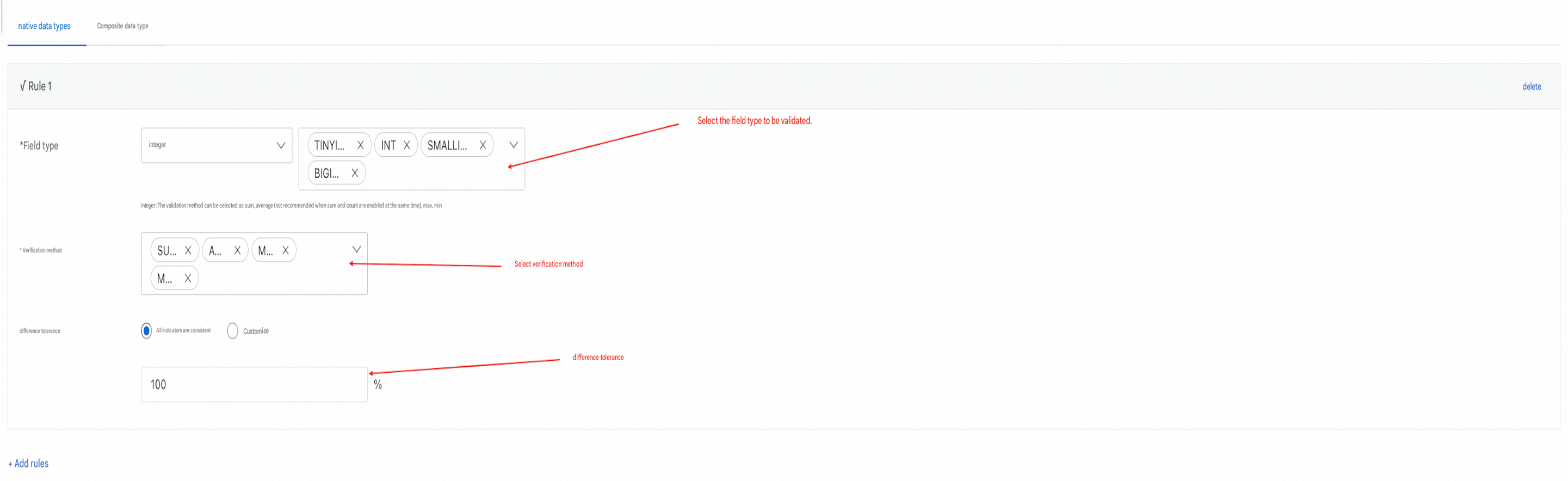
Metric validation configuration:
|
Field type |
Field data type |
Available validation metrics |
|
|
Primitive data type (Basic data type) |
Numeric type - Integer |
TINYINT |
SUM, AVG, MIN, MAX |
|
SMALLINT |
|||
|
INT |
|||
|
BIGINT |
|||
|
Numeric type - Floating-point |
FLOAT |
SUM, AVG, MIN, MAX |
|
|
DOUBLE |
|||
|
DECIMAL |
|||
|
Boolean type |
BOOLEAN |
SUM, AVG, MIN, MAX |
|
|
String type |
STRING |
SUM(Length), SUM(MD5/CRC), COUNT(Distinct) |
|
|
BINARY |
|||
|
VARCHAR |
|||
|
CHAR |
|||
|
Date/Time type |
TIMESTAMP |
MIN, MAX, SUM(MD5), COUNT |
|
|
DATE |
|||
|
Complex data type |
Data type |
ARRAY_NUMBER |
SUM(MD5), SUM(Size), MAX(Size), MIN(Size) |
|
ARRAY_STR |
SUM(MD5), SUM(Size), MAX(Size), MIN(Size) |
||
|
ARRAY_TIME |
SUM(MD5), SUM(Size), MAX(Size), MIN(Size) |
||
|
ARRAY_COMPLEX: ARRAY<MAP<STRING, STRING>> or ARRAY<STRUCT<name:STRING, age:INT>> |
SUM(MD5), SUM(Size), MAX(Size), MIN(Size) |
||
|
Mapping type |
MAP<KEY_TYPE, VALUE_TYPE> |
SUM(MD5), SUM(Size), MAX(Size), MIN(Size) |
|
|
Structure type |
STRUCT<field1:type1, field2:type2, ...> |
Splits into primitive types. Then, all default rules for those primitive types are selected for comparison. |
Difference tolerance configuration:
Difference Rate = (|Destination value - Source value|) / Source value × 100 %
The condition 1 - Difference Rate > Difference Tolerance Rate, which expands to 1 - (|Destination Value - Source Value|) / Source Value > Difference Tolerance Rate, indicates a pass result.
Configure the difference tolerance rate by using one of the following methods:
1. Apply the same rate to all metrics

2. Set a separate rate for each validation metric

Weak content comparison template
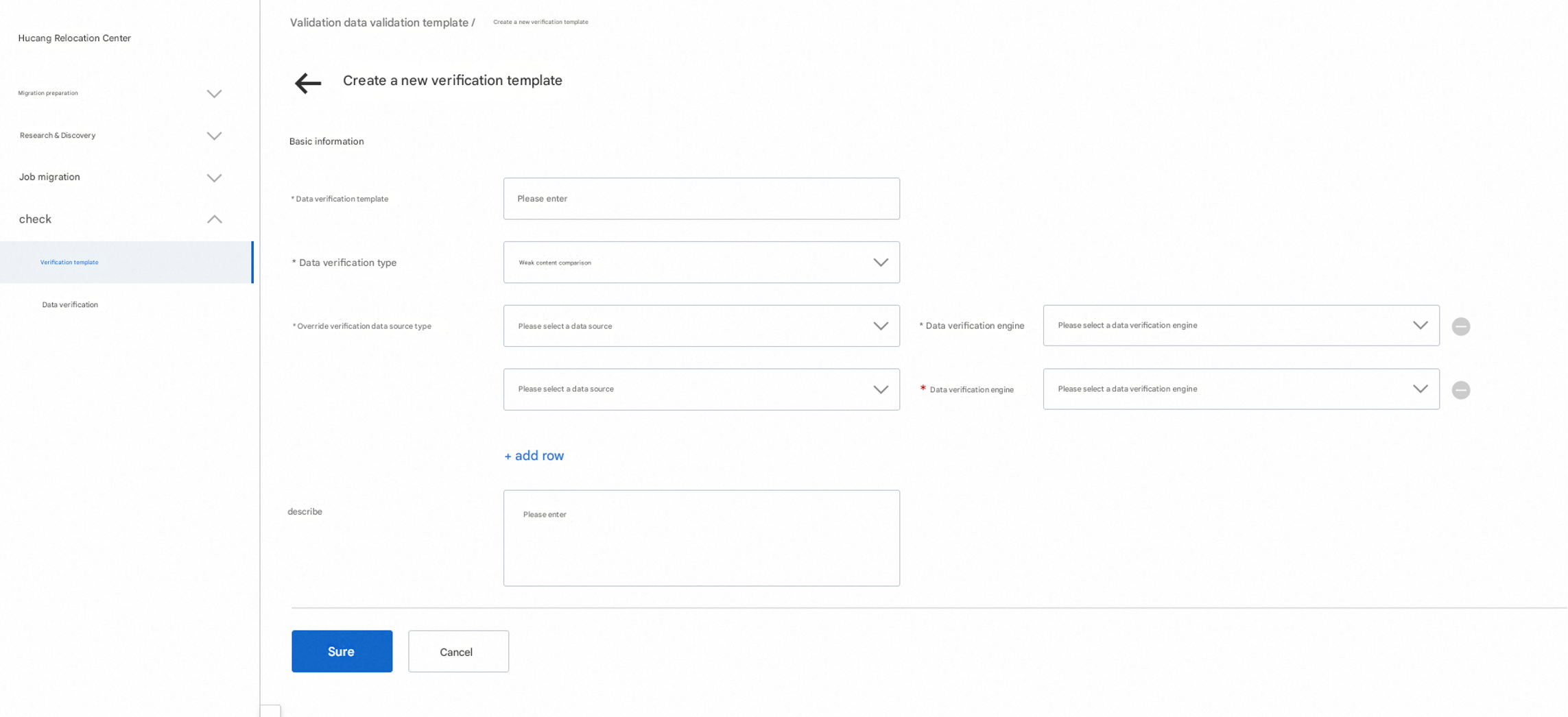
Specify the basic information:
|
Parameter name |
Description |
|
Data validation template |
The name of the data validation template. |
|
Data validation mode type |
Optional:
Count validation is a basic validation type and does not require a template. |
|
Overwrite validation data source type |
The data source and its corresponding data validation engine. For example, for a Hive data source, you can select MapReduce. You can add multiple rows. |
|
Description |
The template description. Both Chinese and English are supported. |