How to transform SQL syntax during a scheduled migration
This topic describes how to transform the syntax of SQL scripts in nodes during a scheduled migration.
In a big data migration project, you must transform the syntax of your SQL scripts when you migrate the data source. For example, if you migrate a data source from Hive to MaxCompute, you must convert the Hive nodes to MaxCompute nodes. You must also transform the scripts in those nodes from HiveSQL syntax to MaxCompute SQL syntax. The scheduling transformation only processes scheduling information. This topic describes how to transform the SQL scripts.
Alibaba Cloud online SQL transformation service: https://apds.console.aliyun.com/lhm/conversion-sql
Online SQL transformation service documentation: SQL Transformation
1. Get the SQL scripts from the migration output package
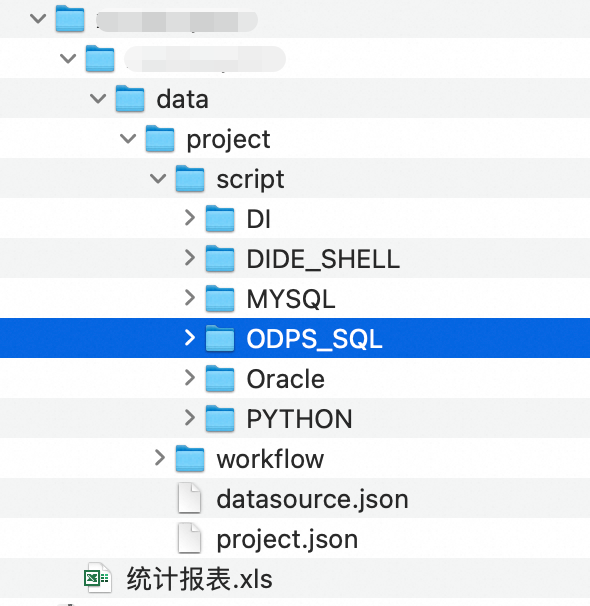
Open the Converter output package. The node scripts are stored by type in the <projectName>/<projectName>/data/project/script directory.
For example, in a Hive to MaxCompute scenario, the scheduling transformation converts HiveSQL nodes to ODPS_SQL nodes. However, the SQL scripts within these nodes still use HiveSQL syntax. You can retrieve all these scripts in a batch from the Converter output package.
Note: Using some zip tools on Linux to decompress files can cause garbled Chinese characters. To prevent this, specify the gb2312 encoding during decompression:
unzip -O gb2312 <FileName>.zip
2. Transform the SQL scripts and map table names
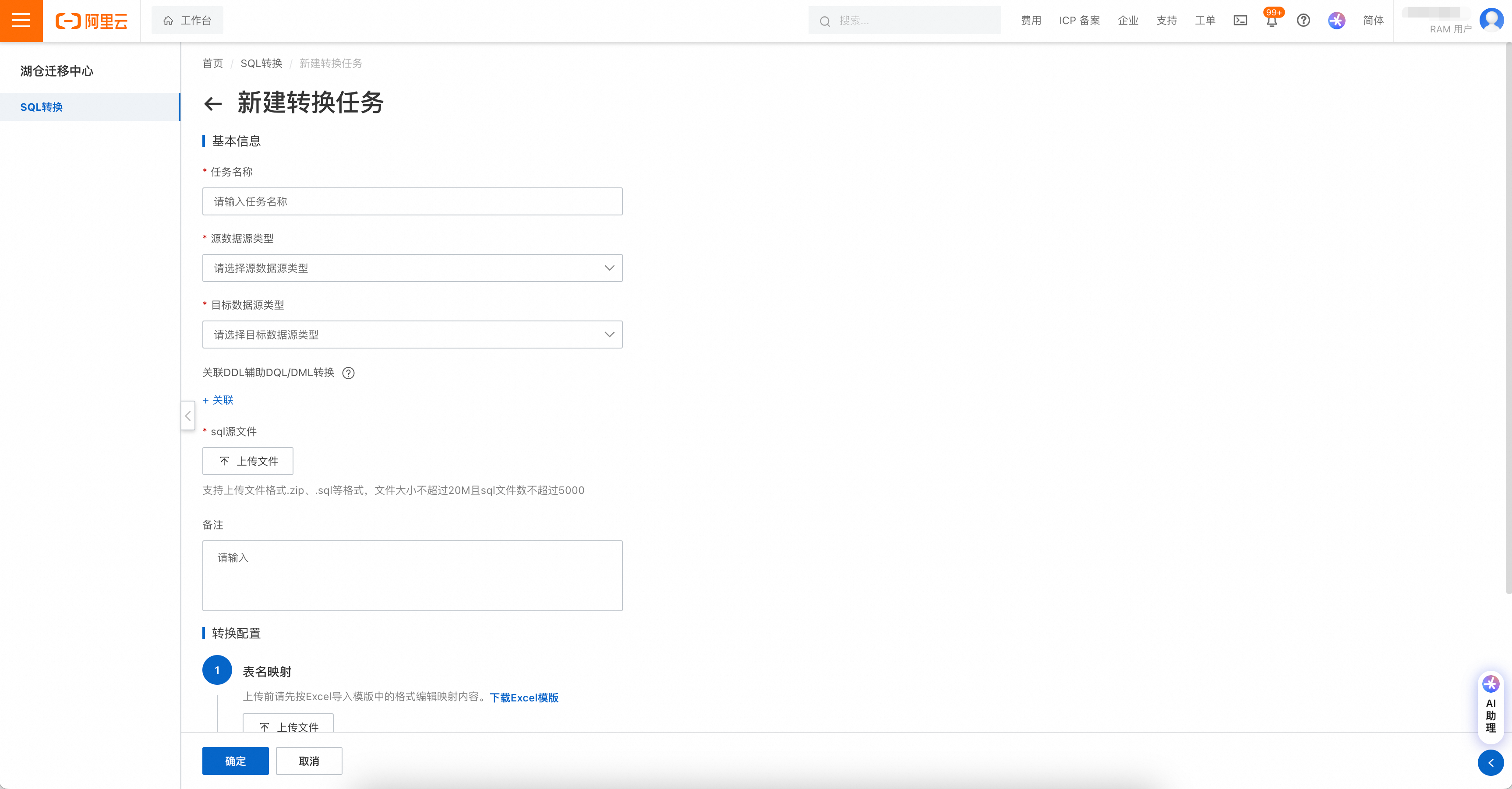
Open the online SQL transformation service page and create an SQL transformation task.
https://apds.console.aliyun.com/lhm/conversion-sql
3. Replace the original scripts and re-create the package
Replace the original scripts with the transformed scripts in the original directory.
Delete the original .zip package. Then, compress the updated files to create a new package.
Compression command:
zip -q -r -m -o <PackageName>.zip PackageName