Azure Data Factory
Configure Azure Data Factory (ADF) as a data source for the scanner by creating a service principal and granting it access to your Data Factory resources.
Service account authorization
-
Create a service principal and obtain authentication credentials
-
In the Azure portal, search for and select App registrations. If an application is not registered, click New registration to create one.
-
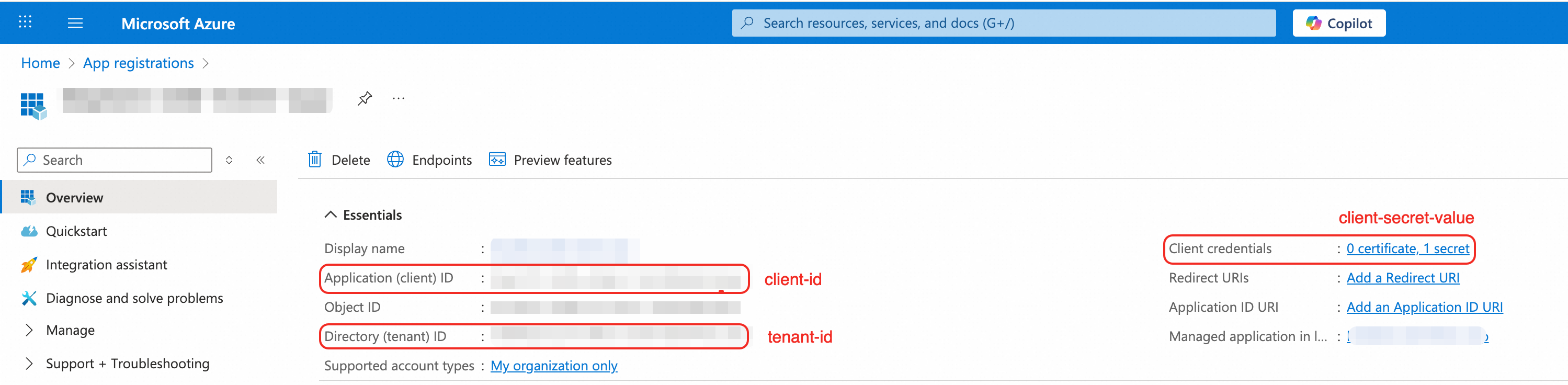
Click the application that you just created. On the Overview page, record the following:
-
Application (client) ID, which corresponds to
client-id -
Directory (tenant) ID, which corresponds to
tenant-id
-
-
On the Overview page, select Certificates & secrets. In the Client secrets section, click New client secret to generate a client secret. Immediately copy its value to use as the
client-secret-value. You cannot view the plaintext value again after you leave this page.
-
Grant the service principal read permission on Data Factory
-
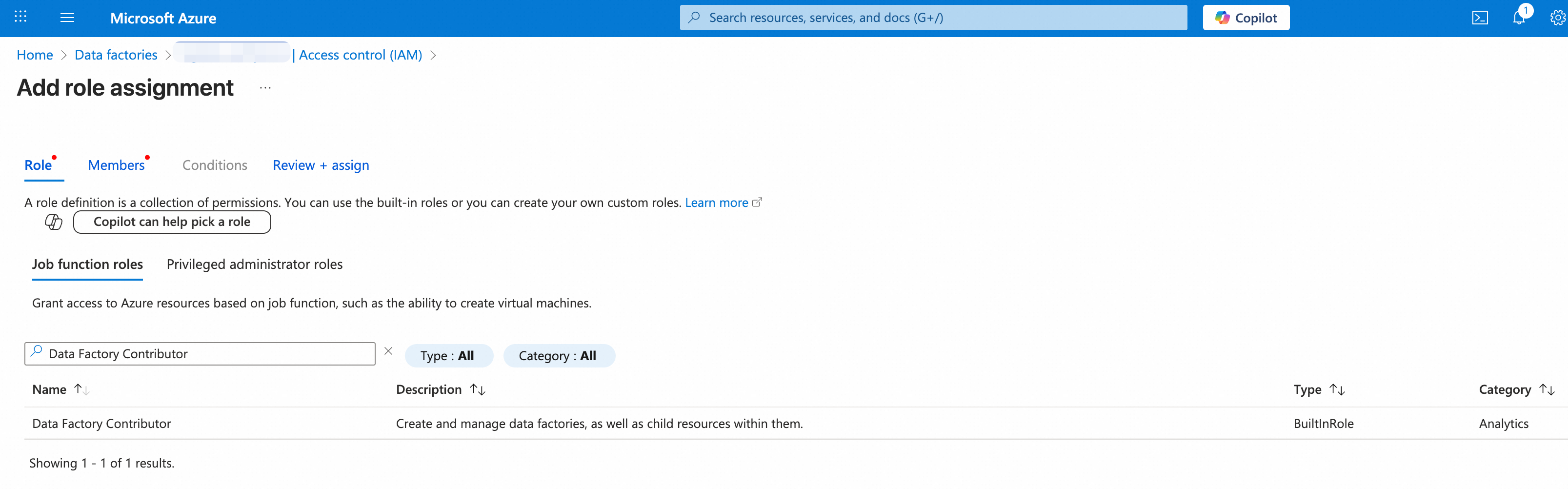
Open the target Data Factory resource. In the left navigation pane, select Access control (IAM). On the Role assignments tab, click Add role assignment. Assign the
Data Factory Contributorrole or a custom read-only role to the Service Principal for the app registration that you created.
Data source management
|
Option |
Description |
|
|
Tenant ID. Required. |
|
|
Client ID. Required. |
|
|
Client secret. Required. |
|
|
Azure subscription ID. Required. |
|
|
Resource group name. Required. |
|
|
Azure cloud type. Default: |
|
|
Whether to use a proxy. Valid values: `true` and `false`. |
|
|
Proxy host. Required if you use a proxy. |
|
|
Proxy port. Required if you use a proxy. |
Configuration steps
-
Follow Step 1 in Service account authorization to record the
client-id,tenant-id, andclient-secret-value. -
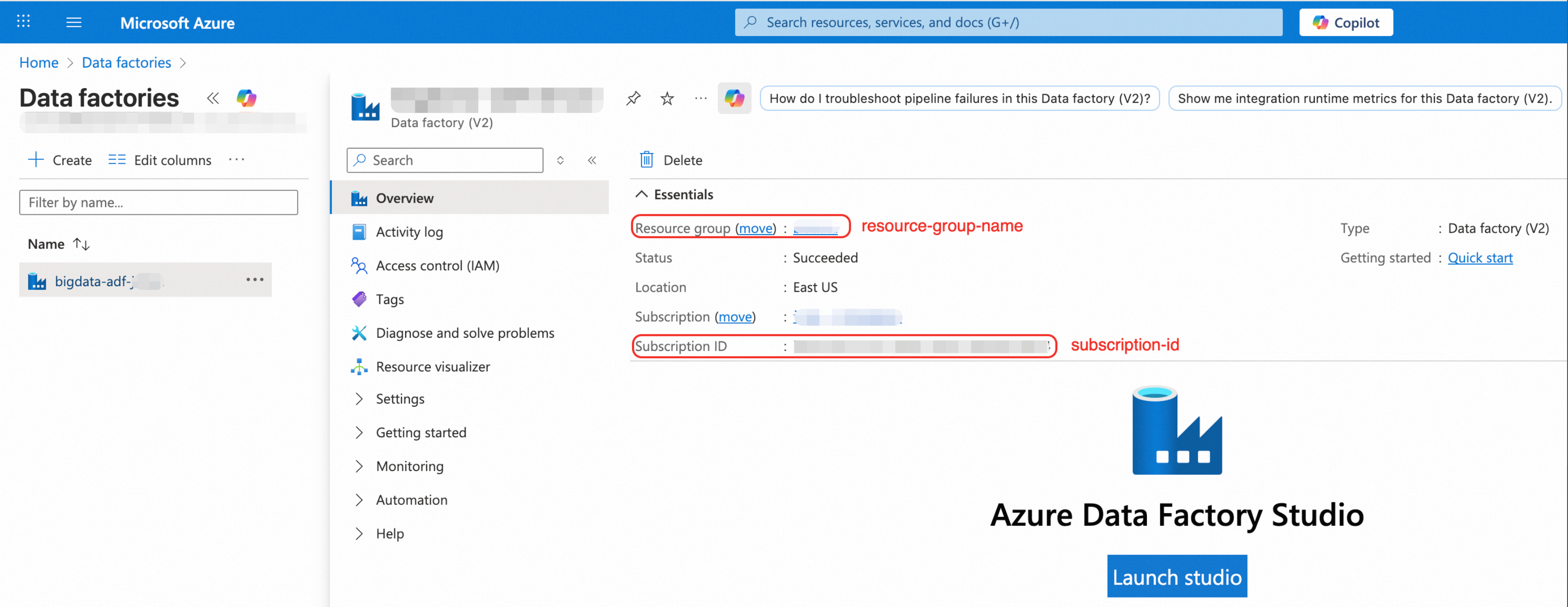
In the left navigation pane of the Data Factory resource, select Overview and record the following:
-
Resource group, which corresponds to
resource-group-name -
Subscription ID, which corresponds to
subscription-id
-
lhm datasource set adf -n adf1 \
    --tenant-id xxx \
    --client-id xxx \
    --client-secret-value $ADF_SECRET \
    --subscription-id xxx \
    --resource-group-name rg-xxx