Azure Databricks
Configure Azure Databricks as a data source for the scanner by authorizing a service account and setting up the connection.
Service account authorization
-- 1. Create a custom role
CREATE ROLE <role>;

-- 2. Grant metadata read permissions
GRANT BROWSE ON CATALOG <catalog_name> TO ROLE <role>;
GRANT USE CATALOG ON CATALOG <catalog_name> TO ROLE <role>;
GRANT USE SCHEMA ON CATALOG <catalog_name> TO ROLE <role>;
GRANT SELECT ON CATALOG <catalog_name> TO ROLE <role>;

-- 3. Assign the role to a service principal or user
GRANT ROLE <role> TO <service_principal_application_id>;
Data Source Management
1. Basic configuration
|
Option |
Description |
|
|
Metadata type: |
|
|
Databricks host address (Required) |
|
|
SQL Warehouse HTTP path (Required) |
To obtain the basic Databricks configuration:
-
On the Overview page of your Databricks workspace, click Launch Workspace.
-
In the navigation pane on the left, select SQL Warehouses.
-
If you have not created a SQL warehouse, click Create SQL warehouse and follow the instructions to create one.
-
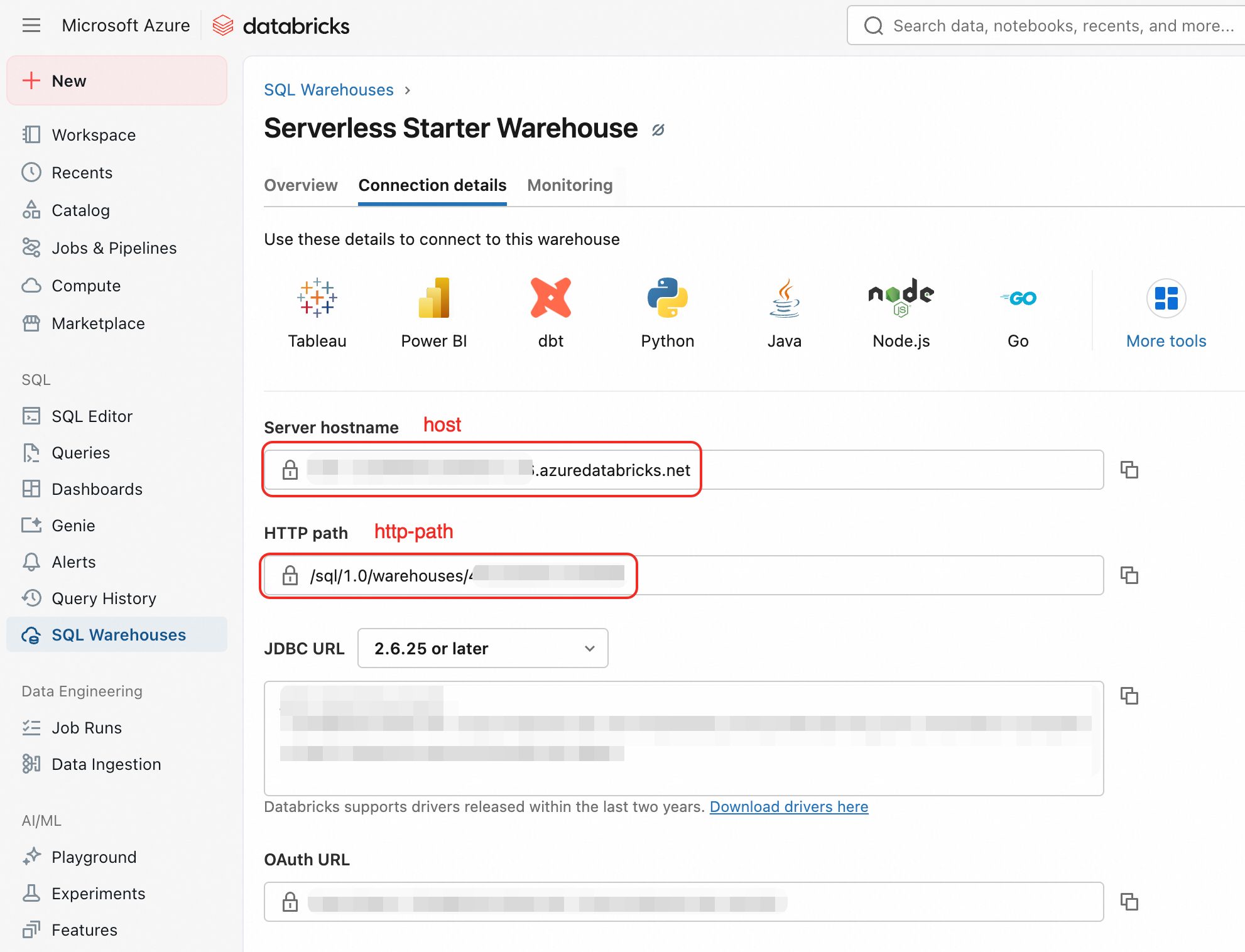
In the list, click the target warehouse and then go to the Connection details tab.
-
On this tab, copy the following:
-
The Server hostname corresponds to the
hostparameter in the data source configuration. -
The HTTP path corresponds to the
http-pathparameter in the data source configuration.
-
2. PAT authentication
|
Option |
Description |
|
|
Authentication type: |
|
|
Personal Access Token (Required) |
To obtain a PAT:
-
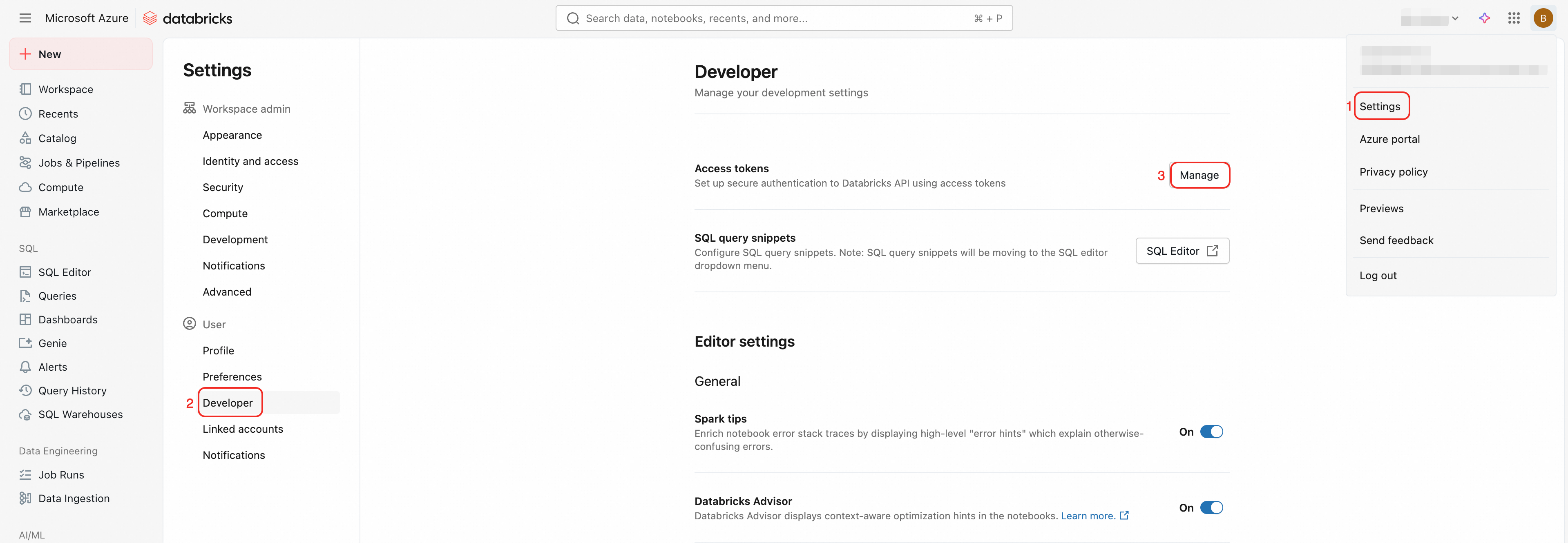
In your Databricks workspace, click your profile picture in the upper-right corner to go to the Settings page.
-
In the Settings navigation pane on the left, select Developer.
-
In the Access tokens area, click the Manage button.
-
Click Generate new token, set the Lifetime (days), and add a comment. A Personal Access Token (PAT) is generated. Save the token value in a secure location.
lhm datasource set Databricks -n Databricks1 \
    --meta-type UNITY_CATALOG \
    --host https://adb-xxx.azuredatabricks.net \
    --http-path /sql/1.0/warehouses/xxx \
    --login-type pat \
    --token '$DATABRICKS_TOKEN'