Data exploration
ECS Insight provides a data exploration module for querying and analyzing ECS metrics, logs, and events.
Prerequisites
The ECS Insight application is enabled.
Try in Playground
Alibaba Cloud Playground provides a demo environment where you can experience the main features of Cloud Monitor 2.0.
-
Visit Playground Demo. You will enter the workspace by default.
-
In the navigation bar, click ECS Insight. Or, under All Features, click ECS Insight.
-
In the ECS Insight navigation bar, select , Log Exploration, or Event Exploration.
Data exploration
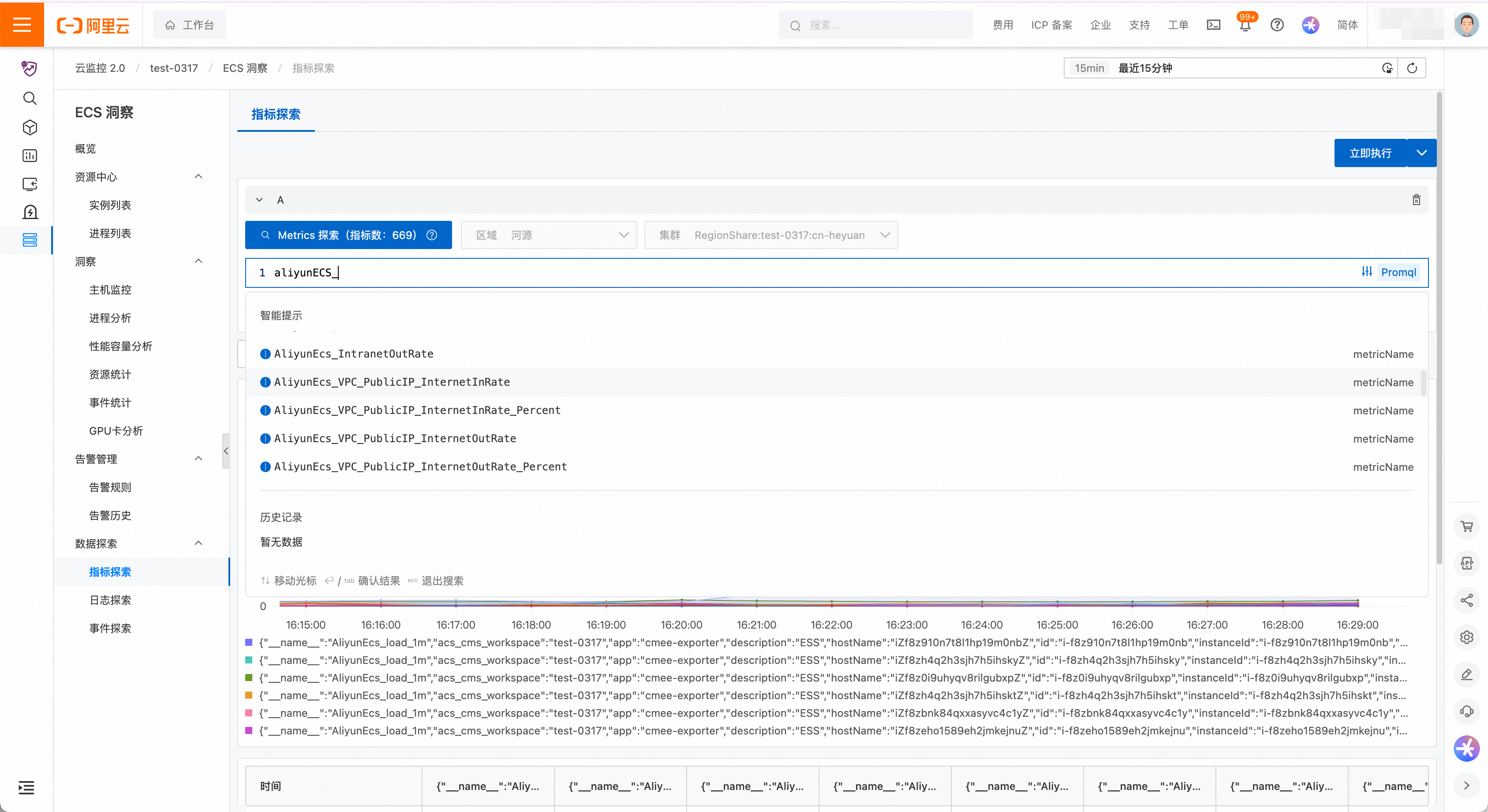
Metric exploration
Query all metrics from connected and observable ECS instances. Metrics fall into two categories: agentless metrics from Cloud Monitor, prefixed with `AliyunEcs_***`, and agent-based metrics from Exporter, which cover node, process, and GPU metrics and follow open-source naming conventions.
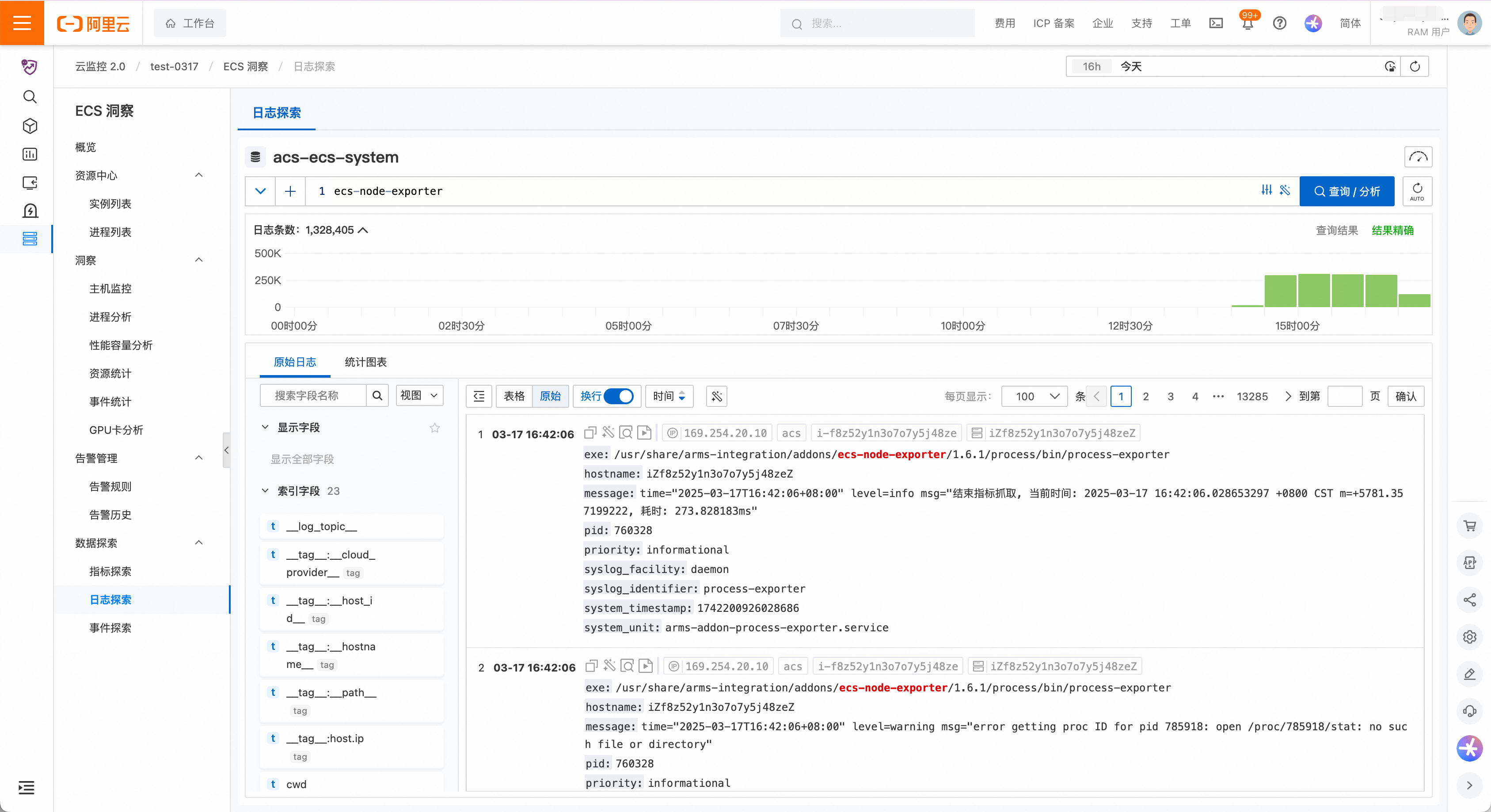
Log exploration
Query the system logs of connected and observable ECS instances. The query syntax is the same as Simple Log Service (SLS). For more information, see Simple Log Service query syntax.
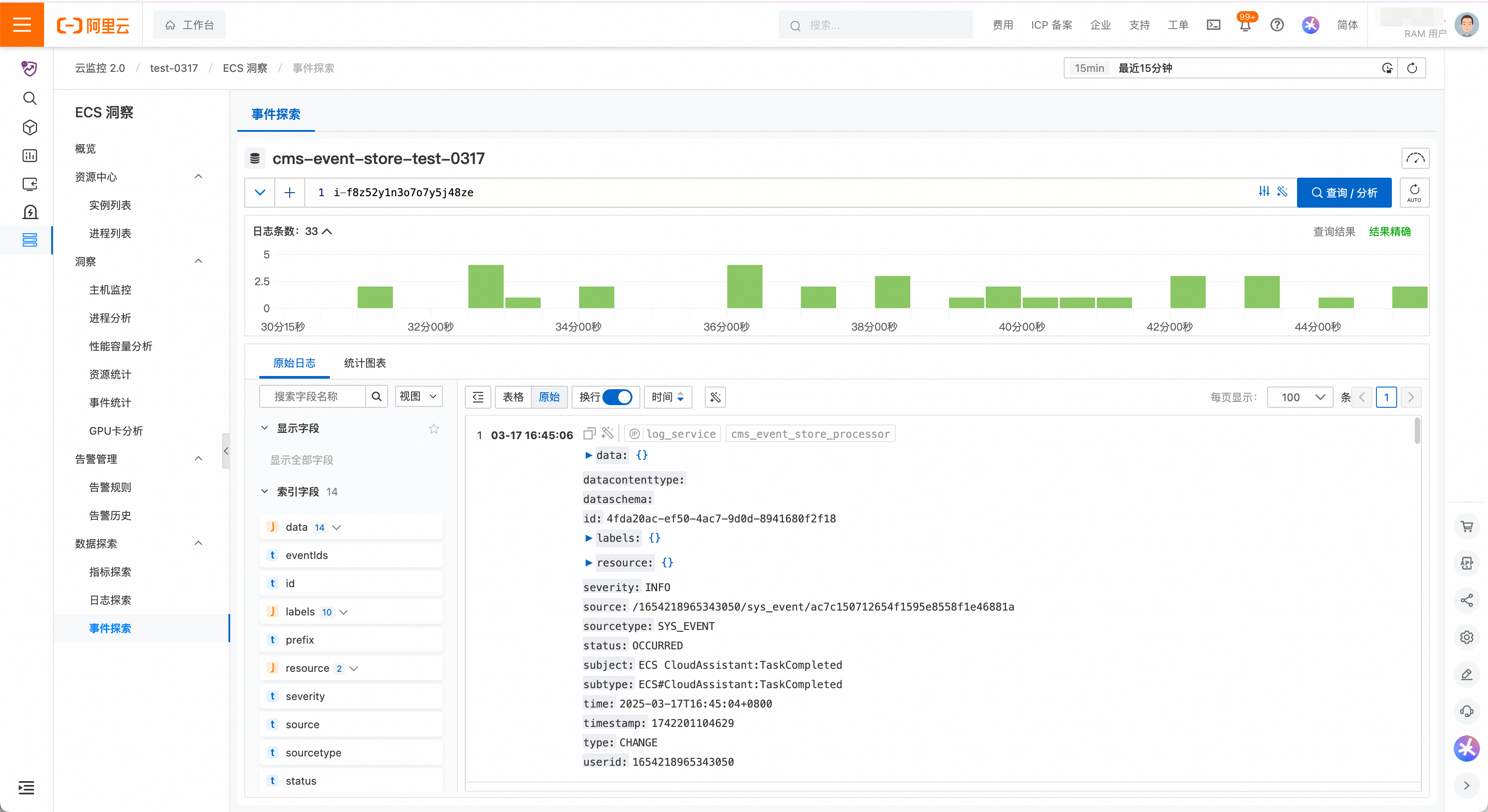
Event exploration
After system events are ingested, you can query all system events for an ECS instance. The following example shows how to query the system events for a specific host ID.