Resource Center
The Resource Center provides a centralized view of your Hologres instances and their observability data.
Prerequisites
You are connected to Hologres.
Instance list
Hologres instances
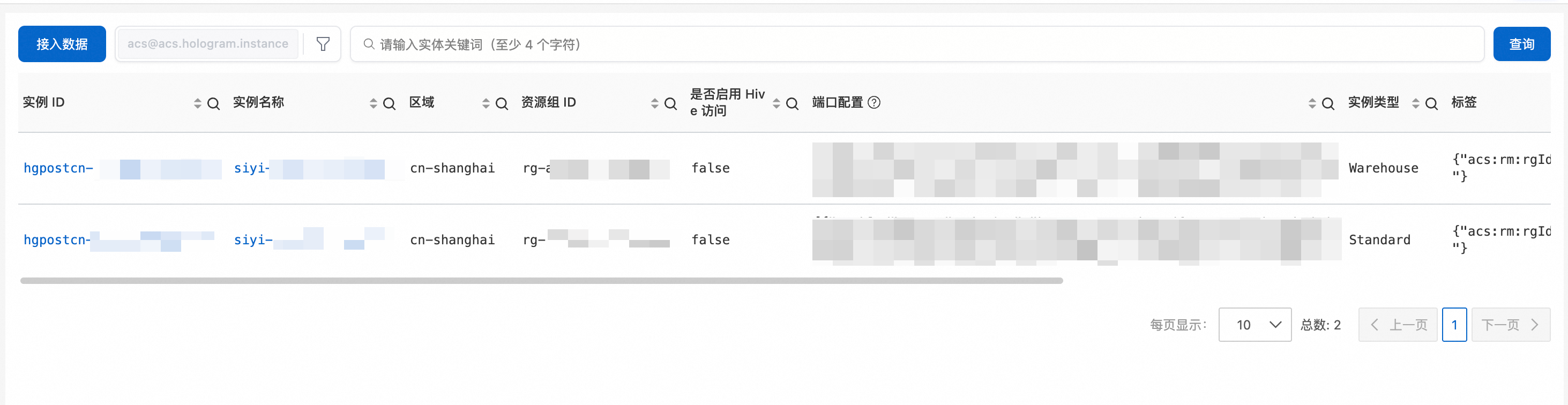
In Cloud Monitor, open Hologres Insight and go to Resource Center > Hologres Instance List to view the list of Hologres instances. The Hologres Instance List page displays each instance in a table that contains the following columns:
-
Instance ID
-
Instance Name
-
Region
-
Resource Group ID
-
Hive Access Enabled
-
Port Configuration
-
Instance Type
At the top of the page, you can click Ingest Data, filter instances by resource type, or search for an instance by keyword.
In the following example, the list contains two instances: one Warehouse instance and one Standard instance, both in the cn-shanghai region.
Query conditions
Set query conditions to filter instances. For example:
-
domain = acs
-
type = acs.hologram.instance
Instance overview
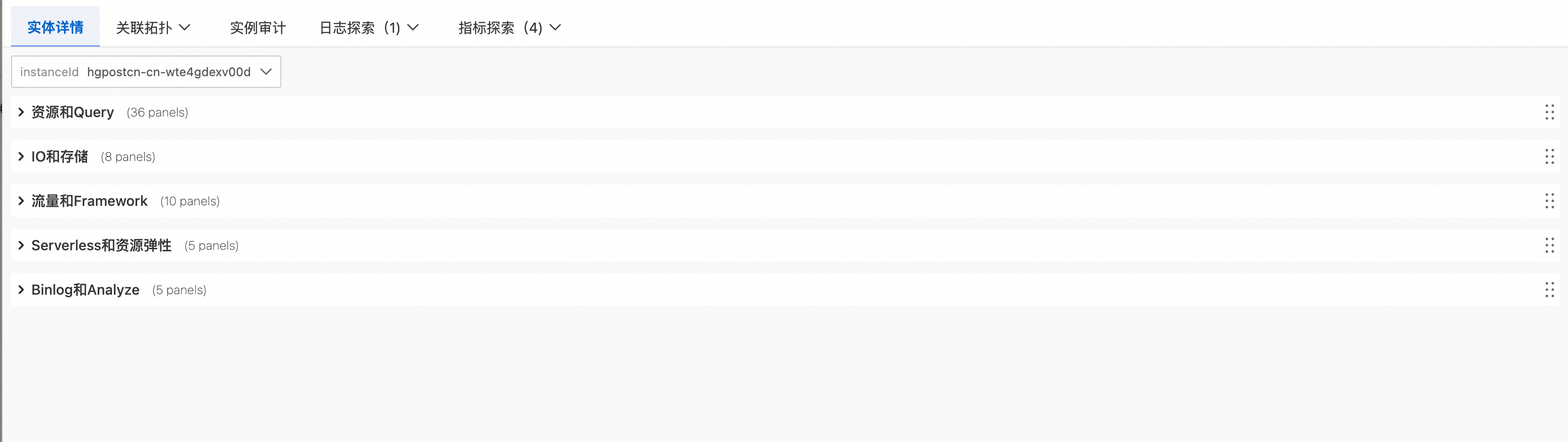
Click a Hologres instance ID or name to open its overview. The overview page displays observability data for a single instance. After you connect to Cloud Monitor metrics, a basic dashboard for the instance appears with the following sections:
-
Resources and Queries
-
IO and Storage
-
Traffic and Framework
-
Serverless and Resource Elasticity
-
Binlog and Analyze
Associated topology
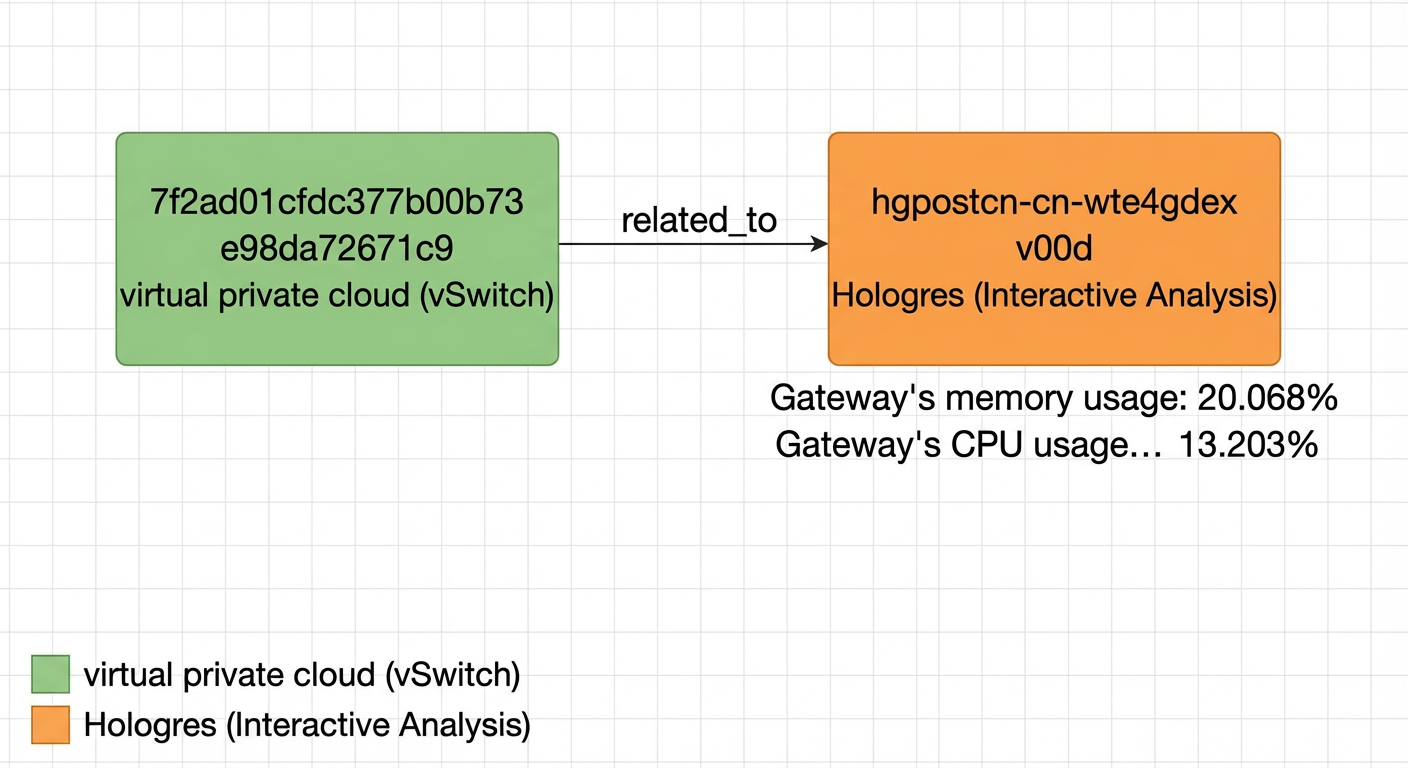
View the upstream and downstream network topology associated with the instance. For a Hologres instance, the topology shows the relationships with upstream resources such as the Virtual Private Cloud (VPC).
Instance audit
-
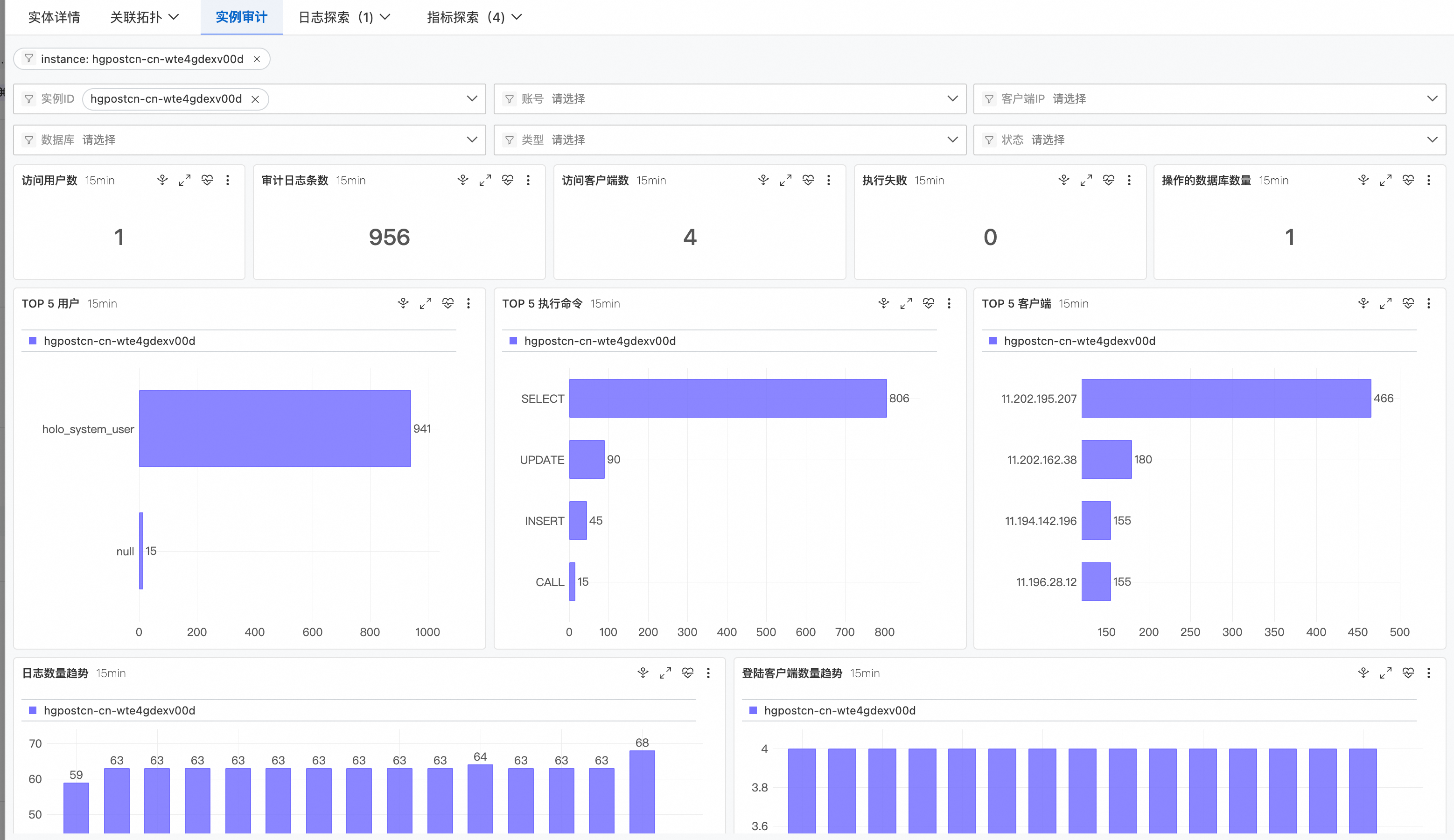
By default, the instance audit is filtered by the current Hologres instance ID. You can set a time range for the audit log analysis and manually refresh or reset the time as needed.
-
You can set multiple conditions to filter audit logs and generate reports. These conditions include instance ID, database, username, type, client IP, and status.
-
The system analyzes SQL Audit logs, aggregates the data, and displays the results in charts.
-
The statistics area displays metrics such as the number of users, audit log entries, client connections, failed executions, and the number of accessed databases.
-
You can view trend charts for key metrics, such as Top 5 Users, Top 5 Executed Commands, and Top 5 Clients.
-
The trend analysis area displays trends such as the number of logs and the number of client logons.
-
You can view a detailed list of audit logs. The list includes details such as instance ID, username, authentication information, client IP, collection time, database, type, status, query, start time, end time, and duration.
-