Background information
This topic describes how to migrate data between Cloud Parallel File Storage (CPFS) for Lingjun and Alibaba Cloud Object Storage Service (OSS) and between CPFS for Lingjun instances.
Overview
Alibaba Cloud Data Online Migration is a data channel between different storage services. Data Online Migration can be used to migrate data from third-party storage services to OSS, between CPFS for Lingjun instances and OSS, between CPFS for Lingjun instances, or between OSS buckets.
To use Data Online Migration, you need to only log on to the Data Migration console, create a source data address and a destination data address, and then create a migration task. After the migration task starts, you can manage the task in the console. For example, you can view the progress and traffic information of the task.
Flowcharts
Migrate data
Migrate data from CPFS for Lingjun to OSS
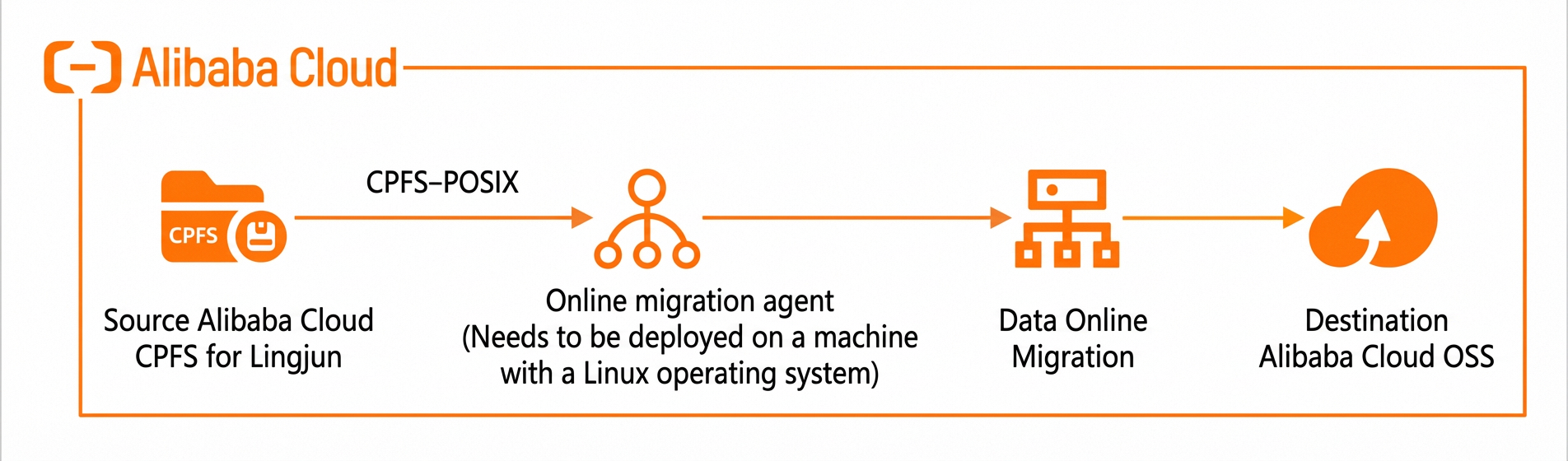
The following figure shows the process of migrating data from CPFS for Lingjun to OSS.
Migrate data from OSS to CPFS for Lingjun
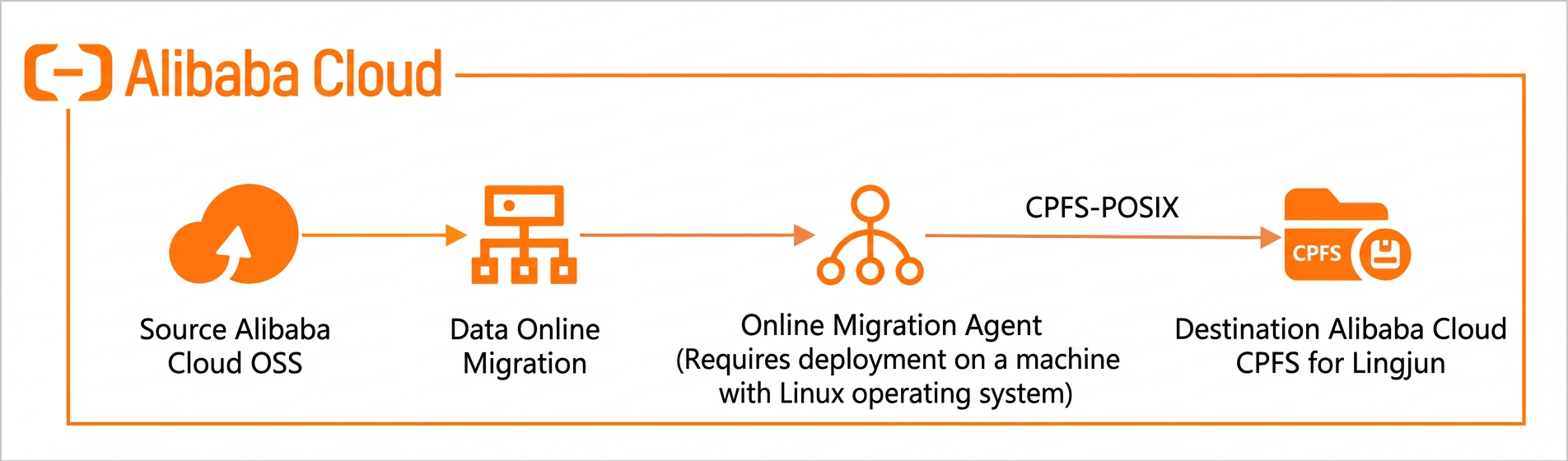
The following figure shows the process of migrating data from OSS to CPFS for Lingjun.
Migrate data between CPFS for Lingjun instances
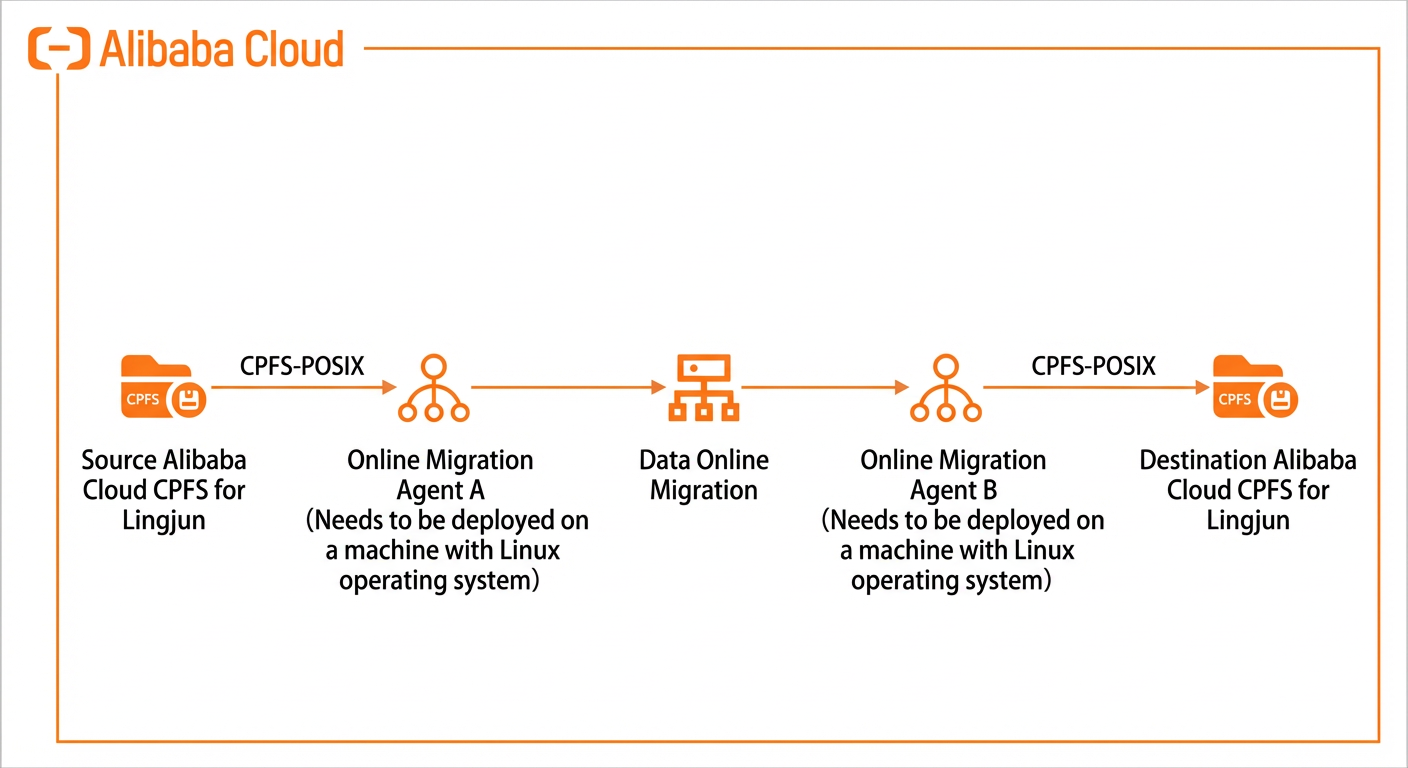
The following figure shows the process of migrating data between CPFS for Lingjun instances.
Create a migration task
The following figure shows the process of creating a migration task.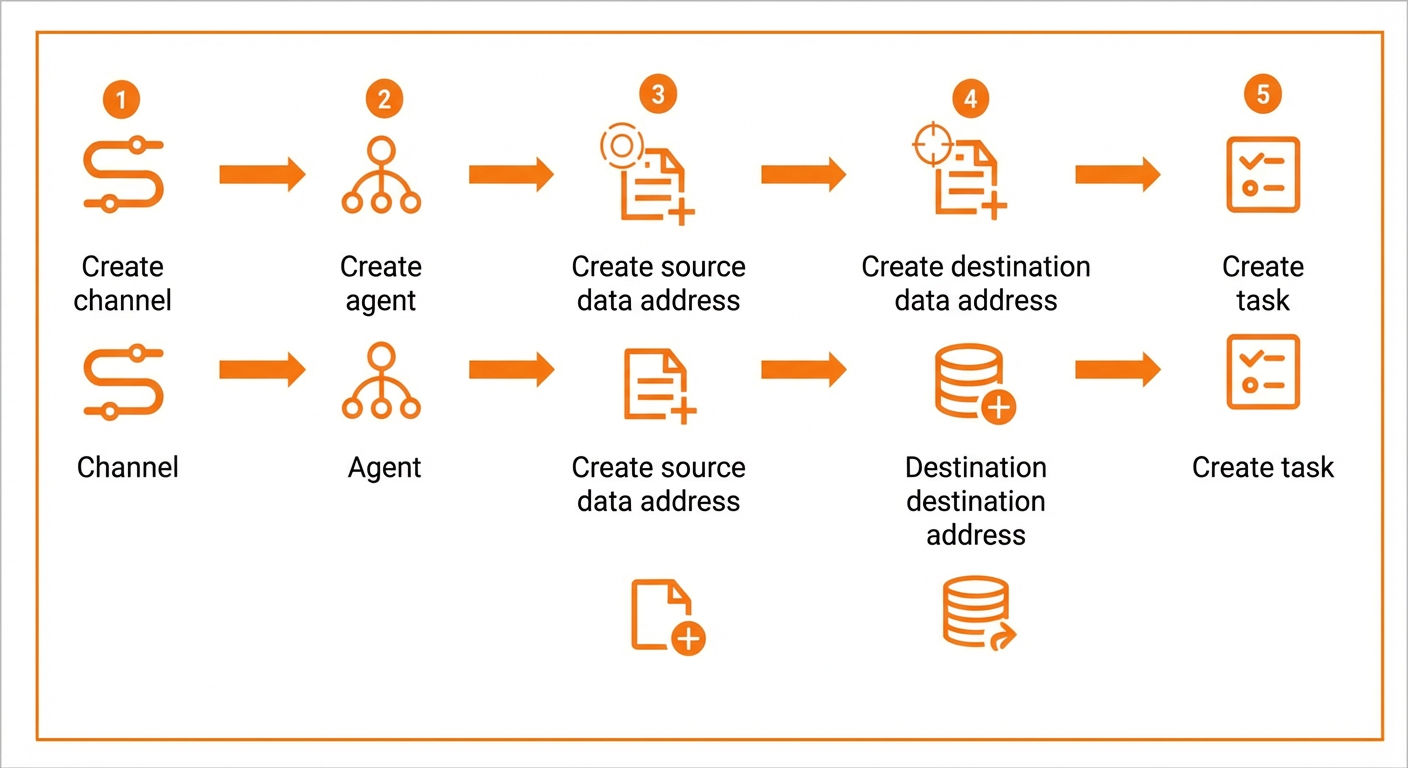
When you create a data address for CPFS for Lingjun, you must associate the data address with an agent.