Online Course Service
This document explains how to purchase online courses, manage students, and access the courses.
Workflow
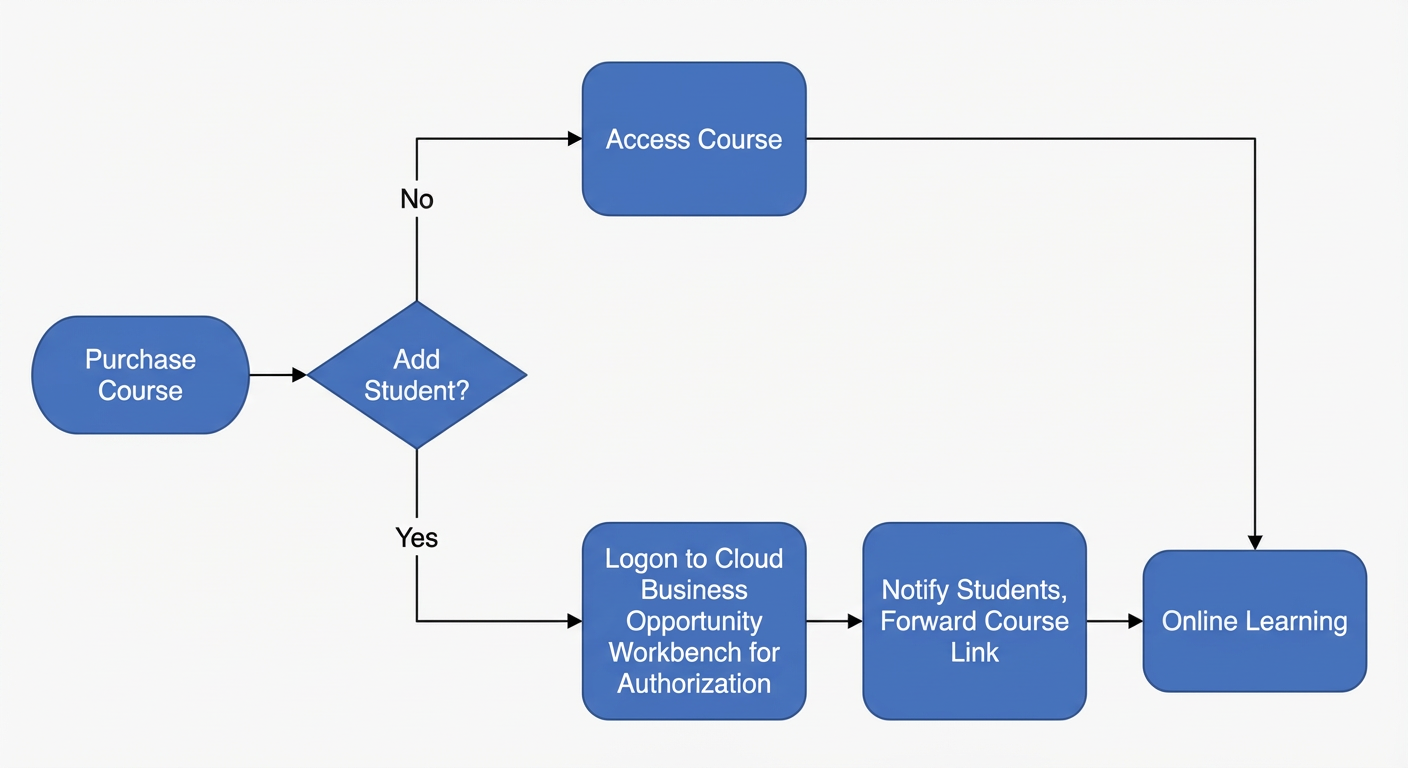
The following figure shows the workflow for the Cloud Business Opportunities online course service.
Terms
Term |
Description |
Administrator |
An administrator, also called the online course administrator, manages course access. They can grant company employees access to online courses. Permission owners are typically paying users, such as those who purchase online courses. |
Student |
Users granted access to the online course are employees of the administrator's company. |
Purchase a course
Two purchase methods are available:
Purchase from the Cloud Sales and Procurement product page.
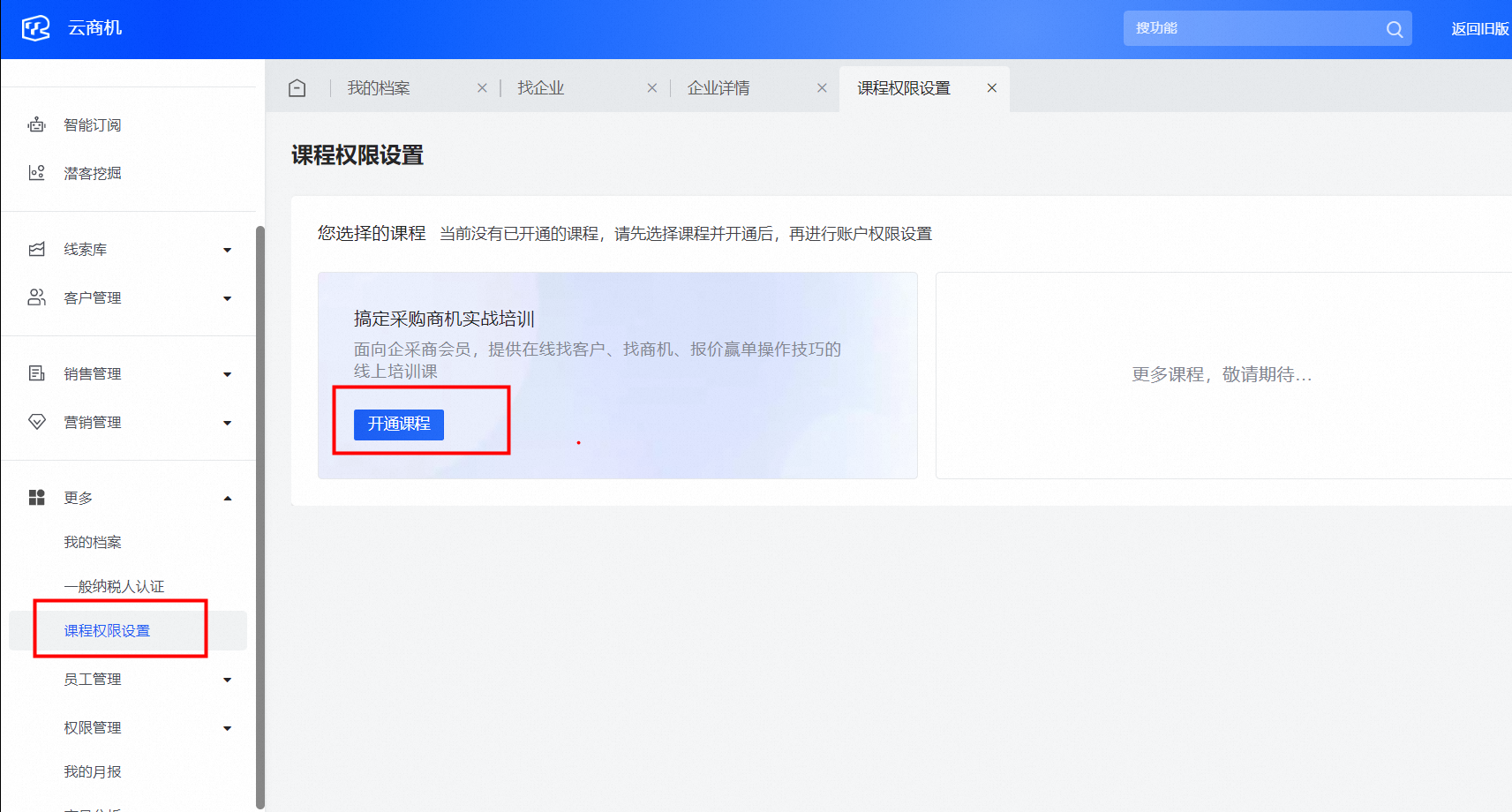
Purchase and activate the course from the Cloud Business Opportunities workbench, as shown in the following figure.
An Alibaba Cloud enterprise account with completed identity verification is required for all purchases. Users of 1688.com can link their Alibaba Cloud account to sync their identity verification status. This avoids a separate verification process.
Access a course
Access as an administrator
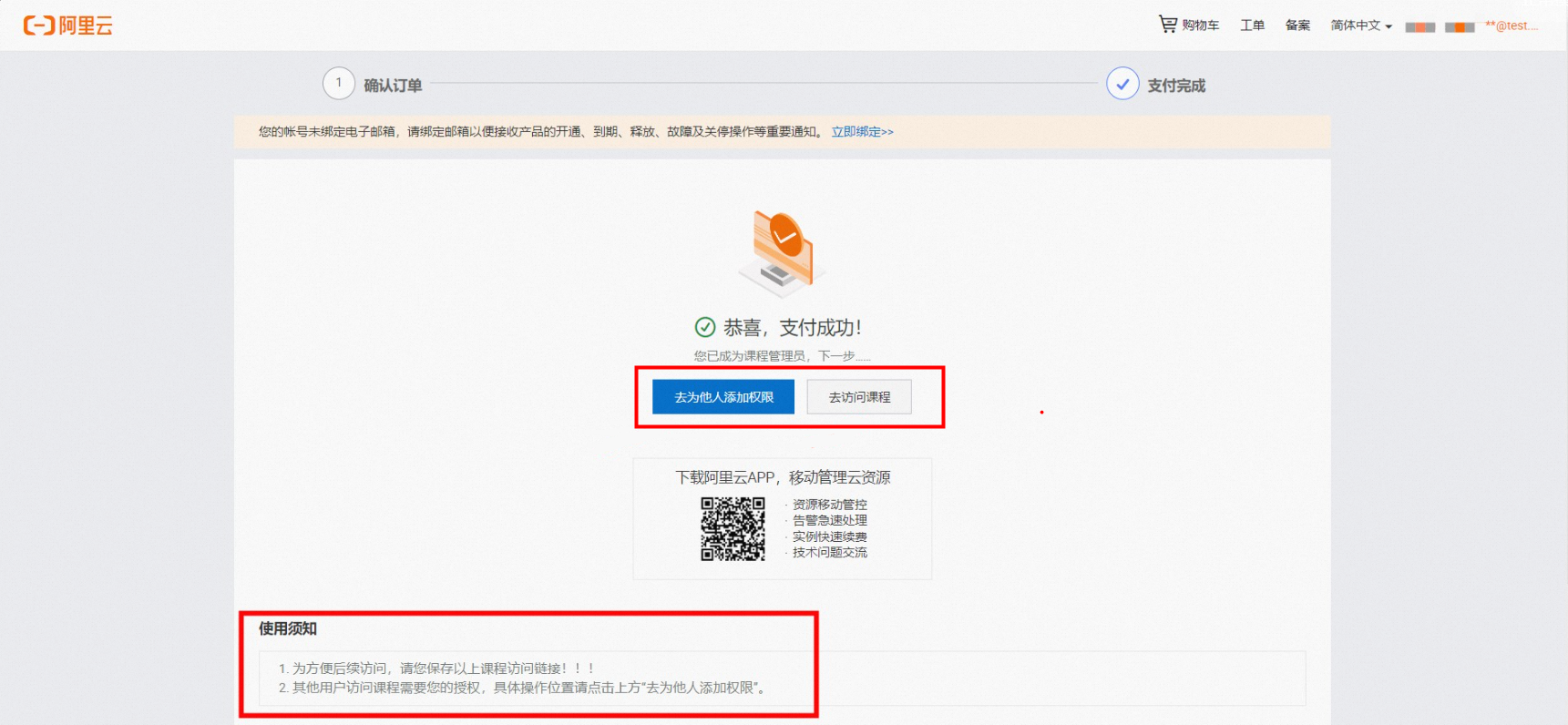
The user who purchases a course is the default administrator. The administrator can add company employees as students and grant them access to the course. After purchase, the administrator can also access the course directly from the confirmation page, as shown in the following figure.
Access as a student
Prerequisites: Students must be granted access to view a course. To request access, contact your company's online course administrator, provide your Alibaba Cloud UID, and ask to be added as a student.
Access method: Use the course link provided by the administrator.
The online course administrator is the user at your company who purchased the course.
Currently, students cannot access courses from the Cloud Business Opportunities workbench. Bookmark the course link in your browser for future access.
Manage students
Online course administrator permissions are required to manage students.
Add a student
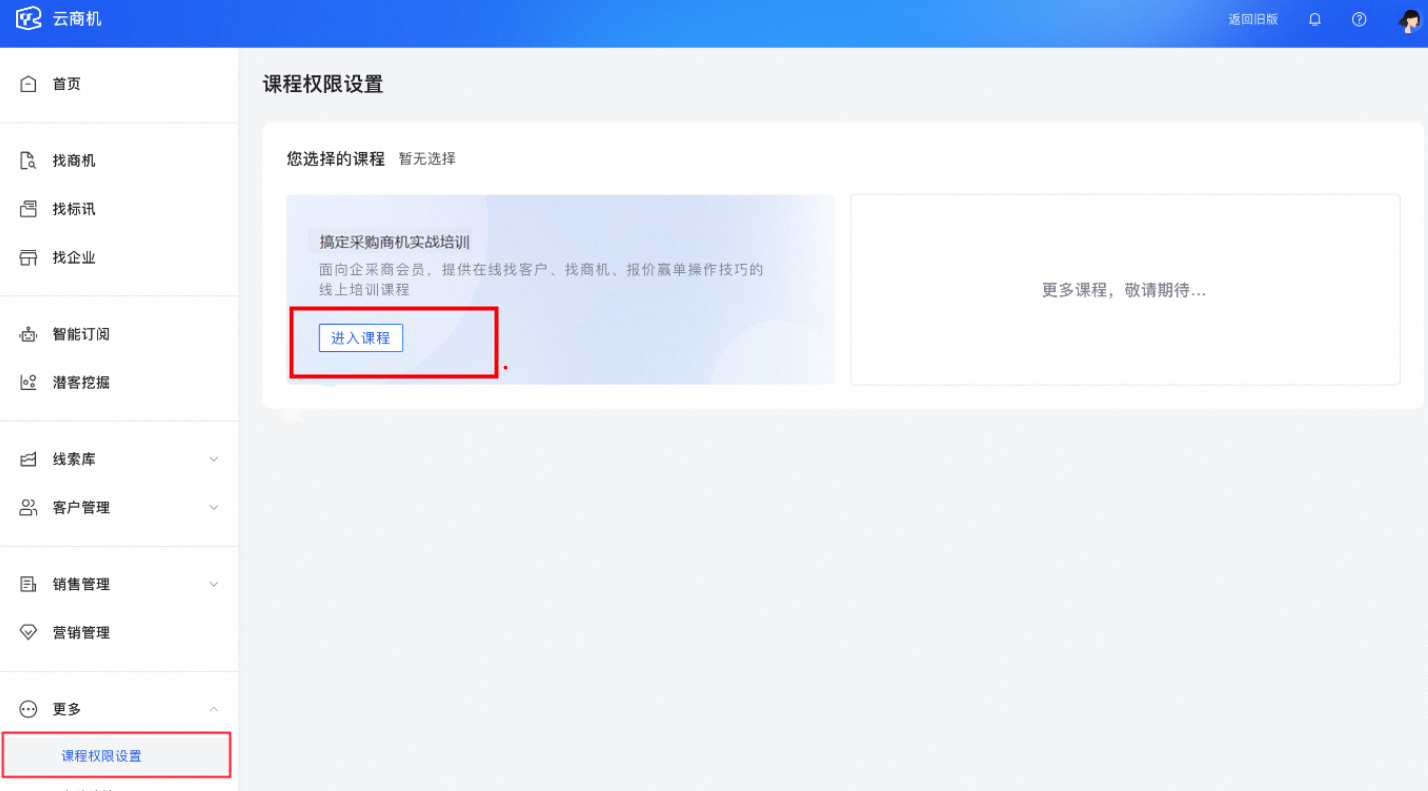
Log on to the Cloud Business Opportunities workbench, go to the Course Permission Settings page, and click Enter Course.
Click Add Course Account. Enter the user's UID and other required information. Click OK to add the student.
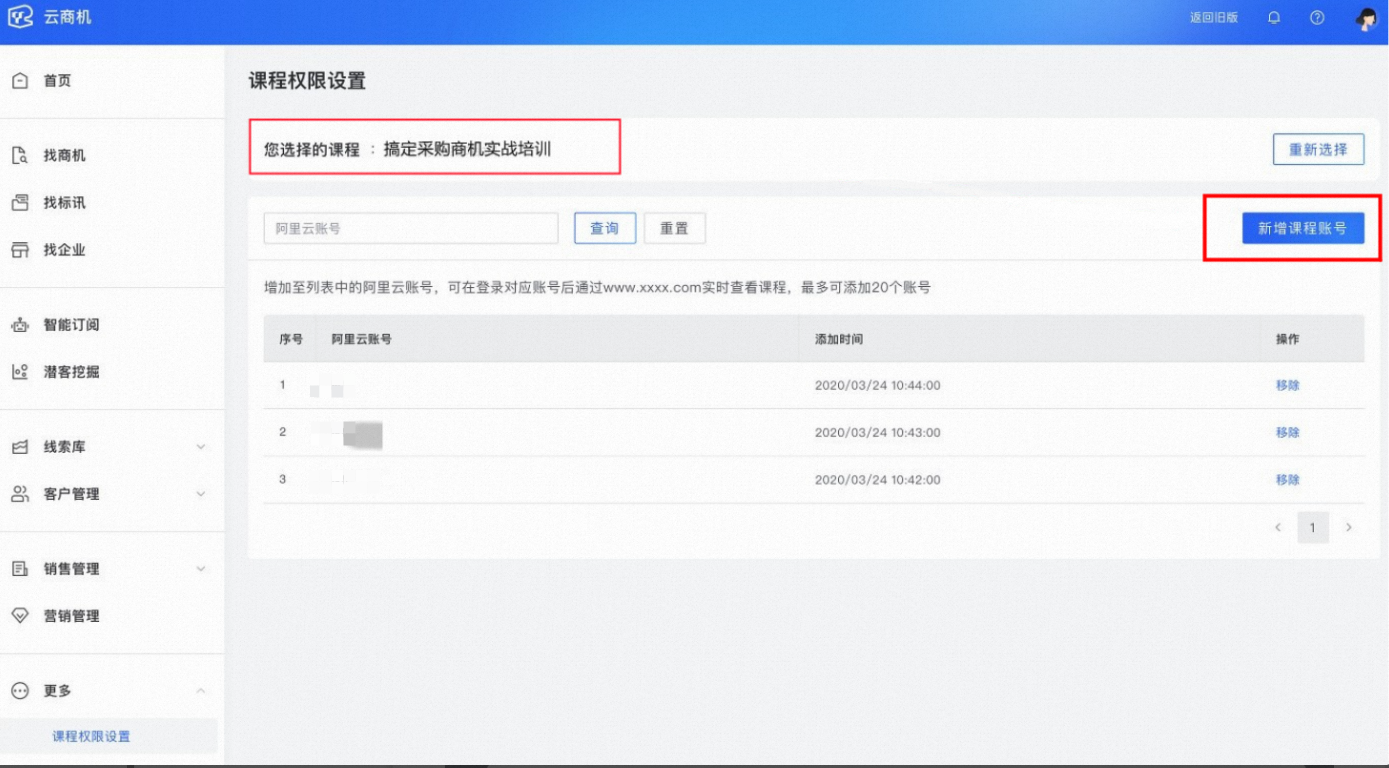
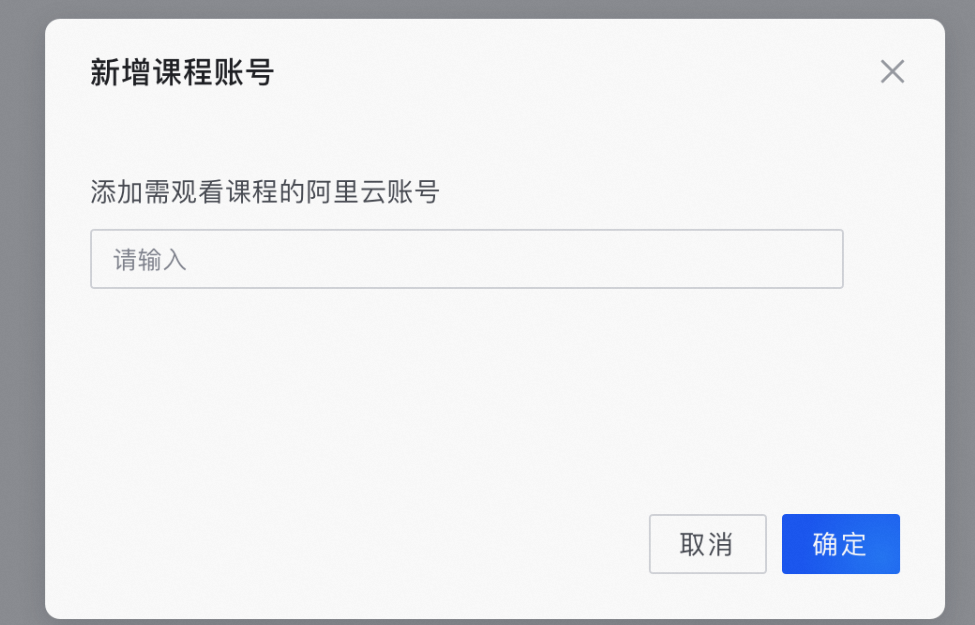
The number of students that can be added varies by course. Read the authorized user information on the purchase page, or see Billing and Renewal for Cloud Business Opportunities for more information.
The default online course administrator does not occupy a student slot.
Delete a student
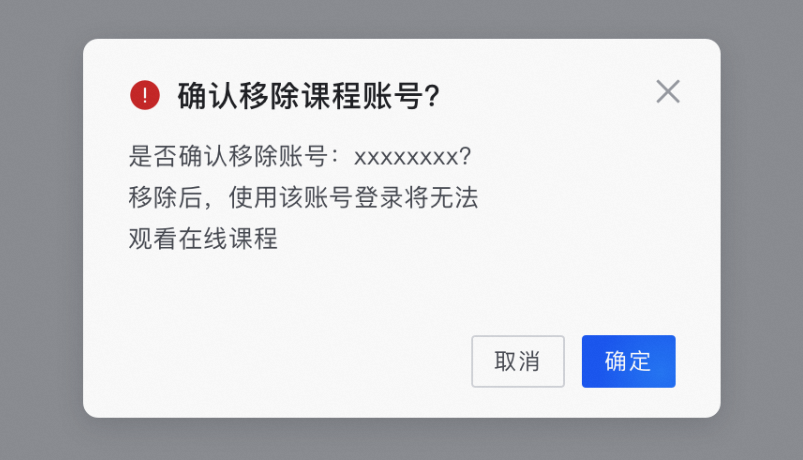
Go to the Cloud Business Opportunities workbench > More > Course Permission Settings page. Search for the student's UID or find the student in the list, and then click Remove.
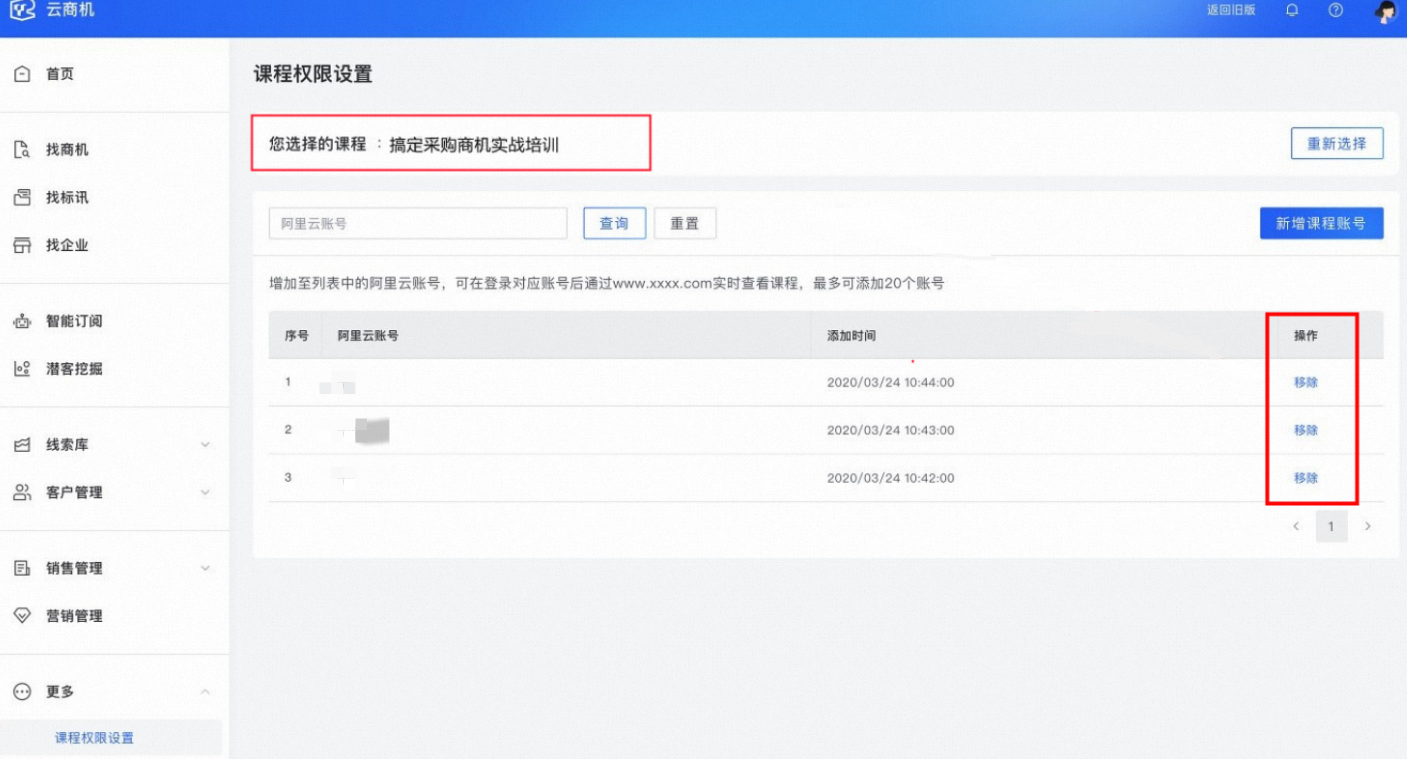
Click OK to confirm the deletion.
Notification Learning
Go to the Cloud Business Opportunities Workbench > More > Course Permission Settings page, select a course, and click Enter Course.
On the Course Permission Settings page, find the course access endpoint as shown in the figure below and forward it to students.