Solution to the VPC_GRANT_ACCESS_API_ERROR error during a data source connection test
This topic describes how to resolve the VPC_GRANT_ACCESS_API_ERROR error that occurs when you test the connection to an RDS data source in Dataphin.
Problem description
When you add an RDS data source, set the network type to VPC, and then click Test Connection, the connection test fails. The error message is Connection test failed. Please make sure that the connection information is correct. Error message: com.alibaba.dt.dataphin.console.common.exception.ConsoleException: VPC_GRANT_ACCESS_API_ERROR.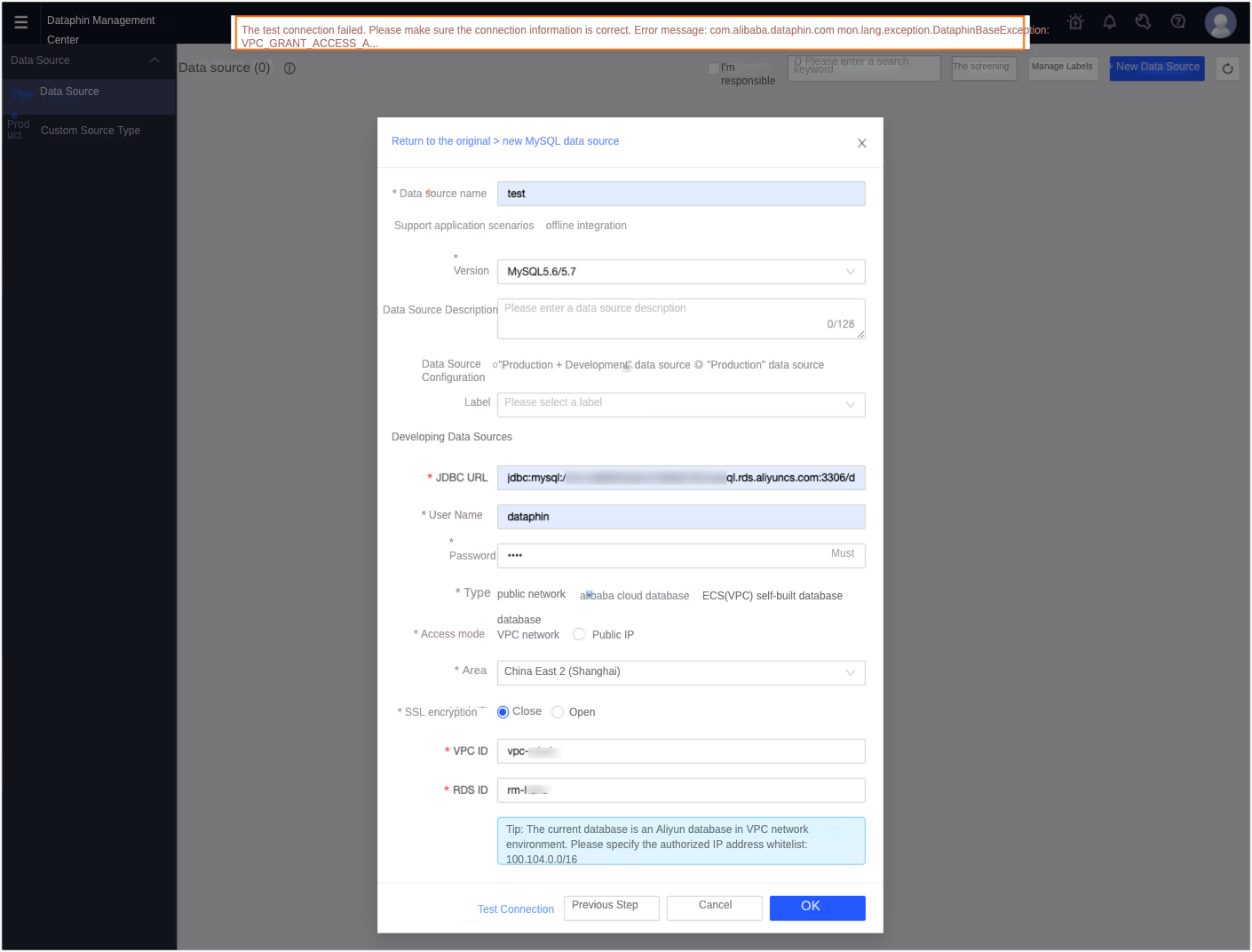
Cause
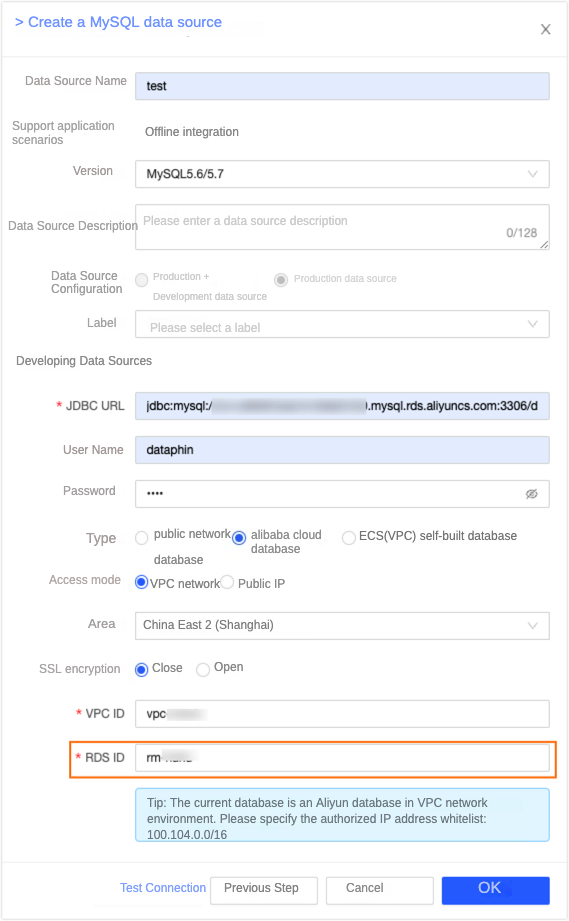
An RDS data source has two IDs: DBInstanceId and VpcCloudInstanceId. These values are usually the same, but they can differ for some databases. The RDS console displays the DBInstanceId. However, adding a reverse VPC connection for the data source requires the VpcCloudInstanceId. This discrepancy causes the connection test to fail.
Solution
Log on to the Alibaba Cloud Management Console.
Go to the OpenAPI Explorer page.
On the OpenAPI Explorer page, enter the instance ID of the RDS data source, and then click Send Request.
After debugging, go to the Debug Result tab to obtain the value of the VpcCloudInstanceId field.
In the new data source dialog box, change the RDS ID to the value of the VpcCloudInstanceId field that you obtained in the previous step.