Configure resources for Ververica Flink offline mode
This topic describes how to configure resources for Ververica Flink stream-batch unified jobs in real-time mode. You can configure settings such as the production environment, development resource cluster, engine version, degree of parallelism, number of TaskManagers, and memory for JobManagers and TaskManagers.
Procedure
Follow the instructions in Offline mode configuration entry point to navigate to the Offline Mode configuration page.
In the Resource Configuration section, configure the Resource Configuration parameters for offline mode.
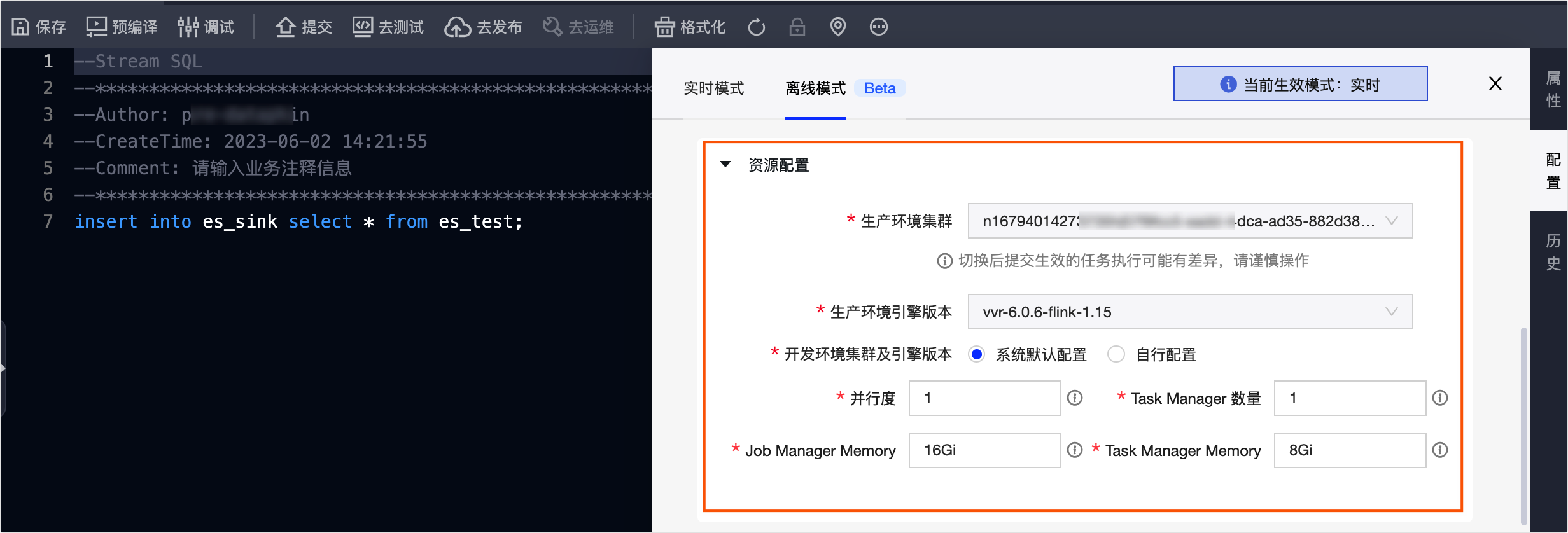
Parameter
Description
Production Environment Cluster
Defaults to the production environment cluster that you selected when you created the Flink SQL task. You can switch the cluster here.
ImportantTask execution may change after you switch the cluster and submit the task. Proceed with caution.
Production Environment Engine Version
Defaults to the production environment engine version that you selected when you created the Flink SQL task. You can switch the engine version here.
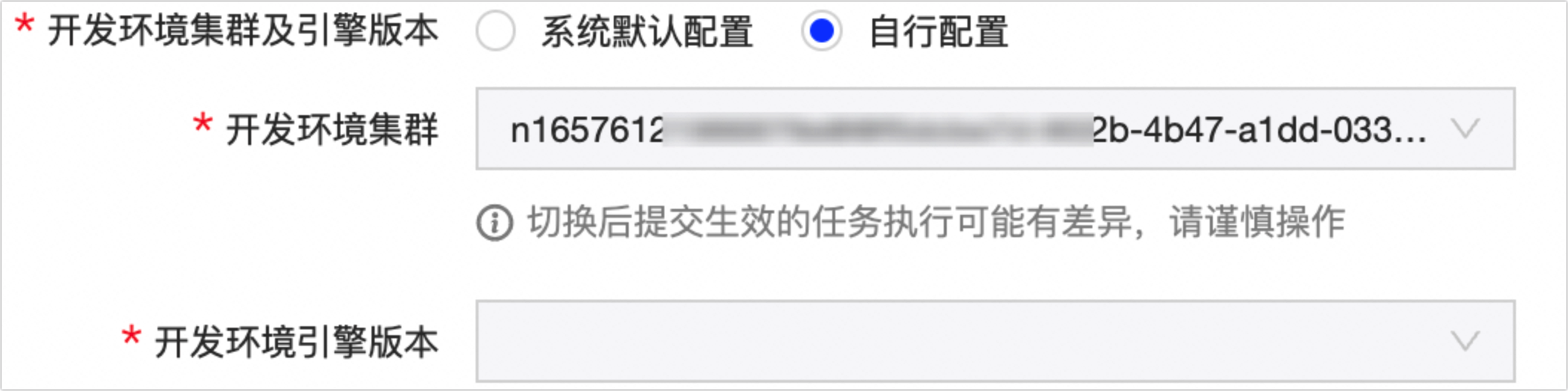
Development Environment Cluster and Engine Version
You can use the system default configuration or specify a custom configuration.
System Default Configuration: Selected by default. Uses the same cluster and engine version as the production environment.
Custom Configuration: Select the cluster and engine version for the task to run in the development environment.
 Note
NoteIf your project is in Basic mode, you do not need to set this configuration item.
Parallelism
The number of parallel instances for the task. The default value is 1. Enter an integer greater than 0. A value of -1 enables automatic inference.
Number of Task Managers
Defaults to the degree of parallelism. Enter an integer greater than 0.
Job Manager Memory
The amount of memory that the task's Job Manager uses in the Flink cluster. The default value is 1 Gi. Use Gi or Mi as the unit. You can enter a number in bytes or a number with a unit such as Gi or Mi.
Task Manager Memory
The amount of memory that the task uses on each Task Manager in the Flink cluster. The default value is 1 Gi. Use Gi or Mi as the unit. You can enter a number in bytes or a number with a unit such as Gi or Mi.
Click OK to complete the offline resource configuration for the job.