Standard checklist
The standard checklist presents effective data standard information and facilitates operations such as searching and adding to favorites, offering a streamlined data search experience. This topic outlines the process for accessing standard details.
Prerequisites
You must have purchased the data standard value-added service and activated the data standard module for the current tenant.
Standard checklist entry
Navigate to the Dataphin home page, click on the top menu bar Asset > Standard Checklist to open the standard checklist page.

View the standard checklist
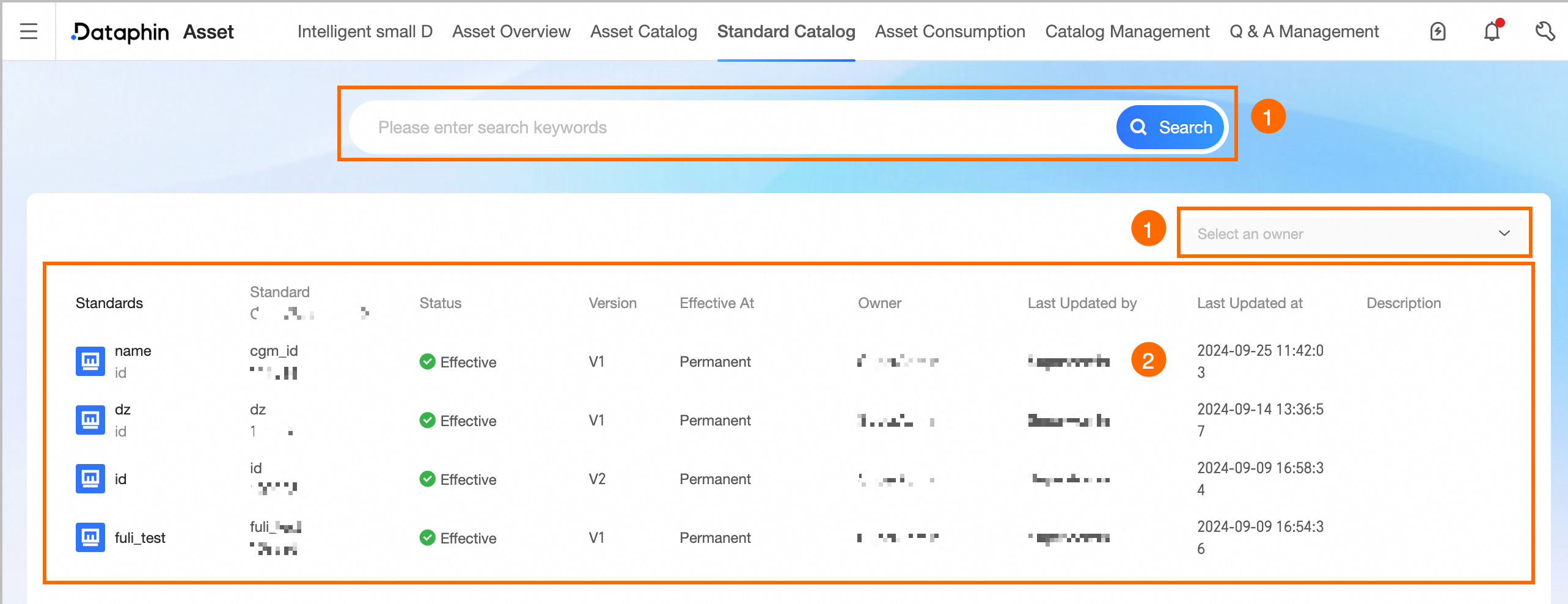
The checklist displays data standard information.
Area | Description |
①Search and Filter Area | Enables fuzzy searches by standard name or encoding, and filtering by owner. |
②Standard List | Shows the data standard's name, encoding, status, version, effective time, owner, recent updater, update time, and description. View Standard Details: To view detailed information about a standard, click on its name. For more information, see or the standard details. |
Standard details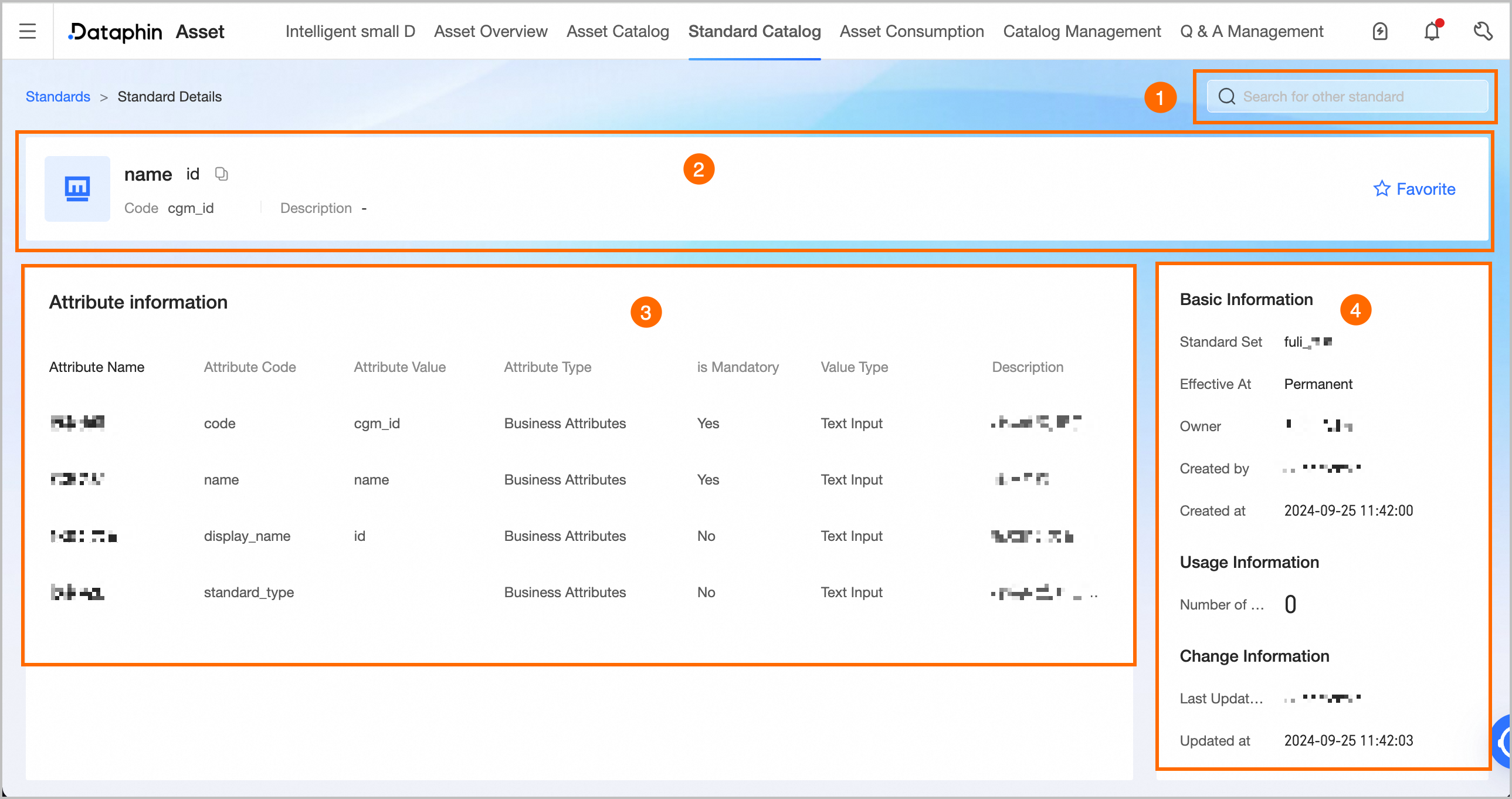
Number | Description |
①Search Area | Facilitates quick searches for other data standards. Select a standard to view, and the system will redirect to that standard's product page. |
②Summary Information | Shows the standard's name, encoding, and description. Favorite: Click to add an item to your favorites or to remove it. Once an item is favorited, it can be easily accessed in the personal data center for future reference. For more information, see how to view and manage favorited assets. |
③Asset Details | Details the standard's attributes, including name, English name, value, type, requirement status, value type, and a description. |
④Asset Information | Shows the Basic Information, Usage Information, and Change Information of the standard.
|