File name specification management
This topic outlines the process for managing file name specifications for uploads to Dataphin, ensuring adherence to standardized naming conventions.
Permission description
Superusers, system administrators, and users with custom global roles that include file name specification management permissions are authorized to define file name specifications.
Usage description
Files imported for cross-tenant publication and Flink computing source configuration files must conform to predetermined file name standards. File uploads are restricted when file name specifications are active.
Configure file name specifications
Navigate to the Dataphin home page, single click the top menu bar Management Center -> Specification Settings.
From the left-side navigation pane, single click File Name Specification to access the File Name Specification page and establish file name rules.
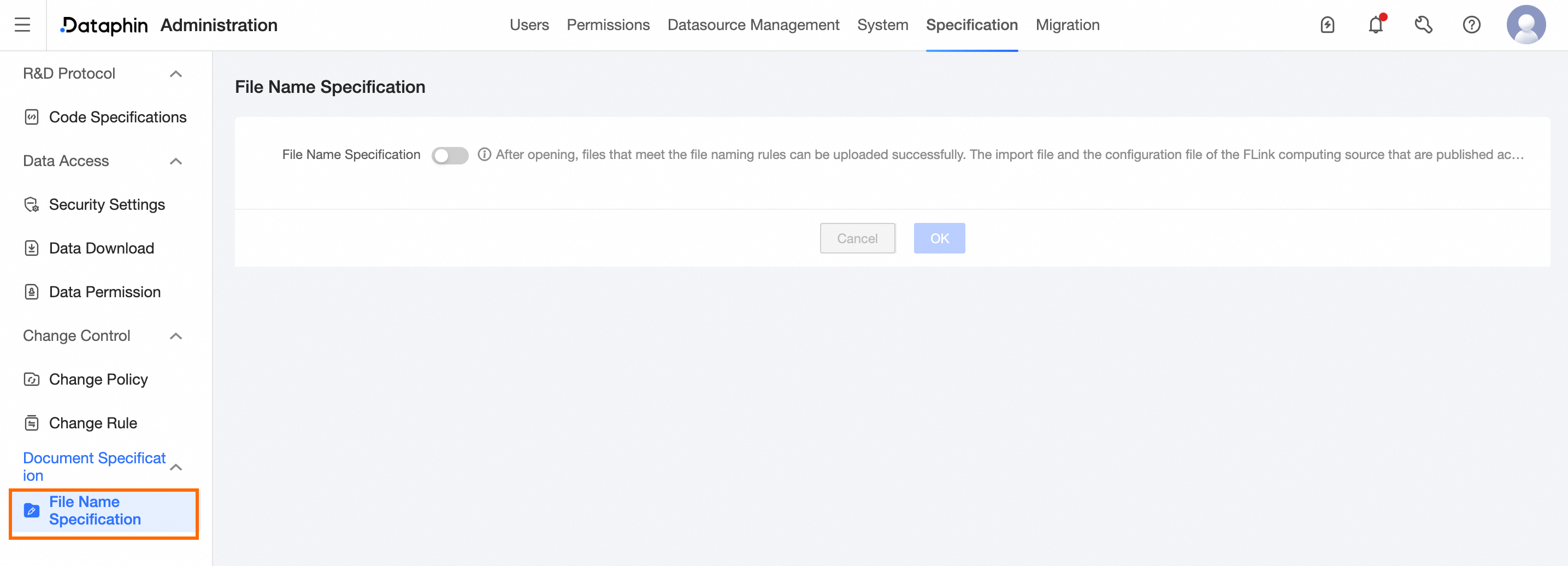
File Name Specification: Enable this feature to ensure all files uploaded meet the specified file name prefix and suffix requirements for successful upload. When disabled, uploaded files to Dataphin are not subject to name constraints.
File Name Prefix: Configure this setting when file name specification is enabled. Define the file name prefix, which must not exceed 256 characters, cannot be solely spaces, and must not include half-width single quotes (''). A maximum of 20 file name prefixes can be configured, for example, 'ads_'.
File Name Suffix: This setting is configurable when file name specification is enabled. Enter the file name suffix, adhering to the same character constraints as the prefix, and set up to 20 file name suffixes. For instance: '_dd'.
NoteAbsent configuration rules for the file name prefix or suffix, there are no restrictions on the prefixes or suffixes of file names uploaded to Dataphin.
Note that the file name suffix does not encompass the file extension.
To finalize the file name specification settings, single click OK.