Tag resource permission management
This topic describes how to grant and revoke permissions for tag resources.
Prerequisites
Before you grant or revoke permissions for tag resources, you must first create them. For more information, see or Tag Factory Overview.
The tag resource permissions page
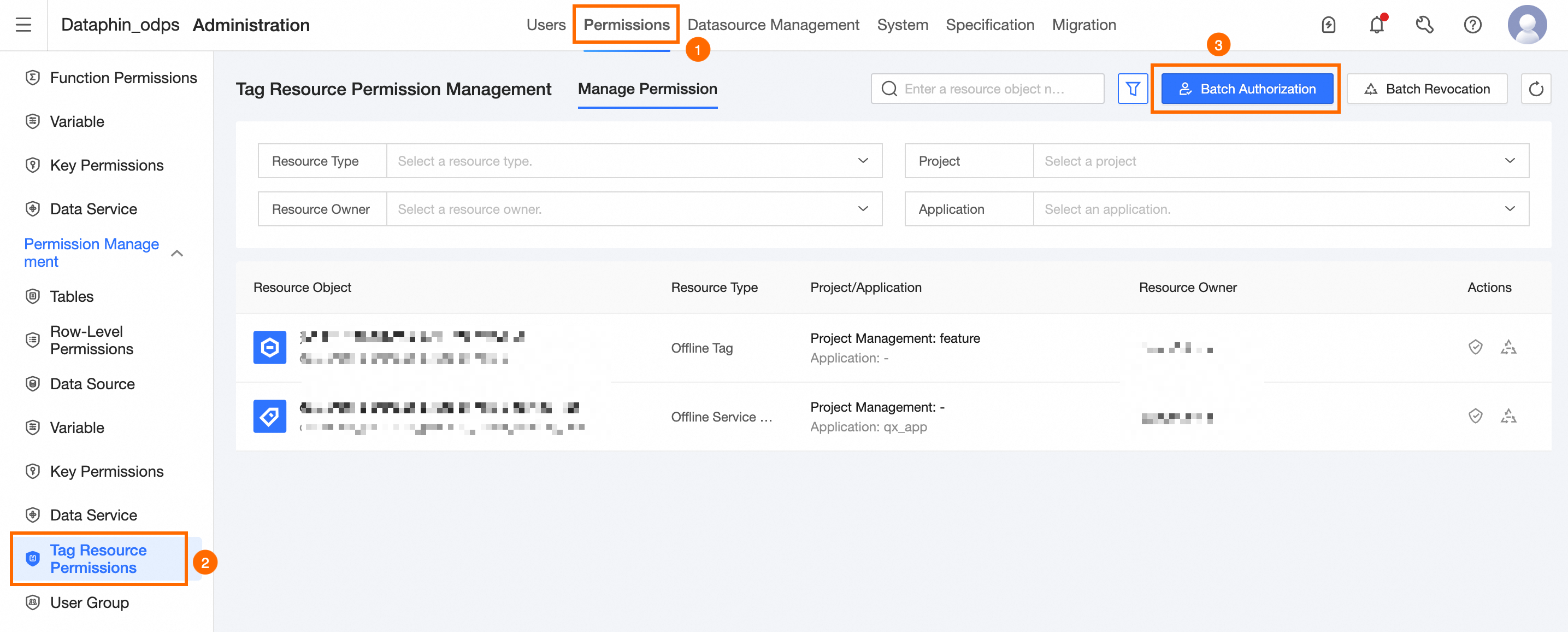
The tag resource permissions page consists of a search and filter area, a batch operations area, and a tag resource permissions list. On this page, you can manage permissions for resources created on the tag platform.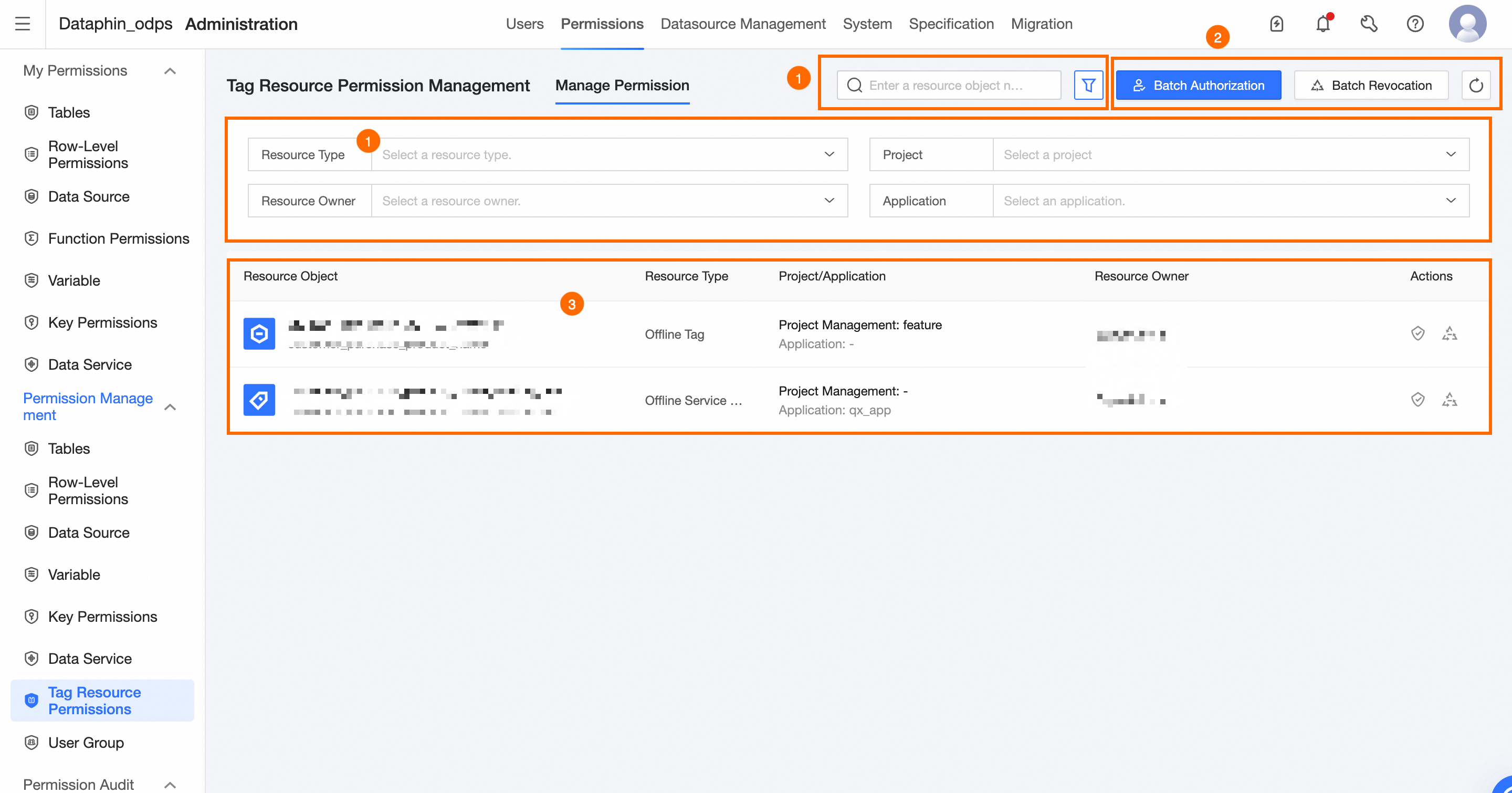
Area | Description |
① Filter and search area | Filter resource objects by name. Click
|
② Batch operations area | Supports batch granting and revoking of tag resource permissions. Batch Grant Resources: Grant permissions for tag resources in batches. For more information, see Grant tag permissions in batches. Batch Revoke Resources: Revoke permissions for tag resources in batches. For more information, see Revoke tag resource permissions in batches. |
③ Tag resource permissions list | The tag resource permissions page lists the resource objects created in the tag platform. The list includes the object name, resource type, project/application, resource owner, and supported operations. The supported management operations for resource objects are as follows:
|
 to expand the filter area. The filter options include the following:
Grant tag resource permissions
On the Dataphin home page, click Management Center on the top menu bar.
As shown in the figure, open the Tag Authorization dialog box.
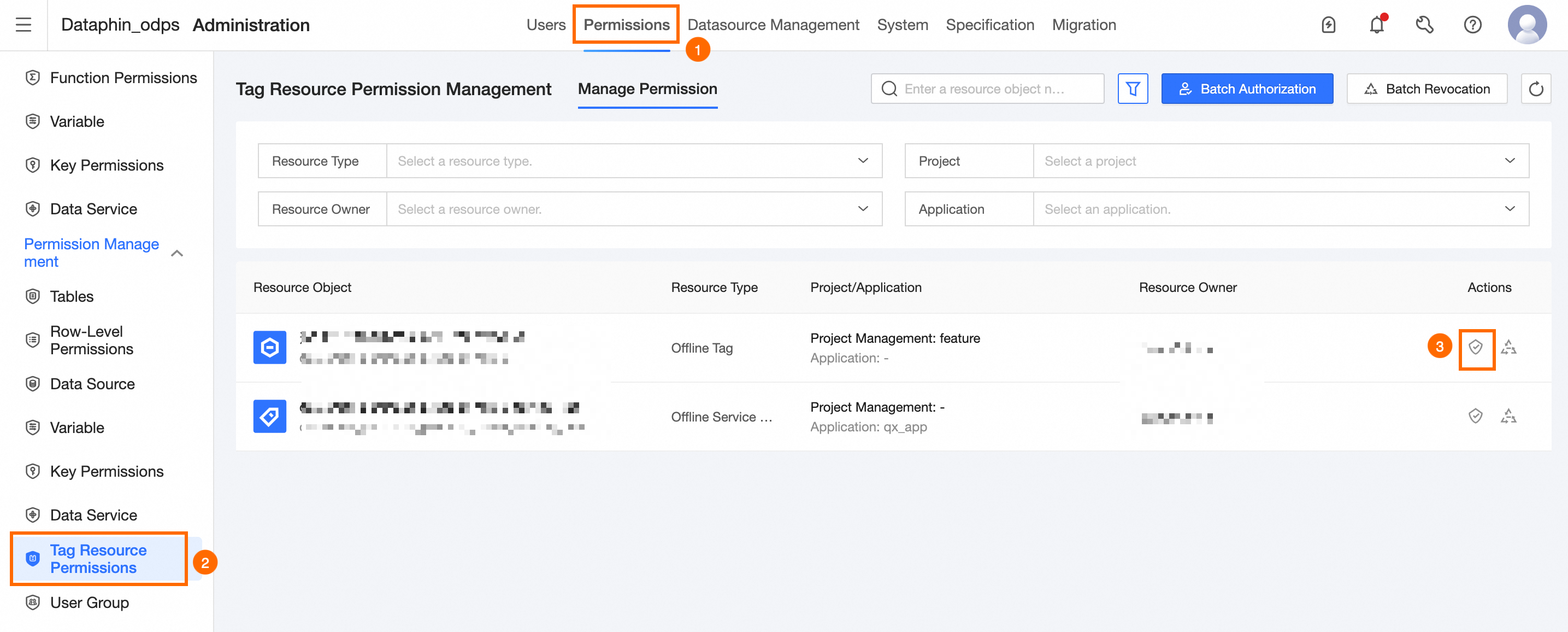
Configure the parameters in the Tag Authorization dialog box.
Parameter
Description
Authorized User
Grant permissions on the current resource object to a User Account.
Expiration Date
Set an expiration date for the permissions granted to the user on the selected resource object.
Permission Type
Select a permission type for the resource. Options include Delete, Edit, and O&M.
Reason for Grant
Enter the reason for granting the permissions. This is used for approval.
Click OK to grant the permissions to the resource object with the tag.
Revoke tag resource permissions
To open the Data Module Revocation dialog box, follow the instructions in the figure.
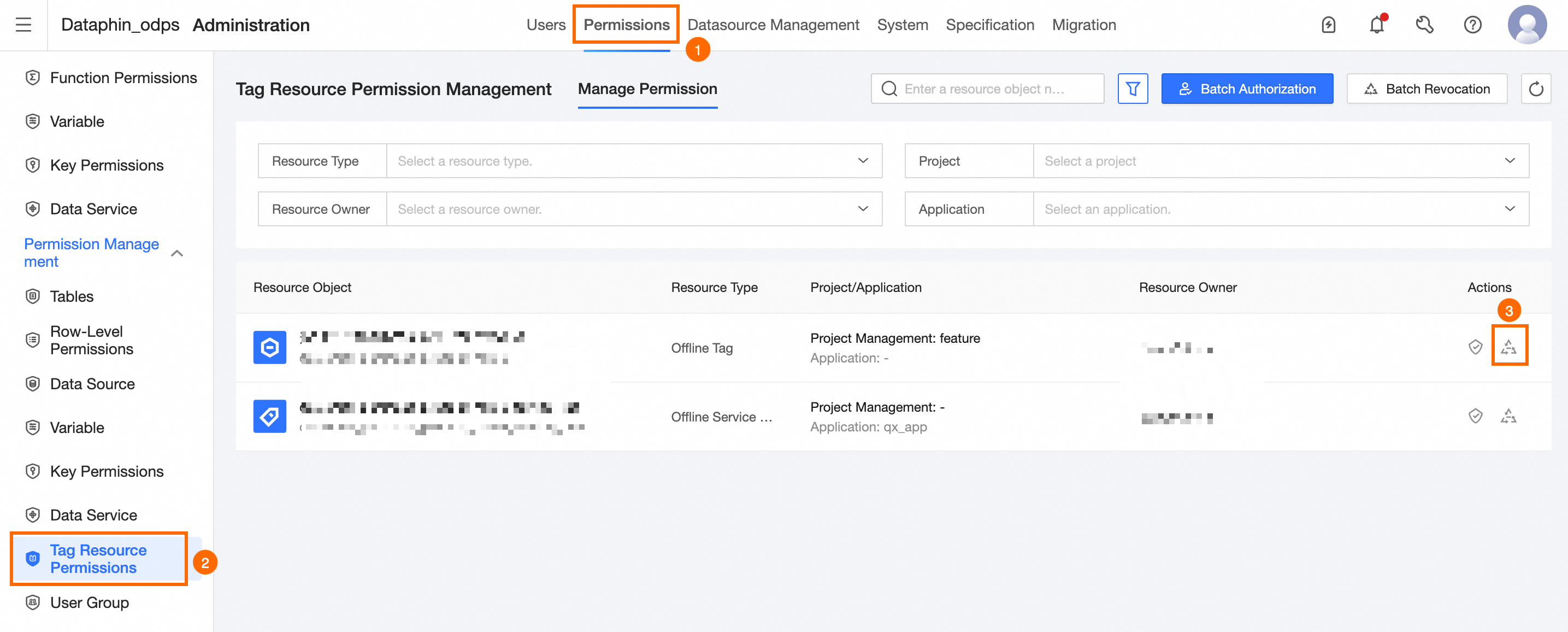
In the Permission Revocation dialog box, you can configure the parameters.
Parameter
Description
Account to Revoke
Select the user whose tag resource permissions you want to revoke.
Permission Type
Select the permission type to revoke. Options include O&M, Edit, and O&M.
Reason for Revocation
Enter the reason for revoking the tag resource permissions.
Click OK to revoke the permissions on the tagged resource object.
Grant tag permissions in batches
On the Dataphin home page, click Management Center on the top menu bar.
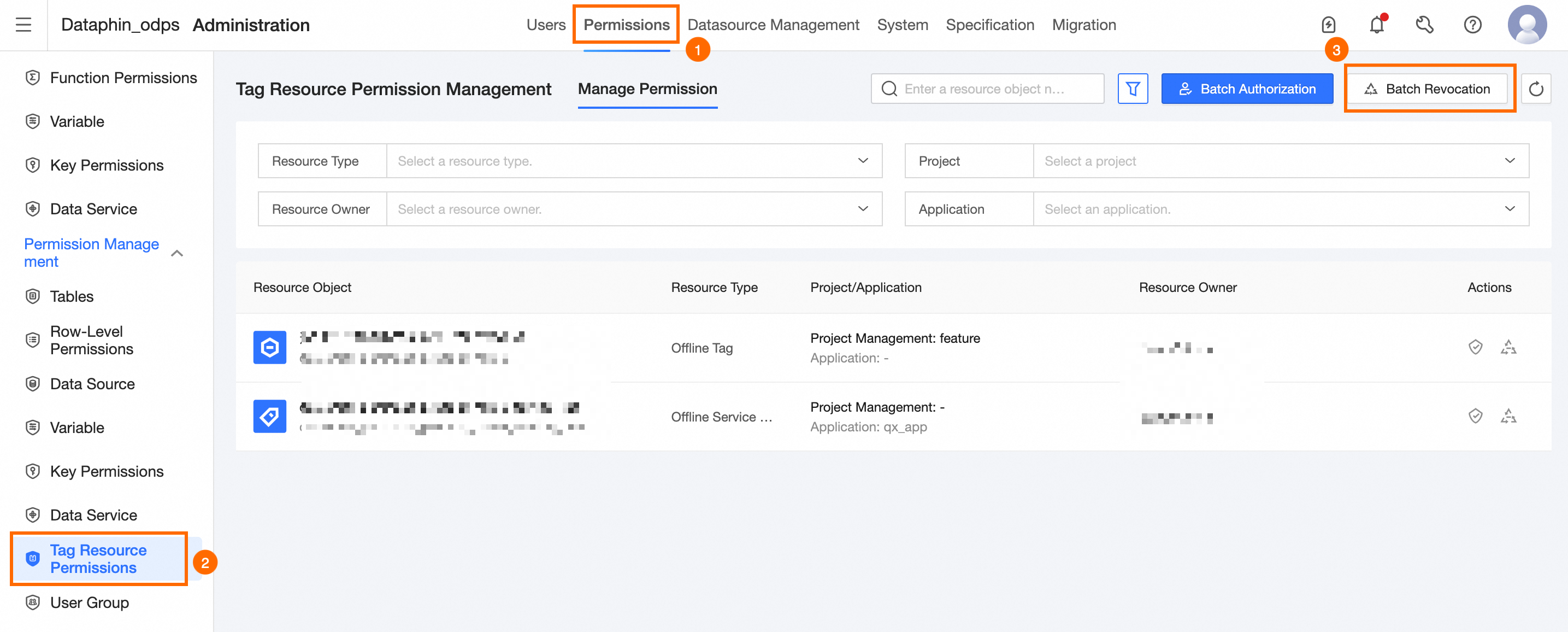
Follow the steps shown in the figure to open the Batch Grant dialog box.
Configure the parameters in the Batch Grant dialog box.
Parameter
Description
Resource Type
Select the type of resource to grant permissions for. Options include Offline Tag, Offline Service Node, Event, Realtime Tag, and Group.
Resource Name
Select the name of the resource to grant permissions for.
Authorized User
Select the user (personal account) to grant permissions to and the expiration date.
Permission Type
Select the permission type to grant for the tag resource. Options include O&M, Edit, and O&M.
Reason for Grant
Enter the reason for granting permissions to the tag resource object.
Click OK to complete batch-granting permissions to the tagged resource objects.
Revoke tag resource permissions in batches
Follow the steps shown in the figure to open the Batch Revoke dialog box.

Configure the parameters in the Batch Revoke dialog box.
Parameter
Description
Account to Revoke
Select the account whose tag resource permissions you want to revoke.
Resource Type
Select the type of resource to revoke permissions for. Options include Offline Tag, Offline Service Node, Event, Realtime Tag, and Group.
Resource Name
Select the name of the resource to revoke permissions for.
Permission Type
Select the permission type to revoke for the tag resource. Options include O&M, Edit, and O&M.
Reason for Revocation
Enter the reason for revoking the tag resource permissions.
Click OK to revoke permissions from the resource objects in a batch.