Offline mode operation configuration
Configure task-level operation timeouts and rerun policies for real-time tasks in offline mode to prevent resource waste from prolonged task execution and enhance task reliability. This topic outlines the steps to configure operation settings in real-time mode.
Procedure
From the Dataphin home page, single click the top menu bar Development. You will be directed to the data Development page by default.
To access the configuration page for the Offline Mode of real-time tasks, follow these steps:
Single click Development -> Project (Dev-Prod mode requires environment selection) -> Single click Computing task -> Select the real-time task that needs operation configuration -> Single click Configuration -> Single click Offline Mode.
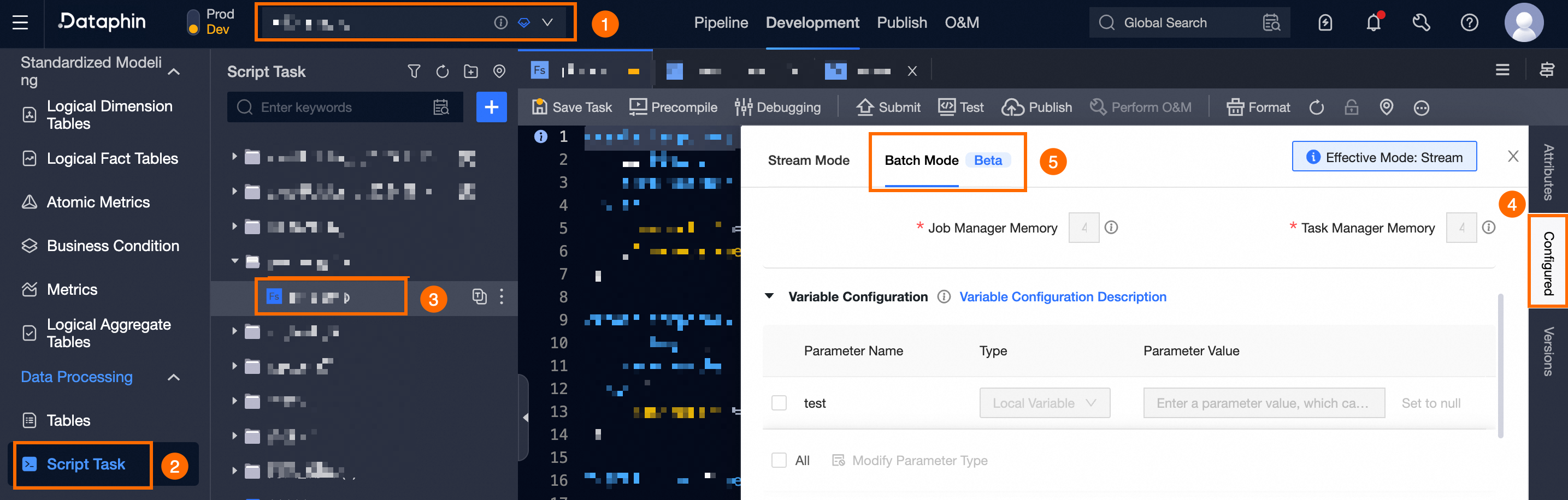
In the task Configuration drawer dialog box, within the Operation Configuration area, set the operation parameters for the task.
Parameter
Description
Operation timeout
Operations exceeding the set duration threshold will be automatically terminated and marked as failed.
System Configuration: By default, the selection is set to system configuration, which utilizes the auto triggered node parameter from the tenant-level operation settings within the system's operation and maintenance module. For more information, see global configuration.
Customize: Accepts numerical input ranging from 0 to 168, with up to 2 decimal places.
Automatic rerun on failure
In the event of a task instance or data backfill instance failure, it will automatically rerun as per the configuration.
Default option: By default, the system uses the automatic rerun on failure setting from the tenant-level operation configurations within the system's operation and maintenance module. For more information, see: operation configuration.
Customize: Allows for an integer input of 0 to 10 reruns and a rerun interval of 1 to 60 minutes.
Single click Confirm to finalize the offline mode operation configuration for the real-time task.