Projects
A project is the basic organizational unit in Dataphin. It is the primary border for multi-user fencing and access control.
Function overview
Dataphin supports two types of projects: general projects and tag projects.
General projects: Used to create and manage nodes for data integration and Data Studio. You can create general projects to organize data development by business realm for efficient management and collaboration.
Tag projects: Used to create and manage data tags. You can create tag projects to organize tag development by business realm.
Project Management Entry Point
On the Dataphin home page, click Planning in the top menu bar.
On the Data Warehouse Plan page, click Project Management in the navigation pane on the left to open the project management page.
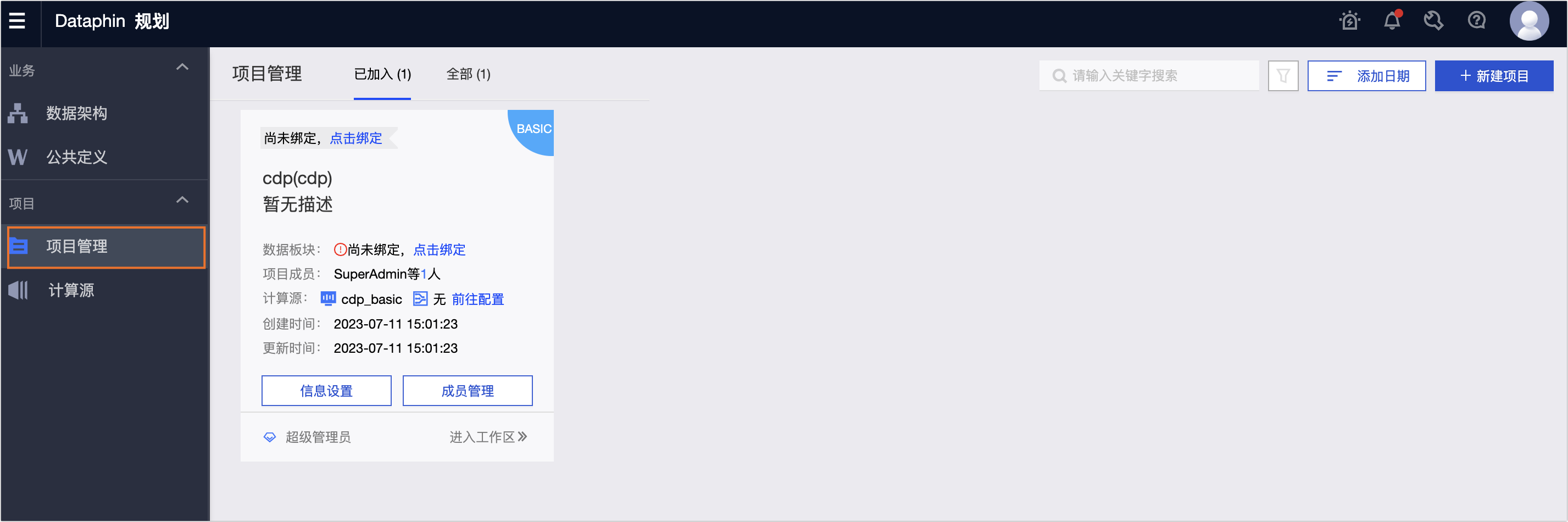
Project management page
The project management page consists of a filter area, a list of project cards, and a batch operations area. On this page, you can create new projects or manage existing ones.
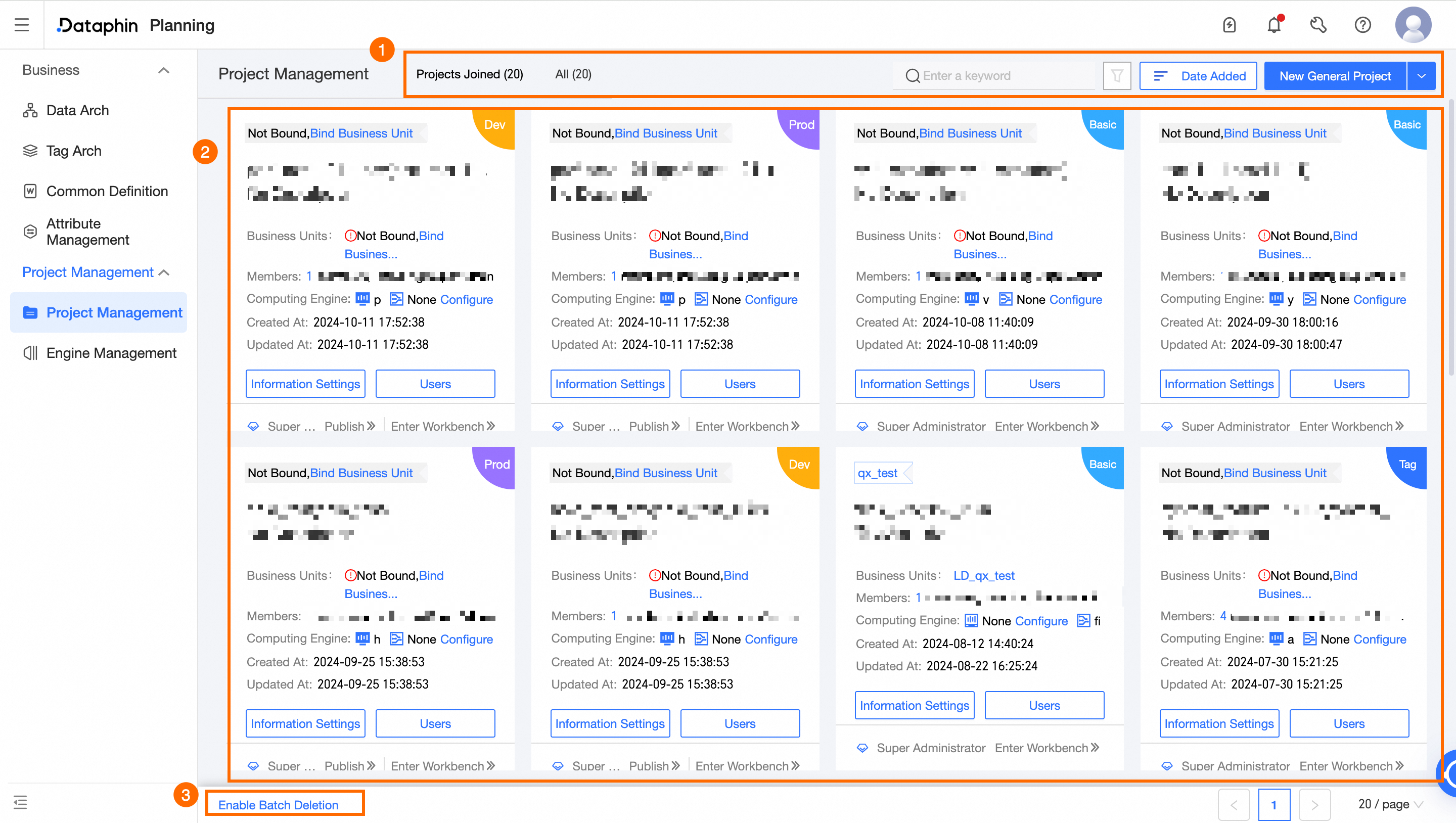
Parameter | Description |
① Filter area |
|
② Project card list | On a project card, view project information and perform management operations. These operations include attaching data blocks, configuring project compute sources, configuring project information, and managing project members. Click Enter Workspace to quickly go to the Data Studio workbench for the current project. |
③ Batch Operations | Delete multiple projects at once. Note A project or its paired project cannot be deleted if it contains objects. |
 to filter by data block and project type.
 to sort projects by creation date, name, or English name.