Run a one-time synchronization task
Updated at:
This topic describes how to run a one-time synchronization task.
Prerequisites
- A one-time synchronization task is created. For more information, see Create a synchronization task.
- The one-time synchronization task is configured. For more information, see Configure a synchronization task.
Background information
Take note of the following items in relation to running a synchronization task:- You do not need to run a recurring task. Dataphin automatically runs a recurring task based on the scheduling policy configured for the task.
- A one-time task must be manually triggered to run.
Procedure
- Log on to the Dataphin console.
- In the Dataphin console, select the region in which your project resides and click Enter Dataphin.
- On the Dataphin Homepage, click R&D in the top navigation bar.
- On the Develop page, click Schedule in the top navigation bar.
- On the Schedule page, follow the instructions in the following figure to go to the One-time Task O&M page.
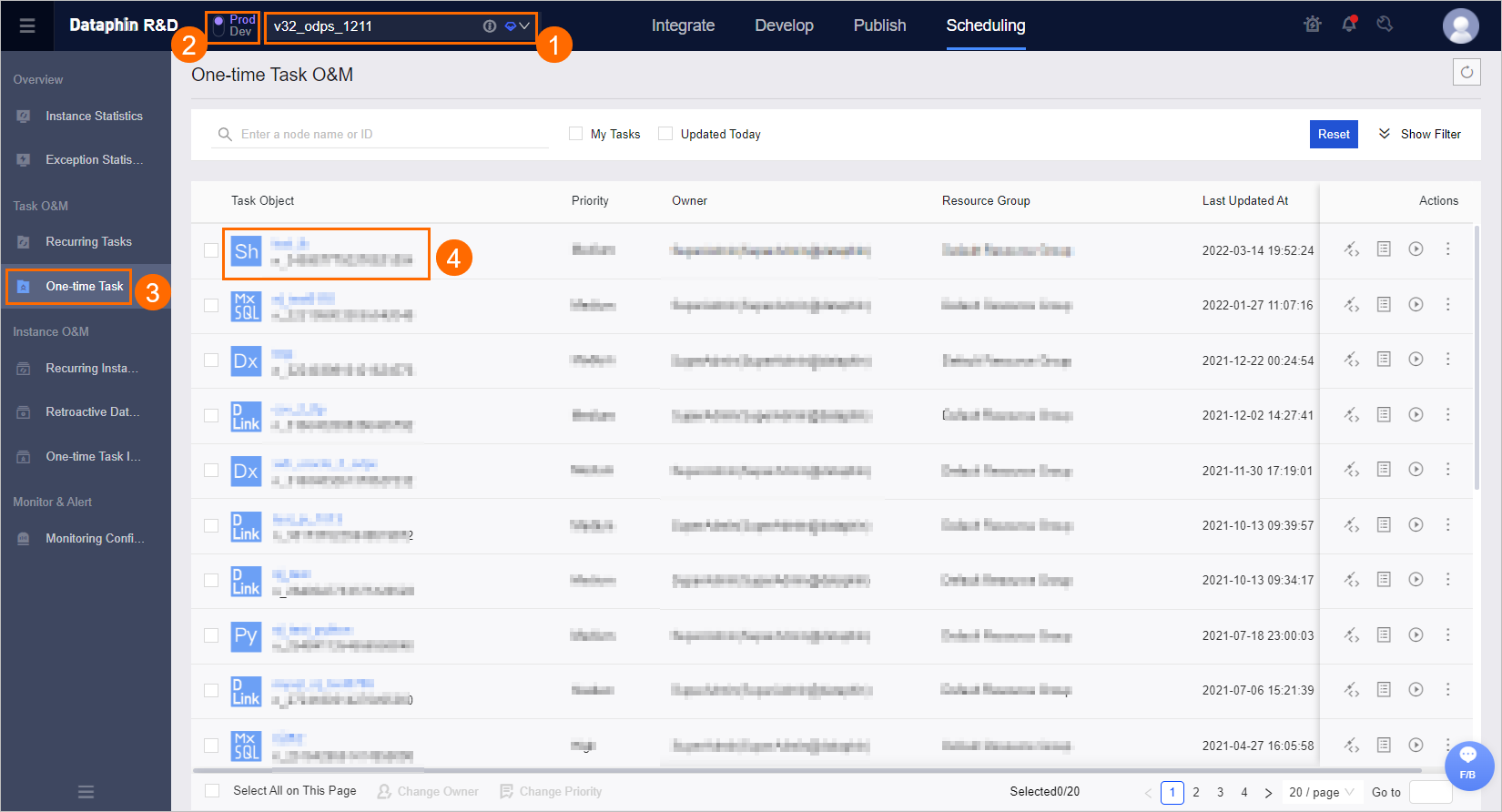
- On the One-time Task O&M page, find the task that you want to run and click the Run icon in the Actions column.
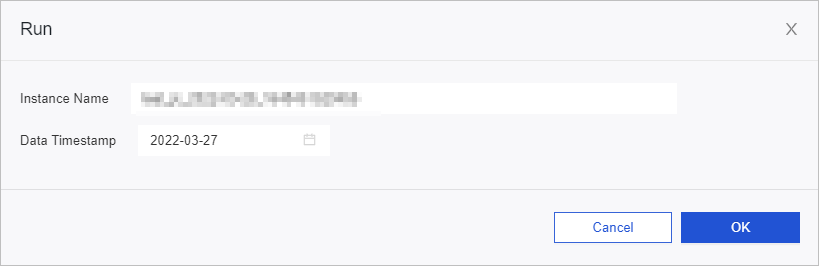
- In the Run dialog box, modify the Instance Name and Data Timestamp parameters based on your business needs. The value of the Data Timestamp parameter is the day before the current date by default.
- Click OK.
Is this page helpful?