Configure and change owner of functionality permissions
Configure the functionality permissions you own or transfer their ownership to another user.
Configure functionality permissions
-
On the Dataphin home page, click Management Center in the top menu bar.
-
Follow the instructions in the figure below to open the Functionality Permissions Configuration dialog box.
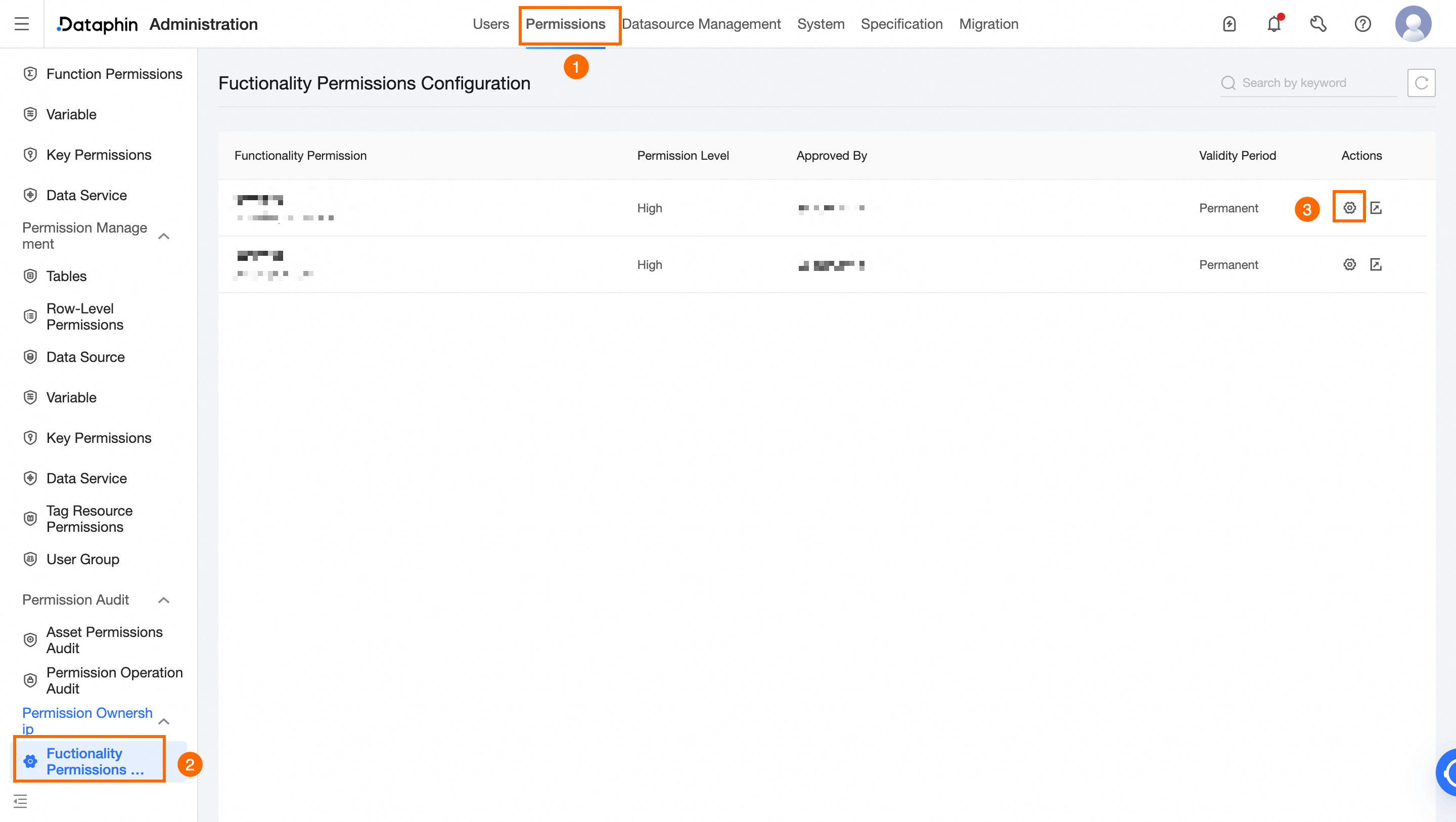
-
In the Functionality Permissions Configuration dialog box, configure the Approval User and Maximum Grant parameters.
Parameter
Description
Approval User
Select an active user under this tenant.
Maximum Grant
Supported values: 30 Days, 90 Days, 180 Days, Long-term, or a custom duration.
-
To finalize the configuration, click OK.
Change owner of functionality permissions
-
Follow the instructions in the figure below to open the Functionality Permissions Configuration dialog box.
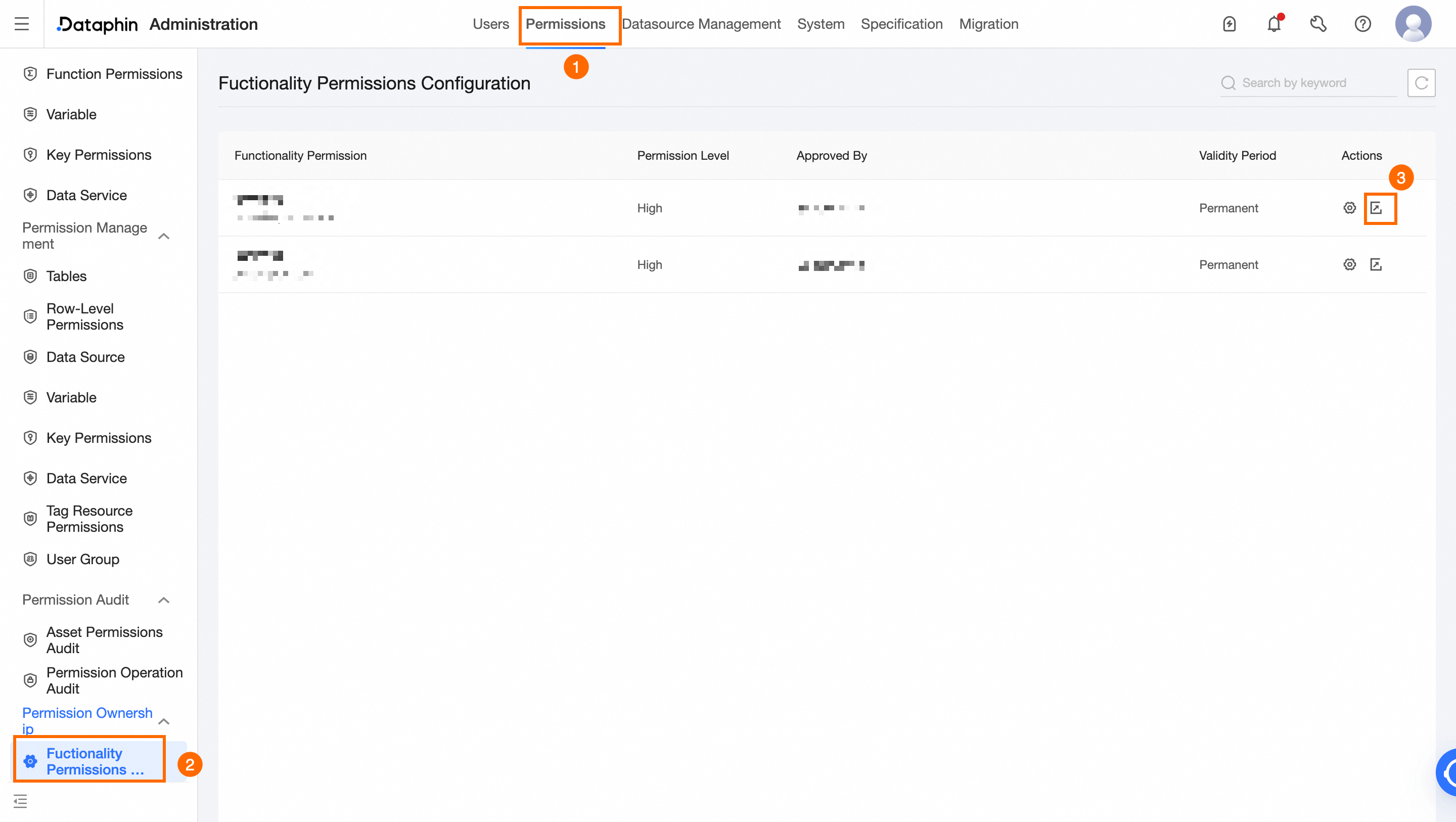
-
In the Feature Permission Change Owner dialog box, select the new owner for the Change Owner field.
-
Click OK to complete the ownership transfer.