Manage scheduling clusters
Dataphin lets you connect to different scheduling clusters and centrally manage all their schedulable resources. This enables each tenant to use resources from various clusters to create custom resource groups to address issues like cross-region data transfer and resource isolation.
Background information

In Dataphin, each tenant has a default scheduling cluster, which is the Dataphin cluster. You can also register custom clusters for task scheduling under a Metastore tenant and specify which tenants can use them. This feature effectively addresses challenges of transmitting data over a public network, such as low security, high bandwidth costs, and low transfer efficiency.
For example, assume Dataphin is deployed in an on-premises data center, and you need to integrate data from a cloud database A to another cloud database B located in the same region. First, create a Kubernetes (K8s) cluster on the cloud by using a container management service and specify the machines for Dataphin tasks. Then, register this cluster in Dataphin and create a corresponding custom resource group. When you create an integration task, you can assign it to the custom resource group on the cluster. This ensures that data transfer occurs within the same region without data exchange with the Dataphin cluster.
Limitations
Currently, the scheduling cluster management feature is available only for deployments based on the latest architecture. For more information, contact the product O&M team.
You can register a maximum of 5 clusters in addition to the default cluster (Dataphin cluster).
Permissions
Only global roles under a Metastore tenant with the Manage Resource Configuration permission can manage scheduling clusters. Global roles with the View System Settings permission can view system settings.
Manage scheduling clusters
In the top menu bar of the Dataphin homepage, choose Management Center > System Settings.
In the left-side navigation pane, choose Tenant Settings > Resource settings.
On the Resource settings page, click the Scheduling cluster management tab. By default, the scheduling cluster list displays the clusters available to the current tenant, which includes the default cluster.
The scheduling cluster list displays basic information about the clusters, including Scheduling cluster name/ID, Owner, Total resources, Status, Description, Associated tenants, Last Update, and the available management operations.
Total resources: The total resources of the cluster, not the amount available to the current tenant.
Status: The status of a scheduling cluster can be Waiting for resource report, Waiting timeout, Normal, or Abnormal. For more information, see Scheduling cluster status.
(Optional) You can filter scheduling clusters by entering a cluster name, or by selecting an owner or status.
Manage a scheduling cluster from the list.
NoteThe default scheduling cluster is a system cluster and is view-only.
Actions
Description
Edit
Click the
 icon in the Actions column of the target scheduling cluster. In the Edit scheduling cluster basic information dialog box, modify the Cluster basic information, Metric collection configuration, and Real-time task O&M information of the cluster. For parameter descriptions, see Edit a registered scheduling cluster.
Cluster Connection Configuration Guide
Click the
 icon in the Actions column of the target scheduling cluster. In the Cluster connection configuration guide dialog box, view instructions on how to configure the connection and authorization for a custom cluster. Only successfully connected clusters can be used to create custom resource groups. For more information, see Configure a cluster connection.
Delete
Click the
 icon in the Actions column to delete a scheduling cluster that has no associated custom resource groups.Important
After a cluster is deleted, the agent application deployed on it stops running and cannot be restored. We recommend that you contact the cluster owner to delete the corresponding container (Pod). Use the
sh uninstall.shcommand to delete the container.
Edit a registered scheduling cluster
Parameter | Description | |
Cluster basic information | Cluster name, Owner, Description, Associated tenants | The parameters are the same as those for creating a cluster. For more information, see Register a scheduling cluster. |
Workflow temporary storage | Storage type | Currently, only OSS is supported. |
Endpoint, Bucket, CName, Directory, AccessKey ID, AccessKey Secret | The parameters are the same as those for an OSS data source. For more information, see Create an OSS data source. Note You must configure workflow temporary storage only after you enable the unstructured data processing module. | |
Metric collection configuration | Metric collection | This feature collects cluster metric information through the Prometheus HTTP API. It is disabled by default. Enable this feature to view the resource consumption trend of the cluster on the O&M > Scheduling resource dashboard page. |
Cluster type | You can select Alibaba Cloud ACK or Other. | |
Prometheus HTTP API | The Prometheus HTTP API endpoint. | |
Authentication method | If you set Cluster type to Alibaba Cloud ACK, you can select No authentication, token authentication, or AccessKey authentication. If you set Cluster type to Other, you can select No authentication or token authentication. If you select token authentication, you must also enter a token. If you select AccessKey authentication, you must also enter an AccessKey ID and an AccessKey Secret. | |
Real-time task O&M | Real-time task | This feature is disabled by default. If you enable it, the current cluster is used to run real-time tasks in Flink on Kubernetes deployment mode. |
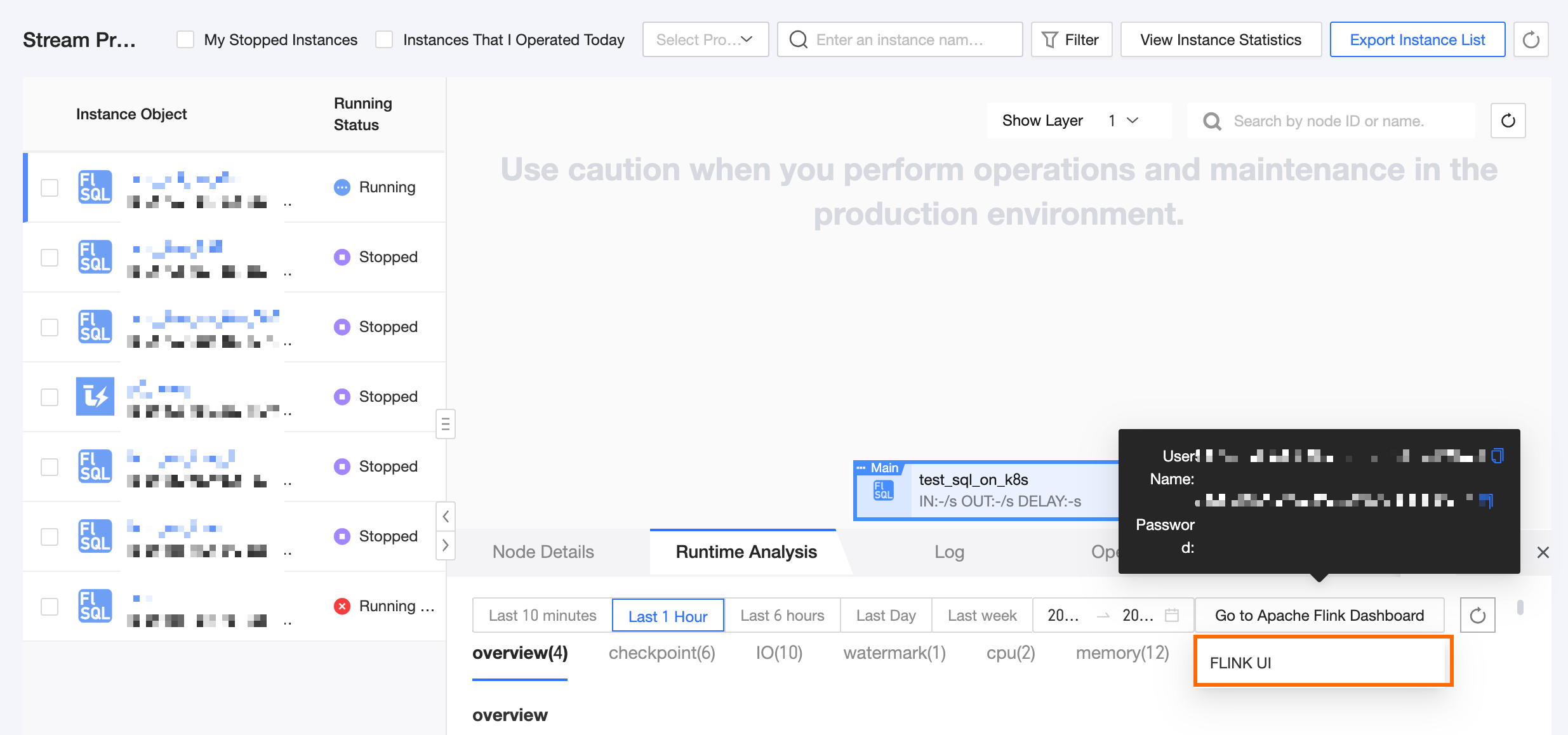
Flink O&M domain | Enter the domain name used to access the cluster. This domain points to the web UI for Flink on Kubernetes real-time tasks on the registered scheduling cluster. It appears as the Flink UI address in Real-time instance run analysis. | |
Access protocol | You can select HTTPS or HTTP. HTTPS is selected by default. | |
Port | Enter a port number. The value must be in the range of 0 to 65535. If you select HTTPS, the default port is 443. If you select HTTP, the default port is 80. | |
kubeconfig | The The user configured in the | |
Running namespace | The namespace where real-time tasks run. Ensure the specified namespace exists in the Kubernetes cluster. | |
 If you leave this field empty, the default value
 Scheduling cluster status
The status of a scheduling cluster can be Waiting for resource report, Waiting timeout, Normal, or Abnormal. The following table describes these statuses.
Only clusters with a Normal status can be used to create custom resource groups. If a cluster that already has custom resource groups changes its status to Abnormal, custom resource groups on that cluster also become unavailable.
Status | Description |
Waiting for resource report | This status indicates that the cluster registration is incomplete, either because the connection is not fully configured or Dataphin has not yet received resource information from the cluster. For more information, see Configure a cluster connection. |
Waiting timeout | If Dataphin does not receive resource information from a registered cluster for more than 2 hours, the cluster enters this status. In this case, contact the cluster owner to confirm if the agent application has been deployed or if the cluster has available machines. |
Normal | The cluster has been successfully registered and connected. Dataphin is consistently receiving resource information from the cluster, and the cluster can be used. |
Abnormal | If a previously Normal cluster stops reporting information for a certain period, its status changes to Abnormal. Check if the cluster's agent application is running correctly or contact the cluster owner to check if the target cluster has available machines. |