Tag Factory overview
Tag Factory is a one-stop platform for data research and development (R&D) teams and developers. It provides an end-to-end process for creating and serving tags. Tag Factory supports various scenarios, such as risk control and marketing. You can use it to develop, manage, explore, and serve offline, real-time, and service tags. This process empowers your business applications and helps you build a library of tag assets. Tag Factory makes tags efficient, discoverable, usable, and manageable.
A 5-minute introduction
Prerequisites
You have purchased the Tag Factory value-added service and enabled the Tag Factory module for the current tenant.
Limits
Tag Factory supports the following offline compute engines: MaxCompute, CDH 6.x Hadoop, CDH 5.x Hadoop, FusionInsight 8.x Hadoop, TDH 6.x, ArgoDB, and Cloudera Data Platform 7.x.
If you use CDH 6.x Hadoop, CDH 5.x Hadoop, or TDH 6.x as the offline compute engine, you can only use the open source Flink real-time computing engine to develop real-time tag tasks.
Features
Dataphin Tag Factory is built on offline compute engines, real-time (stream) compute engines, and DataService Studio. It includes core features such as tag development, tag search, audience group selection, and service application.
Business planning
Create entities: Tag Factory uses the OLT (Object, Link, and Tag) model for entity modeling. In Tag Factory, you can create business entities and attach them to IDs. An ID describes an entity from a specific viewpoint. This process maps entities to their corresponding IDs. Examples include user IDs, employee IDs, and user mailboxes.
Create IDs: You can define the ID types associated with an entity. For example, entities such as consumers and merchants can be associated with IDs such as phone numbers and mailboxes.
Tag development
Define datasets: Before you develop tags, you need to create dataset definitions from your data sources. Datasets allow you to preprocess data from a data source. For example, you can define a dataset's timestamp range and display columns.
Behavior relations: You can use specific behaviors to define the relationships between entities. For example, in user buys product, the behavior buys describes the relationship between the user and product entities. You can use defined behavior relations to develop behavior statistics and preference tags, or use them directly to select audience groups.
Tag processing: A tag describes the features of a business entity. Tag Factory supports creating offline, real-time, service, and advanced tags.
Audience group selection
You can categorize tags, behavior relations, and audience groups based on specific conditions. This helps you accurately locate and analyze target groups. For example, you can classify users under 18 years old as the minor user group.
Service application
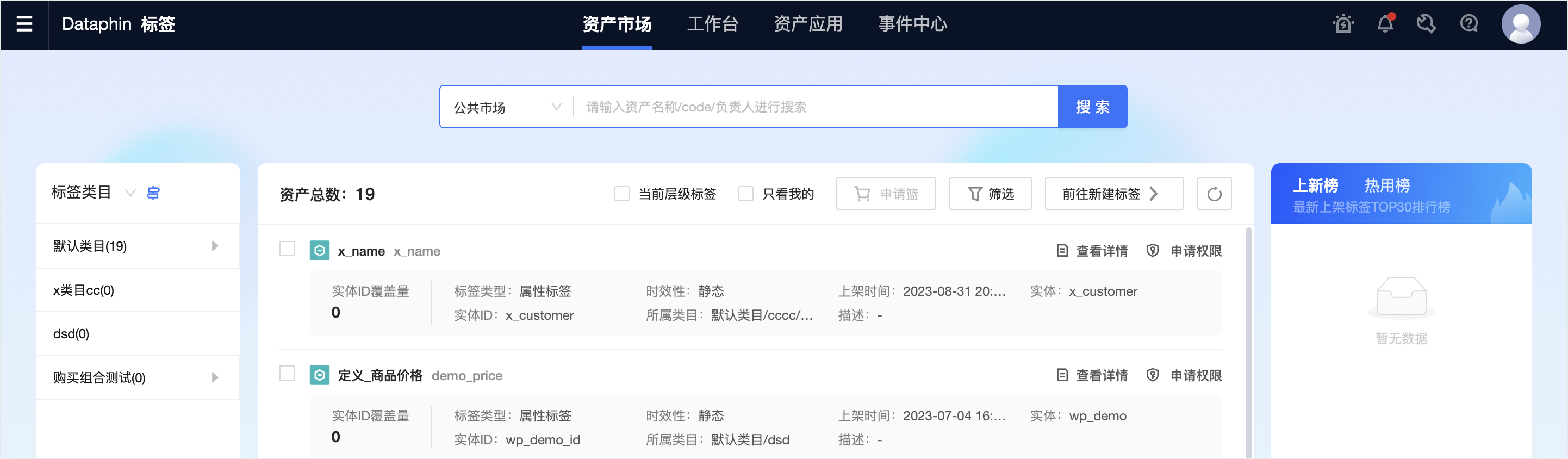
Asset Marketplace: You can manage tags and audience groups that you developed in the workbench and listed in the marketplace.
Asset Application: You can manage the tags and audience groups that you requested from the marketplace and the services that you created.
Access Tag Factory
On the Dataphin home page, click Tag in the top menu bar. You are then directed to the Asset Marketplace page of Tag Factory by default.