View and manage task-related objects
Related objects of a computing task include tables referenced and read by the task, tables that reference and read the task, its dependent objects, and tasks that have it as an upstream dependency. You can view and manage a task's related objects.
Entry point for task-related objects
-
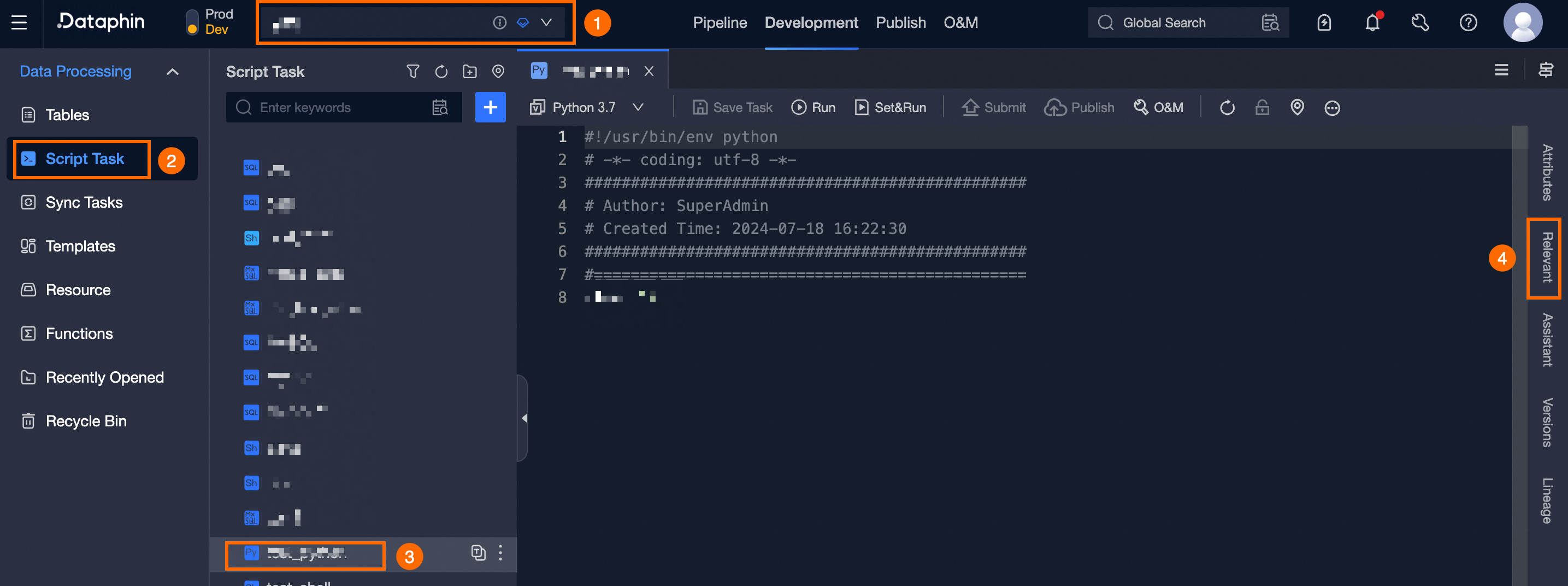
Navigate to the Dataphin home page, single click the top menu bar Development. You will be directed to the data Development page by default.
-
To view and manage related objects for a specific computing task, follow these steps to access the task-related objects management page:
Select project (Dev-Prod mode requires selecting the environment) -> single click Script Task -> choose the computing task of the related object -> single click Related.
Introduction to computing task-related objects
The computing task-related objects page shows the current task's input and output tables, dependent objects, and downstream tasks.
View input tables
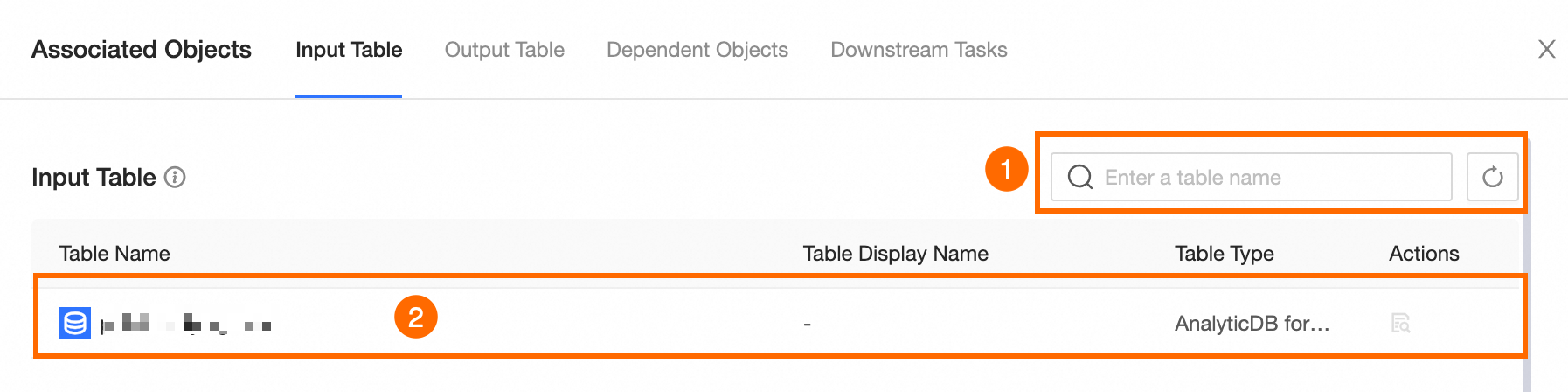
Input tables are those referenced and read by the current task as part of its computing logic.
|
Area |
Description |
|
①Search and filter area |
To update the list of task-related input tables, single click |
|
②Task input table list |
Lists the input tables associated with the current task, along with their details and available operations.
|


View output tables
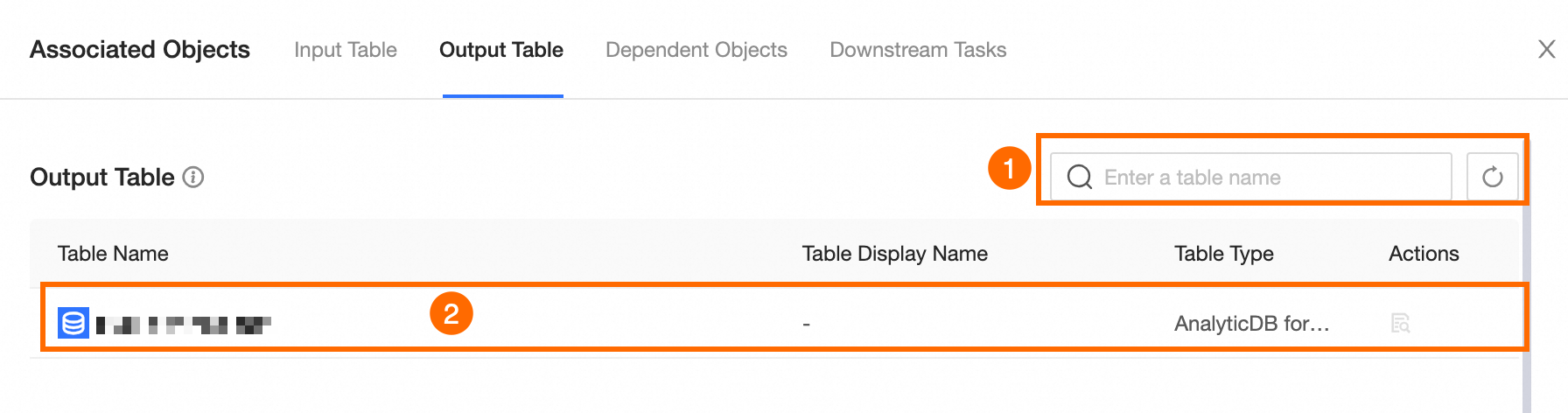
Output tables are generated by the current task (the targets of insert into operations) and consist of tables written by the task.
Tables written by the task are those present in the Dataphin asset directory. Tables written to external data sources in integration tasks are not considered output tables of the current task.
|
Area |
Description |
|
①Search area |
You can search for associated output tables by table name. If the output tables related to the current task are not visible, try refreshing the list by single clicking |
|
②Task output table list |
Lists the output tables associated with the current task, along with their details and available operations.
|
View dependent objects
Dependent objects are those the computing task relies on, such as public calendars, global variables, resources, and Python third-party packages.
Resource and Python Module objects are only applicable to Shell and Python computing tasks.
Public calendar
|
Area |
Description |
|
Refresh |
To update the public calendar list, single click |
|
Public calendar list |
Lists the public calendars associated with the current task, along with supported operations.
|
 .
. .
.Global variables
|
Area |
Description |
|
Refresh |
To refresh the global variable list, single click |
|
Global variable list |
Lists the global variables associated with the current task, along with their details and available operations.
|
Resources

|
Area |
Description |
|
①Refresh |
To update the resource list, single click |
|
②Resource list |
Lists the resources associated with the current task, along with their details and supported operations.
|
Python third-party packages
|
Area |
Description |
|
Refresh |
To refresh the Python third-party package list, single click |
|
Python third-party package list |
Lists the Python third-party packages associated with the current task, along with their details and supported operations.
|
View downstream tasks
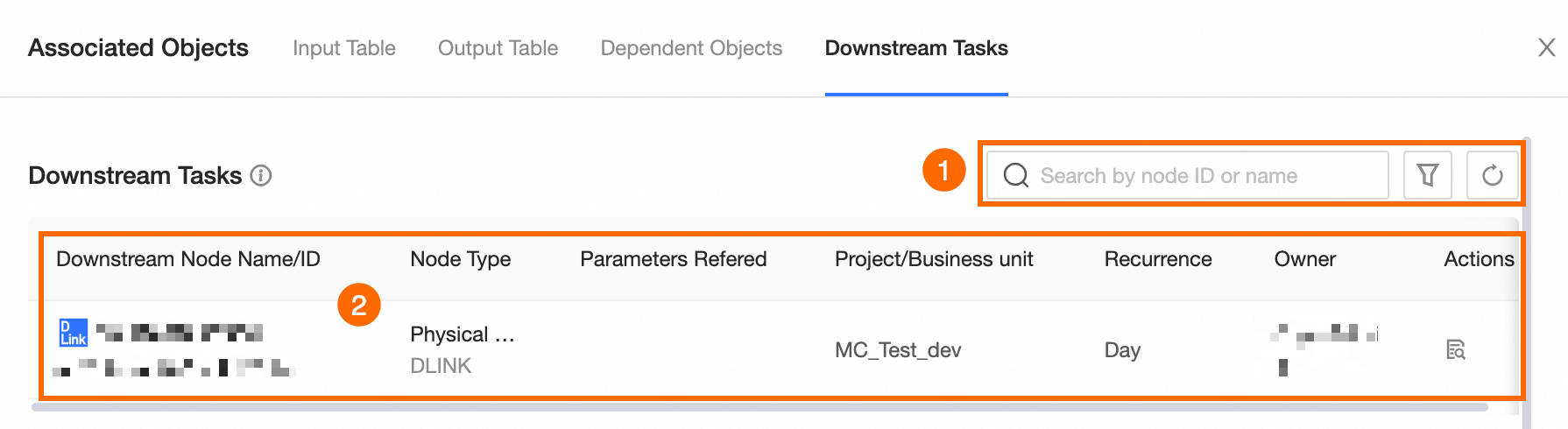
Downstream tasks are tasks that use the current task as an upstream dependency, including computing tasks, integration tasks, and logical tables.
|
Area |
Description |
|
①Search and filter area |
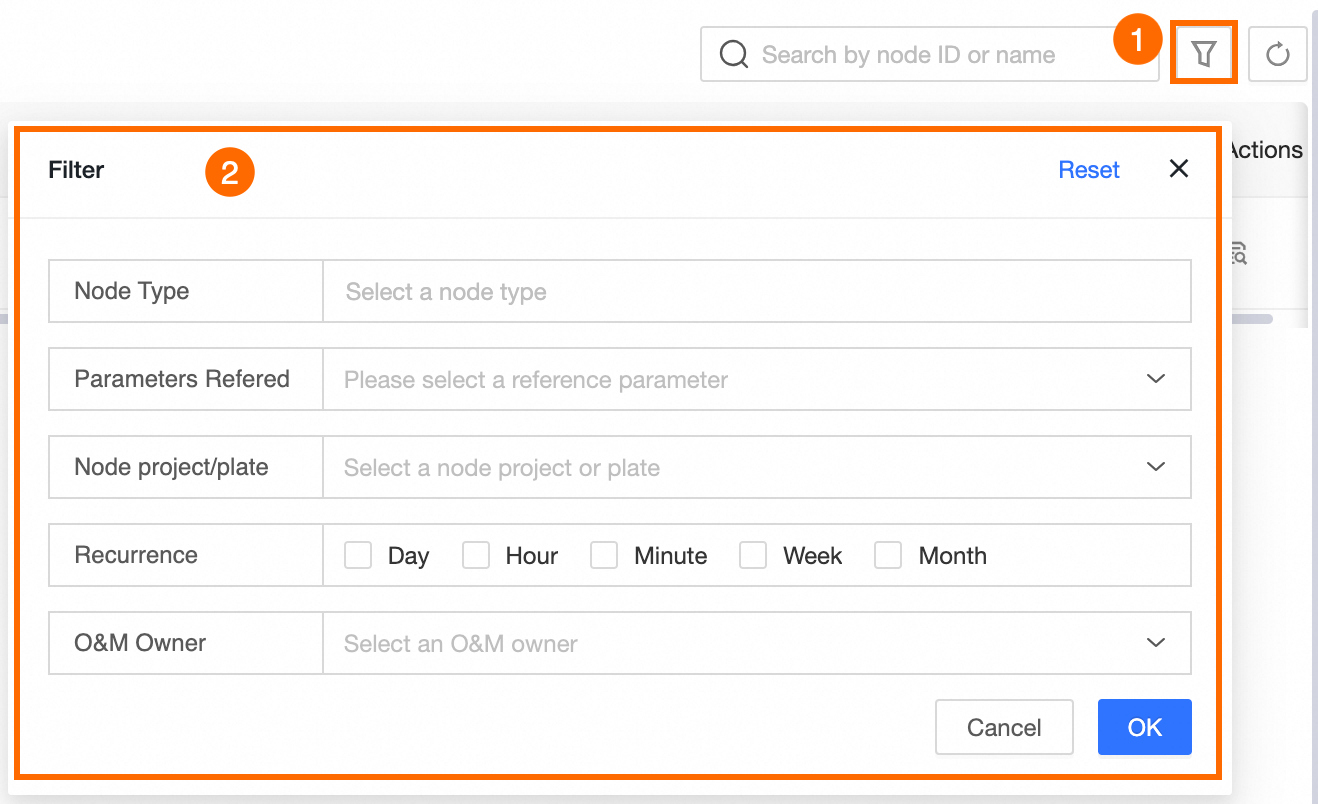
Enables searching and filtering of downstream tasks by node ID or name. Single click
You can filter downstream tasks by node type, reference parameters, project/section, scheduling cycle, and operation owner.
If the necessary downstream tasks do not appear, attempt to refresh the list by single clicking |
|
②Downstream task list |
Lists the downstream tasks and the operations they support.
|
 to open the Filter dialog box for advanced filtering.