How to pass dynamic parameters when requesting a data API
You can pass dynamic parameters when requesting a data API to enable filter interaction between a Tab List widget and the choropleth layer of a basic flat map.
Preview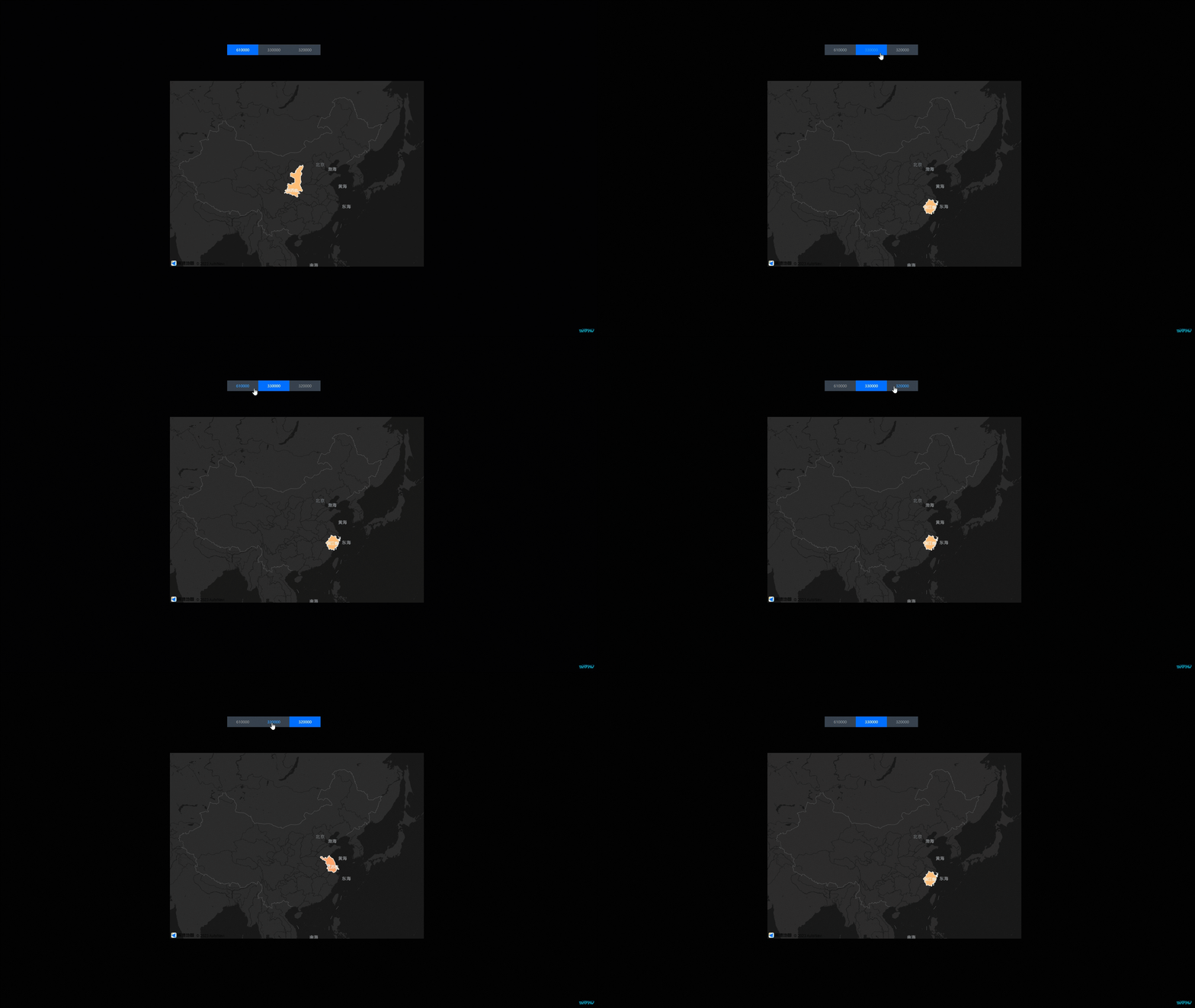
Procedure
Log on to the DataV console.
-
Select a visualization application and click Edit to open the canvas editor.
-
Add a Tab List widget and a Basic Flat Map widget to the canvas.
-
Click the Tab List widget, select the Data panel, and modify the static data.
[ { "id": 1, "content": "610000" }, { "id": 2, "content": "330000" }, { "id": 3, "content": "320000" } ] -
Click the choropleth layer of the Basic Flat Map widget. On the Data panel, for the Geo-border GeoJSON API, set Data Source to API and enter the URL.
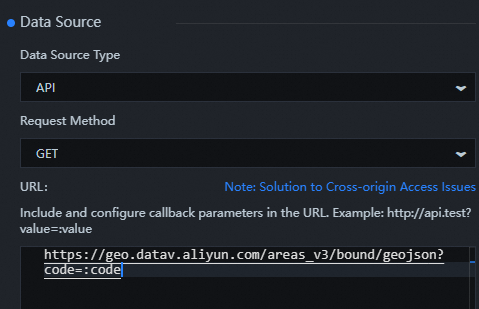
https://geo.datav.aliyun.com/areas_v3/bound/geojson?code=:code -
In the Layers panel, select all widgets, right-click, and select Export to Blueprint Editor.
-
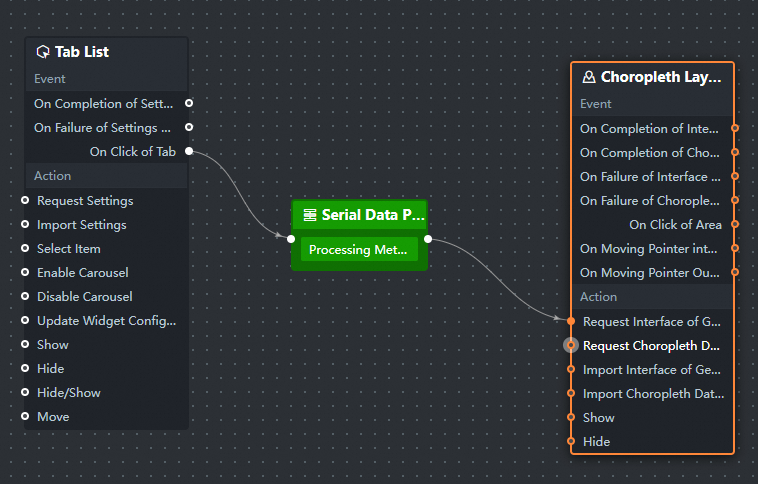
Connect the widgets.
-
Configure the processing method for the serial data processing node.
return { code: data.content }; -
Click the
 icon in the upper-right corner of the page to preview the results.