Configure a VPC data source
You can connect a database in a virtual private cloud (VPC) to DataV and use it as a data source for widgets on your visualization screen.
Background information
For an overview of VPCs, see What is a VPC.
Procedure
Access the DataV console.
-
On the Workbench page, click Data Preparation > Data Source. On the Data Source page, click Add Data Source.
-
From the Type list, select RDS for MySQL.
-
Select Private Network and select the region where your RDS instance is located.
-
Turn on the VPC switch and enter the database information.
Besides the standard database settings, you must specify the VPC ID and VPC Instance ID. You can find these IDs in the Alibaba Cloud console.
-
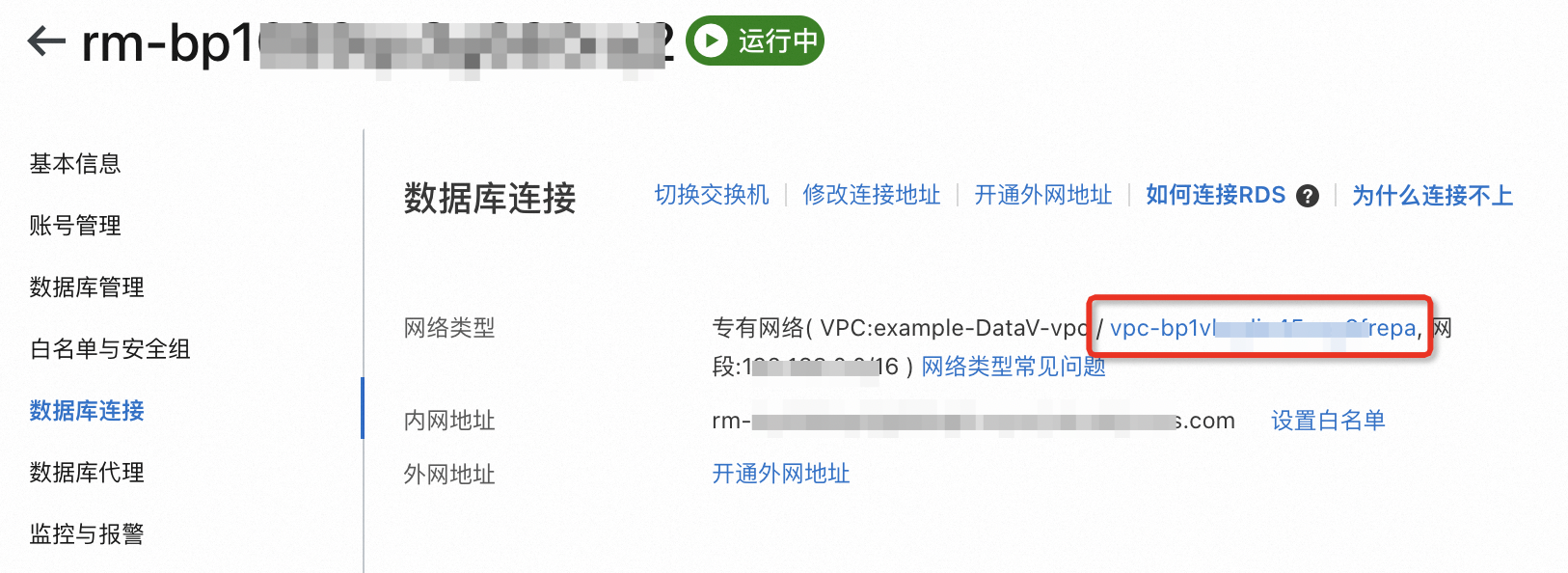
Obtain the VPC ID and VPC Instance ID from the RDS console.
Figure 1. Obtaining the instance ID of a database in a VPC
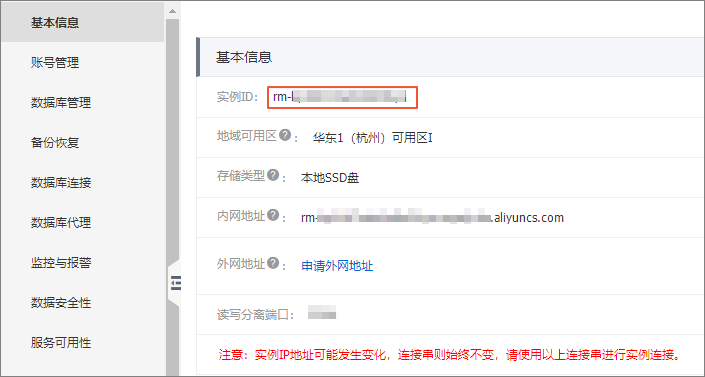
Figure 2. Obtaining the VPC ID
-
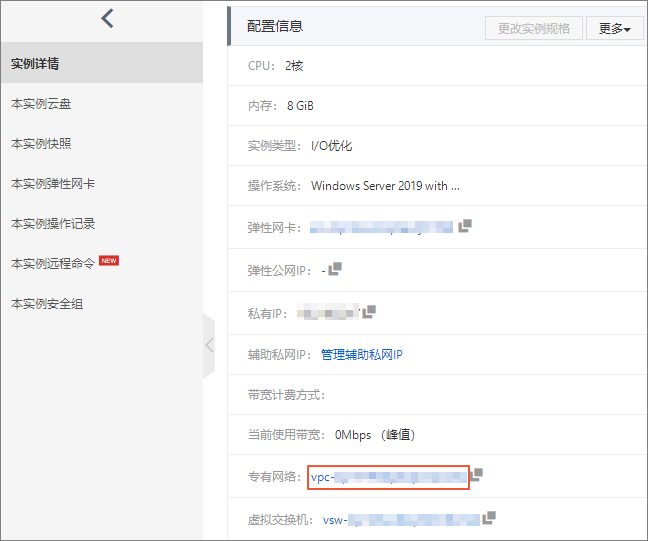
If your database is installed on an ECS instance in a VPC, use the VPC ID and VPC Instance ID of the ECS instance.
Figure 3. Obtaining the instance ID of an ECS instance in a VPC
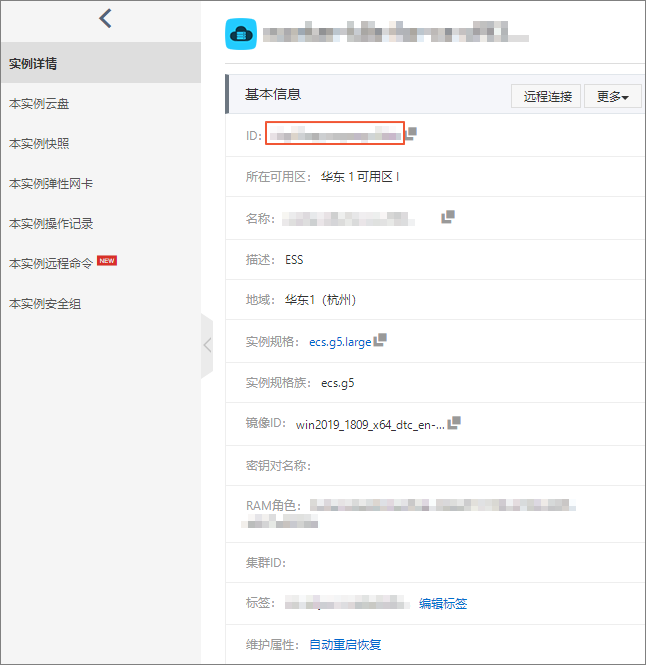
Figure 4. Obtaining the VPC ID of an ECS instance
The system automatically tests the connection to verify that the database is accessible.
ImportantIf your RDS for MySQL database was switched from the classic network to a VPC and you cannot connect to the data source, call the DescribeDBInstanceAttribute API operation. Obtain the VPC ID and VPC Instance ID and test the connection again. If the connection still fails, contact Alibaba Cloud technical support.
-
-
After the connection test is successful, click OK to add the data source.
You can now use the VPC database as a data source for your widgets.