Overview of Permission Control System
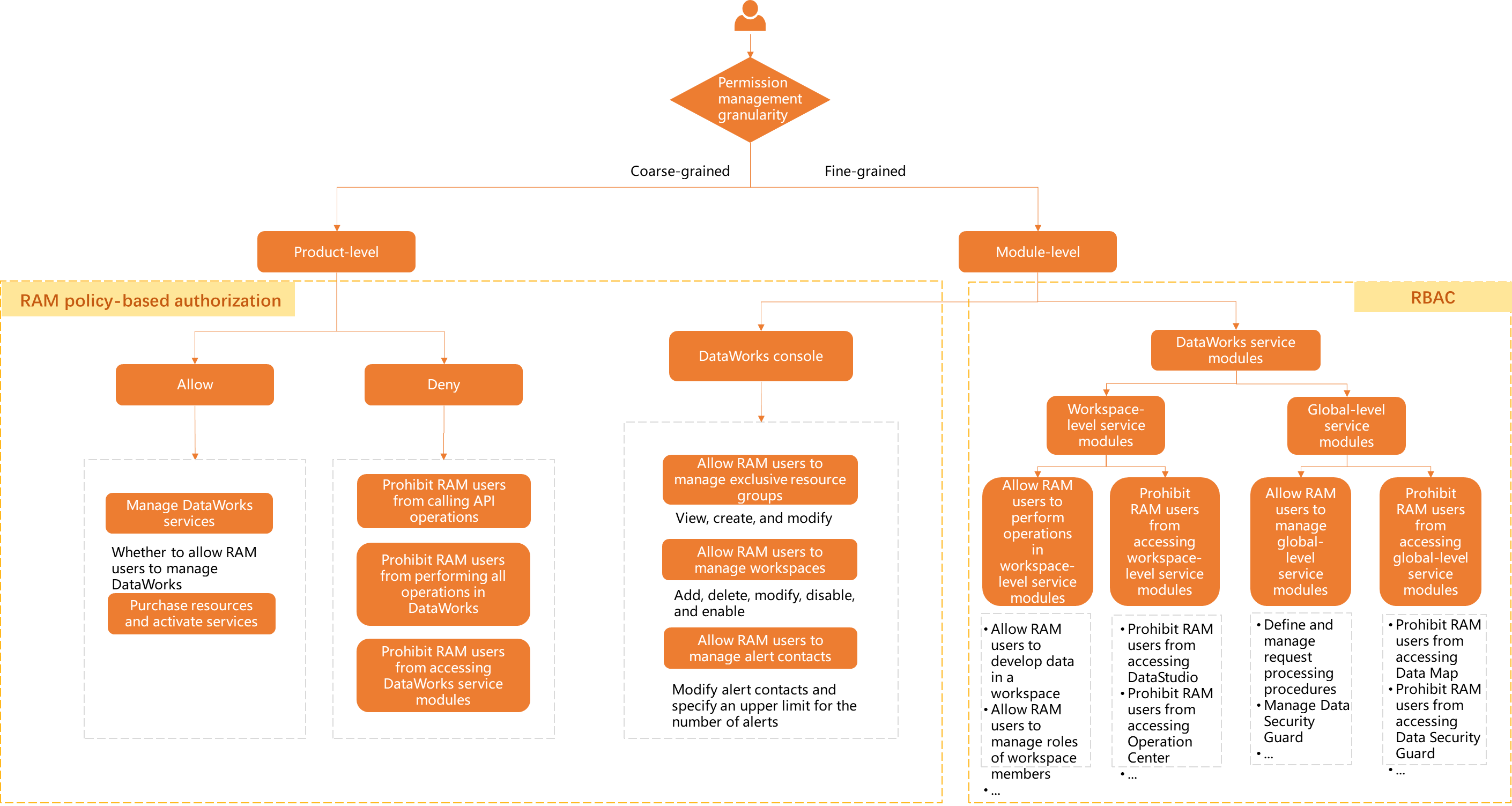
DataWorks manages permissions at two levels: product-level and module-level, both enforced through RAM policies and RBAC roles. Module-level permissions cover the DataWorks console and functional modules.
Permission control system
The following diagram and table describe the permission system:
|
Policy type |
Authorization method |
Scope in DataWorks |
References |
|
RAM Policy permission system |
Attach a permission policy to a user (RAM user or RAM role) to grant permissions.
|
|
|
|
RBAC permission model |
Assign a role to a user (RAM user or RAM role) to grant permissions for the associated functional modules.
|
|
To configure permissions for specific scenarios, follow Best practices: Grant permissions to a RAM user.
Usage notes
Alibaba Cloud accounts and RAM users with AdministratorAccess have full permissions by default.
Manage product-level permissions
DataWorks uses RAM Policy to manage product-level permissions. Attach system or custom policies to RAM users to control their access to DataWorks.
|
Policy type |
Operation type |
Description |
References |
|
RAM Policy permission system |
Allowed operations |
Available system policies:
|
Manage broad product-level permissions: System policies and custom policies |
|
Denied operations |
To deny specific operations, attach a custom policy to a RAM user. You can deny operations in the following scopes:
|
Module-level: DataWorks console permissions
Console permissions are managed through RAM Policy and control operations in the DataWorks management console.
|
Policy type |
Controlled object |
Related operations |
References |
|
RAM Policy permission system |
Workspace |
Operations on the Workspaces page, such as creating, disabling, and deleting workspaces. |
|
|
Exclusive resource group |
Operations on the Resource Groups page, such as creating exclusive resource groups and configuring networks for exclusive resource groups. |
||
|
Alert information |
Operations on the Alerts page, such as configuring contacts. |
Module-level: DataWorks functional module permissions
DataWorks functional modules are divided into global-level and workspace-level scopes, each with corresponding roles that control access (Appendix 1: Classification of global-level and workspace-level roles). This system uses the role-based access control (RBAC) model.
|
Policy type |
Controlled object |
Permission description |
References |
|
RBAC (role-based access control) model |
Workspace-level modules |
Note
DataWorks provides predefined workspace-level roles with fixed permission sets. You can also create custom workspace-level roles. |
|
|
Global-level modules |
Note
DataWorks provides predefined global-level roles. You can also create custom roles to control read/write access per module. |
Appendix 1: Global-level and workspace-level roles
DataWorks provides predefined global-level and workspace-level roles. You can assign these roles to users or create custom roles as needed.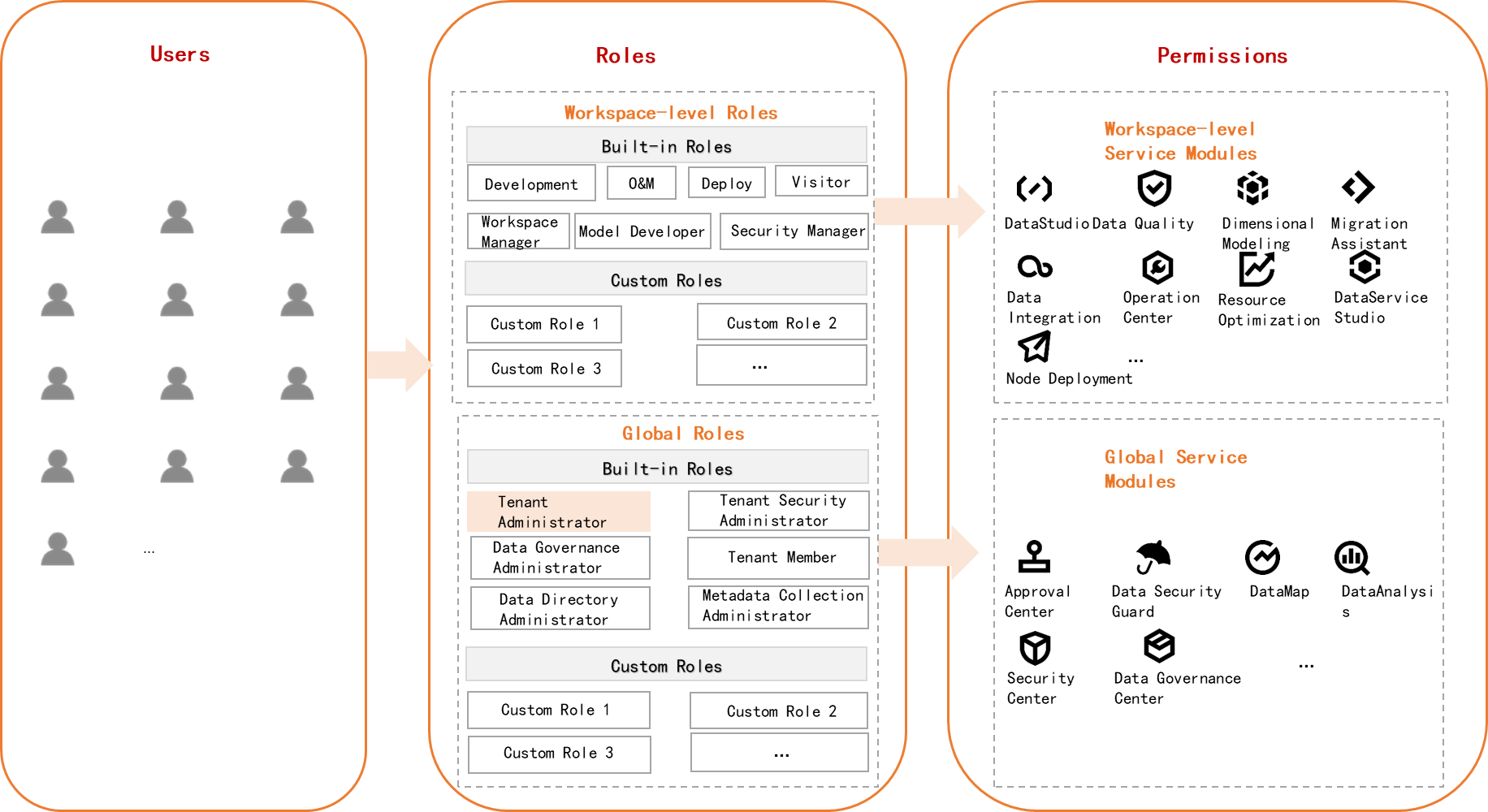
-
Only the Tenant Administrator global-level role has access to all functional modules.
-
All RAM users under an Alibaba Cloud account are assigned the Tenant Member role by default.
-
If a Tenant Administrator creates a custom global-level role that denies access to certain global modules, it overrides the Tenant Member role's permissions.
Example: RAM User A under an Alibaba Cloud account is a Tenant Member by default and can access DataMap. If a tenant administrator creates a custom role that denies DataMap access and assigns it to RAM User A, that user loses access to Data Map.
Appendix 2: Differentiating workspace-level and global-level modules
A module that has a workspace selection drop-down at the top is a workspace-level module. Examples: Data Integration and DataStudio.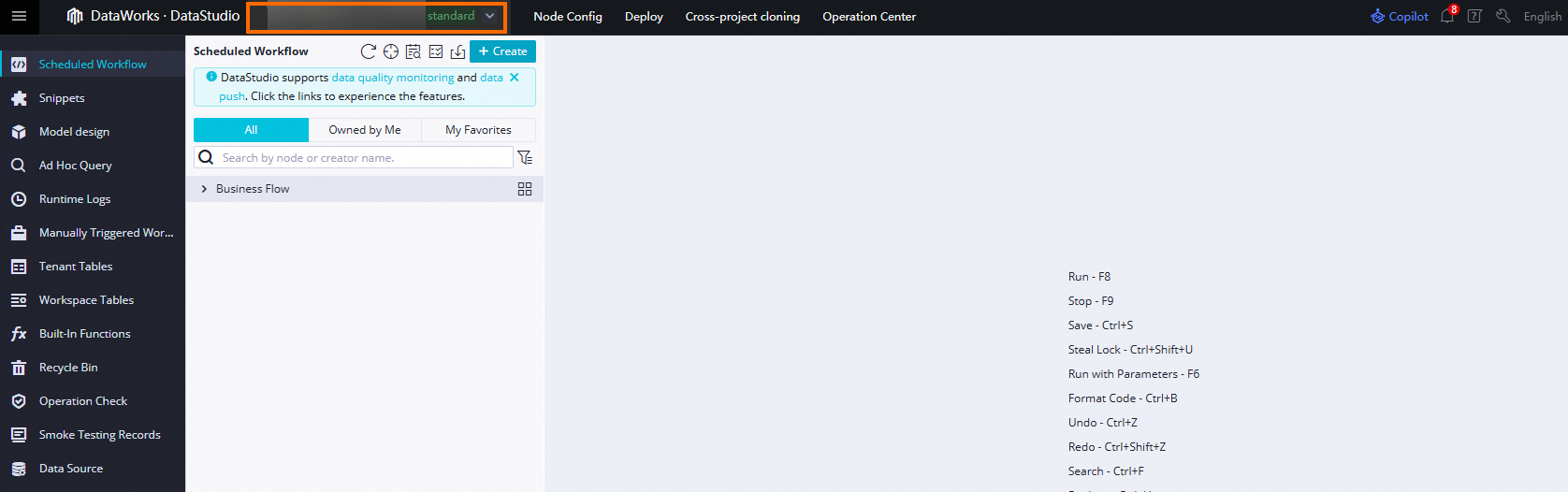
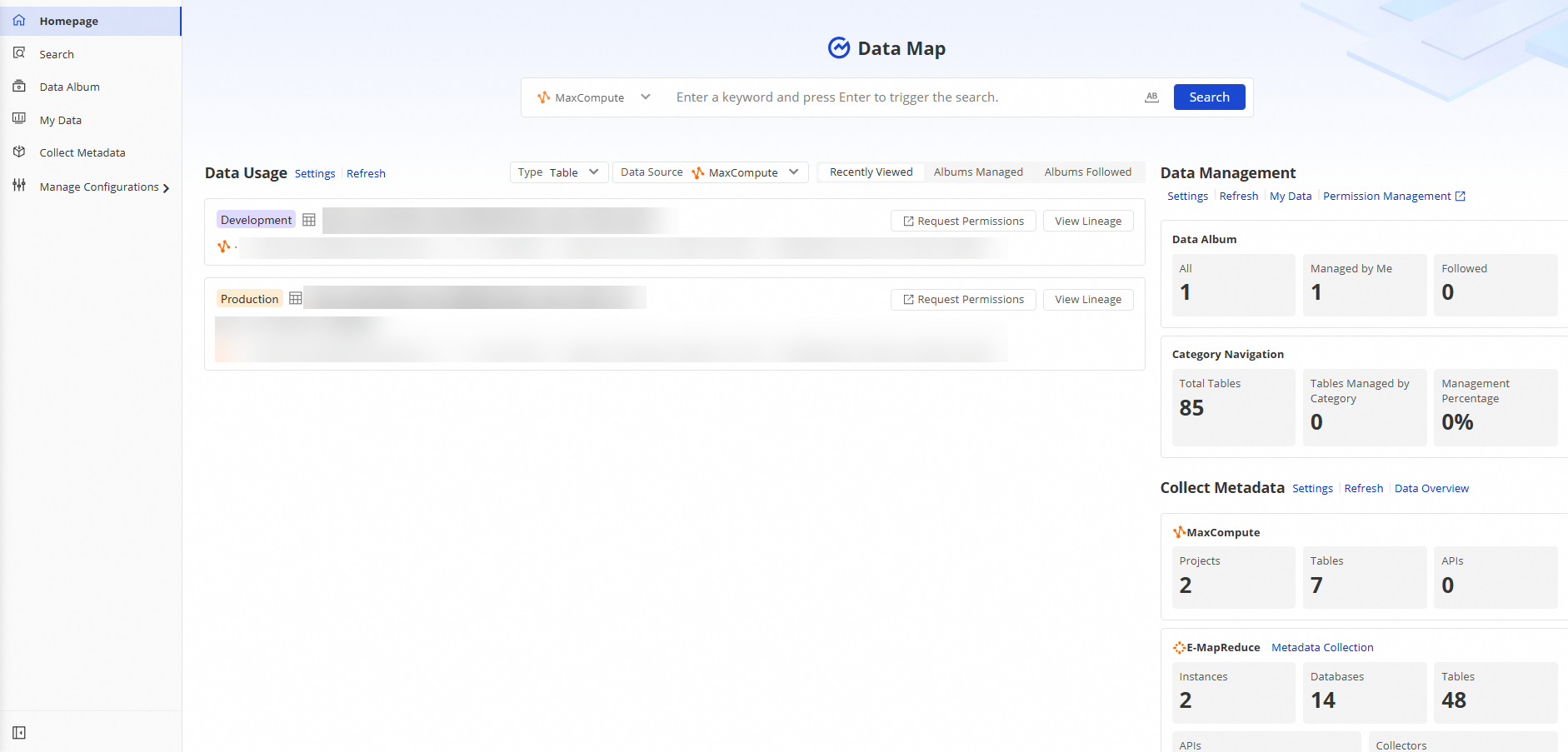
A module without a workspace selection drop-down is a global-level module. Examples: Data Security Guard and DataMap.