Configure an AccessKey for identity verification in an environment variable
Store your AccessKey ID and AccessKey secret as environment variables so the Direct Mail software development kit (SDK) can authenticate API calls without exposing credentials in your source code.
Why use environment variables
Embedding credentials directly in code exposes them to anyone who can read the source file. Storing credentials as environment variables keeps them outside the program itself — only processes running in that environment can access them. This approach is more secure for passing your AccessKey to the Direct Mail SDK.
Prerequisites
Before you begin, make sure you have:
A Resource Access Management (RAM) user (not your Alibaba Cloud root account) to generate the AccessKey. A RAM user has limited permissions, so a leaked key cannot compromise all your cloud resources.
The AccessKey ID and AccessKey secret for the RAM user.
Configure the environment variables
1. Create a RAM user
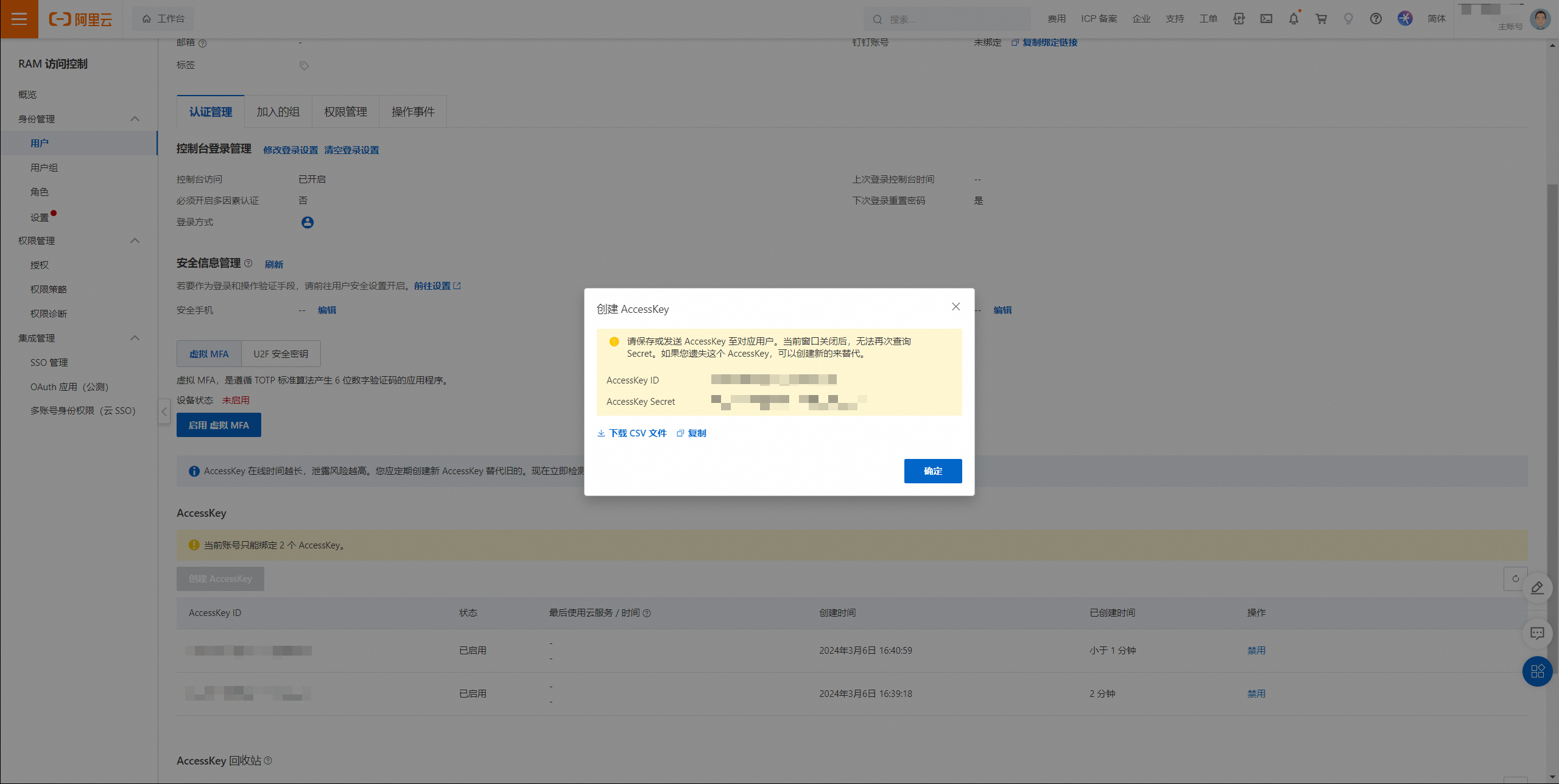
2. Create an AccessKey
Copy the AccessKey ID and AccessKey secret immediately. The AccessKey secret is displayed only once and cannot be retrieved after you close this page.
3. Set the environment variables
On Windows:
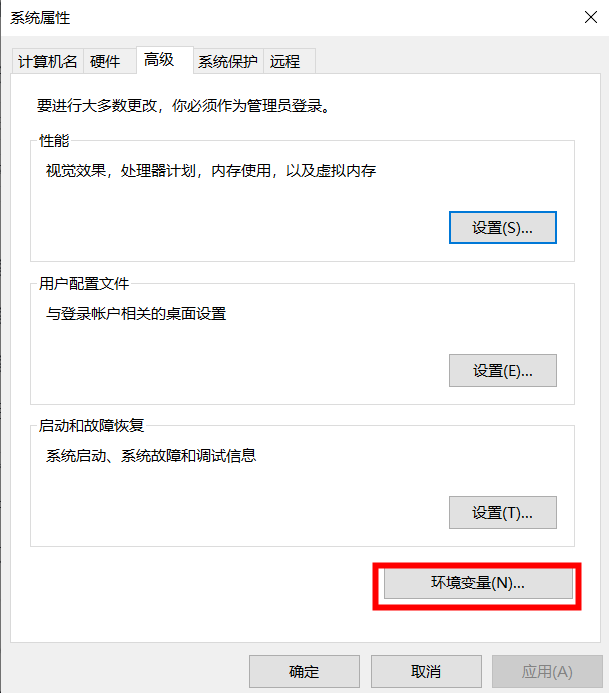
Press Win+R to open the Run window, and then run sysdm.cpl.
On the Advanced tab, click Environment Variables.
Create the ALIBABA_CLOUD_ACCESS_KEY_ID and ALIBABA_CLOUD_ACCESS_KEY_SECRET environment variables and set their values to the AccessKey ID and AccessKey secret you obtained.
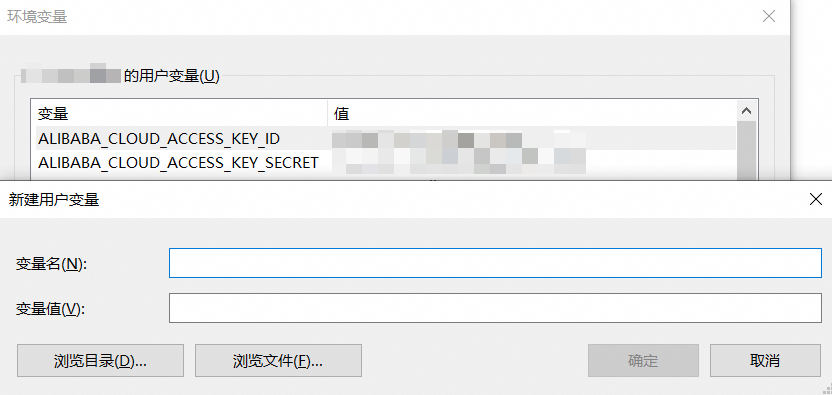
Restart Windows for the new system environment variables to take effect.
On Linux:
Open the terminal.
-
Open the environment variable file:
vi ~/.bashrc -
Add the following lines at the end of the file. Replace the placeholder values with your AccessKey ID and AccessKey secret.
export ALIBABA_CLOUD_ACCESS_KEY_ID=<access_key_id>
export ALIBABA_CLOUD_ACCESS_KEY_SECRET=<access_key_secret>
Press Esc, then enter
:wqto save and exit.-
Apply the changes to the current session:
source ~/.bashrc
These variables are now active in the current session and will persist across future sessions because they are written to ~/.bashrc.
-
Verify that the variables are set correctly:
echo $ALIBABA_CLOUD_ACCESS_KEY_ID
echo $ALIBABA_CLOUD_ACCESS_KEY_SECRET
Each command outputs the value you set — for example, LTAI5t... for the AccessKey ID. If the output is blank, repeat steps 2–5.