Dedicated IP FAQ
Can I choose which email domain to attach a dedicated IP to?
A dedicated IP is attached to a sender address, not an email domain. There are two ways to do this.
Method 1: Attach a sender address to a configuration set
In the console, attach the sender address to a configuration set. All sending methods then automatically use the dedicated IP, and you do not need to specify the IP pool ID parameter when sending emails. For more information, see Sending configurations (Configuration sets).
Method 2: Pass the IP pool during a call
Specify the IP pool parameter when sending emails from the console or using the API or SMTP.
For more information, see Dedicated IPs.
How can I verify that a dedicated IP was used?
From the console, query the IP pool used for emails you sent. For emails sent via the API or SMTP, the outbound IP address is not directly visible in delivery records. Use any of the following methods to confirm it:
Check delivery error responses from recipients — some include the delivery IP address.
Send a test email and view the original message at the recipient. The message header typically contains the delivery IP address and the X-AliDM-Settings field. Decode the Base64 value of X-AliDM-Settings to find the IP pool ID.
Compare the data on the View Data page for dedicated IPs against the actual number of emails sent.
Use the event notification feature — the callback data includes both the dedicated IP pool and the dedicated IP address.
After I purchase a dedicated IP, will it change over time?
The dedicated IP does not change after purchase.
What is the maximum number of IPs an IP pool can support?
By default, an IP pool supports up to five IPs. This limit can be adjusted as needed.
How many IP pools can a single dedicated IP belong to?
A dedicated IP can belong to only one IP pool. An IP pool can contain multiple dedicated IPs.
Can I use a dedicated IP across regions?
Yes. If your email recipients are in a different region from where you activated Direct Mail, purchase a dedicated IP in the region where most of your recipients are located. For example, if you activated the service in the China (Hangzhou) region but most recipients are in the United States or Europe, purchase a dedicated IP in the United States or Europe.
I paid for a dedicated IP but cannot find the option to create a new IP pool. Why?
You may have purchased the IP in the wrong region. Check other regions in the console to locate it.
What should I keep in mind when sending CAPTCHAs using the dedicated IP service?
Enable the automatic warm-up feature, correctly configure the DNS records for your email domain, and maintain high-quality email content.
Do not use the same dedicated IP for batch emails — doing so damages its reputation.
Why do my emails still go to spam even though I use a dedicated IP?
A dedicated IP alone does not guarantee inbox delivery. Recipient email providers apply their own anti-spam policies that factor in the sender address, email domain, and IP address — and they rarely disclose the exact reasons for filtering. To improve deliverability and sender reputation, address the following areas:
-
Domain name resolution
Set up SPF (Sender Policy Framework), DKIM (DomainKeys Identified Mail), and DMARC (Domain-based Message Authentication, Reporting, and Conformance)
-
Email content and unsubscribe management
Include an unsubscribe link
Improve email content quality
-
Recipient list management
Whitelist recipients and request delivery reports
Maintain a high-quality mailing list
-
Sending best practices
Warm up the IP address before sending
Vary email content
References:
How do I view the delivery volume for each recipient's email provider?
On the Dedicated IP > View Data page, query delivery data for a specific recipient email provider on a given day. Filter by IP pool and by individual IP address.
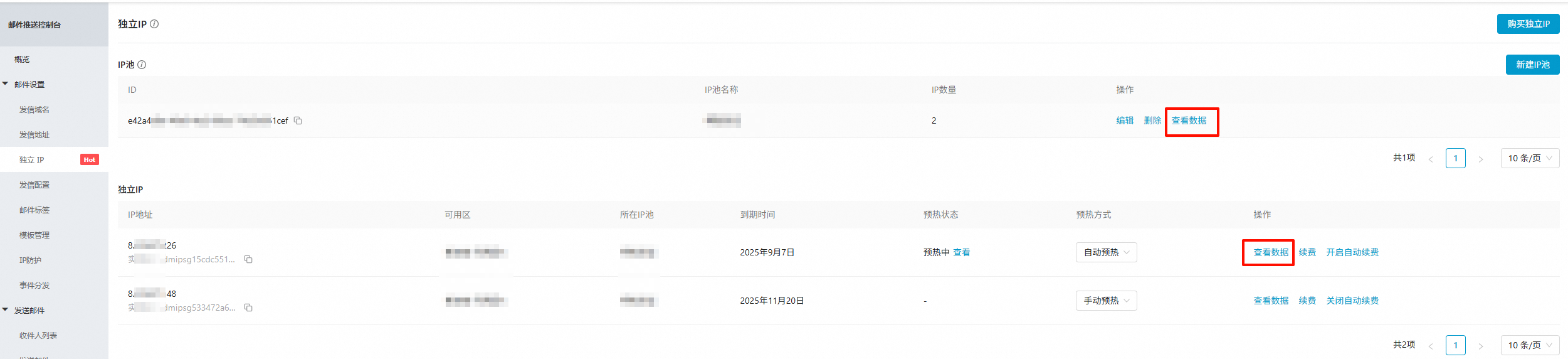
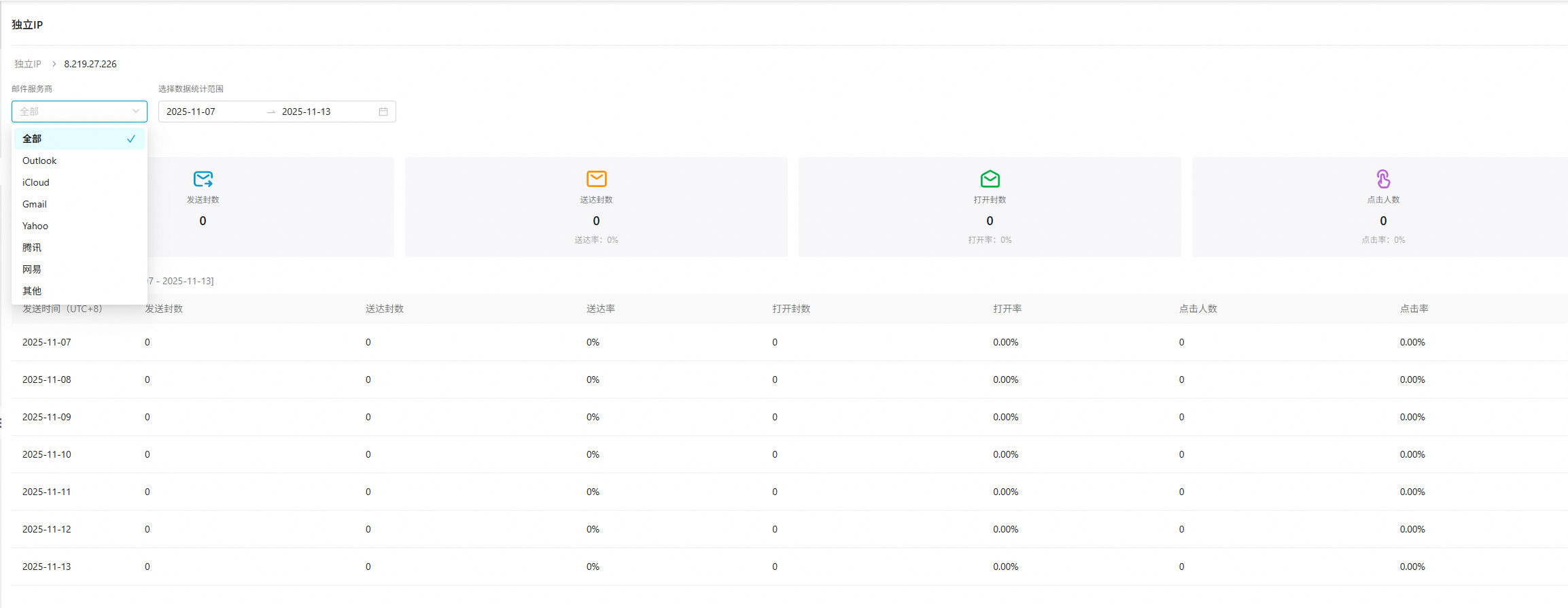
For more information, see Dedicated IPs.