DNSSEC
What is DNSSEC
Domain Name System Security Extensions (DNSSEC) protects your domain against DNS spoofing and cache pollution. DNSSEC uses digital signatures to verify the authenticity and integrity of DNS responses, preventing users from being redirected to unintended addresses.
Usage notes
-
DNSSEC is available to users of all paid Alibaba Cloud DNS editions.
-
You cannot enable DNSSEC if a subdomain uses independent DNS hosting.
-
You cannot enable DNSSEC if the Secondary DNS feature is enabled.
-
You cannot enable DNSSEC for a domain that has an ALIAS record.
-
If your paid Alibaba Cloud DNS subscription expires without renewal, first delete the DS record at your domain registrar, then disable DNSSEC in the Alibaba Cloud DNS console to prevent resolution failure.
-
If you have DNSSEC enabled and need to use Transfer Domain Name Between Accounts, first delete the DS record at your domain registrar, then disable DNSSEC in the Alibaba Cloud DNS console to prevent resolution failure.
-
If you have DNSSEC enabled and need to use Transfer DNS Resolution Across Accounts, first delete the DS record at your domain registrar, then disable DNSSEC in the Alibaba Cloud DNS console to prevent resolution failure.
-
If you have DNSSEC enabled and need to use Detach Domain Name, first delete the DS record at your domain registrar, then disable DNSSEC in the Alibaba Cloud DNS console to prevent resolution failure.
-
DNSSEC requires support from both the DNS service provider and the domain registrar. Alibaba Cloud supports DNSSEC for both services.
Enable DNSSEC
-
Log in to the Alibaba Cloud DNS - Public Authoritative DNS page, find your domain, and click DNSSEC Settings > DNSSEC Settings.
-
On the DNSSEC Settings page, turn on the DNSSEC switch.
-
Copy the DS record details (Key Tag, Algorithm, Digest Type, and Digest) and add a DS record at your domain registrar.
-
For Alibaba Cloud-registered domains, follow Configure DNSSEC.
Verify DNSSEC
Use the DNSViz to verify your configuration.
Check if DNSSEC is enabled
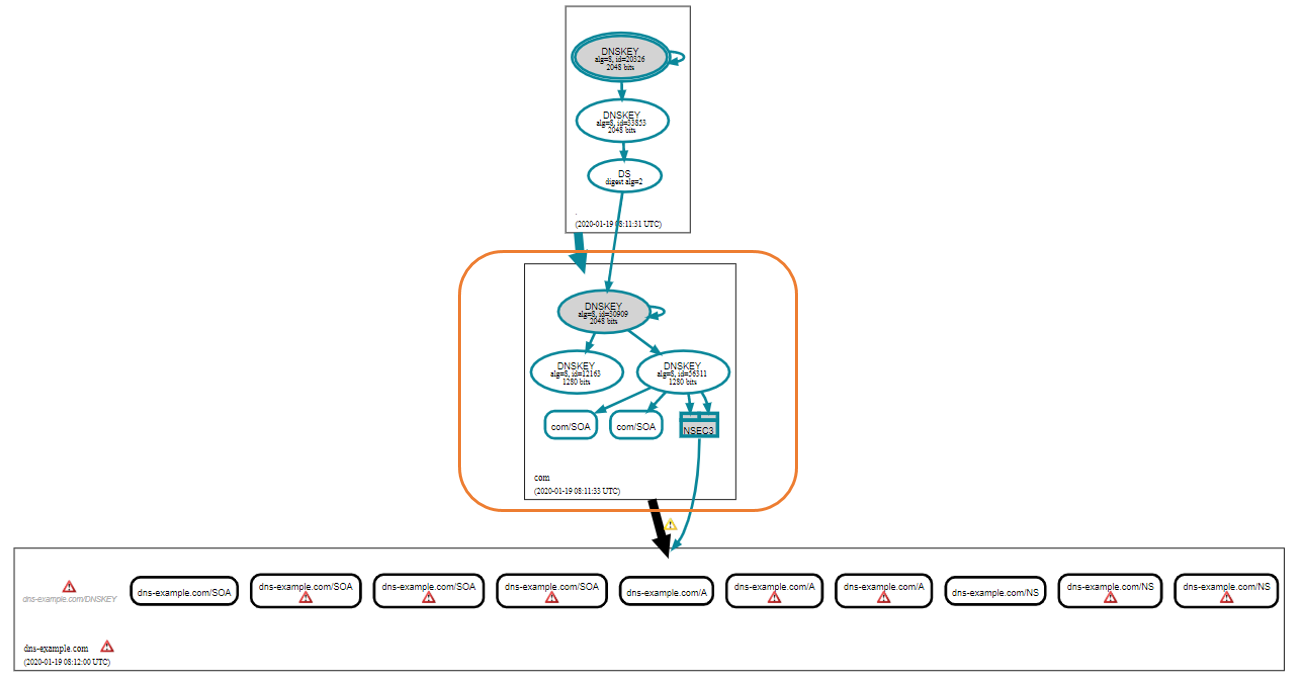
If the report for dns-example.com does not show a DS record in the highlighted area, DNSSEC is not enabled.
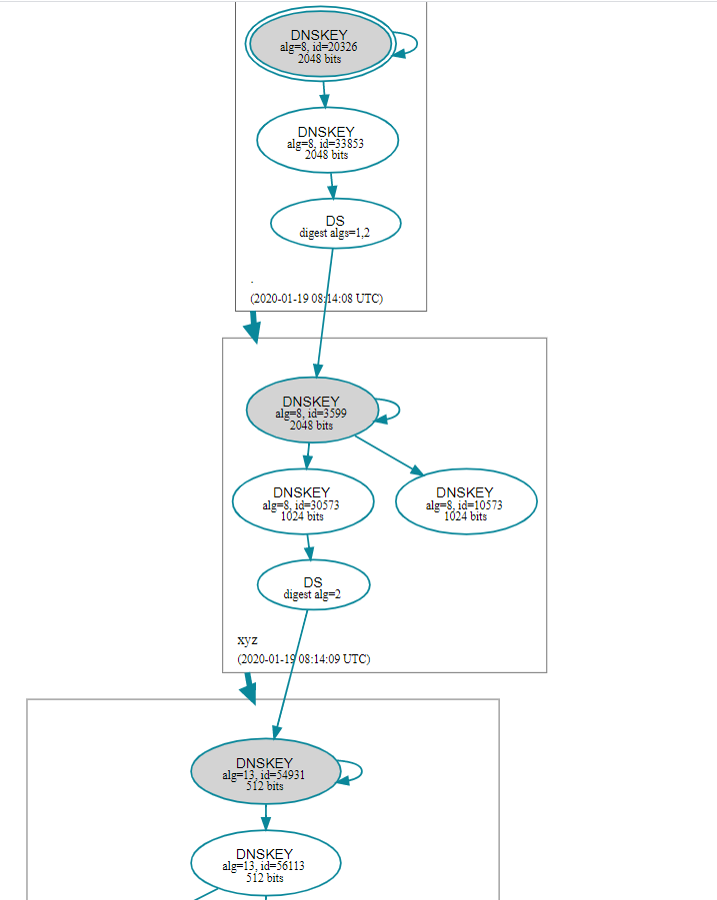
DNSSEC is active
If the report shows a DS record for each level in the chain of trust and there are no red error boxes, DNSSEC is working correctly.
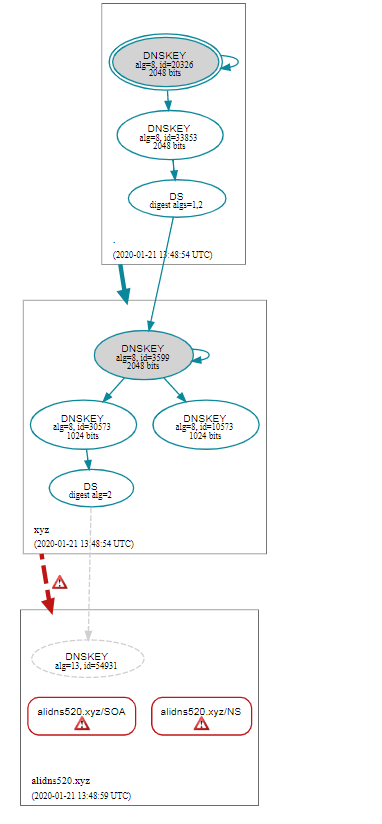
Validation failure
Red error boxes indicate DNSSEC validation failure. Submit a ticket to troubleshoot.
Disable DNSSEC
Step 1: Delete the DS record
For a domain registered with Alibaba Cloud:
-
Log in to the Domain Names Console.
-
On the Domain Names page, find the domain and click Manage in the Actions column.
-
In the left navigation pane, under DNS Management, click DNSSEC Settings. Find the DS record and click Delete.
Step 2: Disable DNSSEC
-
On the Alibaba Cloud DNS - Public Authoritative DNS page, find your domain, and click DNSSEC Settings > DNSSEC Settings.
-
On the DNSSEC Settings page, turn off the DNSSEC switch.
WarningYou must perform these steps in the specified order to prevent a resolution failure.
FAQ
Are yellow warnings in DNSSEC reports a problem?
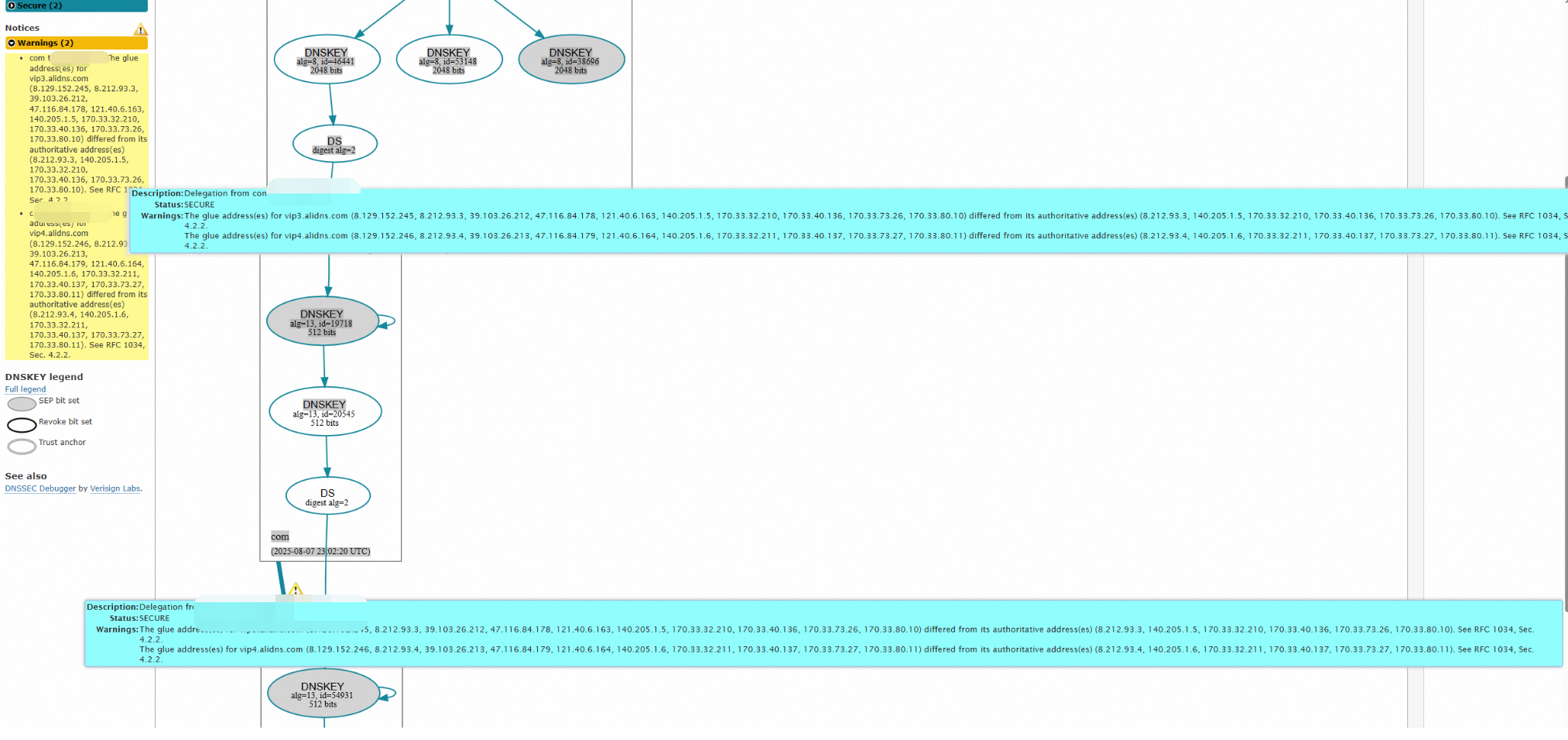
No. Yellow warnings do not affect DNSSEC functionality. Alibaba Cloud DNS uses smart resolution. It is normal for the IP address returned by the authoritative DNS to differ from the authenticated glue address record.
Why does DNSSEC fail for CNAME records?
DNSSEC validates through a chain of trust. For CNAME records, this chain extends to the target domain, which must also have DNSSEC enabled. Validation fails if the target domain lacks DNSSEC.