Create a flow
This topic describes how to create a flow with a single task step that calls Function Compute.
Prerequisites
Procedure
This topic describes how to create a flow using the Create with Code Snippet method.
-
Log on to the Serverless Workflow console.
-
In the top menu bar, select a region.
ImportantSelect the region where the function was created.
-
On the Flows page, click Create Flow.
-
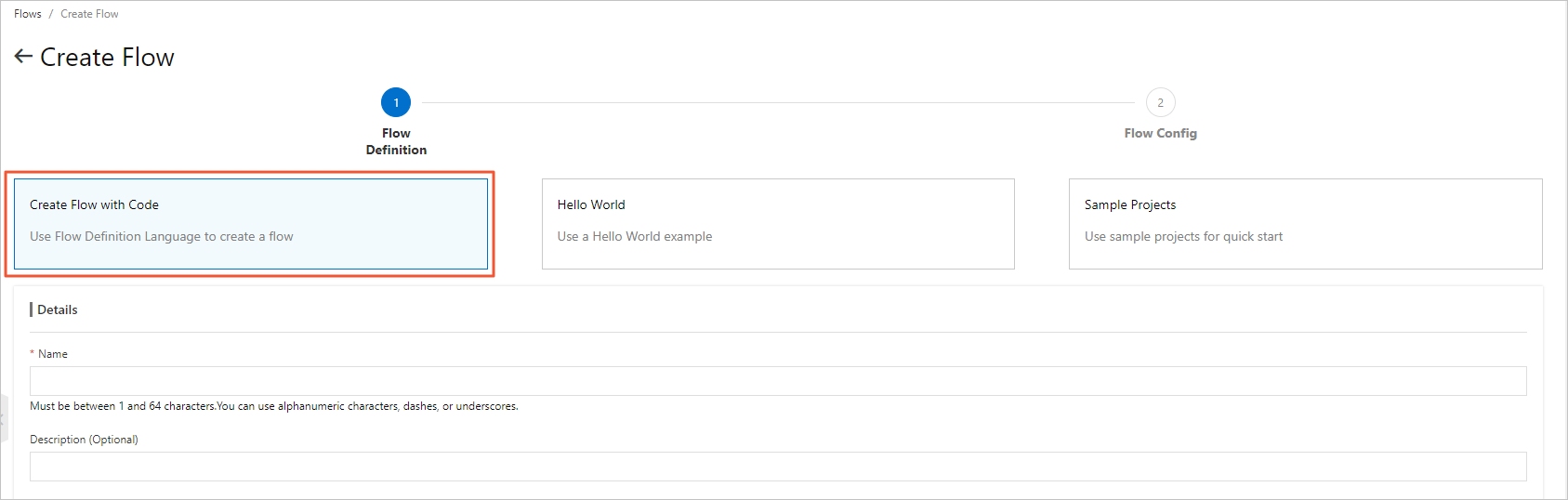
On the Create Flow page, click Create with Code Snippet and configure the parameters.
 Note
NoteThe Hello World and Sample Projects methods do not support modifying the Flow Definition during flow creation.
-
Flow Name: Enter a name for the flow. The name must be 1 to 128 characters in length and can contain letters, digits, underscores (_), and hyphens (-). The name cannot start with a hyphen (-).
-
Optional: Flow Description: Enter a description for the flow.
-
Flow Definition: Use the visual designer to write the flow definition.
Replace the content in the Flow Definition field with the following code.
version: v1
type: flow
steps:
  - type: task
    name: hello
    resourceArn: acs:fc:{region}:{accountID}:services/{serviceName}/functions/{functionName}
The following table describes the parameters.
Parameter
Description
version
The version of the flow. Only
v1is supported.type
The Flow parameter defaults to
flow.steps
Defines the steps in the flow.
type
task: A task step. For information about other step types, see Introduction.name
The name of the step. You can specify a custom name.
resourceArn
The Alibaba Cloud service to integrate.
-
You can view and copy the Alibaba Cloud Resource Name (ARN) from the function that you created. For more information, see Obtain the ARN of a function.
-
You can also replace {region}, {accountID}, {serviceName}, and {functionName} with the region, account ID, service name, and function name of the function that you created. For example:
acs:fc:cn-shanghai:18807708****3420:services/demo/functions/test.
-
-
Click Next.
-
Configure Flow Role
NoteIf your workflow needs to call other Alibaba Cloud services, such as Function Compute, you can use the Configure Workflow Role feature to grant Serverless Workflow the permission to call Function Compute. For more information, see Execution Role.
-
If you have an existing RAM role, click Select an Existing RAM Role.
-
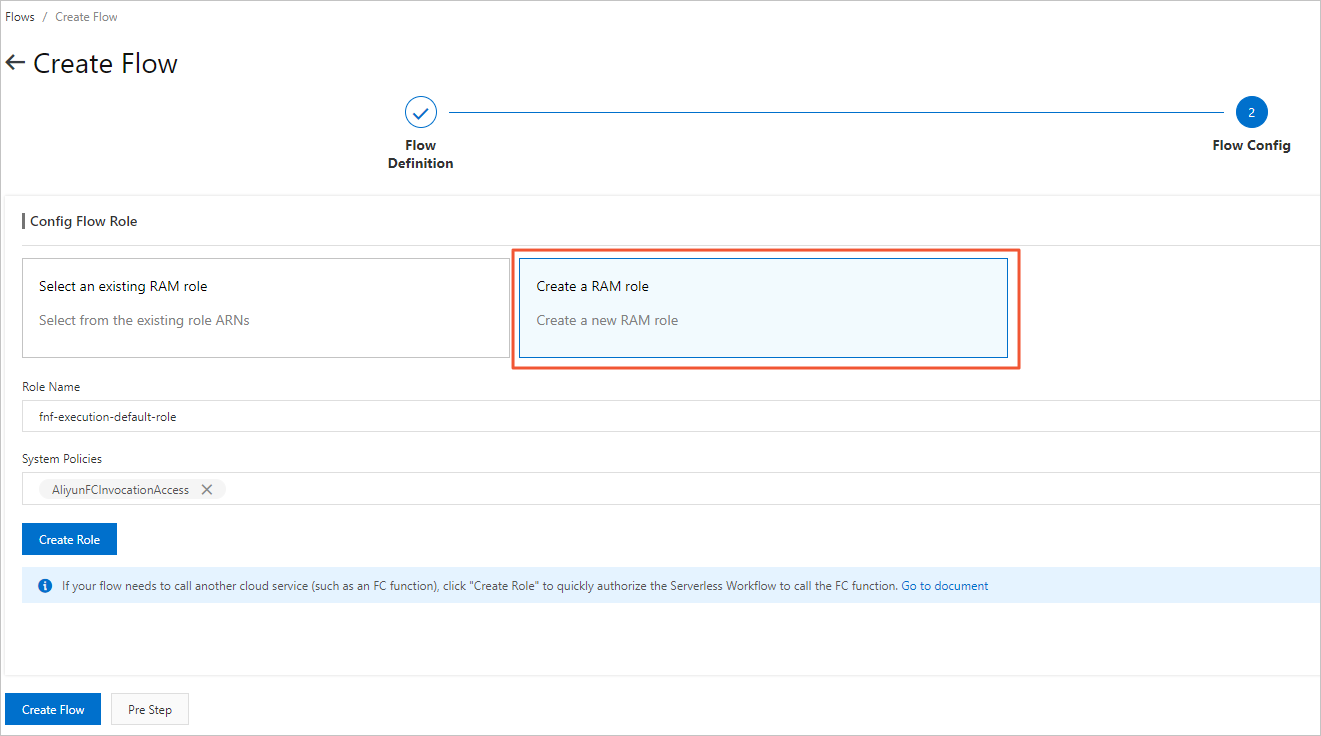
If you are using Serverless Workflow for the first time, you must create a RAM role:
-
In the Configure Flow Role section, click Create a RAM Role for Me and set the Role Name.
-
From the System Permission drop-down list, select AliyunFCInvocationAccess and then click Create Role.
-
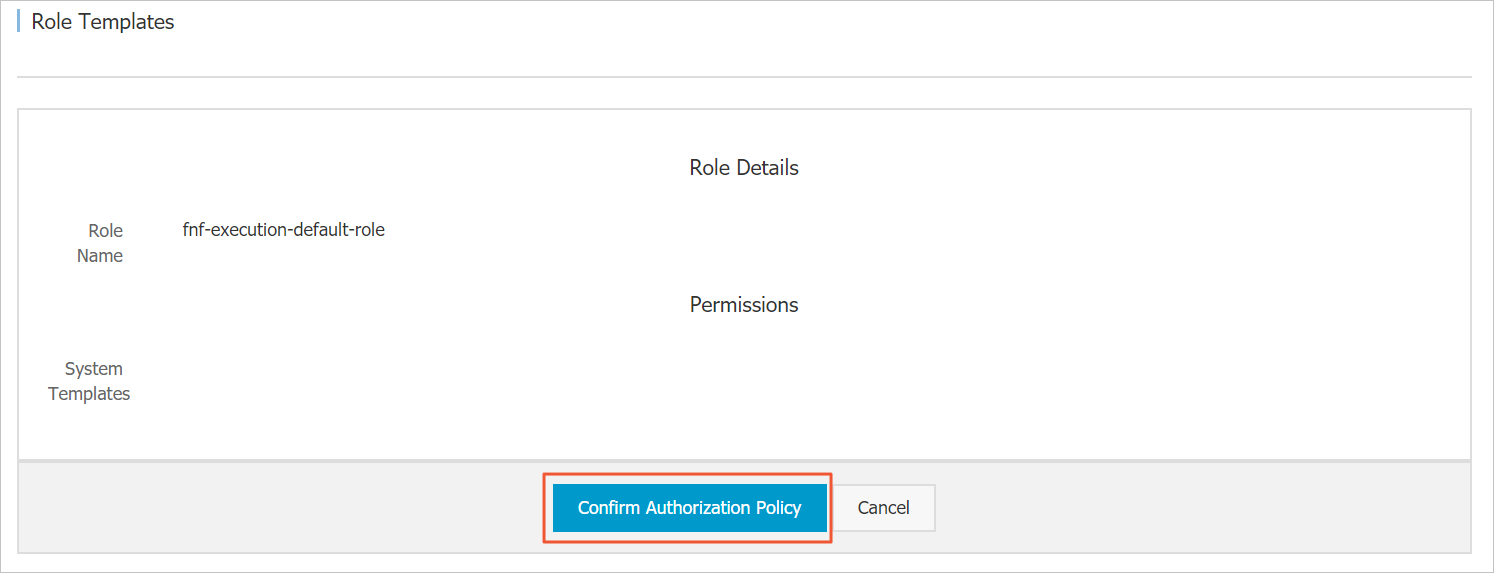
On the Quick Role Creation page, click Agree to Authorization.
-
-
-
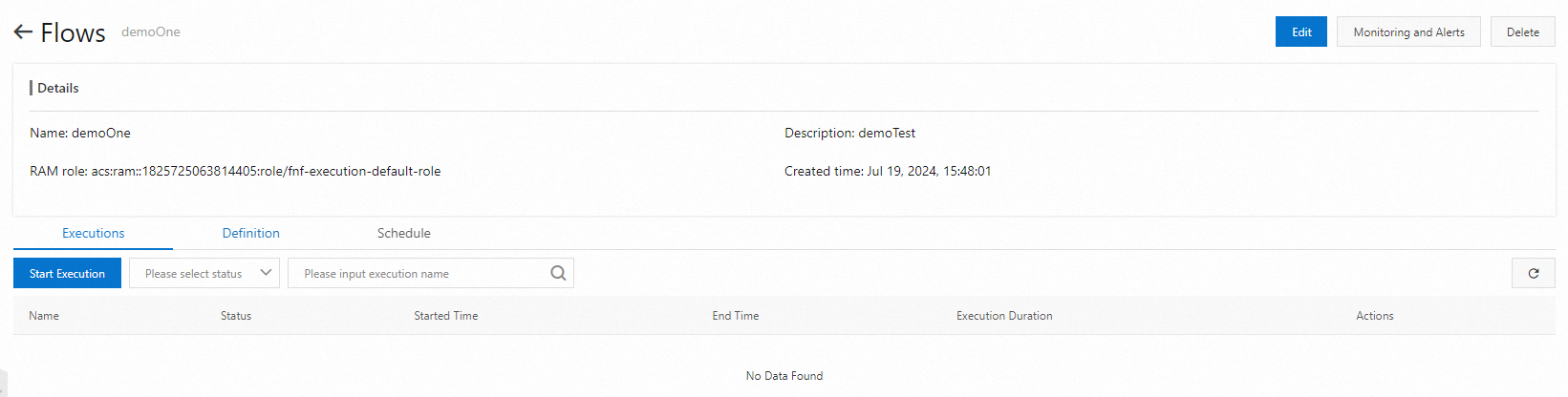
On the Create Flow page, click Create Flow.
After the flow is created, the flow details page appears.
More information
In addition to creating a flow in the Serverless Workflow console, you can create a flow by calling the CreateFlow API operation. For more information, see CreateFlow.