A namespace is a method for grouping resources and objects. You can create multiple namespaces within a single cluster, and the data in each namespace is isolated. This isolation allows namespaces to share the same cluster services without interfering with one another. For example, you can place the services for your development and testing environments in separate namespaces.
Namespace types
Namespaces are divided into the following two types:
Default system namespaces: A cluster creates the following namespaces by default at startup.
l7-cluster: Deploys system components.
default: This namespace is used when you do not specify one.
kube-node-lease: A system namespace.
kube-public: This namespace is used to deploy public plug-ins, container templates, and other shared resources.
kube-system: Deploys system components.
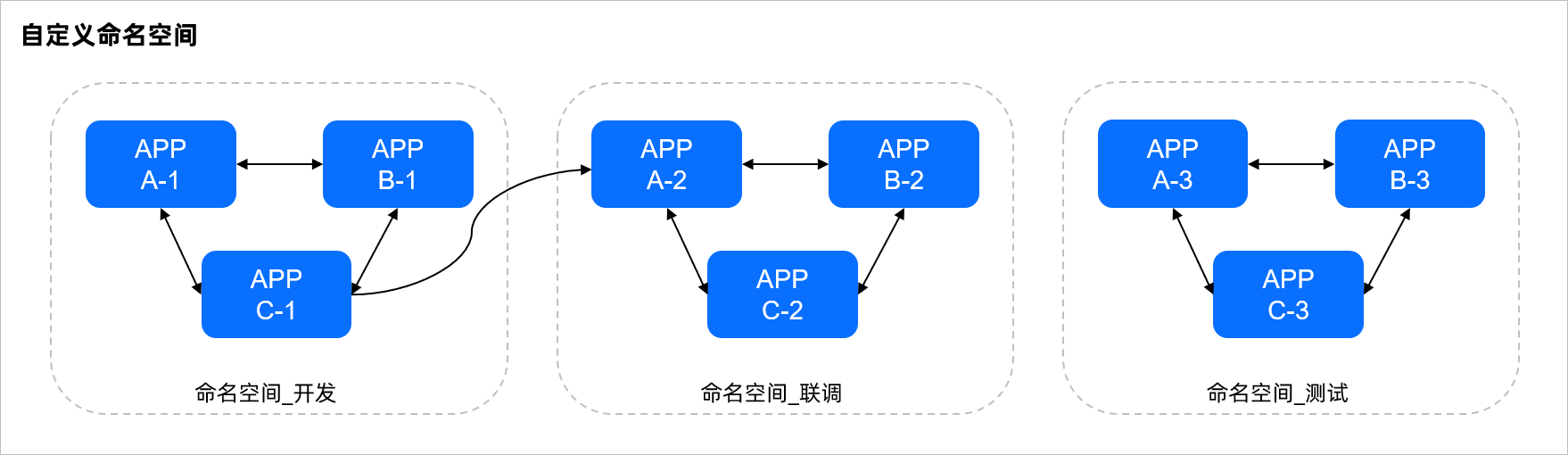
Custom namespaces: You can create namespaces as needed. For example, you can create separate namespaces for development, staging, and testing environments, as shown in the following figure. You can also create namespaces for different services. For instance, if a system has logon and game services, you can create a separate namespace for each service.
Create a namespace
Prerequisites
Procedure
Log on to the Container Application Service console. In the navigation pane on the left, click Cluster Management.
In the navigation pane on the left, click Namespaces.
Click Create. On the Create Namespace page, enter the following information and click Create.
Name: Enter a name for the namespace. The name must be unique.
Tags: Add custom tags to the namespace.
Delete a namespace
When you delete a namespace, all resources in that namespace are released.
Procedure
Log on to the Container Application Service console. In the navigation pane on the left, click Cluster Management.
In the navigation pane on the left, click Namespaces.
In the Actions column for the namespace that you want to delete, click Delete. In the dialog box that appears, click Confirm.
A success message appears.
View namespace details
You can view the details of a namespace in the console.
Procedure
Log on to the Container Application Service console. In the navigation pane on the left, click Cluster Management.
In the navigation pane on the left, click Namespaces.
Click the name of a namespace to view its details.