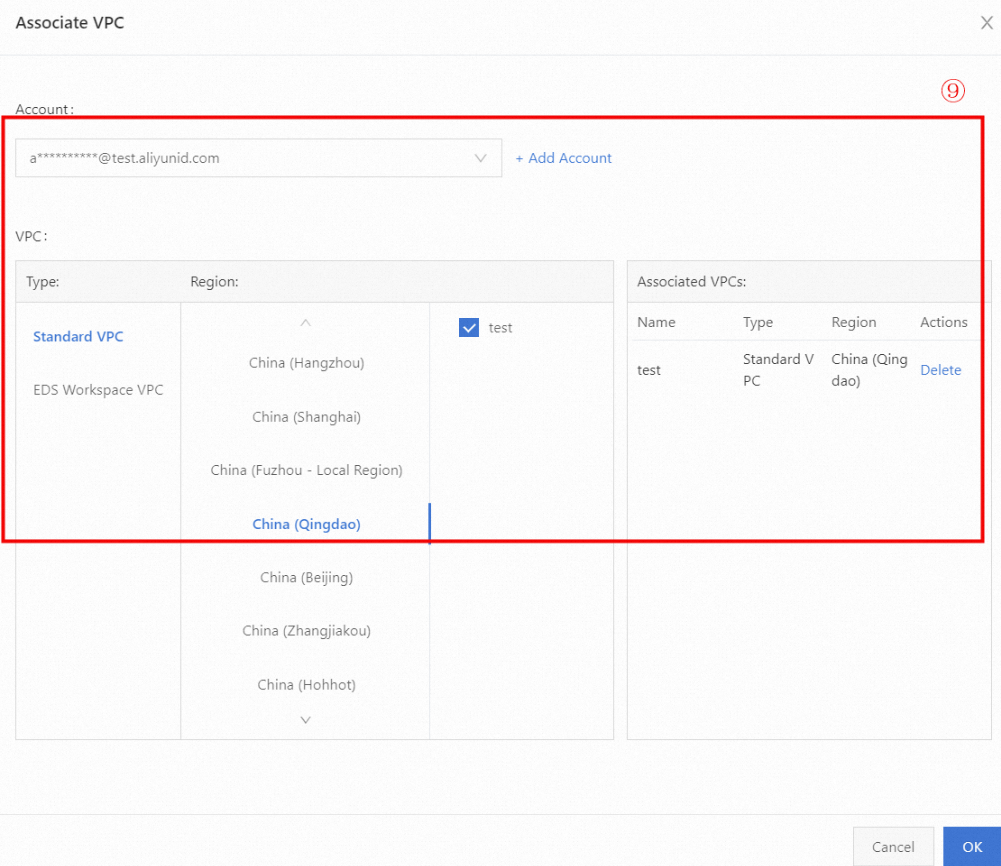
Associate VPCs across accounts
This topic describes how to use PrivateZone to associate a zone with VPCs from other Alibaba Cloud accounts.
Use cases
If your organization's VPCs are spread across multiple Alibaba Cloud accounts, managing intranet DNS can be challenging. This would normally require you to create and associate identical zones in each account, which is tedious and inefficient. PrivateZone simplifies this by letting you associate a single zone with VPCs from different accounts.
Usage notes
Billing: When you associate a zone with a VPC from another account, Alibaba Cloud bills the account that owns the zone.
Account permissions: This feature supports only Alibaba Cloud accounts, not RAM users.
Procedure
Log on to the Alibaba Cloud DNS console. In the left-side navigation pane, click PrivateZone. On the Authoritative Zone tab, click Add Zone.
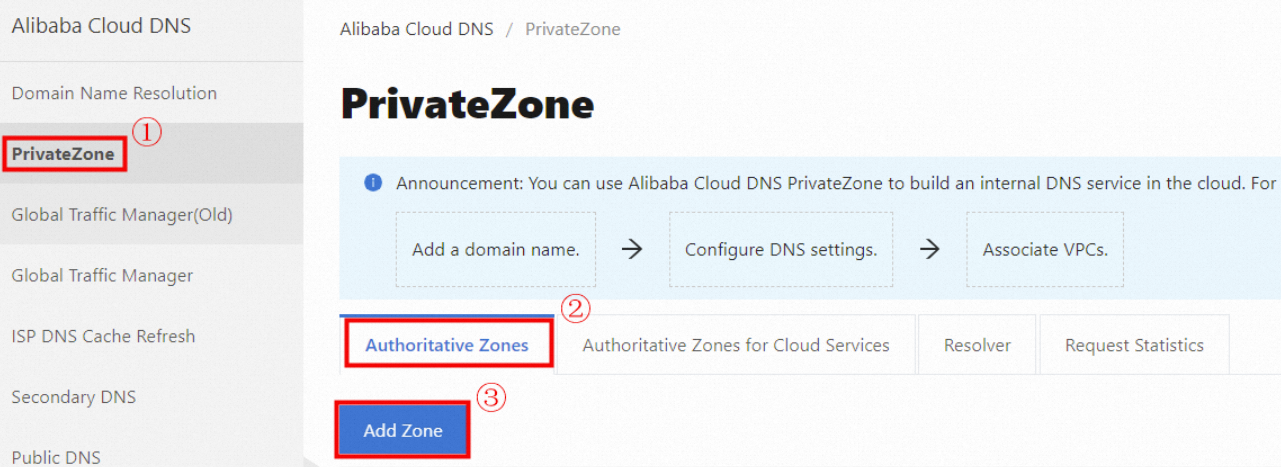
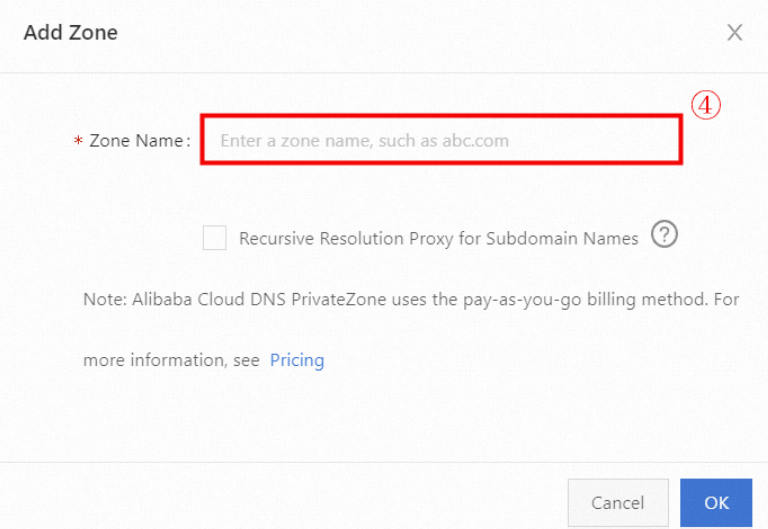
In the Add PrivateZone dialog box, enter a private domain name and click OK.
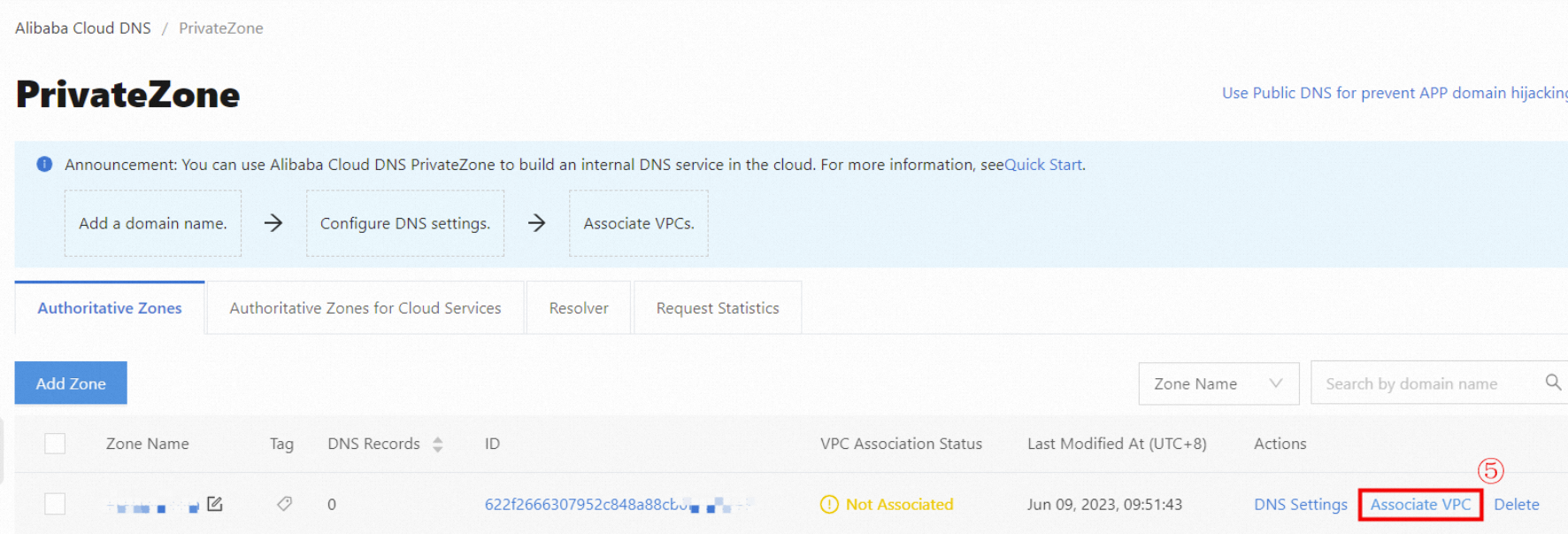
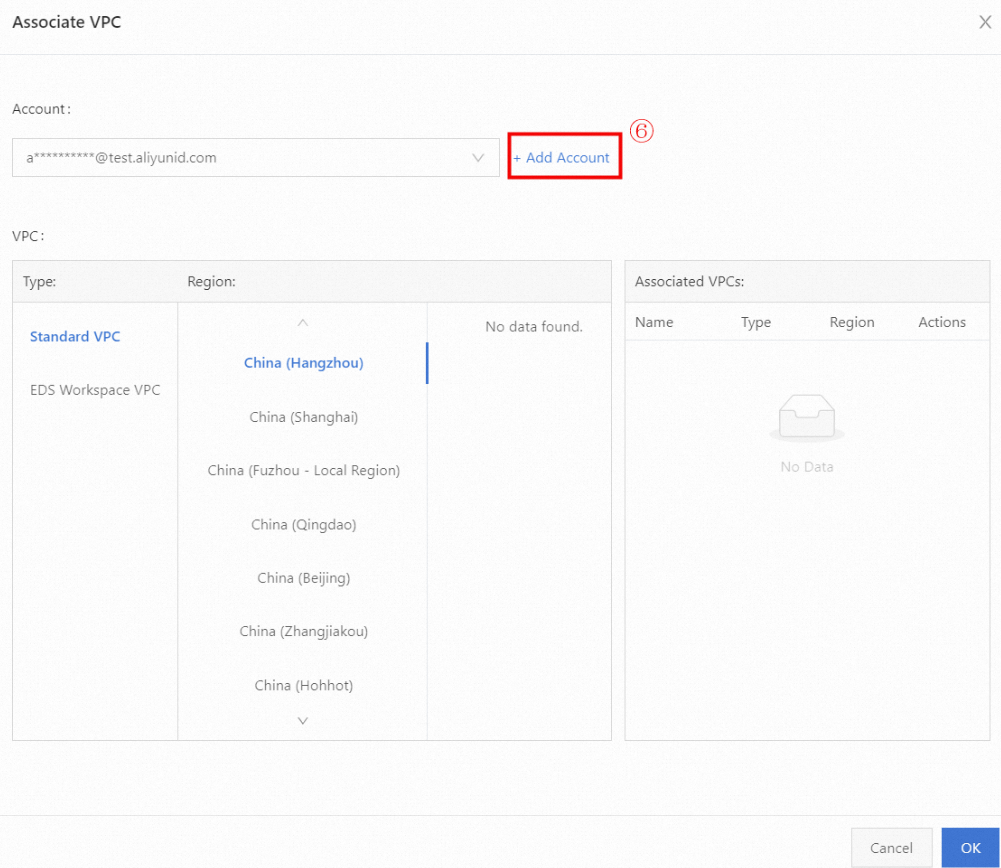
Find the zone you created and click Associate VPC in the Actions column. By default, the list shows the VPCs in your current account.
To associate a VPC from a different account, click Add Account.
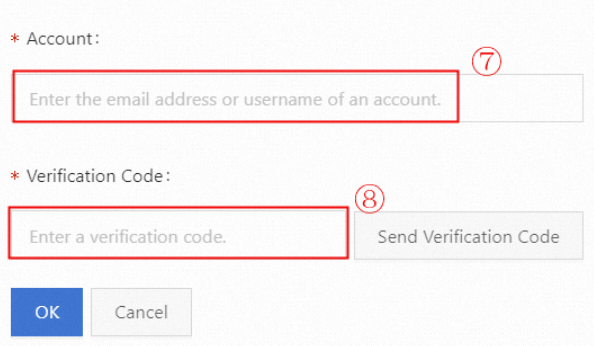
In the dialog box, enter the username or email address of the account that owns the VPC and click Send Verification Code. The system then sends a verification code to the email address and mobile phone number associated with that account.
After verification, select the account that owns the VPC from the drop-down list.
The VPCs for the selected account appear. Select the VPC that you want to associate.
Click OK to complete the cross-account VPC association.