Create and manage Group IDs
After you create a topic, you must create a client ID to identify the message consumer or producer. This ID is called a Group ID.
The relationship between Group IDs and topics is many-to-many (N:N). A consumer can subscribe to multiple topics, and a topic can be subscribed to by multiple consumers. A producer can send messages to multiple topics, and a topic can receive messages from multiple producers.
A Group ID is required for consumers but is optional for producers.
Create a Group ID
Log on to the SOFAStack console.
In the navigation pane on the left, choose Middleware > MSMQ > Group Management.
Click Create Group ID. In the Create Group ID dialog box, configure the following parameters:
Group ID: Required.
Must start with "GID_" or "GID-".
Can contain only letters, digits, hyphens (-), and underscores (_).
Must be 7 to 64 characters in length.
NoteA Group ID cannot be modified after it is created.
Description: Optional. A description of the Group ID, which can be up to 256 characters in length.
Click OK.
View Group ID details
In the Group ID list, click the name of a Group ID to open its details page. The details page provides the following information:
Basic Information: Includes the Group ID, protocol type, creation time, online status, consumption pattern, and description.
Subscription Relationships: Includes the topics that the Group ID subscribes to and related information, such as topic names and filter rules.
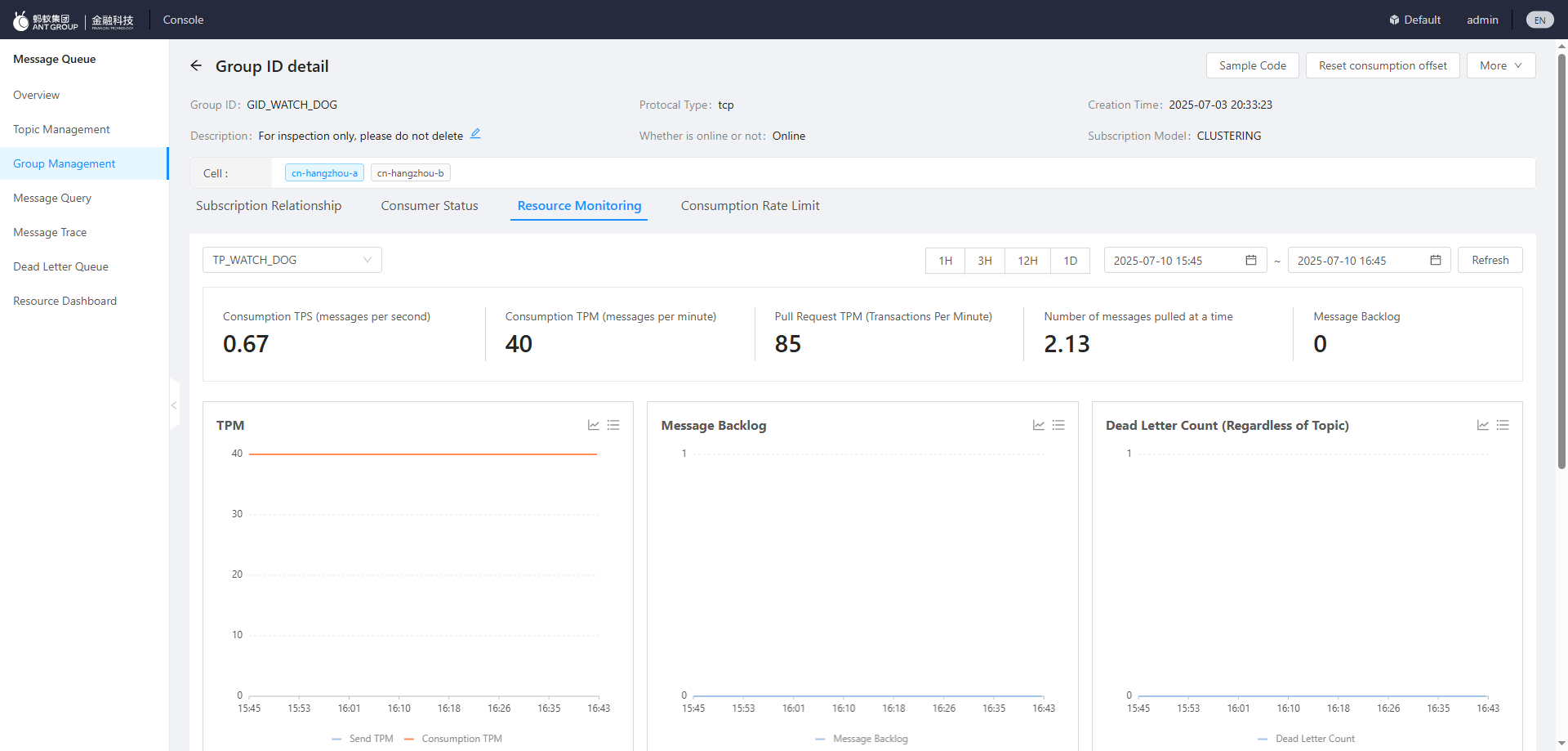
Resource Monitoring: View message consumption data for a specified topic within a selected time range. This includes Transactions Per Second (TPS)/Transactions Per Minute (TPM), pull requests per minute, number of messages per pull, and message accumulation, as shown in the following figure.
Delete a Group ID
In the Group ID list, find the target Group ID and click Delete in the Actions column.
In the dialog box that appears, click OK.
After a Group ID is deleted, its associated consumers immediately stop receiving messages. All related resources are cleared after 10 minutes. Proceed with caution.