Guide to the website admin homepage
This topic describes the sections of the website admin homepage and their functions.
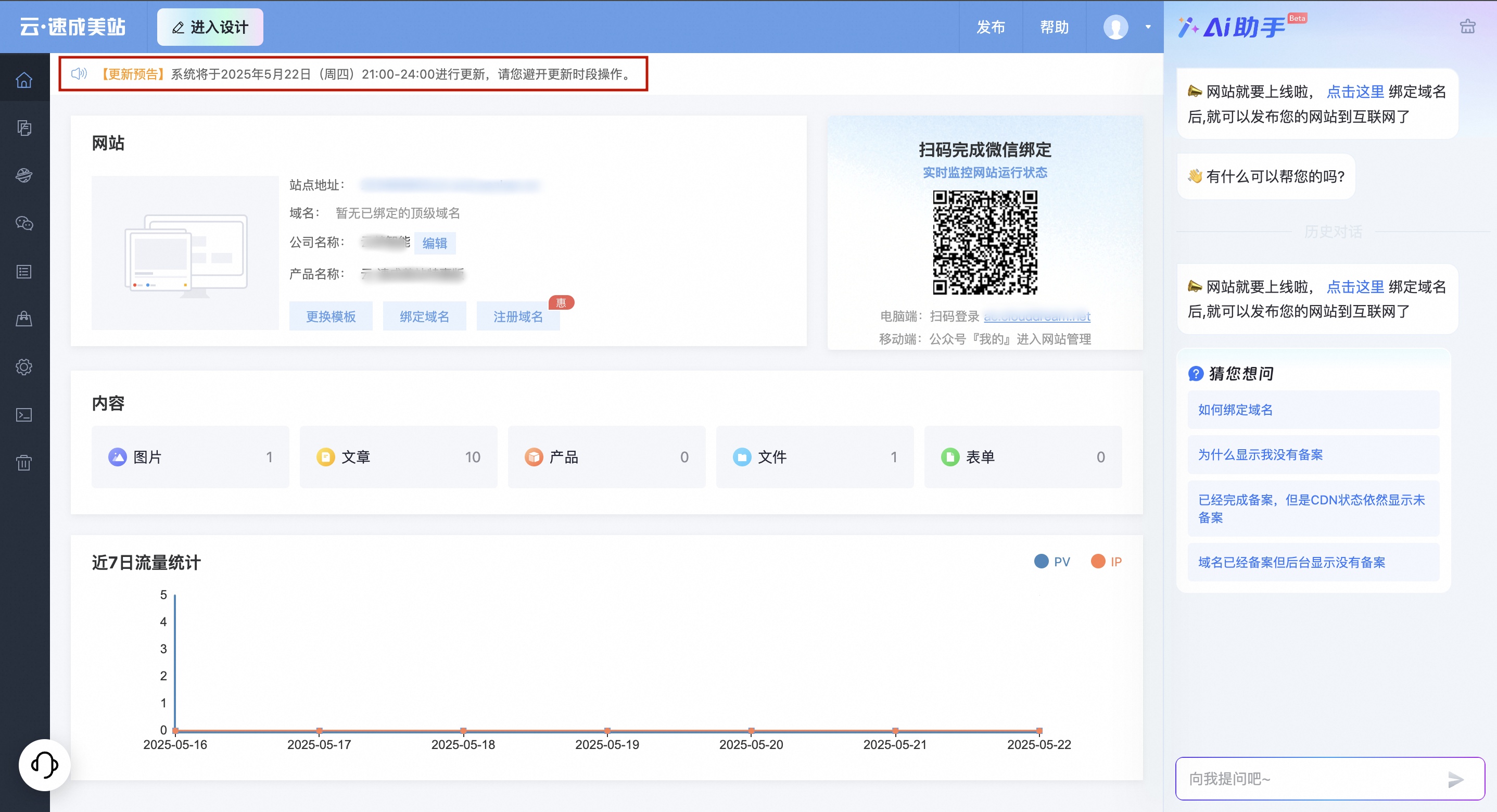
The website admin homepage has five areas, as shown in the following figure. The toolbar is at the top, the navigation bar is in the upper-left section, the quick access module is in the center, the customer service channel is in the lower-left corner, and the AI assistant window is on the right.
Toolbar
The toolbar is at the top of the page and has two sections:
Go to the designer page: In the website admin console, click Enter Design in the upper-left corner to open the designer page.

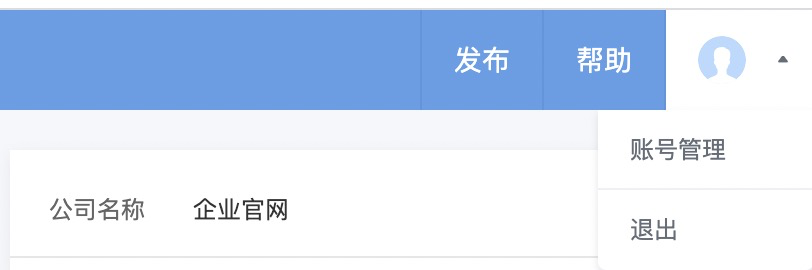
Quick action buttons: In the upper-right corner of the admin console are buttons for one-click publishing, accessing the help center, and logging out.
Navigation bar
The navigation bar is on the left. It includes features for website building, such as Content Management, Website Management, WeChat Official Account, Form Management, System Settings, and Recycle Bin. You can use the navigation bar to switch between pages.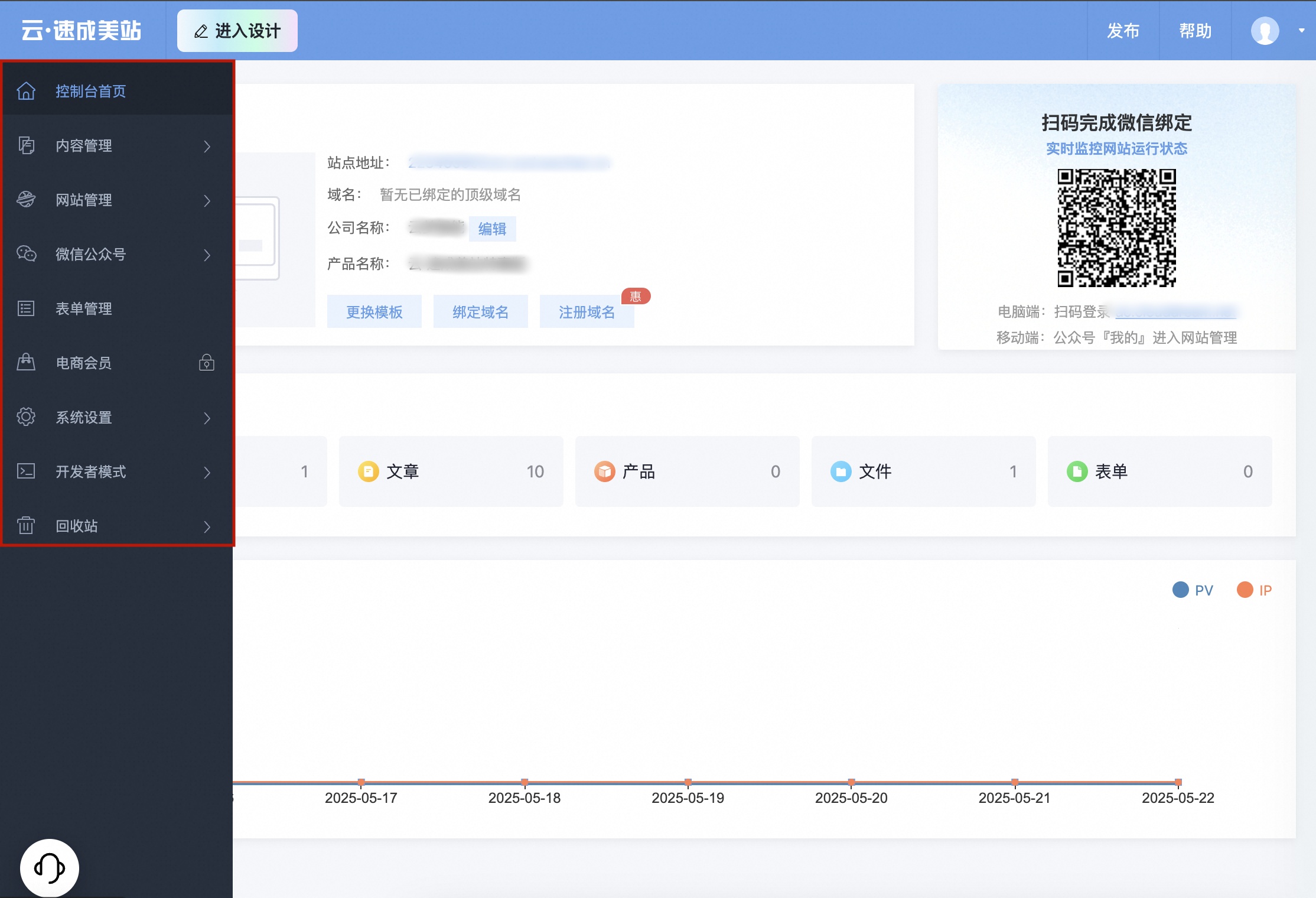
Quick access module
The quick access module contains shortcuts to frequently used features. You can click a shortcut to open the settings page for that feature.
Site: Configure site information.
WeChat Official Account: Scan the QR code to follow the official account.
Content: Access the main content management modules, including Article Management, Product Management, Image Management, File Management, and Form Management.
Edit Company Name: Edit your company's name.
Attach Domain Name: Go to the domain name management page to attach a domain name.
Update announcements
Update notifications: The announcement bar is below the toolbar. It displays upcoming update announcements.
Contact customer service
You can contact online customer service for assistance.
AI assistant window
In the AI assistant window, you can ask questions about website building and operations. The assistant helps you design your site with features such as AI-generated text and images. It also prompts you to add necessary information before you publish your site.